
Visible vs. Invisible Tracker: Which Should You Use?
Mail Track lets you track emails visibly or invisibly. Here is what each mode does, the benefit of each, and how to pick the right one for your goal.
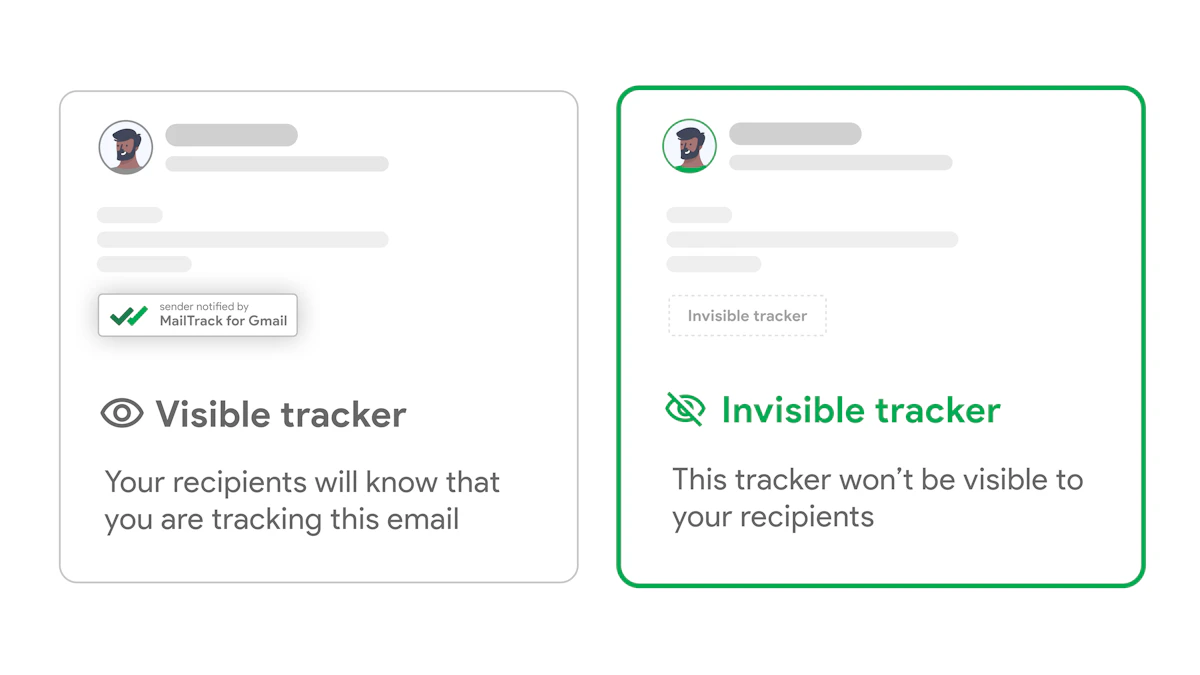
Mail Track for Gmail gives you free read receipts on any Gmail account, with open counts, exact timestamps, and real-time notifications. It also lets you choose how you track: out in the open, or completely discreet.
The visible tracker
A visible tracker adds a small signature or icon to your email, so the recipient knows the message is being tracked.
- Signals transparency: people see you are open about read receipts, which builds trust.
- Encourages replies: knowing a message was opened nudges recipients to respond rather than leave you guessing.
- Reinforces your brand: a clean, honest footer fits relationship-driven outreach where openness matters.
Reach for the visible tracker when trust and clarity are the point: client relationships, partnerships, or any conversation where you want the other side to feel respected.
The invisible tracker
An invisible tracker works silently. The recipient sees nothing, yet you still get every open, every count, and every timestamp.
- Preserves privacy: no banner, no icon, no change to how your email looks.
- Keeps responses unbiased: people react to your message, not to the fact that it is tracked.
- Stays discreet: ideal for cold outreach, sales, and research where you want clean signal without tipping your hand.
Choose the invisible tracker when you want honest data and a natural reading experience, without influencing how the recipient behaves.
How to pick
Match the mode to three things:
- Your objective: building trust points to visible, gathering clean insight points to invisible.
- Your audience: warm contacts often appreciate transparency, while cold prospects respond more naturally to a discreet tracker.
- Your industry: some fields expect openness, others reward a lighter touch.
You are never locked in. Switch per email, and either way Mail Track stays GDPR compliant.
It is free for unlimited tracked emails, with Premium at $5.99/mo (or $2.99/mo billed yearly) for more. Pick the tracker that fits your goal and Add Mail Track to Gmail.
Ready to track your emails?
Add Mail Track for Gmail from the Google Workspace Marketplace and know the moment your emails are opened. Free and unlimited.
Add to GmailMore reading
More from Guides

How Accurate Is Email Tracking? What Opens Really Tell You
How accurate is email tracking in Gmail? Learn why opens get overcounted or missed, how to spot false opens, and which signals to trust before you follow up.

Email Tracking Pixel: How It Works, How to Spot One and Where It Falls Short
What is an email tracking pixel, how does it show an open in Gmail, how can you find one, and why Gmail and Apple Mail proxies limit what it can tell you.

7 Example Email Accept Job Offer Templates
Use these 7 example email accept job offer templates for formal, concise, and enthusiastic replies, with subject lines, clauses, and sending tips.