



Email Tracking for Gmail: Setup, Tools & Best Practices
Learn how email tracking for Gmail works, from setup to best practices. Compare native features with top third-party tools for smart tracking.
Read more Mail Track for Gmail
 Read receipts built for Gmail
Real-time read receipts, open counts, and push notifications, right inside Gmail. Free, unlimited, and private.
Read receipts, open counts, and instant notifications, built into the Gmail inbox you already use every day.
How it works
01
Add Mail Track to Gmail from the Google Workspace Marketplace. No new tool to learn, it lives right inside your inbox.
02
Compose and send from Gmail like always. Mail Track quietly adds tracking to every message you send.
03
See double check marks the moment your email is read, with open counts and timestamps, plus an instant push notification.
Private by design
Mail Track only records open events for messages you send. Your email body stays private, always.
No separate dashboard required. Check marks, counts, and timestamps appear in the inbox you already use every day.
Track as many emails as you need. No caps, no credits, generous free tier for professionals and teams.
Loved by senders worldwide
Real reviews from the Google Workspace Marketplace listing.
Great app!! works perfectly!! Highly recommended.

Great service, easy to use and integrate. And their customer service is seriously amazing! I made a mistake when setting up my account and they responded incredibly quickly to each of my emails and fixed my issues, like within minutes everything was rectified and I was up and running. Highly recommend them all around!!

Mailtrack is a useful Gmail extension that lets you know when your emails are opened. It’s easy to install, simple to use, and works smoothly inside Gmail. The real-time notifications and tracking marks are very helpful for work and follow-ups.

Great app! I am using this app for past week.This app is very useful for tracking emails in Gmail. It helps me know when my emails are opened, which makes follow-ups much easier. The interface is simple and easy to use, and the notifications are timely. A very helpful tool for professional communication.

Easy to use and effective to see your results with. Integration with gmail is fantastic.

Has been of great help to my business - always a key install, thanks to the team!

Pricing
Track unlimited emails for free. Upgrade to Premium for invisible tracking, full history, and daily reports, or pay once for lifetime access.
Everything you need to start tracking.
No credit card required
For professionals who follow up.
Billed yearly
Get PremiumCancel anytime
FAQ
Quick answers about tracking, privacy, pricing, and how Mail Track works in Gmail.
When you send an email with Mail Track, we add a tiny tracking pixel to the message. When your recipient opens the email and loads its images, Mail Track records the open and shows you double check marks, an open count, and a timestamp, right inside Gmail. You can also get an instant notification.
Yes. Our free plan lets you track an unlimited number of emails with real-time open tracking, read receipts inside Gmail, and instant push notifications, at no cost. Premium adds the invisible tracker, full tracking history, and daily email reports.
Mail Track is designed to respect your privacy. We never read the content of your emails. We only record open events for the messages you send with Mail Track. Mail Track complies with the European General Data Protection Regulation 2016/679 (GDPR). You can exercise your right of access, correction, and removal of your personal data by emailing us.
That is up to you. The free plan adds a small visible signature that lets your recipients know the email is tracked. Premium unlocks the invisible tracker, which adds nothing visible to your email. You can switch at any time in the settings.
Yes. Mail Track works with the Gmail app on Android and iOS. You can send tracked emails from your phone and receive open notifications wherever you are.
Open tracking relies on your recipient's email client loading images. Most clients load images automatically, so tracking is accurate in the vast majority of cases. Some clients block images by default, in which case an open may not be recorded until the recipient chooses to display images.
Open the Mail Track web app and go to your account settings. You can upgrade, downgrade, or cancel at any time. If you cancel, you keep Premium access until the end of your current billing period.
If you cancel your Premium subscription within 30 days of purchase, you are eligible for a full refund. Just contact our support team.
From the blog
Practical guides on read receipts, follow-up timing, and open rates, written for Gmail users.
Learn how email tracking for Gmail works, from setup to best practices. Compare native features with top third-party tools for smart tracking.
Read more
Learn when and how to send a follow up email after no response. Our guide provides proven templates, timing strategies, and tips to get replies.
Read more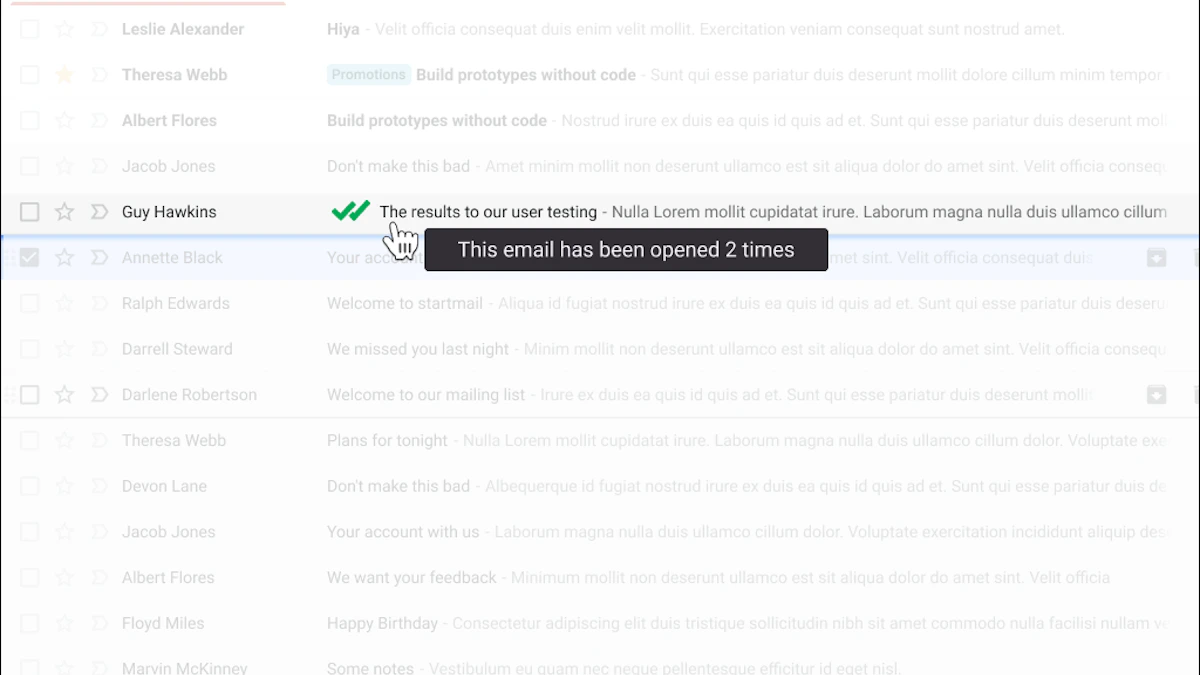
Gmail does not offer free read receipts to everyone. Here is how to know when your emails are opened, on any Gmail account, in under a minute.
Read more