
Core feature
Gmail read receipt
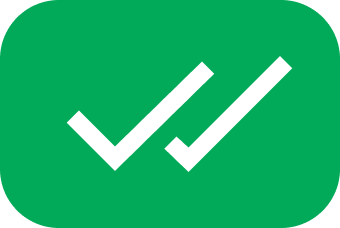
Double green checkmarks show the moment your email is read — the read receipt experience Gmail should have had built in.


Compose
Enable tracking before every important send
The tracker toggle in compose makes read receipts opt-in per message. Turn it on for outreach, leave it off for internal notes.

Read receipts that feel native
Visual confirmation inside Gmail — not a buried report or a separate app.
Instant visual confirmation
Sent → delivered → read. Checkmarks update in your Gmail sent folder so status is always one glance away.
No recipient action required
Unlike old read-receipt requests, opens are detected automatically when the message is viewed.
Per-message clarity
Each tracked email shows its own status in the sidebar panel — open count, device, and timestamps.

Get read receipts in three steps
Add Mail Track to Gmail
Install from the Marketplace and open Gmail as usual.
Enable tracking on send
Turn on the tracker toggle in compose before hitting Send.
Watch for green checks
When the recipient opens your email, double checkmarks appear on that message.
When read receipts matter
Contract sends
Know the counterparty opened terms before your call.
Interview scheduling
See if a candidate read your availability email.
Invoice delivery
Confirm finance saw the bill without a chase email.
Press pitches
Time your follow-up to when journalists open the release.
What you get
Everything Mail Track adds to Gmail — from your first tracked send to daily follow-ups.
-
Read status on every tracked send
Each tracked message shows delivered and read status directly in your sent folder.
-
Open count when a message is read multiple times
See repeat opens so you know when interest spikes — not just the first glance.
-
Works with Gmail on web and mobile apps
Same read receipts whether you send from Chrome, Safari, or the Gmail app.
-
Free and unlimited
No monthly cap on tracked sends — start free and keep tracking as volume grows.