
Can You Tell if Someone Read Your Email: Tracking Guide 2026
Can you tell if someone read your email - Explore methods for how you can tell if someone read your email in 2026. Discover read receipts, tracking pixels, &

You can’t know with certainty that someone read your email, because even in 2025 true human open rates were only 25% to 35% while reported average open rates reached 42.35%. What you can get is a strong signal that the message was opened or rendered, which is useful, but it isn’t absolute proof of human attention.
You’ve probably been there. You send a proposal, a job application, a client follow-up, or a note that took you far too long to write. Then the waiting starts. No reply. No clue. Just a sent message sitting in your Gmail folder while you wonder whether the person saw it, ignored it, or never got it at all.
That uncertainty is why so many people ask, can you tell if someone read your email. The honest answer is no, not perfectly. But you can often tell whether the email was opened, whether images loaded, and whether there are signs that the recipient interacted with it.
The tricky part is separating what email tracking can do in theory from what it can do reliably in real life. That’s where people get confused. An “open” isn’t the same as a “read,” a missing notification doesn’t always mean the email was ignored, and Gmail adds its own rules on top.
The Anxious Wait After Hitting Send
A freelancer sends a quote to a new client on Monday morning. By Tuesday afternoon, there’s still no reply. She opens Gmail again, rereads her message, and starts rewriting her follow-up in her head. Was the price too high? Did it land in spam? Did the client read it and decide not to answer?
A recruiter has the same feeling after reaching out to a strong candidate. A founder feels it after sending an investor update. A sales rep feels it after a carefully timed intro. Different inboxes, same stress.
Individuals aren’t asking one question here. They’re asking three:
-
Was it delivered? Did the message make it to the recipient’s mail system?
-
Was it opened? Did the email file or its images load on a device?
-
Was it read? Did a person notice, understand, and care about the contents?
Those are not the same thing.
Practical rule: Email tracking gives you evidence of activity, not courtroom proof of attention.
That distinction matters because people often overreact to weak signals. If they see an open notification, they assume the recipient studied every word. If they don’t see one, they assume the message was ignored. Both conclusions can be wrong.
A better way to think about tracking is this: it helps reduce uncertainty. It doesn’t erase it. When used well, it can help you choose when to follow up, which conversations deserve attention first, and whether your emails are even reaching inboxes. When used badly, it can push you into awkward timing, false confidence, and bad assumptions about people who haven’t replied yet.
The Technology Behind Read Confirmations
Email “read” confirmations come from two very different mechanisms, and they answer two different questions. One asks the recipient’s email program to send a notice back. The other watches for a small file inside the email to load. If you’re detecting email open status, that distinction matters because the tools do not observe human attention directly. They observe system events.
Traditional read receipts
A traditional read receipt is a request attached to an email. When the message is opened in a compatible mail app, the recipient may see a prompt asking whether they want to send a receipt.
That means control stays with the recipient, or with their workplace email settings. In some organizations, receipts are blocked. In others, they may be sent automatically. In many cases, nothing happens at all because the mail app does not support the feature consistently.
A read receipt works a bit like asking someone to sign for a package. The sender gets confirmation only if the receiving system allows that signature to be returned.
Tracking pixels
Modern email tracking usually uses a tracking pixel. This is a tiny invisible image embedded in the HTML version of the message. When the email client displays the email and loads remote images, it requests that image from the sender’s server. That request can record a time, a device type, and sometimes a rough location based on the network.
The simplest comparison is a hidden check-in card inside the email. If the card gets pulled from the sender’s server, the sender learns that the email was displayed in a way that loaded images. That is useful information. It is still one step removed from proving a person read the message carefully.
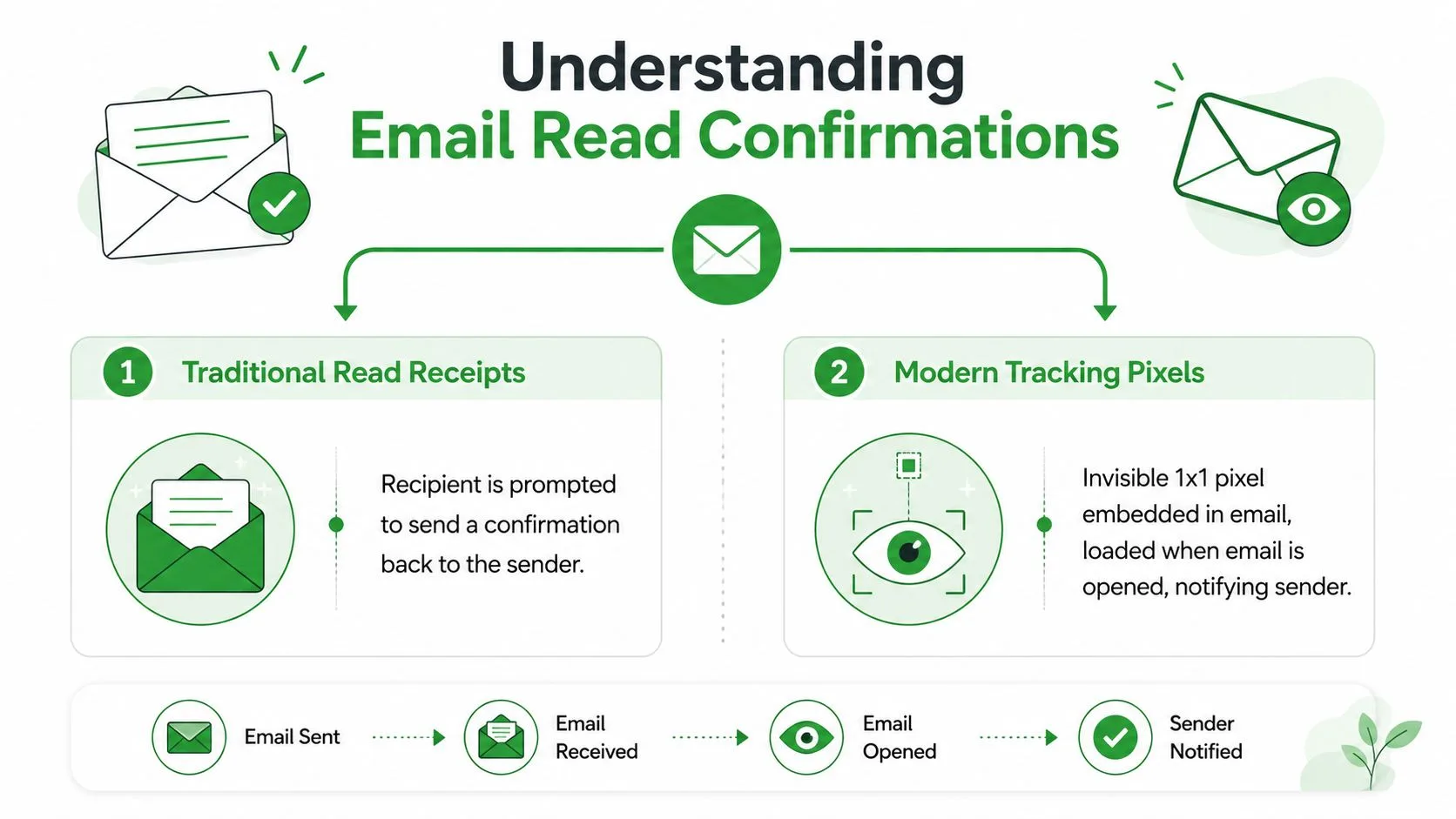
What each method actually confirms
The clearest way to separate these methods is to match each one to the event it can verify:
| Method | What it depends on | What it can tell you |
|---|---|---|
| Read receipt | Recipient or admin approval | The message was opened in a system that sent a receipt back |
| Tracking pixel | Email client loading external images | The email displayed in a way that requested the pixel |
The practical takeaway is simple. A read receipt confirms that a receipt was sent. A tracking pixel confirms that an image request happened. Neither method can look over the recipient’s shoulder and verify attention, comprehension, or intent.
That gap between technical possibility and practical reliability is why email tracking is useful, but never absolute.
Why Email Tracking Is an Educated Guess
You send an email, refresh your inbox ten minutes later, and see an open notification. It feels like an answer. In practice, it is closer to a clue.
The hard part is that email systems can confirm a technical event more easily than a human one. A server can record that the email loaded remote content. It cannot confirm whether the recipient read the message carefully, skimmed the first line, or never saw it because a filter or privacy feature touched the email first. That distinction is the center of the problem.
Analysts cited in this analysis of whether someone read your email found a noticeable gap between reported opens and estimated human opens across large campaign data. That mismatch is why email tracking works best as probability, not proof.
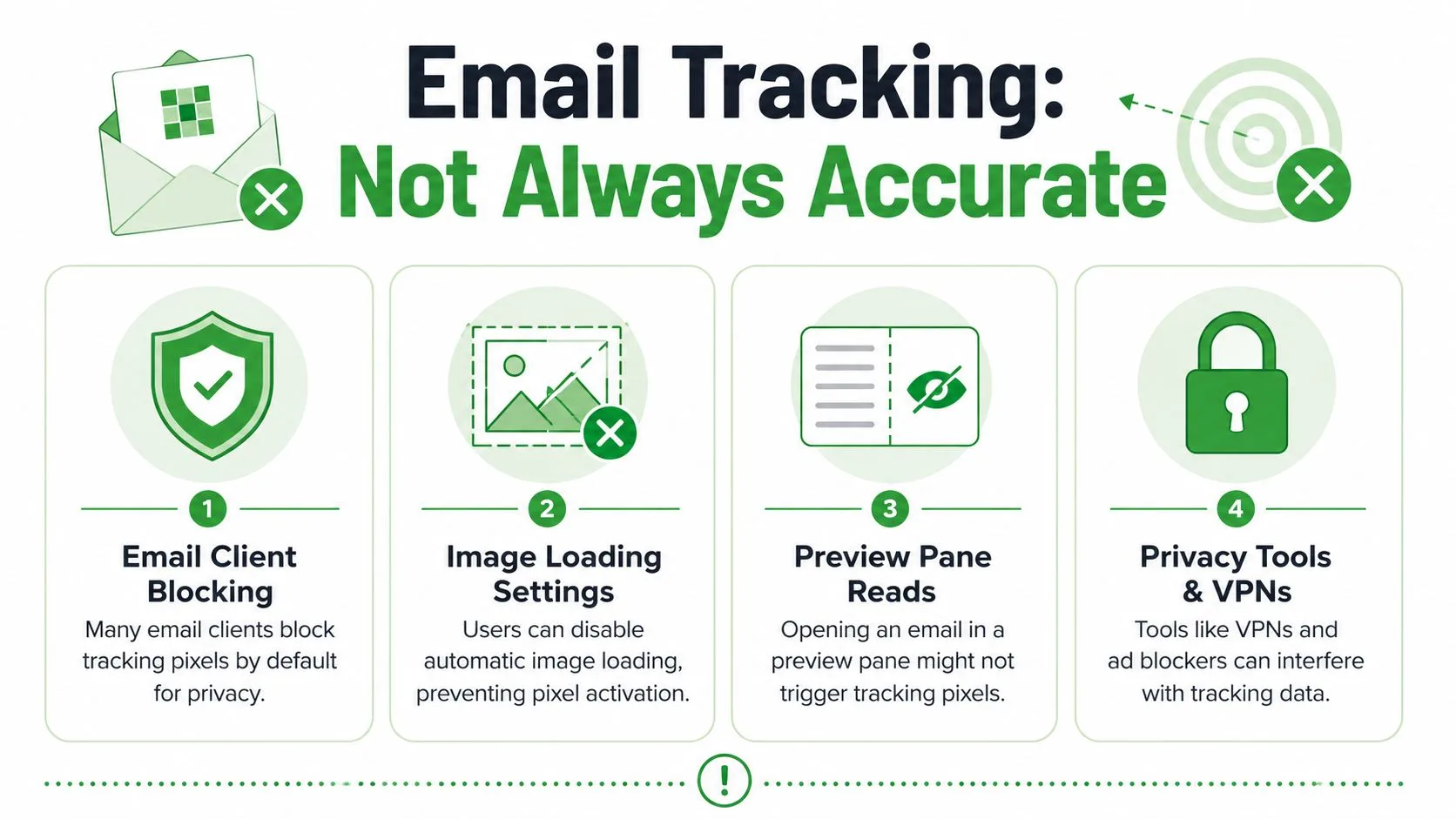
Why open signals get blurry
A tracking signal works a bit like a motion sensor near a front door. It can tell you something passed by. It cannot always tell you who it was or what they did next.
Several common situations create that blur:
-
Image blocking: If the email app blocks external images, the tracking pixel may never load, even if the recipient reads the message.
-
Privacy protection: Some apps fetch images on the user’s behalf, which can create an open signal that does not match a normal read.
-
Security scanners and proxies: Company mail systems may check links or load content before the recipient opens the email.
-
Preview panes: A quick preview can trigger some assets without reflecting full attention.
The Hummingdeck review of why email read receipts don’t work explains this limit well. Delivery receipts show arrival. Read receipts show that a compatible system reported an open. Neither one proves the message was understood.
What no notification means
No open notification does not reliably mean “they did not read it.”
As noted earlier, image blocking and privacy controls can hide real views, especially in large email platforms. So a missing signal often means “nothing trackable was recorded,” not “no human saw the email.” That is why detecting email open status is less about finding certainty and more about judging imperfect evidence.
A practical way to handle this is to separate what is technically possible from what is dependable in day-to-day use. Tools built for Gmail, including guides on email tracking for Gmail, are useful because they help you work within those limits instead of pretending the limits do not exist.
If an open appears, a person, privacy service, or security system likely triggered the email’s assets. If no open appears, the message may still have been read.
That uncertainty is part of how email works. The goal is not to remove it. The goal is to interpret it well.
Navigating Read Receipts and Tracking in Gmail
Gmail adds another layer of confusion because people assume the platform has a universal built-in read receipt. It doesn’t.
In Gmail, native read receipts are limited to work and school Google Workspace accounts. They are disabled by default for personal Gmail users, and administrators have to enable them through the Admin Console path described by Streak in its guide to Gmail read receipts. Even after that, the feature still runs on a request-and-consent model, which means the recipient can decline to send the receipt.
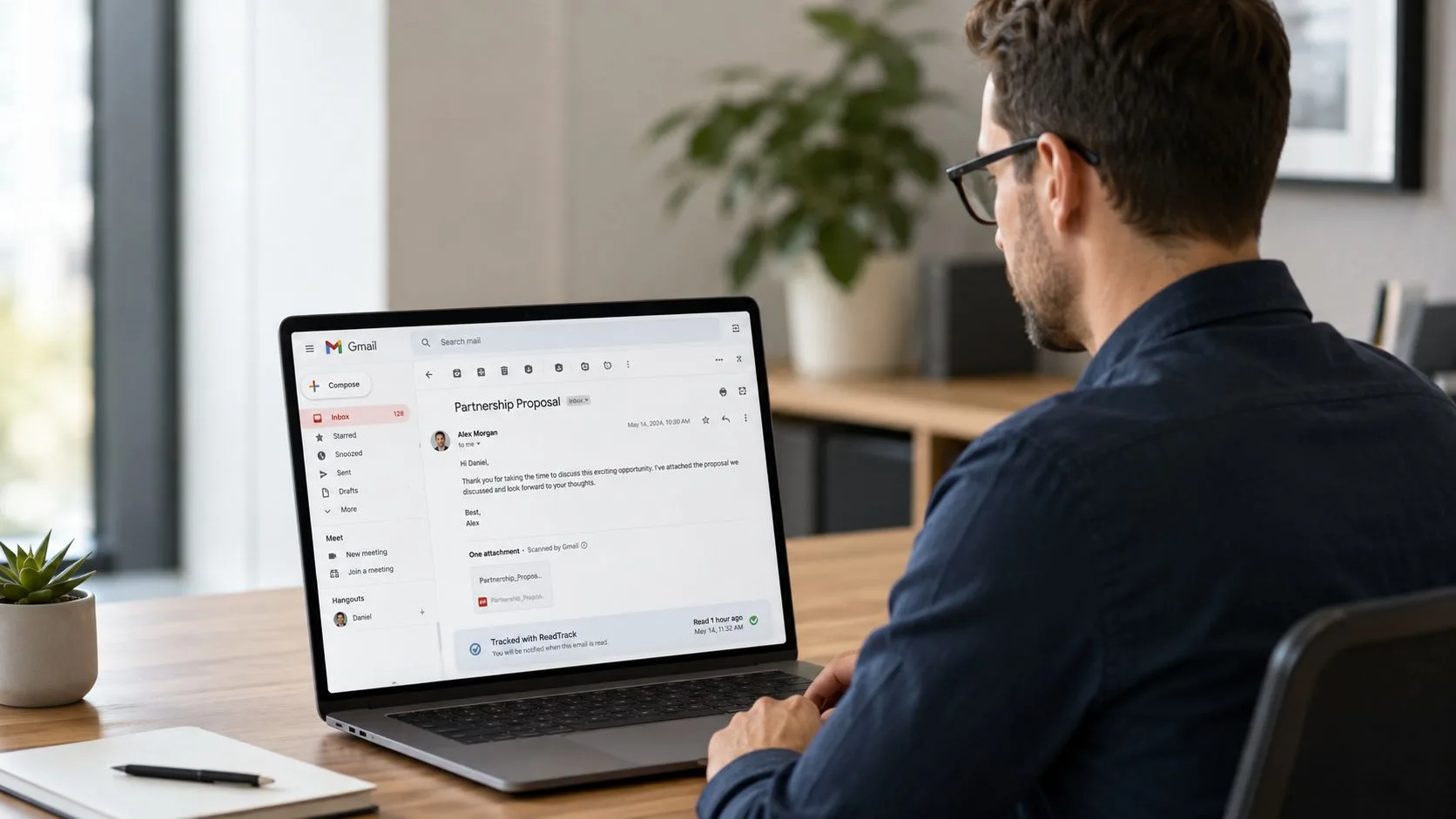
What Gmail gives you natively
For most everyday users, Gmail itself does not provide a dependable built-in answer to “did they read it?”
Here is the practical breakdown:
-
Personal Gmail accounts: No native read receipts.
-
Google Workspace accounts: Read receipts may be available, but only if an admin enables them.
-
Recipients: They may still need to approve the receipt request.
That last point matters more than people expect. Even with the feature turned on, the sender doesn’t control the final signal.
Why Gmail users look beyond native tools
This is why many Gmail users end up looking at third-party tracking tools that work inside the inbox rather than relying on the built-in receipt request. They want an indicator that fits normal Gmail workflow and doesn’t depend so heavily on the recipient clicking yes.
If you want a practical overview of that broader setup, this walkthrough of email tracking for Gmail shows how Gmail-specific tracking is usually layered on top of the native interface rather than replacing it.
Another wrinkle is that Gmail itself has become more skeptical of trackers in some contexts. Allegrow reports that starting in August 2024, Google began flagging emails containing tracking pixels as suspicious and hiding images behind a warning in its write-up on Gmail email tracking. That doesn’t make tracking impossible, but it does make blind trust in open data even less wise.
A Practical Example with Mail Tracker for Gmail
A concrete example helps more than abstract theory.
Say you send a client follow-up from Gmail at 10:00 a.m. You don’t want to refresh your Sent folder all day. You just want a simple signal inside the inbox that tells you whether the message has moved from “sent” to “opened.”
One way people handle that is with Mail Tracker for Gmail, an add-on that places read-status indicators directly in Gmail.
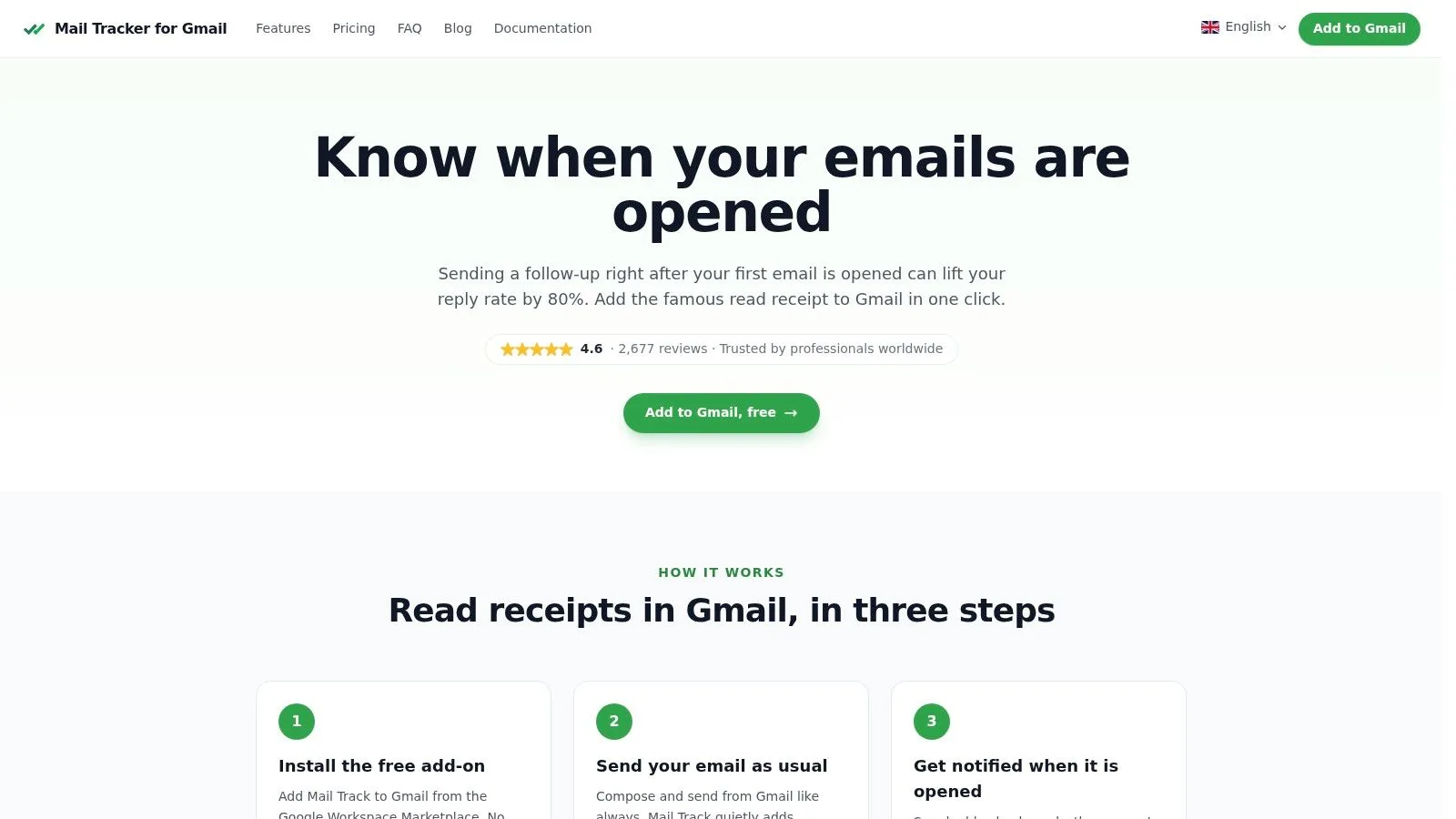
What the status marks mean
In this kind of setup, the interface stays close to the language people already understand from messaging apps:
-
One check mark: The email was sent.
-
Two check marks: The email registered an open event.
That sounds small, but it changes behavior. Instead of wondering whether to follow up purely by instinct, the sender has a timestamped signal in the same workspace where the conversation already lives.
The point isn’t that the tool proves reading beyond doubt. It doesn’t. The point is that it turns hidden tracking data into an at-a-glance cue that is easier to interpret during normal work.
For readers comparing options, this page on a free email tracker for Gmail shows the type of workflow Gmail users usually want: no separate dashboard just to answer a simple question about a sent email.
Why notifications help more than raw open counts
Raw open data can be noisy. Timing, though, can still be useful.
If you receive a real-time alert that your message was opened while you’re already at your desk, that’s often a better prompt for a follow-up than waiting two days and guessing. That matters for recruiters, consultants, founders, and account managers who care more about response timing than vanity metrics.
Following Up Responsibly with Tracking Data
The most useful mindset is simple. Use tracking to improve timing, not to pressure people.
If a tracked email opens once, that doesn’t mean you should reply five minutes later with “Just checking that you saw this.” Most recipients find that invasive. A better move is to combine the signal with context. Was this a warm conversation? Is the follow-up of actual help? Do you have new information to add?
Read the signal carefully
Not every open is a person reading carefully. Instantly notes that when Gmail open rates suddenly spike above 80% or appear within milliseconds of sending, the event is almost certainly caused by bot or proxy activity rather than human engagement in its Gmail tracking guidance.
That gives you a practical filter:
-
Treat sudden spikes cautiously: They may reflect automated systems.
-
Watch for timing patterns: A realistic open signal looks different from an instant machine-triggered event.
-
Prioritize replies over opens: A response is still stronger evidence than a pixel event.
Better question: Don’t ask “Can I prove they read it?” Ask “What does this signal suggest I should do next?”
Keep the human side intact
Good follow-ups still depend on clear writing and professional tone. If you need help tightening the message itself, these professional email examples are useful because they focus on wording, structure, and intent rather than tracking tricks.
Privacy also matters. Gmail has increased scrutiny of tracking pixels in some situations, especially where trust is low or outreach is unsolicited, as noted earlier. That’s one more reason to use tracking with restraint.
If you’re weighing the ethics side directly, this discussion of whether email tracking compromises ethics is worth reading because the right standard isn’t “can this be done?” but “is this appropriate in this relationship?”
Used responsibly, tracking helps you avoid bad timing. Used carelessly, it makes your email feel like surveillance.
Use Tracking as a Signal Not a Certainty
So, can you tell if someone read your email? Not with complete certainty.
You can often tell that an email was opened, rendered, or interacted with in some measurable way. That’s helpful. It can guide your follow-up timing, show whether your messages are reaching inboxes, and help you decide which conversations deserve attention first.
What it can’t do is confirm attention the way a face-to-face conversation can. Email systems can report events around the message. They can’t prove a person focused on it, understood it, or cared enough to act.
The healthiest approach is to treat tracking like weather data. It improves your decisions, but it doesn’t control the outcome. Use the signal, combine it with judgment, and let replies, clicks, and real conversations carry more weight than open notifications.
If you want a simple Gmail-based way to see sent and opened status inside your inbox, Mail Tracker for Gmail gives you read receipts and real-time open notifications directly in Gmail, which can make follow-up timing easier without forcing you into a separate workflow.
Ready to track your emails?
Add Mail Track for Gmail from the Google Workspace Marketplace and know the moment your emails are opened. Free and unlimited.
Add to GmailMore reading
More from Guides

How Accurate Is Email Tracking? What Opens Really Tell You
How accurate is email tracking in Gmail? Learn why opens get overcounted or missed, how to spot false opens, and which signals to trust before you follow up.

Email Tracking Pixel: How It Works, How to Spot One and Where It Falls Short
What is an email tracking pixel, how does it show an open in Gmail, how can you find one, and why Gmail and Apple Mail proxies limit what it can tell you.

7 Example Email Accept Job Offer Templates
Use these 7 example email accept job offer templates for formal, concise, and enthusiastic replies, with subject lines, clauses, and sending tips.