
Business Development Tracking: Tools and Workflows
Improve your business development tracking with key metrics, smart workflows, and Gmail-integrated tools to boost efficiency in 2026.
Follow-up emails generated 58.6% of all replies in a 2026 B2B study, even though the first email had the highest per-step reply rate at only 0.59%. The same dataset found that step 3 was the most productive email for booking appointments, with more than 53% of email-sourced meetings arriving from sequence step 3 or later.
That finding changes the operating question. Business development tracking isn’t about proving that someone opened your first message. It’s about identifying which touchpoint creates momentum, when the prospect engages, and what your team should do next. A Gmail inbox can contain those signals, but only if the tracking workflow is simple enough to survive a busy sales day.
Why Business Development Tracking Changes Everything
Many teams begin with an inaccurate scoreboard. They count sends, celebrate opens, and review replies in isolation. Those numbers look tidy in a dashboard, but they rarely explain why one opportunity advanced while another disappeared after an apparently strong first touch.
Follow-up activity exposes the true path. The 2026 B2B study linked above found that follow-up emails collectively produced the majority of replies, while step 3 led appointment creation. That means a first-touch open is often an early indication, not a business development outcome. A useful system connects the open to the next event, such as a reply, a scheduled meeting, a stage change, or a deliberate decision to stop pursuing the account.
The dashboard problem
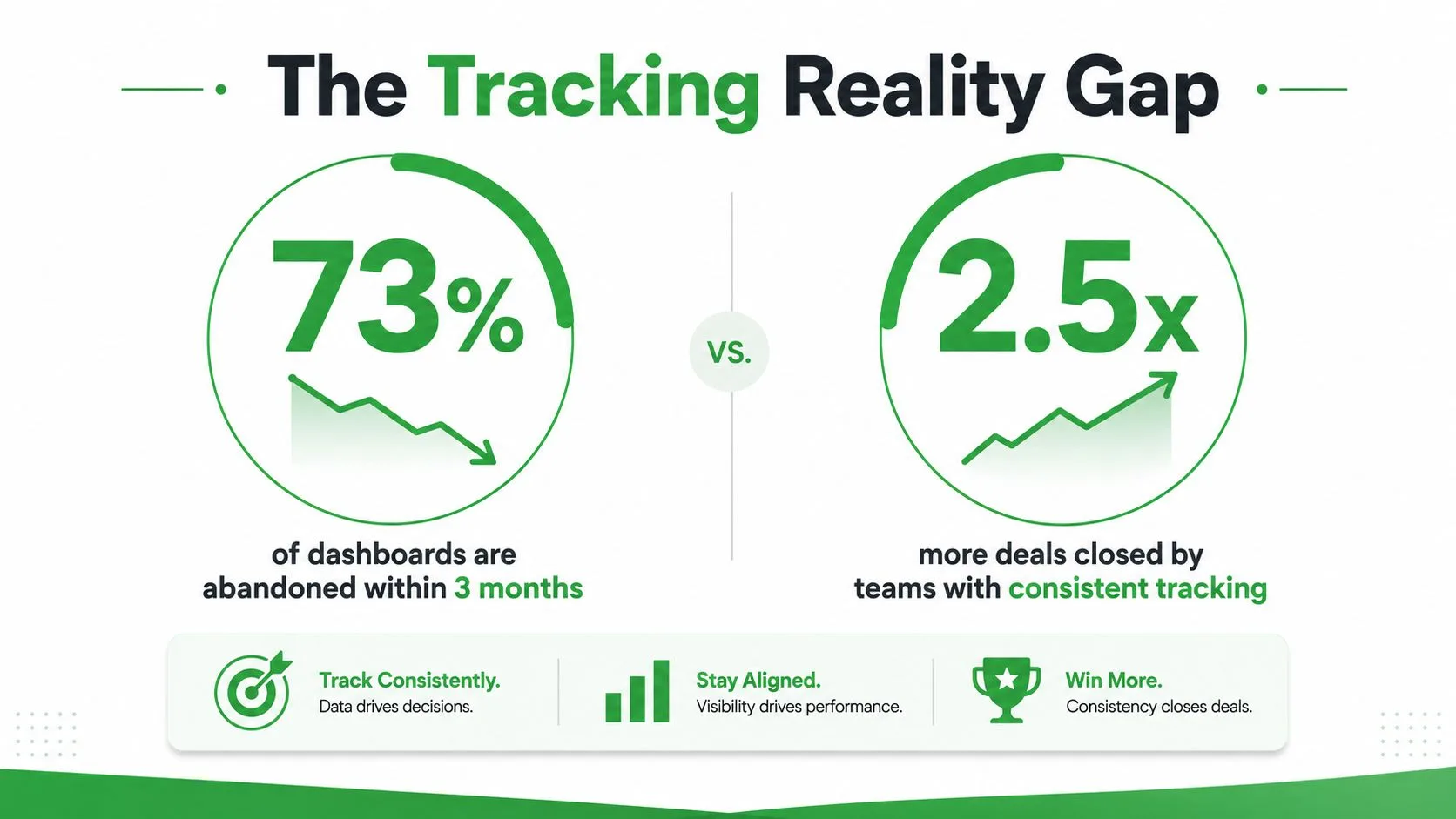
Dashboards fail when they create work without improving decisions. A representative may need to update a CRM, tag an email, record a call, interpret an alert, and explain a missing field before moving to the next prospect. That administrative burden makes tracking feel like a second job, so coverage declines and leaders begin working from incomplete information.
The fix is to track the smallest set of events that changes behavior:
- Engagement: Identify whether the recipient opened the message and when.
- Sequence position: Record which touchpoint produced the response.
- Response timing: See whether the prospect engaged soon enough to justify immediate action.
- Business outcome: Connect the interaction to a meeting, opportunity movement, or account result.
Practical rule: If a metric doesn’t change who gets contacted, when they get contacted, or how an opportunity is managed, it probably doesn’t belong on the daily dashboard.
This approach also supports broader planning. Teams evaluating choose a SaaS growth model need reliable evidence about which channels and touchpoints create pipeline, not just a collection of first-touch activity totals. Business development tracking becomes valuable when it reveals the conversion path clearly enough to guide staffing, messaging, and follow-up decisions.
What Business Development Tracking Actually Means
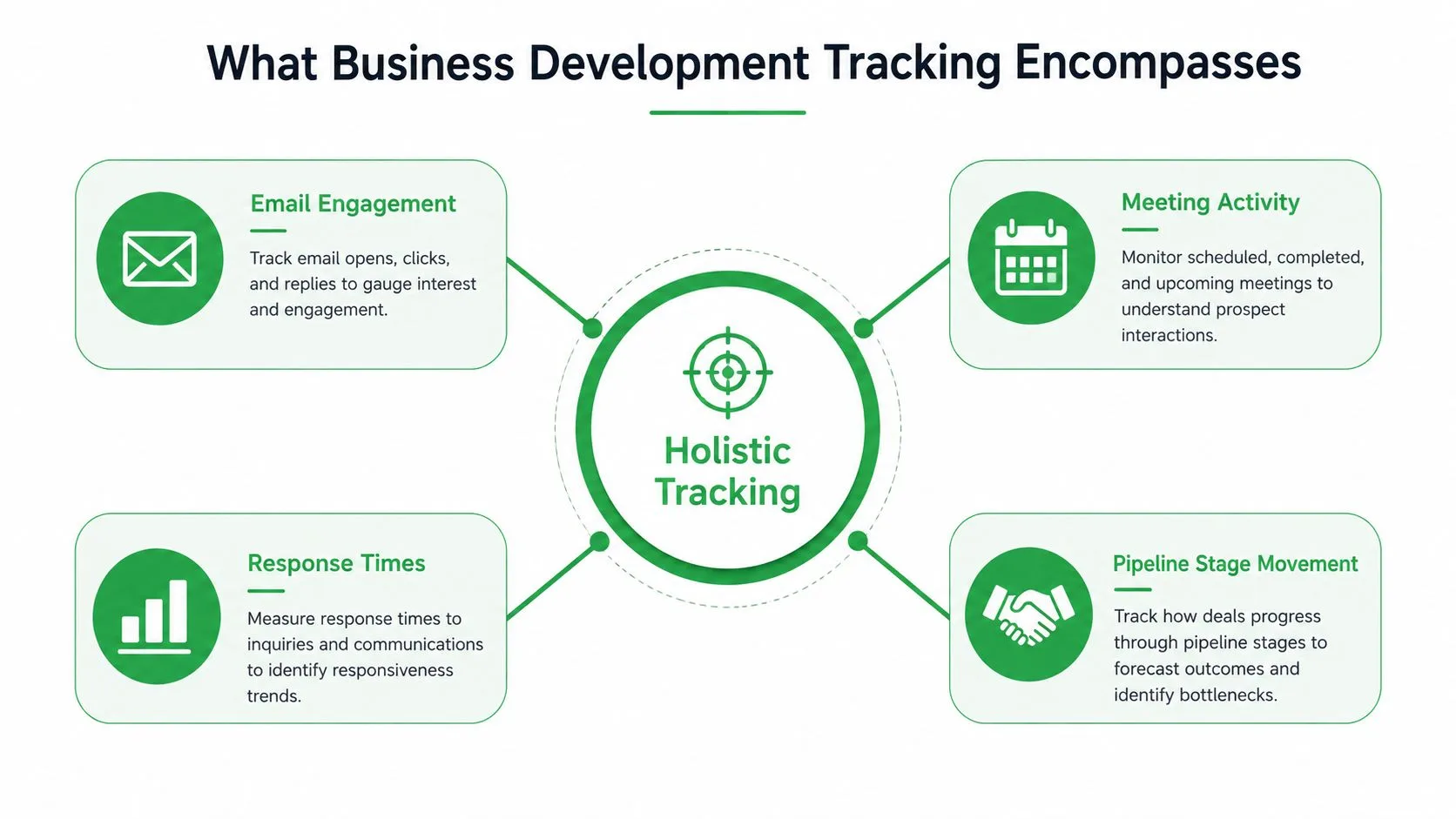
Business development tracking is a connected operating system for recording activity, interpreting engagement, and measuring progression toward a commercial outcome. It includes the email sent, the recipient’s response, the timing between touches, the meeting that followed, and the pipeline movement that proves whether the interaction mattered.
Activity tracking answers, “What did the team do?” Outcome tracking answers, “What happened because of it?” You need both. A team that records only meetings won’t know whether poor results came from weak targeting, inconsistent outreach, or slow follow-up. A team that records only sends and opens may mistake attention for intent.
Start with the event chain
A practical Gmail-based tracking record should connect these events:
- Message activity: Store the sender, recipient, subject, account, and send time.
- Engagement: Capture opens, response timestamps, and relevant link activity when the tracking method supports it.
- Follow-up context: Record the sequence step, previous touchpoint, and planned next action.
- Conversation outcome: Mark whether the prospect replied, declined, went silent, or requested another conversation.
- Pipeline progression: Connect the thread to a meeting, opportunity, partner discussion, or account expansion.
Give every signal a job
An open alert should trigger prioritization, not an automatic sales pitch. If a prospect opens a proposal, the owner might check the thread for unanswered questions. If a contact opens an early-stage introduction, the correct action may be to wait for the planned follow-up rather than call immediately.
Context determines meaning. An open from an existing customer may support an expansion conversation, while an open from an unqualified contact may not justify any action. The tracking system should therefore show the engagement signal beside account fit, relationship history, current stage, and next step.
The strongest setup keeps the record close to the work. Gmail-based monitoring reduces the gap between an event and the action it should prompt. CRM synchronization can add account and opportunity context, but it shouldn’t force representatives to duplicate every detail manually. The system earns trust when it captures enough history to support judgment without turning each email into a data-entry exercise.
Key Metrics That Drive Business Development Results
Metric selection depends on the decision you need to make. Open rate can help diagnose subject-line or deliverability problems, but it rarely proves buying intent. Reply rate provides a stronger signal for message relevance, while meeting creation and pipeline movement connect engagement to commercial progress.
Open rate should use a consistent definition: unique opens divided by delivered emails, multiplied by 100. Salesforce’s email benchmark guidance also illustrates why teams shouldn’t compare open rates without considering audience and message type. One 2026 B2B cold-email benchmark reports typical open rates of 15–25% and reply rates of 1–5%, while another benchmark reports roughly 44% average open rates across B2B sales emails overall. Those ranges aren’t interchangeable.
| Metric | Benchmark Range | When It Matters |
|---|---|---|
| B2B cold-email open rate | 15–25% | Diagnosing subject lines, targeting, and initial message visibility |
| B2B cold-email reply rate | 1–5% | Evaluating message relevance and audience fit |
| Sequences with 4–7 messages | About 27% reply rate | Comparing multi-step cadence design with short sequences |
| Sequences with 1–3 messages | About 9% reply rate | Identifying whether a team stops outreach too early |
| Follow-up timing | About three days between messages associated with a 31% reply-rate increase versus back-to-back sends | Designing spacing between touches |
| Lead response timing | Five-minute responses about 100 times more likely to qualify than 30-minute responses | Prioritizing inbound or high-intent activity |
The sequence comparison and timing figures come from analysis of more than 20 million cold emails. The broader follow-up dataset reports that a first meeting often takes about 8 touchpoints, while top performers need roughly 5, and that one follow-up raised average reply rate from about 9% to 13%, with two to three follow-ups pushing it to around 27%. That benchmark is useful for planning cadence, not for setting an inflexible quota.
Separate useful signals from vanity numbers
An open count without a reply, meeting, or stage change is a weak standalone signal. Likewise, total emails sent can reward volume even when the team is contacting poor-fit accounts. Review metrics in a chain:
- Visibility: Was the message delivered and opened?
- Engagement: Did the recipient reply, click, or return to the thread?
- Speed: How quickly did the team respond?
- Progression: Did the account move toward a meaningful business conversation?
For a practical implementation, connect the operational definitions to an email metrics dashboard. Cost analysis should also include the tools and labor in CPL, because a low acquisition cost can be misleading when representatives spend substantial time managing unproductive sequences.
Setting Up Mail Tracker for Gmail
A Gmail tracking setup survives only when representatives can understand it quickly and use it without changing their normal sending habits. Start in the Google Workspace Marketplace, the official channel for Gmail add-ons and extensions that connect with Google Workspace. Review available tools in Google’s Marketplace directory, then install the option that matches the team’s workflow.
Configure the account before sending
Install the Mail Tracker for Gmail extension through the Marketplace, authorize the required Gmail access, and confirm that tracking indicators appear in the compose window. The Mail Tracker for Gmail setup guide covers the installation sequence in detail. The free plan includes a visible tracking signature and unlimited tracked emails. Premium adds invisible tracking, daily email reports, and fuller message-level history, with pricing published by the product.
Choose visible tracking when the team’s communication policy favors disclosure. Use invisible tracking only after reviewing internal privacy requirements and the rules that apply to recipients. The product records open events rather than reading email content, but that distinction does not replace a documented compliance process.
Push notifications can help representatives respond while away from their desks. Mail Tracker for Gmail supports tracked sending and alerts through the Gmail app on Android and iOS. Turn notifications on for priority messages instead of every open event, or the alert stream will become another ignored dashboard.
Build a review rhythm
Daily reports give managers a practical way to find neglected threads without asking representatives to export activity manually. Review open events alongside unanswered messages and follow-up ownership. Raw engagement volume is a poor basis for ranking employees, since an open does not show whether the account is a fit or whether the conversation advanced.
Gmail’s native read receipts cover a narrower use case. Google documents that built-in read receipts are available only to Google Workspace work or school accounts, not personal @gmail.com accounts. A sender can request a receipt from the compose window, but the recipient may need to approve it. Administrators can restrict receipts to internal messages, allow them for all addresses, or disable them.
Tracking pixels also require a privacy decision. Independent GDPR guidance explains that embedded elements can capture opens and may require consent under European privacy rules, particularly when a named recipient is identifiable. Document the lawful basis, communicate the policy where required, and give representatives a clear rule for disabling tracking. Without that operating rule, teams tend to ignore alerts or abandon the system entirely.
Real Workflows That Use Tracking Data
A notification is useful only when it changes the next action. The following workflows treat tracking as a decision aid rather than a performance scoreboard.
Cold outreach
A representative sends a targeted introduction and receives an open alert. Instead of immediately sending another generic message, the owner checks the account record, confirms the prospect fits the target profile, and prepares a short follow-up tied to the original reason for contact.
If the message remains unopened, the owner follows the planned cadence. If the prospect opens and replies, the sequence stops and the conversation moves into the meeting workflow. A practical guide to writing a follow-up email after no response can support consistent handling of silence without encouraging endless chasing.
Partnership development
Partnership discussions often involve several stakeholders and longer intervals. The owner tracks which contact engaged with the introduction, records the organization’s current partnership stage, and adds the next internal owner before the thread becomes dormant. An open from a senior stakeholder may justify coordinated outreach, but it doesn’t replace a conversation about mutual value.
Account expansion
For an existing account, tracking helps surface timing around proposals, service reviews, and new-use-case conversations. A representative can use an open notification to inspect the account history, coordinate with customer success, and respond with relevant context rather than repeating an introductory pitch.
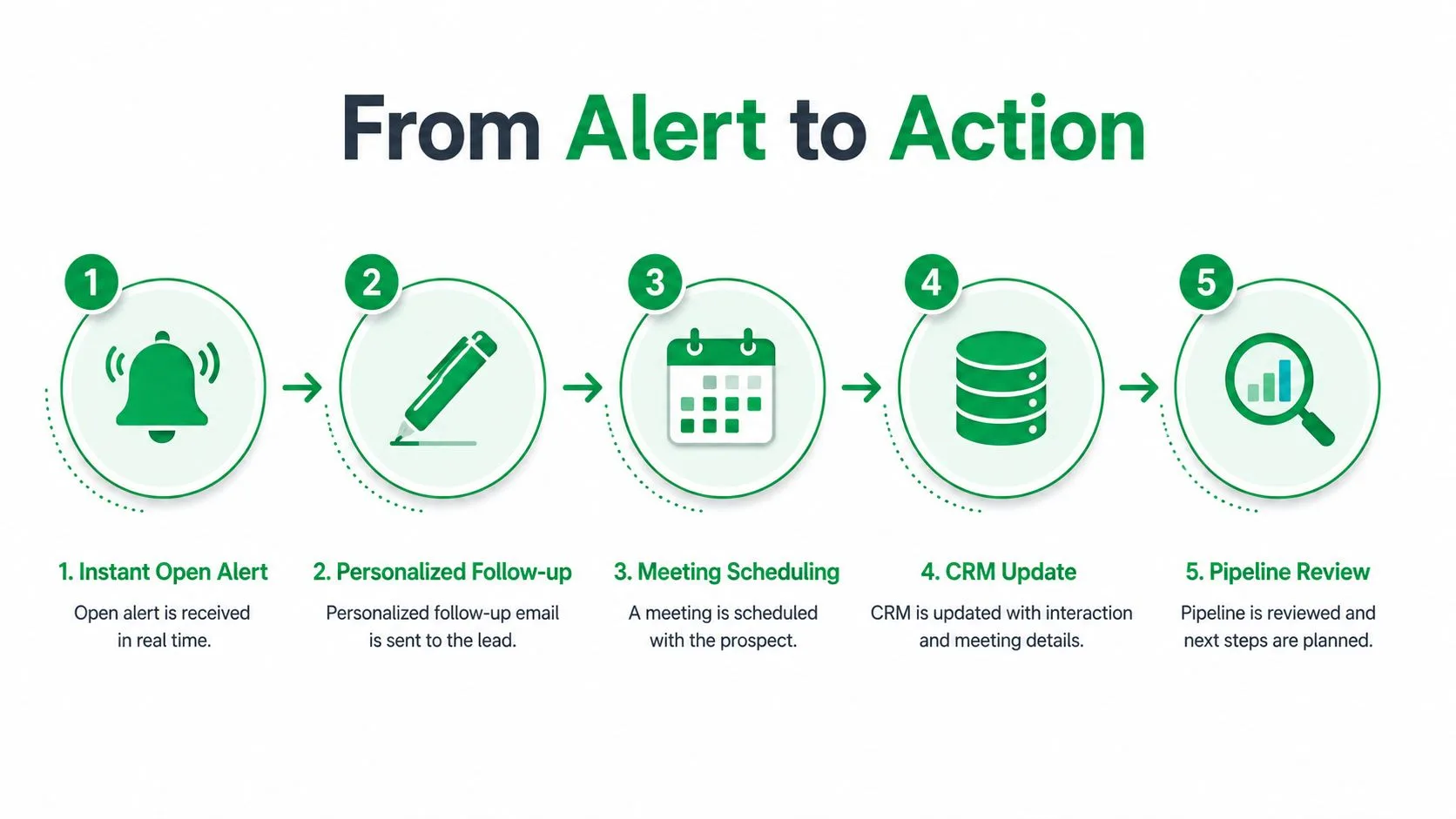
The common pattern is simple:
- Alert: A tracked message generates an engagement notification.
- Interpretation: The owner checks timing, account fit, and conversation history.
- Action: The owner follows up, calls, schedules, or waits.
- Logging: The CRM receives the outcome and next step.
- Review: The team evaluates whether the workflow created useful progression.
The final review matters because individual alerts can distort judgment. A manager should examine the complete thread and sequence, not treat every open as an opportunity. Tracking supports human judgment. It doesn’t replace it.
Why Tracking Systems Fail and How to Fix Them
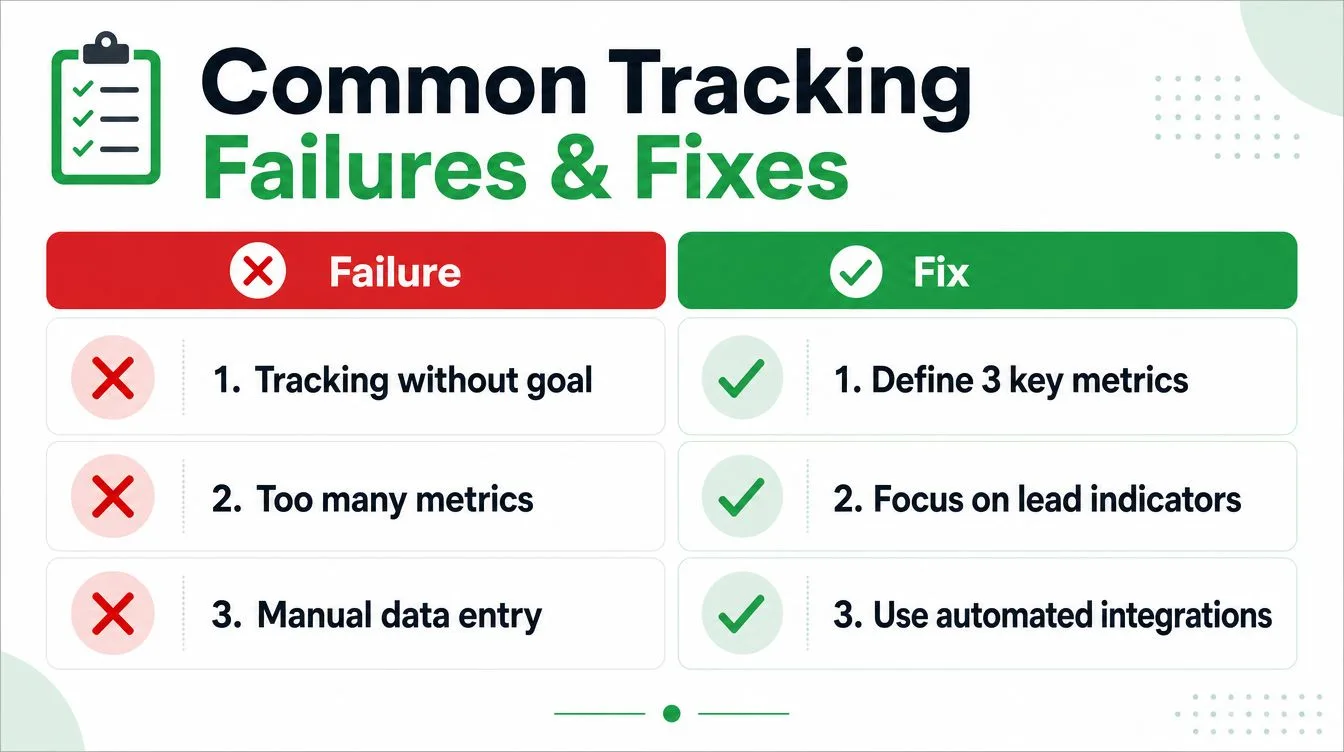
Bad tools get blamed for poor adoption, but process gaps usually cause the deeper damage. Teams abandon dashboards when fields are unclear, ownership is vague, and every interaction requires manual reconstruction.
Failure one is undefined tracking coverage
If nobody knows whether to log an introductory email, a forwarded proposal, a phone call, or a partner conversation, the database becomes inconsistent. Define the minimum record before deployment:
- Required events: Specify the emails, calls, meetings, and stage changes that must be captured.
- Ownership: Assign the person responsible for recording or validating each event.
- Review cadence: Set daily checks for urgent activity, weekly checks for pipeline health, and periodic checks for data quality.
- Exception handling: Document what happens when Gmail tracking, CRM synchronization, or recipient privacy rules prevent capture.
Failure two is metric overload
A dashboard with every available field doesn’t create clarity. Keep the daily view focused on signals that prompt action, such as open timing, replies awaiting response, upcoming follow-ups, and opportunities without a next step.
Failure three is manual duplication
Representatives won’t reliably enter the same information in Gmail, a spreadsheet, and a CRM. Use Gmail-integrated tracking for message events, automate notifications where possible, and require human input only for judgment-based fields such as qualification, meeting outcome, and opportunity stage.
Operating principle: Make the correct behavior the easiest behavior. If logging takes longer than the follow-up itself, the system will lose coverage during the moments that matter most.
Attribution also needs restraint. A meeting may result from several touches, a referral, a webinar, or an existing relationship. Don’t assign all credit to the last opened email. Record the influence of the sequence and preserve the original context, so leaders can distinguish contribution from causation.
Evolving Beyond Activity Metrics
Activity metrics are useful early because they show whether a process is operating. They become insufficient when business development creates value through partnerships, account influence, referrals, and conversations that mature over a longer cycle.
A mature system adds strategic measures to the operational layer. Track whether a partnership creates qualified introductions, whether an ecosystem relationship reaches new accounts, whether BD influences opportunities owned by another team, and whether an account expands after cross-functional work. These outcomes may not appear as a direct email-to-meeting conversion.
Use different review cadences
Daily reviews should remain tactical. They should surface open conversations, delayed responses, and follow-ups that need an owner. Weekly reviews can examine sequence performance, meetings, stalled opportunities, and data quality.
Monthly and quarterly reviews need a wider lens:
- Partnership yield: Which relationships create useful opportunities or market access?
- Ecosystem growth: Which partners, communities, or channels expand reach?
- Cross-functional influence: Where did BD activity support sales, customer success, product, or marketing?
- Delayed revenue impact: Which earlier conversations later contributed to an account outcome?
This layered approach prevents a common mistake, treating every BD motion as if it were a short email sequence. Standard dashboards often overemphasize stage conversion and win rate because those fields are easy to report. They under-measure multi-touch contribution because the evidence is distributed across people, systems, and time.
The practical answer isn’t to abandon activity metrics. Keep them as leading indicators, then place them beside strategic measures and define who reviews each one. A Gmail alert can tell you when to act today. A disciplined historical record can tell you which relationships deserve investment over the next planning cycle.
Mail Tracker for Gmail adds open notifications, timestamps, open counts, and tracking history inside Gmail, with mobile support for Android and iOS and reporting options for teams that need broader visibility. Visit Mail Tracker for Gmail to assess whether its Gmail-based workflow fits your business development tracking process.
Ready to track your emails?
Add Mail Track for Gmail from the Google Workspace Marketplace and know the moment your emails are opened. Free and unlimited.
Add to GmailMore reading
More from Guides

How Accurate Is Email Tracking? What Opens Really Tell You
How accurate is email tracking in Gmail? Learn why opens get overcounted or missed, how to spot false opens, and which signals to trust before you follow up.

Email Tracking Pixel: How It Works, How to Spot One and Where It Falls Short
What is an email tracking pixel, how does it show an open in Gmail, how can you find one, and why Gmail and Apple Mail proxies limit what it can tell you.

7 Example Email Accept Job Offer Templates
Use these 7 example email accept job offer templates for formal, concise, and enthusiastic replies, with subject lines, clauses, and sending tips.