
10 Ways to Increase Email Engagement in Gmail
Increase email engagement in Gmail with 10 actionable tactics for subject lines, personalization, timing, follow-ups, mobile UX, CTAs, testing, and privacy.
You’ve sent the Gmail message, but the silence leaves too many possibilities. Maybe the subject line didn’t earn attention. Maybe the recipient read it on a phone and couldn’t find the next step. Maybe the timing was wrong, or the message was relevant but the follow-up arrived before they were ready to respond.
To increase email engagement, you need a coordinated workflow rather than one isolated trick. The strongest process connects relevance, audience selection, useful content, subject lines, timing, mobile usability, clear calls to action, and respectful follow-up. It also measures more than opens, because privacy changes have made open data less definitive.
This guide covers ten practical tactics for Gmail outreach, from the first impression to real-time follow-up. It also shows where Mail Tracker for Gmail can help with read receipts, open counts, timestamps, and notifications, without treating tracking as a substitute for permission, trust, or a useful email. If you’re already exploring tools such as using ChatGPT in Gmail, pair automation with human judgment. A faster workflow still needs a relevant reason for the recipient to engage.
1. Personalization and Dynamic Content
Personalization works best when it changes the substance of an email, not just the greeting. A prospect may care about a different problem than another person at the same company. A recruiter’s message should reflect a candidate’s experience level, while an account manager can refer to a previous conversation or a customer’s current product tier.
Independent reporting associates personalized email with approximately a 29% open rate and a 41% click-through rate, while send-time personalization is associated with a 13% lift in opens and an 8% lift in clicks. These figures are reported in personalized email marketing statistics. Treat them as directional evidence, not a promise for every Gmail campaign.
A practical personalization workflow might look like this:
- Sales outreach: Mention the prospect’s company and a relevant business development trigger, but avoid pretending to know more than you do.
- Recruiting: Connect the role description to the candidate’s background instead of copying a generic job summary.
- Account management: Reference a previous support issue, purchase, or implementation discussion when it informs the next step.
- Dynamic content: Change a resource, example, or recommendation by role, industry, or stated interest.

Make tracking answer a specific question
Use mail merge with attachments when you need to send personalized materials at scale, but keep each message accurate. Mail Tracker for Gmail can help you compare engagement with customized messages by showing open events and timestamps. If someone opens a highly relevant email, a timely, context-aware follow-up can be useful. It shouldn’t become an automatic interruption.
Personalization also requires restraint. A wrong company name, stale news reference, or obviously inserted placeholder can damage credibility more than a plain email would. Test one personalization element at a time, and judge success through clicks, replies, and conversions as well as opens.
2. Segmentation and Audience Targeting
A single message rarely fits every contact in a Gmail account. Segmenting your audience lets you change the example, offer, level of detail, and follow-up approach without creating an unmanageable campaign structure.
Start with a small number of useful groups. Three to five core segments can be enough for an initial outreach program. A sales team might separate contacts by industry. Recruiters can distinguish active candidates from passive prospects. Account managers may group customers by product tier, while a small business owner could separate companies by size and buying stage.
The important distinction is between descriptive segmentation and behavioral segmentation. Descriptive data tells you who the recipient is. Behavioral data shows what they’ve done, such as opening a message, clicking a resource, replying, or becoming inactive.
Practical rule: Segment for a decision you’ll actually make. If a segment won’t change the message, timing, or follow-up, it probably doesn’t need to exist.
Build an engagement-aware audience
A practical Gmail workflow can combine contact information with Mail Tracker for Gmail activity:
- Highly engaged contacts: Recipients who repeatedly open or click may be appropriate for a more direct next step.
- Recently active contacts: A recent open can inform timing, but it doesn’t prove buying intent.
- Unresponsive contacts: Reduce frequency, change the value proposition, or remove them from the active sequence.
- Contextual groups: Combine engagement history with role, industry, customer status, or recruiting stage.
Use this guide to email segmentation as a broader planning reference, then keep your Gmail setup operationally simple. Review segments periodically because job roles, interests, and engagement patterns change. Don’t assume that someone who opened several older messages still wants the same conversation today.
3. Value-First Content Strategy
Recipients engage when the email helps them make progress. That help can be a relevant industry report, a concise assessment, a useful template, a market update, or an introduction to an idea they can apply immediately.
A sales professional might share an article connected to the prospect’s operating environment before suggesting a conversation. A recruiter could send career material relevant to a candidate’s target role. A consultant might provide a short audit that demonstrates how they think. An account manager can share a competitor update or implementation insight before asking for a renewal discussion.
The message should make the value obvious early. Explain why the resource is relevant, summarize what the recipient will gain, and give them a low-friction way to use it. Avoid attaching a large file without context or sending a promotional link that requires the recipient to decode your intent.
Measure interest without overreading it
Mail Tracker for Gmail can show whether a value-first email was opened, and link tracking can help identify clicks where available. Those signals can guide a softer follow-up, such as asking whether the resource was relevant, rather than jumping straight to a hard pitch.
Create a small library of resources and tag each one by audience and topic. Over time, compare which materials generate replies, clicks, or meaningful conversations. An open alone may indicate that the message was rendered, not that the recipient carefully consumed it. Correlate engagement with CRM outcomes before deciding which content deserves more distribution.
The best value-first email doesn’t disguise a sales pitch as generosity. It gives the recipient something useful whether or not they accept your next meeting.
4. Subject Line Optimization and A/B Testing
The subject line earns the first decision, but it can’t carry the entire email. A clear, relevant subject is usually more durable than exaggerated urgency or vague curiosity because it sets an expectation the body must fulfill.
A sales team might compare “Quick question about your hiring plans” with “Hiring faster: [Company Name].” A recruiter could test a straightforward role description against a benefit-led version. An account manager might compare a personalized subject with a generic deadline reference. The right choice depends on the audience and the promise inside the message.
Test one meaningful variable at a time:
- Personalization: Company name, role, recent event, or no personal reference.
- Specificity: A concrete problem versus a broad benefit.
- Curiosity: A question or an information-led subject, without withholding essential context.
- Urgency: A real deadline rather than artificial pressure.
- Length and tone: Short and direct versus descriptive and conversational.
Judge the subject line beyond opens
Mail Tracker for Gmail can help compare open activity across subject line variations, but Apple Mail Privacy Protection and Gmail proxy opens can inflate reported opens. MailerLite’s 2025 benchmark across 3.6 million campaigns reported a global average open rate of 43.46%, compared with 42.35% in 2024, yet the same measurement environment means opens shouldn’t be treated as a clean proxy for human attention. The benchmark is available in MailerLite’s email performance metrics study.
Track clicks, replies, qualified conversations, and downstream conversions. A subject line that generates curiosity opens but disappoints the reader can reduce trust. Keep a record of winning patterns by segment, because a subject that works for a recruiter’s candidate outreach may not work for a B2B buyer.
5. Strategic Send Time Optimization
Timing affects whether a relevant message arrives when the recipient can act on it. A prospect checking Gmail between meetings may respond differently from a passive candidate who reviews personal messages later in the day. A customer may be receptive to a product question during business hours but ignore a long account update during a busy period.
Start with the basics. Use the recipient’s timezone, avoid known holidays or industry events when appropriate, and consider whether the message is urgent, informational, or conversational. Mail Tracker for Gmail timestamps can reveal patterns for individual recipients, although those patterns should be treated as clues rather than guarantees.
A useful progression is:
- Broad timing: Compare morning and evening windows for meaningful audience groups.
- Timezone alignment: Schedule messages according to the recipient’s local time.
- Behavioral refinement: Review previous open and reply timing.
- Context adjustment: Account for launches, deadlines, travel, and known busy periods.
- Follow-up timing: Use a recent engagement signal to decide when a personal response is appropriate.
Use timing to reduce pressure
Send-time optimization for Gmail is most useful when it helps you avoid sending at obviously inconvenient moments. It shouldn’t become a reason to contact someone immediately after every tracked open. An open may be automated, accidental, or part of a quick scan with no intention to respond.
Personalized send-time reporting cites a 13% lift in opens and an 8% lift in clicks associated with timing personalization, as documented in the previously linked independent statistics report. Use that evidence to justify testing, not to assume a fixed outcome. The strongest timing strategy combines historical behavior with recipient context and a respectful cadence.
6. Mobile Optimization and Responsive Design
A recipient may open a Gmail message while commuting, between meetings, or on a small screen. If the layout forces zooming, hides the main point inside an image, or makes the action difficult to tap, engagement can stop at the open.
Design for a single reading path. Put the useful context near the top, use readable text, and keep links or buttons comfortable to tap. Compress images, then check that the message still works when images are blocked. Match the details to the situation: a sales email may need a visible phone number, a recruiting message should surface the role, location, and next step, and an account update should show pricing or deadlines without extra scrolling.
Test the actual Gmail experience
Preview tools can miss problems that appear in the Gmail app. Send test messages to Android and iOS devices, then review the experience as a recipient:
- Layout: Does the content follow one clear reading path?
- CTA usability: Can the primary action be tapped without precision?
- Image behavior: Does the message remain understandable when images are blocked?
- Scanning: Can the reader identify the point quickly?
- Reply path: Is responding from the phone obvious?
Keep layouts no wider than 600px for more reliable rendering across mobile clients. Treat that as a practical design limit, not a performance guarantee. Use available Gmail or Mail Tracker for Gmail data to see which devices your audience uses, while treating open tracking as directional rather than proof of intent.
Mobile testing also changes follow-up decisions. If a recipient opens on a phone but cannot complete the action, clarify the next step in a helpful reply instead of treating the open as disinterest. Respect privacy boundaries: use tracking to identify delivery and interaction patterns, not to infer more personal information than the recipient has shared.
7. Clear Call-to-Action Design
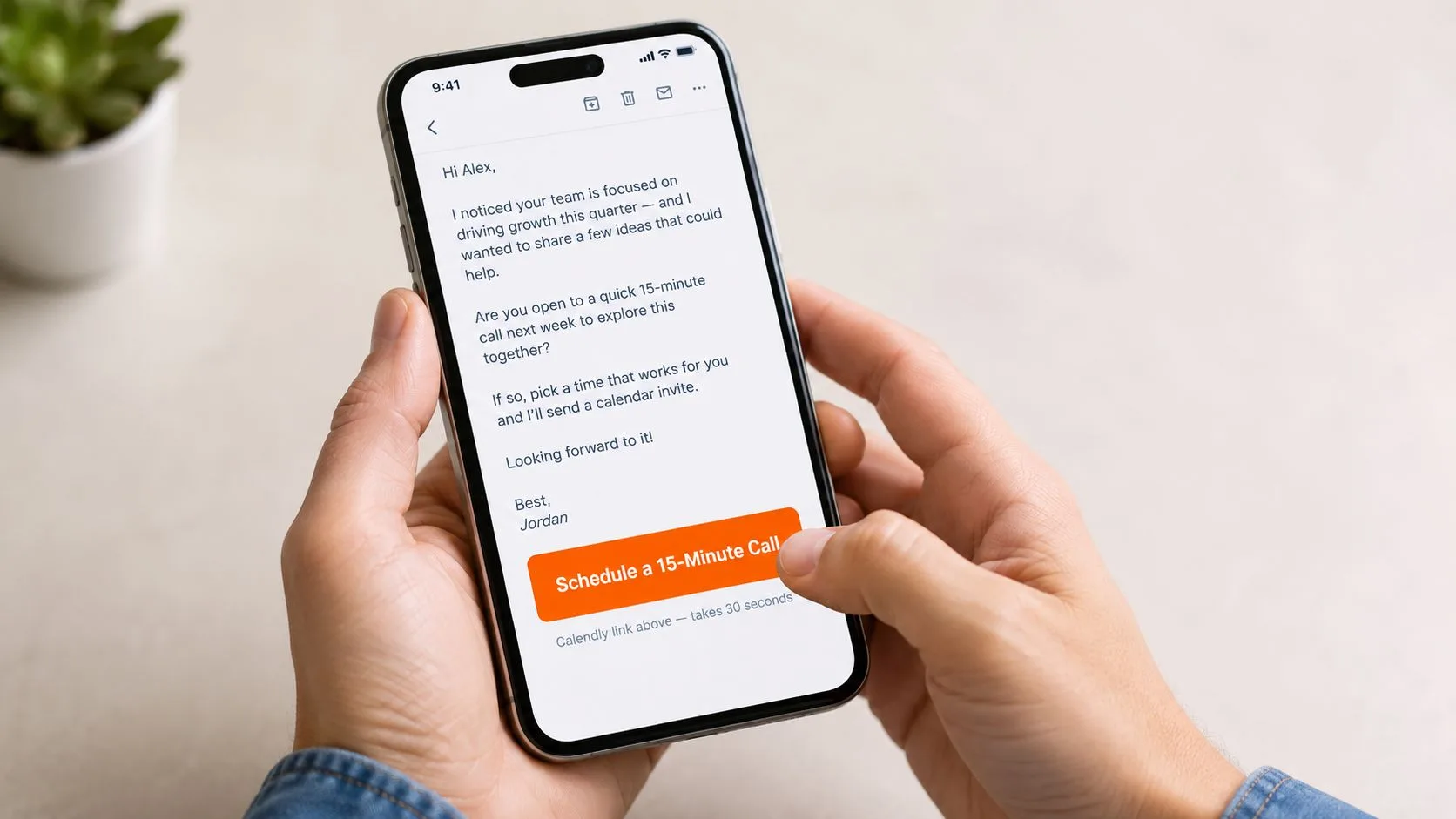
An opened email can still stall if the recipient must decide what “next” means. Replace broad prompts such as “Let’s talk” with an action and a clear outcome, such as “Schedule a 15-Minute Call.” The wording should fit the outreach context: a recruiter might use “View Position Details,” while a consultant could ask the reader to “Approve Project Scope” or “Request a Meeting.” An account manager may need one renewal detail confirmed rather than several competing buttons.
Set one primary CTA for most Gmail outreach messages. Tie it to the recipient’s immediate goal, then link directly to the relevant page, calendar, document, or reply instruction. If preparation is required, state what to bring or review before the link. A recipient should not have to search a website or interpret an open-ended question.
A practical CTA is:
- Specific: It names the action.
- Relevant: It follows the promise made in the email.
- Visible: The reader can find it while scanning.
- Mobile-friendly: It is comfortable to tap without zooming.
Place the CTA beside the explanation of value, where the reason to act is fresh. Longer emails can repeat that same action at the end, but several competing CTAs divide attention and make measurement harder.
Mail Tracker for Gmail can help compare opens with CTA clicks, showing which messages produced a stronger interaction signal. Treat clicks as evidence of action, not proof that the recipient completed the task or wants a conversation. Check the linked page or reply before deciding what the signal means.
If a tracked open is followed by a click, a timely response may help while the context remains fresh. Refer to the action they took and offer the next useful step. Keep the follow-up conversational and respect privacy boundaries. Tracking should support prioritization, not reveal or infer information the recipient has not shared.
8. Follow-Up Sequences and Real-Time Engagement Tracking
A follow-up sequence should change the conversation at each touch. Start with a focused introduction, then add a relevant resource, address a likely objection, and finish with a permission-based final attempt. Sending the same pitch under a different subject line adds volume, not value.
Cold-email reporting places average reply rates at 3–8% and identifies 3–5 total emails as the best-performing sequence, spaced at 2, 4, 7, then 14 days. The report also found that waiting three days between touches increased replies by 31% compared with next-day follow-ups. Review the cold-email follow-up benchmark for its methodology and context.
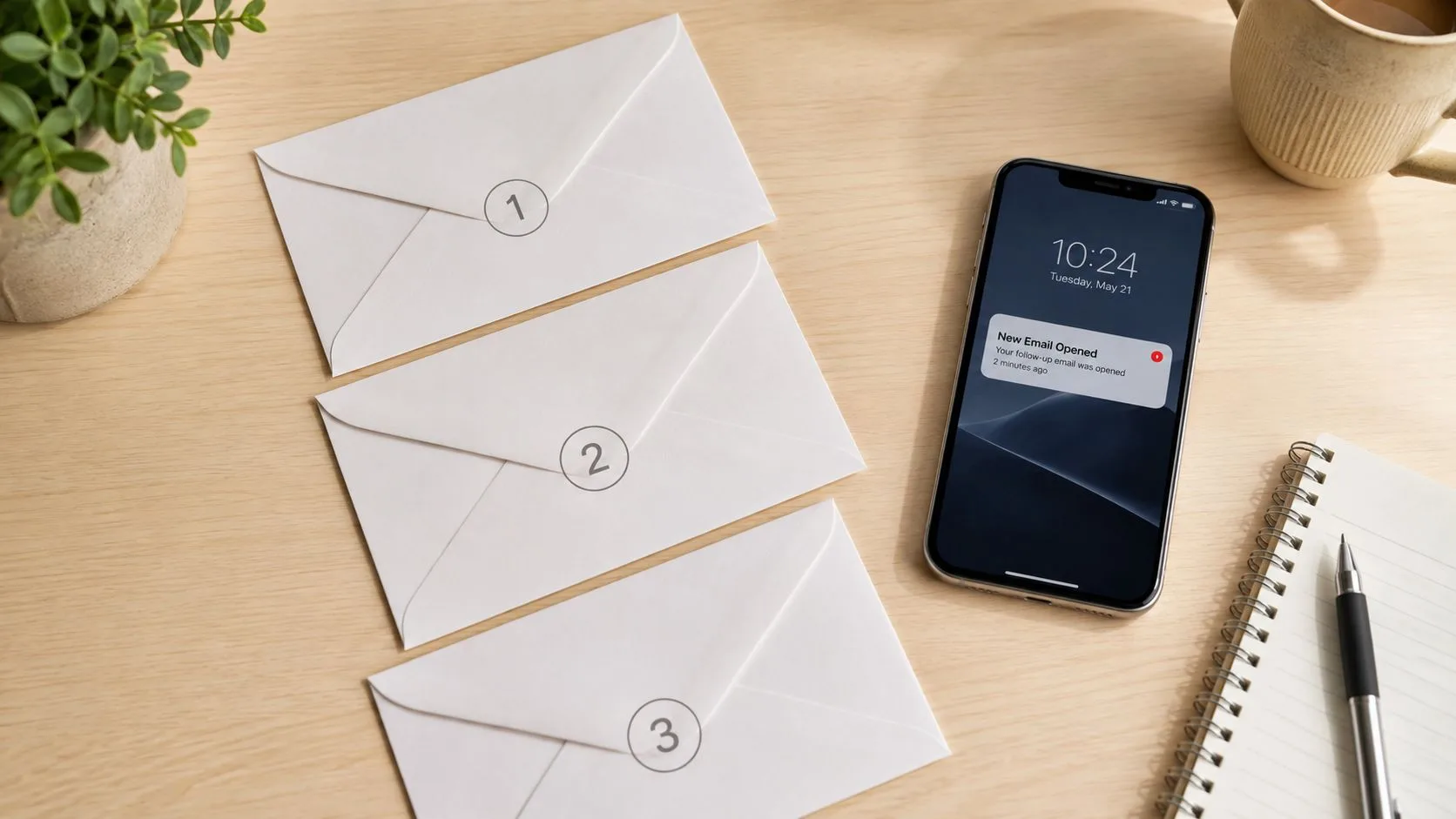
Use Mail Tracker for Gmail signals to choose the next action, not to pressure a recipient. An opened email with a click supports a timely reply that references the resource or page they used. An open without action calls for clarification or a lower-friction question. If the message remains unopened, review deliverability, the subject line, the address, and relevance before sending another touch. Repeated inactivity is a reason to stop the sequence or reduce contact frequency.
Open counts, timestamps, and real-time notifications can help Gmail users prioritize active threads. They do not confirm buying intent or readiness for a call. Privacy protections may also distort open events, so compare them with replies, clicks, and CRM outcomes. Read-awareness tools have limits, as explained in whether someone read your email.
Use mobile alerts when a prompt response is appropriate, and stop when the recipient’s behavior or explicit preference indicates that further contact is unwanted.
9. Consistency and Regular Communication Cadence
Consistency builds familiarity, but frequency without value creates fatigue. A sales team might contact new prospects weekly with varied, relevant messages. A recruiter may check in with a passive candidate every few weeks. An account manager could send a monthly relationship update, while a consultant might share a useful industry insight on a predictable schedule.
The cadence should fit the relationship and the reason for contact. A contract deadline can justify a tighter sequence than a general newsletter. A candidate who hasn’t responded shouldn’t receive the same frequency as an active interview participant. A customer who receives frequent operational updates may not want additional promotional messages layered on top.
Let engagement protect recipient trust
Use Mail Tracker for Gmail to compare behavior across cadence experiments, but don’t optimize only for more opens. Industry benchmarks vary substantially. HubSpot reports 2025 average open rates of 42.35% across industries, with retail at 38.58%, B2B services at 39.48%, and nonprofit at 46.49% in its email open-rate benchmark coverage. These differences make broad comparisons unreliable without considering audience, list quality, provider, and message type.
Watch for falling replies, fewer clicks, unsubscribes, and explicit opt-outs. If engagement declines as frequency rises, reduce the cadence or change the content. Document the schedule so your team doesn’t accidentally send overlapping messages from separate Gmail workflows.
Predictability should make communication easier for the recipient, not trap them in a sequence they can’t escape.
10. Authenticity, Transparency, and Personal Branding
People respond to clear human reasoning. A sales representative who references a specific insight from a prospect’s podcast appearance sounds different from someone who inserts a first name into a generic template. A recruiter can acknowledge that a candidate may not be looking, then explain why the opportunity appears relevant. A freelancer can briefly describe why the work fits their background instead of listing credentials without context.
Authenticity doesn’t mean writing without structure. It means the structure serves a real conversation. Keep the language natural, explain why you chose the recipient, and avoid manufactured familiarity. If you’ve made an assumption, invite correction.
“I may be wrong about your priorities, but this is the reason I thought the conversation could be relevant.”
Measure trust signals, not just attention
Mail Tracker for Gmail can show whether a personal message was opened, but replies are more informative when you’re assessing conversational quality. Compare messages that generate thoughtful responses with those that only produce opens. If a personal reference gets attention but no response, examine whether the CTA was clear, the request was worthwhile, and the timing was appropriate.
Tracking also requires transparency and restraint. Mail Tracker for Gmail states that its system records open events rather than reading email content, and it provides choices around visible or invisible tracking depending on the plan and communication context. The DMA’s 2025 email benchmarking report explains that Apple Mail Privacy Protection, launched in 2021, preloads remote content and can inflate open-based metrics. The same source discusses GDPR obligations when identifiers and tracking data can identify a person.
Don’t use tracking to manufacture urgency or monitor recipients obsessively. Use it to decide which conversation deserves your attention, then communicate as a person.
10-Point Email Engagement Strategy Comparison
| Strategy | 🔄 Implementation Complexity | ⚡ Resource Requirements | 📊 Expected Outcomes (⭐) | Ideal Use Cases | 💡 Quick Tip |
|---|---|---|---|---|---|
| Personalization and Dynamic Content | High, needs data integration, templates, and dynamic logic | High, reliable recipient data, tooling, and maintenance | Strong uplift in opens/CTR and conversions, ⭐⭐⭐⭐ | Sales, recruiters, account managers, biz dev | Segment first; A/B test personalization elements |
| Segmentation and Audience Targeting | Medium, rule setup and ongoing maintenance | Medium, CRM/segmentation tools and analyst time | Improved relevance; higher open/response rates, ⭐⭐⭐⭐ | Sales, marketing, recruiters, account managers | Start with 3–5 core segments; review quarterly |
| Value-First Content Strategy | Medium–High, requires expertise to produce useful content | High, content creation time or outsourced resources | Higher-quality responses and trust; often 2–3x response, ⭐⭐⭐⭐ | Consultants, biz dev, recruiters (passive), long sales cycles | Lead with tangible value; track opens to follow up softly |
| Subject Line Optimization & A/B Testing | Low–Medium, set up tests and iterate | Low, copywriting and testing framework; needs volume | Measurable open-rate gains; small wins compound, ⭐⭐⭐ | Sales, recruiters, marketing, small business | Test one element at a time; ensure sufficient sample size |
| Strategic Send Time Optimization | Medium, analytics and scheduling logic required | Medium, timestamp data and smart scheduler | 15–30% lift in opens when tailored, ⭐⭐⭐ | Global sales, recruiters, customer success, freelancers | Use timezone-aware sends; start broad (morning vs evening) |
| Mobile Optimization & Responsive Design | Medium, design + cross-client testing | Medium, design/dev skills and device testing | Higher engagement on mobile; essential for mobile-first audiences, ⭐⭐⭐⭐ | Any high-volume sender, mobile-heavy audiences | Single-column layouts; thumb-friendly CTAs; test on Gmail app |
| Clear Call-to-Action (CTA) Design | Low, copy + visual contrast; simple to implement | Low, design/copy work and mobile sizing | Significant CTR improvement (20–50%), ⭐⭐⭐⭐ | Sales, biz dev, freelancers, recruiters | Use one primary CTA, contrast color, place above the fold |
| Follow-Up Sequences & Real-Time Engagement Tracking | High, automation workflows and realtime alerts | High, sequencing tools and disciplined response process | Very high response lift (2–3x+); prioritizes warm leads, ⭐⭐⭐⭐⭐ | Sales, recruiters, biz dev, account managers, customer success | Add new value each step; trigger actions on real-time opens |
| Consistency & Regular Communication Cadence | Low–Medium, planning and content pipeline | Medium, steady content production and scheduling | Builds cumulative engagement and brand recall, ⭐⭐⭐ | Sales prospecting, account managers, consultants, small biz | Test cadence (weekly vs bi-weekly); monitor unsubscribes |
| Authenticity, Transparency & Personal Branding | Low–Medium, cultural/training alignment | Low, time to craft personal messages; less scalable | Strong trust and response gains (2–5x) for relationship-based outreach, ⭐⭐⭐⭐ | Relationship-driven sales, recruiters, consultants, freelancers | Use real signatures, conversational tone, and honest intent |
Build a Gmail Engagement System You Can Trust
The ten tactics work best as a sequence of decisions. Start with a relevant reason to contact someone. Use segmentation to make the message fit the recipient’s role, stage, and context. Personalize the substance, not merely the greeting, then lead with useful information before asking for time, money, or a reply.
Send when the recipient is reasonably likely to have attention, while recognizing that timing data is imperfect. Test the message on mobile Gmail, remove unnecessary layout friction, and make the CTA precise. A recipient should understand the point, the benefit, and the next step without rearranging the email in their head.
Testing keeps the process honest. Change one variable at a time where possible, record the audience and send context, and avoid declaring a winner from opens alone. MailerLite’s 2025 benchmark reported a global average open rate of 43.46% across 3.6 million campaigns, up from 42.35% in 2024, but Apple Mail Privacy Protection and Gmail proxy opens mean the figure can’t be treated as a direct measure of human attention. The email benchmark analysis from Verified.Email recommends looking beyond opens toward click-to-open rate, replies, deliverability, and inbox placement.
A practical measurement set includes:
- Opens and timestamps: Useful for context and prioritization, not proof of intent.
- Clicks: A stronger indication that the recipient took a measurable action.
- Replies: The clearest inbox signal that a conversation has started.
- Conversions: The business result that matters for the specific campaign.
- Unsubscribes and opt-outs: Early warnings that relevance, frequency, or trust needs attention.
- Deliverability and placement: Evidence that messages are reaching the intended inbox environment.
Mail Tracker for Gmail can provide read receipts, open counts, timestamps, and real-time notifications inside Gmail. It integrates with Gmail on web and mobile, so sales professionals, recruiters, freelancers, consultants, and account managers can see tracked activity without creating a separate workflow. Those signals are most useful when they help you prioritize a thoughtful reply, prepare for a likely question, or stop contacting someone who isn’t engaging.
The product doesn’t replace permission, relevance, or good judgment. Open tracking can miss behavior when images are blocked and can overstate engagement when privacy systems preload tracking content. Use tracking transparently, respect consent and recipient preferences, and treat every notification as evidence to interpret rather than an instruction to pursue.
A reliable outreach system is less about sending more messages than making each touch easier to understand and easier to trust. If your team is building a larger prospecting function, the same principle applies when you Hire SDRs. Give them a clear audience, useful offers, practical follow-up rules, and measurement that rewards meaningful responses instead of empty activity.
Mail Tracker for Gmail offers read receipts, open counts, message-level timestamps, and real-time notifications within Gmail on desktop and mobile. Visit Mail Tracker for Gmail to connect those engagement signals to more timely, relevant follow-ups while keeping recipient privacy and trust central to your process.
Ready to track your emails?
Add Mail Track for Gmail from the Google Workspace Marketplace and know the moment your emails are opened. Free and unlimited.
Add to GmailMore reading
More from Guides

How Accurate Is Email Tracking? What Opens Really Tell You
How accurate is email tracking in Gmail? Learn why opens get overcounted or missed, how to spot false opens, and which signals to trust before you follow up.

Email Tracking Pixel: How It Works, How to Spot One and Where It Falls Short
What is an email tracking pixel, how does it show an open in Gmail, how can you find one, and why Gmail and Apple Mail proxies limit what it can tell you.

7 Example Email Accept Job Offer Templates
Use these 7 example email accept job offer templates for formal, concise, and enthusiastic replies, with subject lines, clauses, and sending tips.