
Cross Platform Tracking Explained for Modern Teams
Understand cross platform tracking methods, privacy rules, and practical tools. Learn how to measure engagement across devices without compromising trust.

Your prospect opens your email on a phone between stops, skims it, and means to reply later. The next morning, they click a link on a laptop, browse your site, and convert without ever thinking about the path they took. Cross platform tracking exists to connect those moments so your team sees one journey, not two disconnected events.
That sounds simple until you try to do it for real. Devices change, browsers block signals, apps keep their own rules, and email activity often shows up in one system while web conversions live in another. The hard part isn’t just collecting data, it’s matching the same person across surfaces without guessing too much or missing too much.
What Cross Platform Tracking Actually Means
A sales rep sends a follow-up in the afternoon. The buyer reads it on a phone during the commute, then opens the same thread again from a work laptop the next morning and clicks through to the pricing page. Without cross platform tracking, those actions can look like two unrelated people, two sessions, or two channels fighting for credit.
The basic idea in plain language
Cross platform tracking is the discipline of linking user activity across devices, apps, and channels so a single journey doesn’t get split apart. Ofcom’s 2024 Cross Platform Media Tracker studied adults across the UK and measured media use across television, radio, online video, social media, and other platforms to understand how people move between channels rather than staying on one device or medium, which shows how normal this fragmented behavior has become (Ofcom technical report).
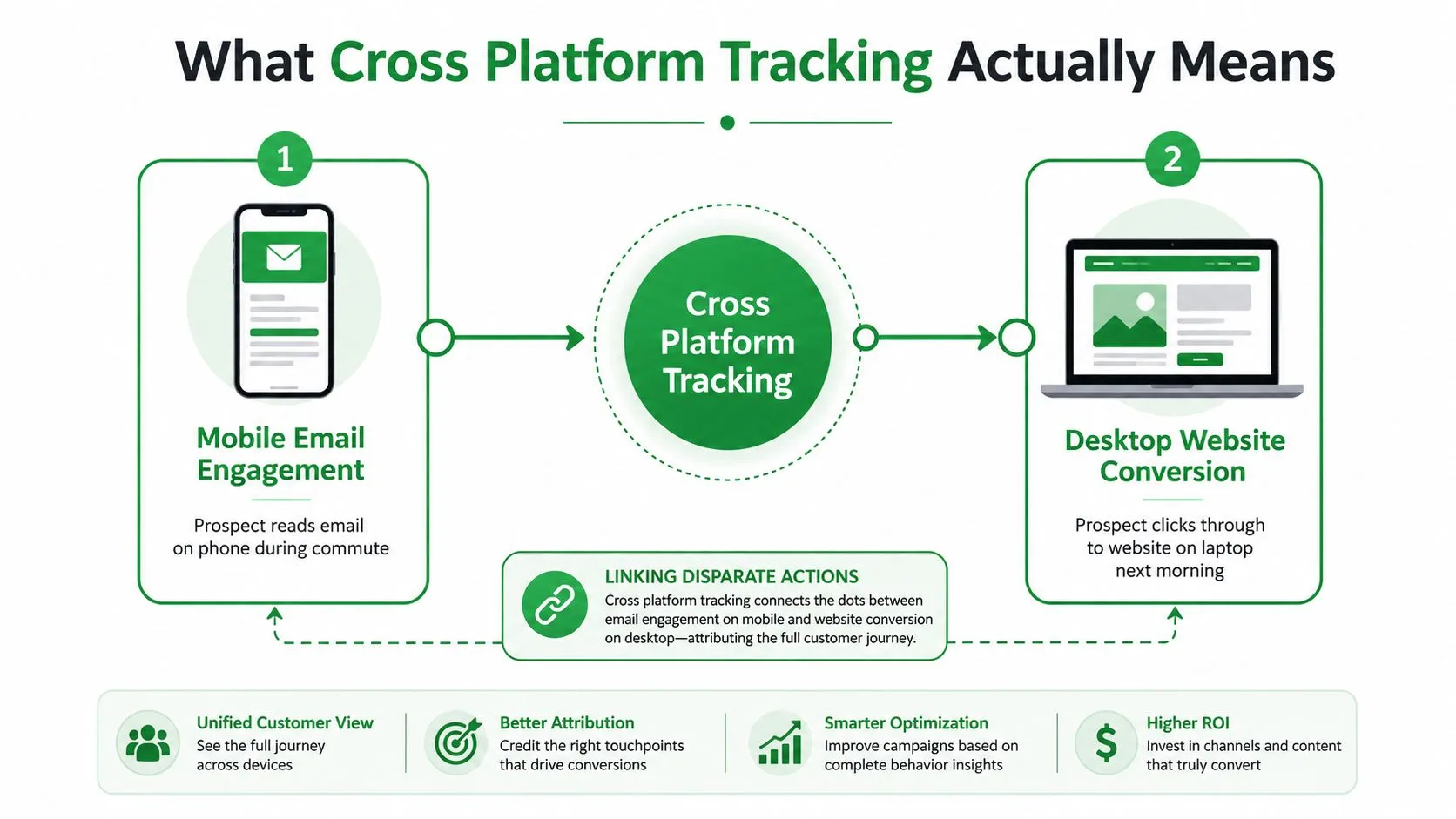
The point isn’t to create one giant surveillance file. It’s to avoid undercounting reach, engagement, and conversions when the same person moves between surfaces. That matters for marketers who need cleaner attribution, for sales teams who want better timing, and for product builders who need to understand whether a funnel works on web, app, and email together.
Practical rule: if your reporting only makes sense on one device, it’s probably missing part of the customer journey.
Why the category keeps expanding
The market for these tools has expanded because the problem is structural, not cosmetic. A 2025 market research report valued the global cross-platform measurement market at $7.2 billion and projected growth to $17.8 billion by 2034, with a 13.4% compound annual growth rate over the forecast period. The same report said the software segment accounted for $4.0 billion in 2025, or 55.2% of total revenue, which shows how heavily organizations are investing in unified audience data across television, digital, mobile, social media, and radio (market research report).
That’s the business backdrop. The working definition is much simpler. Cross platform tracking is the system that tries to say, “this click, this open, and this conversion probably belong to the same person,” then does the work to prove it as reliably as possible.
Email tracking basics for Gmail fits neatly here because it sits in the same family of problems, just at the message level instead of the media level. If your team already thinks in terms of opens, clicks, and follow-ups, you’re already halfway into cross platform thinking.
How Cross Platform Tracking Works Behind the Scenes
The mechanics are less magical than most dashboards make them look. Under the hood, these systems use a mix of browser storage, device clues, account logins, statistical matching, and email signals. Each method has a different level of certainty, and each one breaks in a different place.
Cookies, fingerprinting, and logins
Think of cookies as name tags the browser wears while it stays on the same site. They’re useful, but only inside the browser that received them. Once a user moves to a separate domain, or switches to another device, that name tag doesn’t help much.
Device fingerprinting works more like recognizing someone by their gait and clothing. It looks at a mix of device and browser characteristics to guess identity, but modern privacy controls make it less dependable and more restricted over time. Login-based identity linking is the cleanest version of the idea, because it checks an ID at the door and then follows the same authenticated user across web and mobile.
Google Analytics 4 reflects that logic by using one property with web, iOS, and Android data streams and stitching events into one profile with identifiers in a strict priority order, User-ID first, Google signals second, and device-based identifiers last (GA4 identity details). The practical lesson is simple, authenticated identity is stronger than inferred identity.
Probabilistic matching and email signals
Probabilistic matching is the statistical version. It tries to infer that two events belong to the same person because the patterns line up. That can help when direct identity is missing, but it’s always a softer answer than an authenticated login.
Email pixels and read receipts work differently. An email open can trigger a server request when the message is rendered, so a lightweight tracking image can log the event without needing a separate app. That’s why email tracking still matters in broader cross platform workflows, it gives you a signal from a channel that often sits outside your web analytics stack.
If the same event can be seen both client-side and server-side, deduplication matters as much as collection. Without it, one conversion can show up twice and make your numbers look cleaner than they are.
Why some stacks combine several methods
A mature setup often layers methods instead of trusting just one. Cookies help on the web, login-based identity helps across web and mobile, probabilistic matching fills gaps, and email tracking adds early engagement signals. The tradeoff is always the same, more certainty usually means more dependence on first-party data and authenticated behavior.
For teams that need a fast mental model, this is the safest way to think about it, cookies identify browsers, logins identify people, and email pixels identify message opens. The strongest systems use all three, then keep the assumptions visible enough that the team knows where the confidence drops.
Open-rate tracking inside Gmail is one example of a lightweight signal that helps fill the gap between outreach and downstream response, especially when a separate analytics stack isn’t the right place to look.
Real World Use Cases for Cross Platform Tracking
A recruiter sends outreach, sees a reply pattern, and wants to know whether the candidate saw the message. A marketer runs campaigns across multiple channels and needs to know which clicks produced orders instead of duplicate platform reports. A product team watches a funnel that starts on mobile and ends on desktop, then tries to figure out where people drop off.
Three places the data changes a decision
In sales and recruiting, email opens can shape timing. If someone opens a message repeatedly on mobile, that’s a signal to follow up while the thread is still fresh. The value isn’t just “they opened,” it’s knowing when the conversation is still alive.
In attribution, the useful layer is server-side event forwarding plus deduplication. Industry guidance says teams should send match keys such as hashed email, hashed phone number, click IDs like gclid or fbclid, IP address, and user agent so ad platforms can reconcile events back to clicks, and it also stresses explicit deduplication so the same conversion isn’t counted twice (server-side tracking guidance). The decision this supports is operational, not abstract, it helps teams compare platform-reported conversions with actual orders and investigate gaps.
Operational insight: if platform counts run ahead of actual orders, look for duplicate capture or mismatched conversion windows before you trust the dashboard.
What product teams actually do with it
Product analytics teams use cross platform tracking to understand a journey that starts in one surface and finishes in another. A customer may discover a feature on mobile, log in on desktop, and convert later through a web flow. If identity isn’t stitched correctly, the team can’t tell whether the funnel is strong or whether the reporting is just fragmented.
That’s why the method matters as much as the use case. Login-based identity is best when the team owns the account experience. Email opens help when the first touch happens in the inbox. Server-side forwarding helps when ad platforms and order systems need to reconcile the same outcome.
For outbound teams, the practical payoff is timing. For growth teams, it’s attribution quality. For product teams, it’s a clearer funnel. The same discipline answers three different questions, and that’s what makes it useful.
Sales email tracking use cases are a good reminder that a small signal, like an open or timestamp, can change the next action a rep takes even before a larger analytics system gets involved.
Why Identity Resolution Is the Real Bottleneck
Many teams talk about cross platform tracking as if the dashboard is the hard part. It isn’t. The actual failure usually happens earlier, when the same person can’t be linked across web, app, and email with enough confidence to survive privacy restrictions and device changes.
The hidden break point
If the identity graph is fragmented, every downstream report inherits that weakness. Device-level stitching falls apart when cookies are blocked, platform IDs aren’t available, or a user moves between domains and apps with no shared login. At that point, the reporting layer can only summarize bad joins faster.
Recent privacy-focused measurement guidance emphasizes first-party identity resolution using authenticated sign-in, hashed first-party IDs, and consent-gated matching, because stable linkage matters more than clever attribution logic when third-party identifiers disappear (privacy-focused measurement guidance). That lines up with the broader technical reality, the moment the identity layer breaks, the dashboard just displays the break more neatly.
Why first-party identity wins
First-party identity is the most sustainable approach because it belongs to the business and the user relationship. It can move across surfaces, as long as the sign-in system is consistent and the data flow respects consent. That gives product teams a better base for cohort analysis, funnel continuity, and cross-device continuity.
Rule of thumb: don’t tune attribution models before you trust the identity graph. Fancy math can’t rescue broken matching.
This is also why teams get misled by “good-looking” reports. A neat chart can hide the fact that the same customer is being counted twice on one path and not at all on another. The fix is rarely a prettier dashboard, it’s usually a cleaner identity model with better first-party inputs.
Cross platform tracking succeeds when it treats identity as infrastructure. Everything else, pixels, pixels, reports, models, and dashboards, is downstream of that choice.
Privacy Regulations and User Consent Requirements
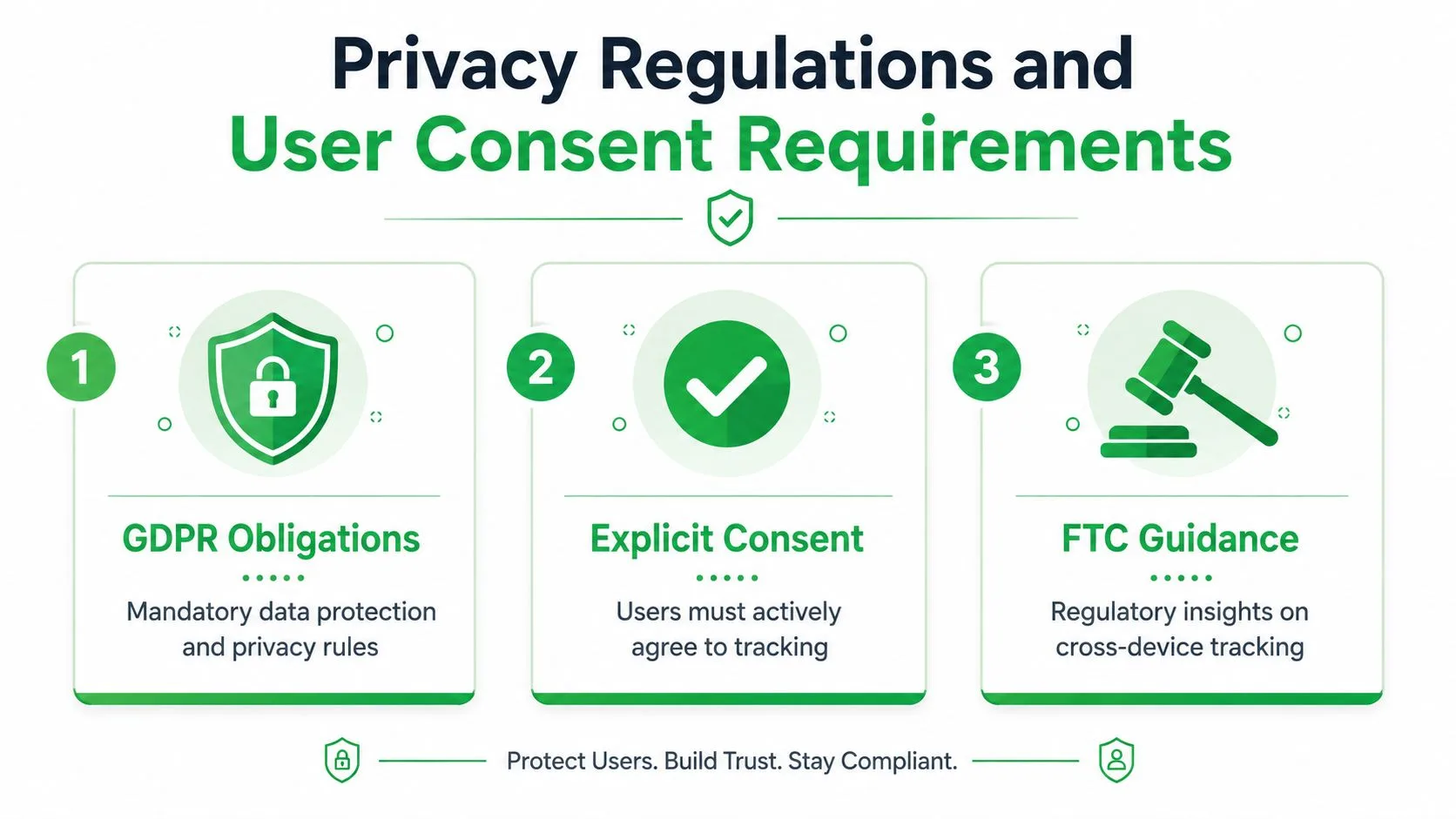
Cross platform tracking sits inside a legal and ethical boundary, not outside it. Businesses need to know what they’re collecting, users need to know why, and some data types require a higher bar than ordinary behavioral tracking. That’s not a side issue, it’s part of how the system stays usable.
What businesses must disclose
The FTC’s staff report on cross-device tracking said companies should disclose what information is collected, which entities collect it, and how the data is used and shared (FTC guidance summary). It also advised against using sensitive data such as health, financial, children’s information, and precise geolocation without affirmative express consent. That makes the collection model just as important as the analytics output.
The report summarized in MarTech also noted that nearly 90% of the websites it examined were engaged in some form of cross-device tracking, using either first-party logins or device and data matching (FTC report coverage). That doesn’t make tracking harmless, it just shows how widespread it already was.
What users should look for
If you want to know whether you’re being tracked across devices, start with the obvious signs. Email open indicators, account-based logins, and consent banners are all clues that the business is linking activity across surfaces. Browser privacy settings, cookie controls, and tracker-blocking tools can reduce how much can be stitched together.
For businesses, the safest workflow is plain. Ask for consent early, explain the purpose clearly, and keep a record of the choice. If a user asks to access, correct, or remove data, the tracking setup needs to support that request without forcing a manual hunt across systems.
A useful compliance resource is the compliance guide for consent, especially for teams trying to align consent language with real tracking behavior instead of just legal templates.
What good practice looks like
The strongest setups don’t hide the existence of tracking. They narrow the collection scope, document the data flow, and match the level of tracking to the level of user expectation. That keeps the system honest and reduces the chance that a useful measurement tool turns into a trust problem.
How Mail Tracker for Gmail Fits Into Cross Platform Tracking
A sales rep opens Gmail on a phone after leaving the office, then checks the same thread later on a laptop. Mail Tracker for Gmail follows that message trail inside the Gmail workflow, so the team can see one open signal across devices without stitching together another dashboard. It lives in Gmail on web and mobile, adds double check marks, open counts, timestamps, and real-time open notifications, and does not require a separate app to monitor activity. It also supports Android and iOS, which keeps the tracking signal attached to the sender’s Gmail account instead of being trapped in a single desktop setup.
Where it helps
Value is found in the identity layer at the message level. Mail Tracker for Gmail ties open activity to one Gmail account, so a team can tell whether the same email was opened on different devices without guessing which inbox generated the signal. Its privacy approach records open events only and does not read email content, which matters if your team wants light visibility instead of a broader surveillance layer. It also documents GDPR-related user data rights, including access, correction, and removal.
Pricing is straightforward. There’s a free plan, Premium at approximately $2.99 per month, and a lifetime license at $99.99. The free plan shows visible tracking, while Premium offers an invisible tracker, which can matter when recipient expectations are sensitive. If you are comparing sync behavior across inboxes and accounts, Double My Leads synchronization tips are a practical companion resource for keeping Gmail workflows aligned.
Use visible tracking when transparency matters more than stealth. Use invisible tracking only when your communication norms and consent model truly supports it.
Where it sits in the stack
This is not a replacement for server-side attribution, login-based identity, or product analytics. It is a focused tool for inbox-level visibility that helps sales, recruiting, and account teams know when an email has been seen and when a follow-up should happen. In practice, it gives you a reliable signal at the point where many tracking setups lose clarity, before the data even reaches a dashboard.
Mail Tracker for Gmail is one option if your team needs email open visibility inside Gmail without adding a separate tracking workflow.
Practical Recommendations for Responsible Tracking
Start with first-party identity and only add other methods when they solve a real gap. Be explicit about what’s tracked, keep the data collection narrow, and audit your setup often enough to catch broken matching or duplicate events before they spread through your reports. When communication norms are sensitive, choose visible tracking. When the workflow is routine and consent is clear, invisible tracking can fit, but only if your policy supports it.
Cross platform tracking works when identity resolution is solid, consent is respected, and the tooling stays lightweight enough to fit the way your team already works. If those three pieces are in place, the data becomes usable instead of suspicious.
If you want email tracking that lives inside Gmail and gives your team open notifications, timestamps, and read receipts without adding a separate workflow, visit Mail Tracker for Gmail. It’s built for teams that need practical visibility into message engagement while keeping the tracking layer simple.
Ready to track your emails?
Add Mail Track for Gmail from the Google Workspace Marketplace and know the moment your emails are opened. Free and unlimited.
Add to GmailMore reading
More from Guides

How Accurate Is Email Tracking? What Opens Really Tell You
How accurate is email tracking in Gmail? Learn why opens get overcounted or missed, how to spot false opens, and which signals to trust before you follow up.

Email Tracking Pixel: How It Works, How to Spot One and Where It Falls Short
What is an email tracking pixel, how does it show an open in Gmail, how can you find one, and why Gmail and Apple Mail proxies limit what it can tell you.

7 Example Email Accept Job Offer Templates
Use these 7 example email accept job offer templates for formal, concise, and enthusiastic replies, with subject lines, clauses, and sending tips.