
How Accurate Is Email Tracking? What Opens Really Tell You
How accurate is email tracking in Gmail? Learn why opens get overcounted or missed, how to spot false opens, and which signals to trust before you follow up.

You send an important email, and a few seconds later your tracker says it was opened. Great news, except the recipient is in a meeting and the open happened before their phone even buzzed. So how accurate is email tracking really, and how much weight should an open notification carry when you decide to wait or follow up?
The honest answer is that open tracking is a useful signal and a poor proof. It works with Mail Track for Gmail, a Chrome extension and Google Workspace add-on for email open and click tracking inside Gmail, just as it works with any other tracker. This guide explains where the errors come from, how to read the pattern around an open, and what to rely on when the stakes are high.
How email open tracking works (and why it is only an estimate)
Open tracking relies on a tiny image placed in the message. When the recipient’s email app loads that image from a server, the server logs the request as an open. If you want the full mechanics, read our guide to the email tracking pixel.
The key point is that a logged open means “something requested the image”. Usually that something is a person reading the email. Sometimes it is a privacy proxy or a security scanner. And sometimes nothing requests the image at all, even though a person read the message. That is why the industry treats open data as directional. Vendor explainers such as Instantly’s breakdown of open tracking accuracy say the same: opens can be overcounted and undercounted, and replies are the firmer metric.
Why open tracking overcounts
Three things create opens that no human performed.
Apple Mail Privacy Protection
When a recipient reads mail in Apple Mail with Mail Privacy Protection turned on, Apple can download the images through its own servers ahead of time. The pixel loads whether or not the person ever looks at the email. Litmus documents this in its help article on Apple Mail opens. It tested with the feature on, found the open counts inflated, and now classes opens from newer Apple Mail apps as unreliable.
The size of the effect depends on your audience. A list of iPhone-heavy recipients will show more phantom opens than a list of Windows desktop users. Most published figures date from 2021, so treat any single percentage with caution.
Gmail’s image proxy
Gmail has served images through a Google proxy since 2013. The Word to the Wise write-up of the change describes how this hides the recipient’s real IP address and device details. For you as a sender, this means the location shown for an open is Google’s, not the reader’s. Third-party analyses also report that the proxy caches the image, so a second or third open may never reach the tracking server. Google does not publish how long the cache lasts, so do not build a strict rule on it.
Security scanners
Many companies run filters that open incoming mail and follow links before a human sees it. Constant Contact explains that this activity can register as opens and clicks, and that its own list of known bot agents cannot catch every case. If you email corporate recipients, you will see these robot opens most often.
Why open tracking undercounts
The error goes the other way too. A real reader can leave no trace when:
- Their email app blocks external images by default, so the pixel never loads.
- They read the message as plain text.
- They read it in a client that never requests images.
- Cached images mean a repeat view makes no new request.
So a message with no open is not proof of silence. It might have been read and simply left no footprint.
How to read an open signal like a pro
Instead of asking “was it opened”, ask “does the pattern look human”. Four checks help.
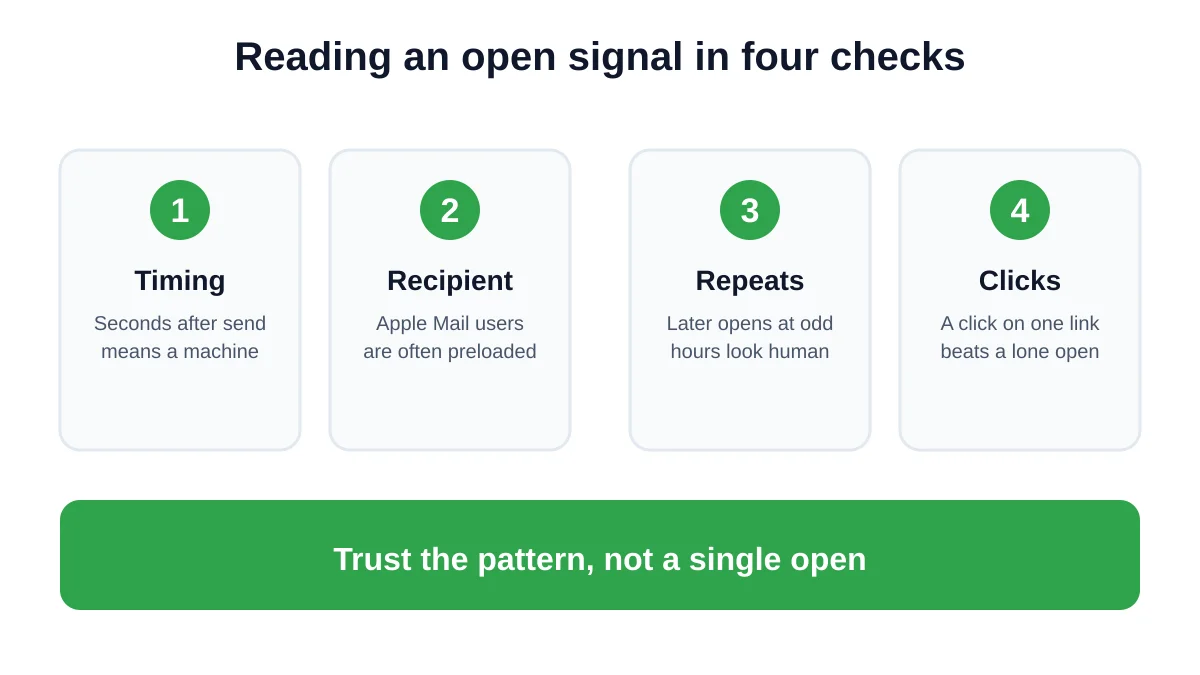
- Timing. An open within seconds of sending is almost always a machine. Real readers show up minutes or hours later.
- Recipient. If you know the person reads mail on an iPhone with Apple Mail, discount the first open.
- Repeats. Several opens spread over a day or two, from different times, look like a person coming back to the message.
- Clicks. A click on a single link is a stronger signal than a lone open. If every link in the message was clicked in the same second, suspect a scanner.
Mail Track shows a single check mark for sent and double check marks for read inside Gmail, plus timestamps and open counts. Those timestamps are exactly what you need for check one and check three. Our post on the visible and invisible tracker explains how the two tracker styles appear to your recipient.
What to trust when the decision matters
For anything important, lean on signals that a proxy cannot fake.
- Replies. A reply is the only signal that proves a human read and understood the message.
- Clicks. Click events are more reliable than opens, though scanners can inflate them too. Look at whether clicks come in a natural pattern.
- Next actions. A booked meeting or a downloaded file is the real conversion.
Use open tracking as a timing aid. It tells you when a thread may be alive, not what the person thought. For the follow-up part, our guide on how long to wait before following up on an email gives practical windows, and the post on whether you can tell if someone read your email covers the wider picture.
A simple routine for accurate Gmail follow-ups
- Send the email with tracking on.
- Ignore any open in the first minute.
- Wait for a later open or a click before you decide the message landed.
- If you see repeated opens but no reply after your usual wait, send a short follow-up that makes replying easy.
- If you see no open at all, do not assume the worst. Follow up on your normal schedule, since images may simply be blocked.
This routine keeps you from acting on a single noisy event, which is the main way inaccurate data turns into awkward emails.
Is tracking still worth it?
Yes, when you use it for what it does well. Imperfect data about timing is still better than guessing. You learn which threads are active, which messages get revisited, and when a quiet inbox is probably just a busy week. Just keep a healthy respect for the margin of error, and be open with people about tracking where the law or your company requires it.
FAQ
Conclusion
So, how accurate is email tracking? Accurate enough to guide your timing, not accurate enough to prove anyone read your message. Read each open in context, look for repeats and clicks, and let replies have the final word. If you want that timing view inside your inbox, Mail Track for Gmail adds check marks, open counts and notifications directly in Gmail.
Ready to track your emails?
Add Mail Track for Gmail from the Google Workspace Marketplace and know the moment your emails are opened. Free and unlimited.
Add to GmailMore reading
More from Guides

Email Tracking Pixel: How It Works, How to Spot One and Where It Falls Short
What is an email tracking pixel, how does it show an open in Gmail, how can you find one, and why Gmail and Apple Mail proxies limit what it can tell you.

7 Example Email Accept Job Offer Templates
Use these 7 example email accept job offer templates for formal, concise, and enthusiastic replies, with subject lines, clauses, and sending tips.

8 Meeting Follow Up Email Examples That Get Replies
Use these 8 meeting follow up email examples for intros, demos, internal syncs, and decisions, with subject lines and copy-paste templates.