
Email Tracker for Gmail Android: Your 2026 Guide
Learn to install and use an email tracker for gmail android. Our 2026 step-by-step guide helps you send tracked emails and get open alerts on the go.
You’re on Android, leaving a client meeting, and you finally hit send on the proposal you rewrote twice from your phone in the parking lot. Then the waiting starts. Did it land? Did they open it? Are they reviewing it now, or are you about to call too early and look pushy?
That’s the part most mobile email guides miss. Sending from the Gmail app is easy. Following up with timing is where deals move or stall.
For sales reps, recruiters, founders, and account managers, the phone is often where important work happens. You send pricing after a demo from the elevator. You forward a candidate brief between interviews. You answer procurement questions from the airport. If you’re doing that blind, you’re guessing. If you can see opens from Gmail on Android, you can work with better timing and a lot less friction.
Stop Guessing and Start Knowing Who Reads Your Emails
The pressure usually shows up in ordinary moments.
You send a quote from your Android phone at 6:12 p.m. because the buyer asked for “something tonight.” You don’t have your laptop open. You don’t want to wait until morning. So you send it from Gmail, then spend the next hour wondering whether the message got buried under a dozen internal threads.
That uncertainty changes behavior. People follow up too soon and sound desperate. Or they wait too long and lose momentum.
What this looks like in the field
A recruiter sends an offer letter from the train home. A consultant sends a scope recap while walking between meetings. A sales rep sends revised terms from the lobby after legal approves a last-minute tweak. In all three cases, the phone isn’t the backup device. It’s the device that keeps the deal moving.
What helps is simple. You stop treating sent mail like a black box.
When someone opens your email, that’s not a guarantee of interest. But it is a useful signal that the thread is alive.
That signal matters even more on mobile because Android is where fast follow-up happens. If a prospect opens the proposal while you’re still near your phone, you can call, reply, or send a short nudge while the message is fresh on their screen.
Why open visibility changes follow-up quality
It is common to obsess over writing better subject lines, and that’s fair. Better opens create more opportunities for the message to do its job. If you want to sharpen that side of the workflow too, this practical guide to better email CTR is worth reading because it helps connect opens, clicks, and message structure in a more practical way.
Still, mobile execution comes down to timing. Android users don’t need another inbox. They need a cleaner read on when to act.
Here’s a major advantage: you stop following a calendar and start following buyer behavior. That’s a very different way to work, and it’s usually a better one.
Enabling Mobile Tracking with the Mail Tracker Add-On
If you want tracking inside Gmail on Android, the setup starts once on desktop. That’s the part people often miss.
This isn’t a separate Android mail app you have to learn. It works through your Google account, so once the add-on is installed properly, the tracking capability carries into the Gmail experience you already use across devices.
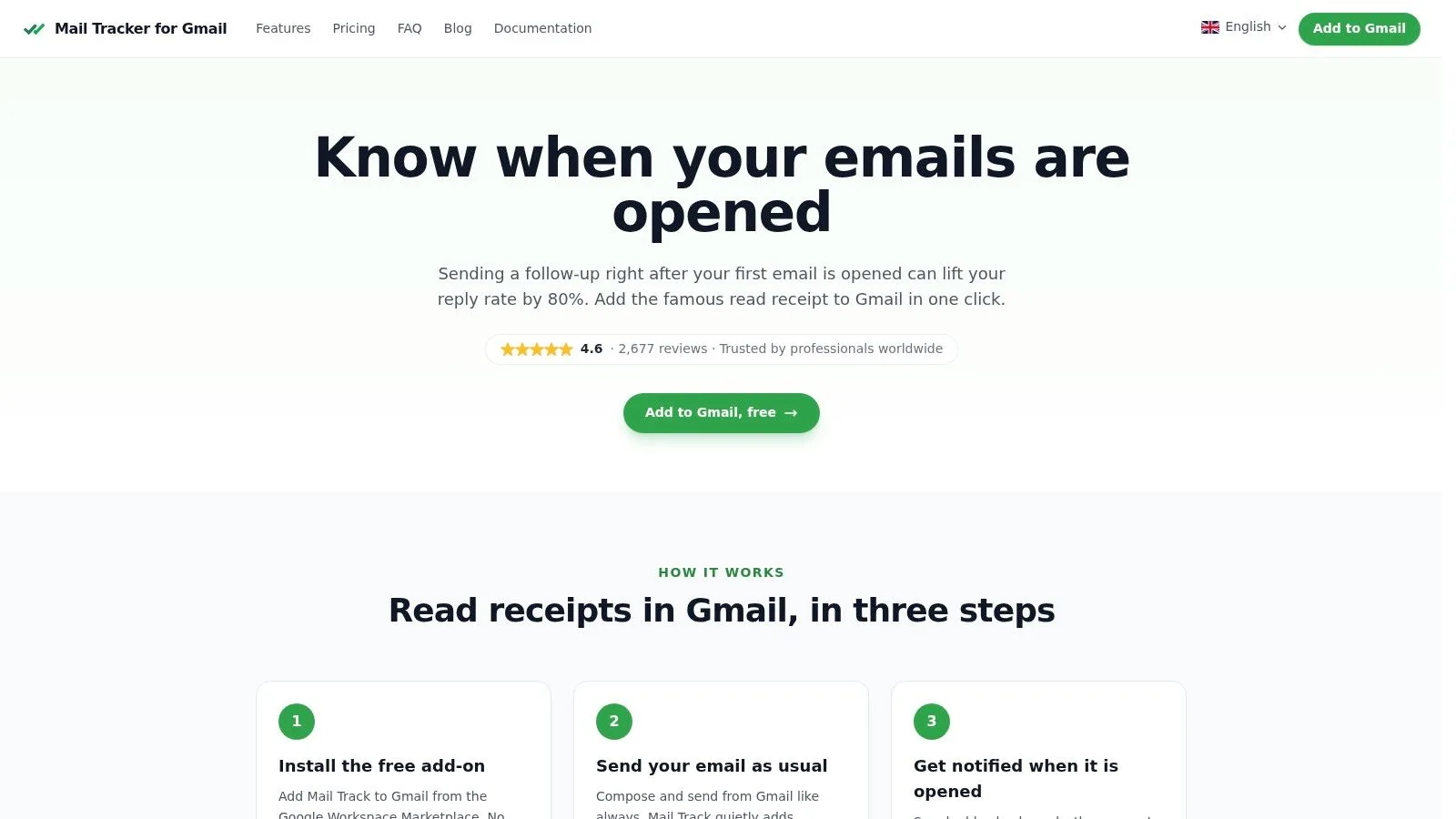
Start with the Google Workspace Marketplace
Install the official Mail Tracker for Gmail add-on from the Google Workspace Marketplace, not a random browser tool that only works in one desktop session. The add-on is tied to your Gmail account, which is why it can support mobile use later.
The add-on has earned a 4.6/5 rating from over 2,677 reviews on the Google Workspace Marketplace (Google Workspace Marketplace listing).
What to do during setup
Keep it simple:
- Open Gmail on desktop and go to the Workspace Marketplace.
- Find the official add-on by name. Pay attention to the exact product name so you don’t confuse the brand with the generic category.
- Install it for your Google account and approve the requested permissions.
- Refresh Gmail if needed and confirm the add-on is active for the account you use on Android.
A lot of hesitation comes from permissions. That’s understandable. In practice, the relevant point is that the tool is there to register open events for tracked messages. It isn’t there to rewrite your workflow into some separate dashboard.
Practical rule: If the setup feels like it’s asking you to abandon Gmail, you’re probably looking at the wrong tool for a mobile-first workflow.
Add-on versus extension
Users often get tangled up.
A Chrome extension can be useful on desktop. But Android Gmail doesn’t run your desktop browser extension. The Workspace add-on is the piece that matters for account-level Gmail integration and mobile continuity.
If you want a fuller walkthrough of how this kind of setup works in regular Gmail use, this free email tracker for Gmail guide gives useful background.
The one-time desktop step is worth doing carefully. Once that’s done, your Android phone becomes a practical sending and follow-up tool instead of just a device for checking replies.
Sending and Interpreting Tracked Emails on Android
Once the add-on is in place, using an email tracker for Gmail Android workflow feels closer to normal Gmail than people expect. You’re still writing in the Gmail app. The difference is that your sent message can now return useful feedback.
What sending looks like on your phone
Compose the message the way you normally would. For tracked emails, the important habit is checking whether tracking is enabled for that specific send. Don’t assume every message should be tracked. Internal notes, casual replies, and sensitive threads may not need it.
I tell new reps to use tracking selectively. The best candidates are:
- Proposal emails that need a timed follow-up
- Recruiting outreach where you need to know whether the candidate reviewed the message
- Pricing or contract threads when several stakeholders may be looking at the same email
- Warm follow-ups after a call or demo
That’s where the data changes your next move.
Reading the check marks correctly
The core signal is easy to understand:
| Indicator | Meaning | What to do next |
|---|---|---|
| One check | The email was sent | Wait for engagement before pushing again |
| Two checks | The email was opened | Review context and decide whether to call, reply, or hold |
The mistake rookies make is treating two checks like a green light for an instant hard close. Don’t do that. An open means attention, not agreement.
Two checks mean the email got seen. They do not tell you whether the recipient loved it, hated it, or forwarded it internally.
How to use open details without overreacting
Inside Gmail, you can review message-level tracking details such as when the email was read and how often it has been opened. That matters because the pattern often tells you more than the first open alone.
If a prospect opens once and never returns, I usually let the thread breathe. If they reopen the same pricing email later in the day, that’s often a stronger cue to send a short follow-up from Android while the thread is active.
For broader context on what open activity can and can’t tell you, this email open rates explainer is useful.
Here’s a quick visual walkthrough for teams that want to see the mobile flow in action:
A clean mobile habit that works
Use this sequence when you’re away from your desk:
- Send the tracked message from Gmail on Android.
- Check for opens, not constantly, but around the windows when the recipient is likely reviewing email.
- Match your follow-up to the signal. Reopen activity often justifies a short reply or call.
- Keep the next touch simple. “Wanted to make sure this reached you” works better than a long mobile paragraph.
That’s the practical value of an email tracker for Gmail Android setup. It gives you enough visibility to time the next move without forcing you into a new app or a clunky sales process.
Managing Notifications and Privacy Settings
Open data is useful. Real-time alerts are what make it actionable on a phone.
If you’re on Android and you want to follow up while the thread is still warm, notifications matter more than dashboards. You shouldn’t have to keep refreshing Gmail to catch the moment someone opens a proposal or reviews an offer.
Set up alerts you’ll actually trust
Start with your Android notification settings and make sure Gmail notifications are allowed for the account you’re using. Then confirm the tracking tool’s alert behavior is enabled for the same account. If your phone is aggressively managing battery use, allow Gmail to run normally so notifications aren’t delayed.
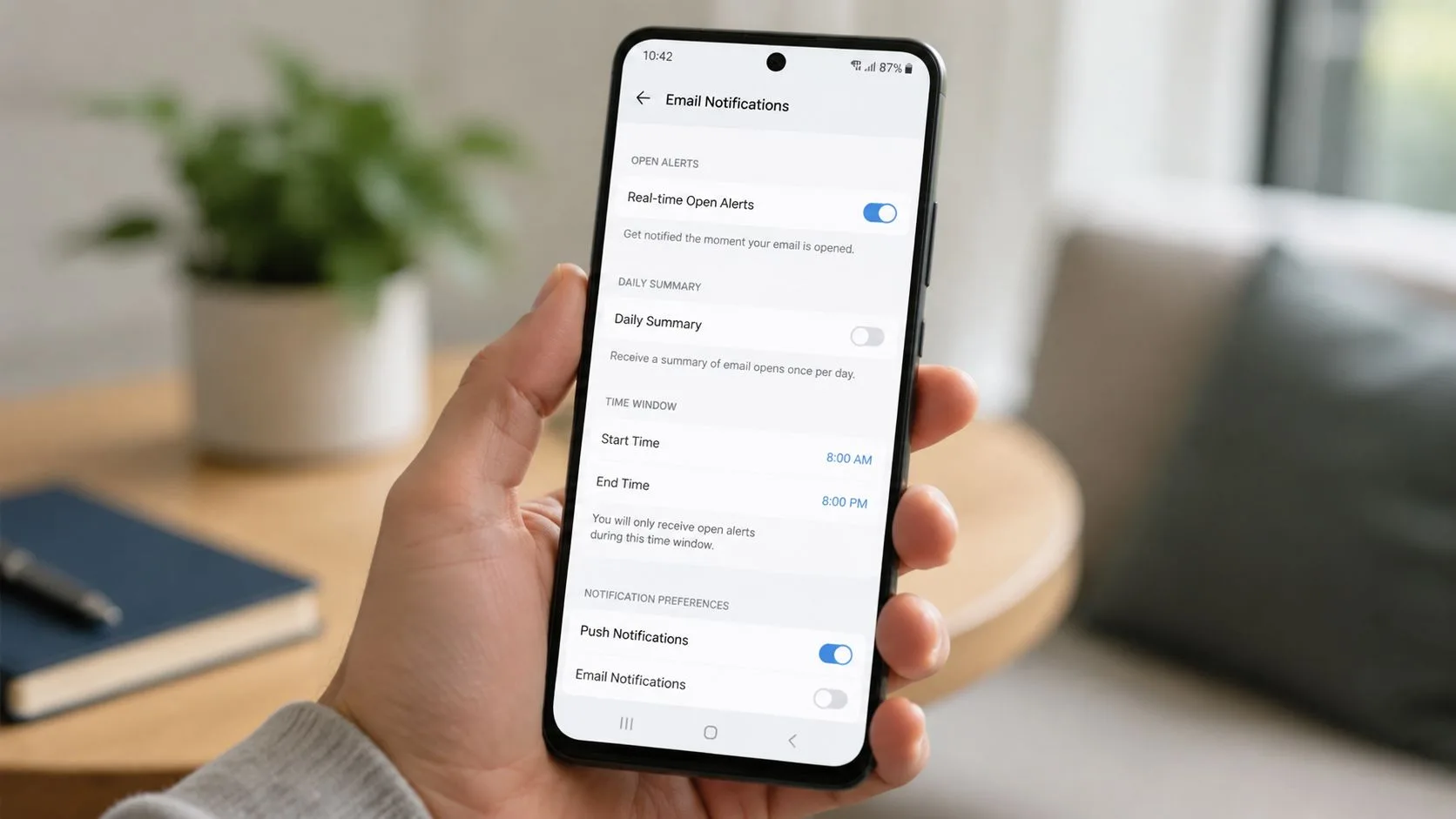
A practical setup usually looks like this:
- Use sound or vibration for tracked opens if you work deals in real time
- Keep previews discreet if you’re in shared spaces often
- Turn off noisy nonessential categories so the open alert doesn’t get buried
That last point matters. If every app on your phone screams for attention, a useful open alert becomes just another interruption.
Visible tracker or invisible tracker
This is the trade-off people should think through, not gloss over.
On the free plan, tracked emails include a visible “Sent with Mail Tracker” signature. On Premium, tracking can be invisible. Neither option is automatically right for every situation.
Use the visible option when transparency helps or when the email is transactional enough that the signature won’t create friction. Use the invisible option when the extra line at the bottom would distract from a formal proposal, candidate communication, or client-facing message.
Field note: In recruiting and consulting, presentation matters. If the signature makes the message look less polished, pay attention to that.
Privacy also deserves a sober view. Email tracking is one part of a broader conversation about digital visibility and recipient expectations. If you want a wider frame on how people think about sender identity and privacy, this anonymous email privacy guide is a useful companion read.
For the ethics side of tracking itself, this discussion of whether email tracking compromises ethics helps teams make a more deliberate decision.
Best Practices for Sales and Recruiting Workflows
Users often employ tracking passively. They notice a read receipt, then move on. That leaves a lot of value on the table.
The point of an email tracker for Gmail Android setup isn’t to collect trivia about opens. It’s to make better decisions while you’re mobile. If you work sales or recruiting, the phone is often where speed wins.
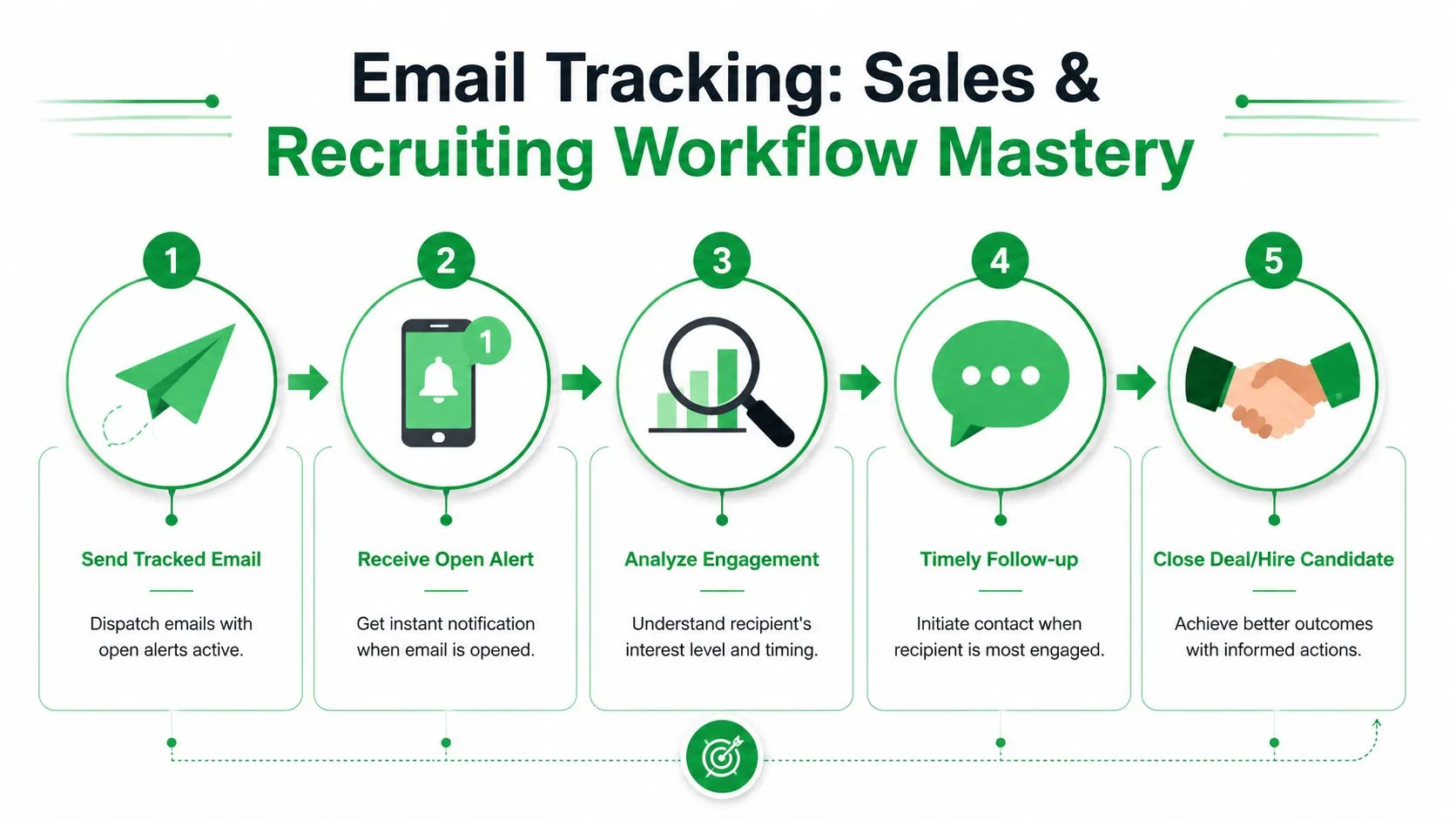
Sales reps should follow intent, not anxiety
The cleanest use case is outbound or post-demo sales follow-up.
You send a pricing recap from Android. Later, you see that the recipient reopened it. That’s a signal to move the thread from passive waiting to active follow-up. Not with a paragraph. With a short action-oriented message or a call.
A few rules hold up in the field:
- Reopen activity beats nervous checking. If they return to the email, something is moving on their side.
- Use mobile for the fast touch. A quick “happy to answer any questions” reply from your phone is often enough.
- Don’t confuse an open with buying intent. Pair the signal with deal context, prior conversation, and stakeholder map.
If your stack goes beyond tracking and you’re evaluating surrounding tools too, this roundup of best B2B sales software is a practical reference.
Recruiters can use opens to reduce timing mistakes
Recruiting benefits from a different rhythm.
Candidates don’t always reply right away, especially when they’re employed and reading email between meetings. If a role overview, interview schedule, or offer message gets opened, you know the thread is active even if there’s no reply yet.
That helps in a few concrete ways:
| Workflow moment | What open activity tells you | Better next move |
|---|---|---|
| Initial outreach | The message got attention | Follow up while your name is still familiar |
| Interview coordination | The candidate likely saw the logistics | Send a concise confirmation, not a long resend |
| Offer stage | The message is under review | Stay available and keep your phone close |
What works and what doesn’t
What works is using tracking to prioritize. If three prospects got your proposal and only one keeps reopening it, that’s the thread to act on first from your phone.
What doesn’t work is turning every open into a chase. Buyers open emails for all kinds of reasons. Recruiters and reps who perform best usually combine tracking with judgment. They don’t worship the signal. They use it.
The best mobile follow-up is often the shortest one. “Saw this come back to the top of my inbox” feels natural. A five-paragraph nudge from a phone doesn’t.
One more practical habit. Test your subject lines and first lines by paying attention to which threads earn opens and reopens, then adjust future sends. You don’t need a lab. You need pattern recognition and discipline.
Troubleshooting Common Android Tracking Issues
When tracking doesn’t look right on Android, the fix is usually simple.
If check marks don’t appear
First, confirm tracking was enabled for that specific message. Users often assume tracking is automatic on every send, then discover that one email went out untracked. Also make sure you sent from the same Gmail account where the add-on was installed.
If notifications aren’t showing up
Check three places:
- Android app notifications for Gmail
- Battery settings that may suppress background alerts
- Account alignment so your Gmail app and tracking setup are tied to the same inbox
If one of those is off, alerts often arrive late or not at all.
If an email doesn’t seem trackable
Some messages won’t behave the way you expect. Common examples include emails sent to yourself, messages opened with image blocking, or environments where the recipient’s mail client limits tracking behavior.
That doesn’t mean the setup is broken. It usually means the recipient side didn’t load the elements needed to register the open.
Quick power-user habit
Before assuming the tool failed, ask three questions in order: Did I enable tracking, did I send from the correct account, and is my phone allowing notifications through? That sequence catches most issues fast.
If you want Gmail on Android to give you read receipts, open notifications, and better timing for mobile follow-up, Mail Tracker for Gmail is built for that workflow. It works inside Gmail rather than forcing a separate app, which makes it useful for sales reps, recruiters, and anyone sending important email away from their desk.
Ready to track your emails?
Add Mail Track for Gmail from the Google Workspace Marketplace and know the moment your emails are opened. Free and unlimited.
Add to GmailMore reading
More from Guides

How Accurate Is Email Tracking? What Opens Really Tell You
How accurate is email tracking in Gmail? Learn why opens get overcounted or missed, how to spot false opens, and which signals to trust before you follow up.

Email Tracking Pixel: How It Works, How to Spot One and Where It Falls Short
What is an email tracking pixel, how does it show an open in Gmail, how can you find one, and why Gmail and Apple Mail proxies limit what it can tell you.

7 Example Email Accept Job Offer Templates
Use these 7 example email accept job offer templates for formal, concise, and enthusiastic replies, with subject lines, clauses, and sending tips.