
7 Example Email Accept Job Offer Templates
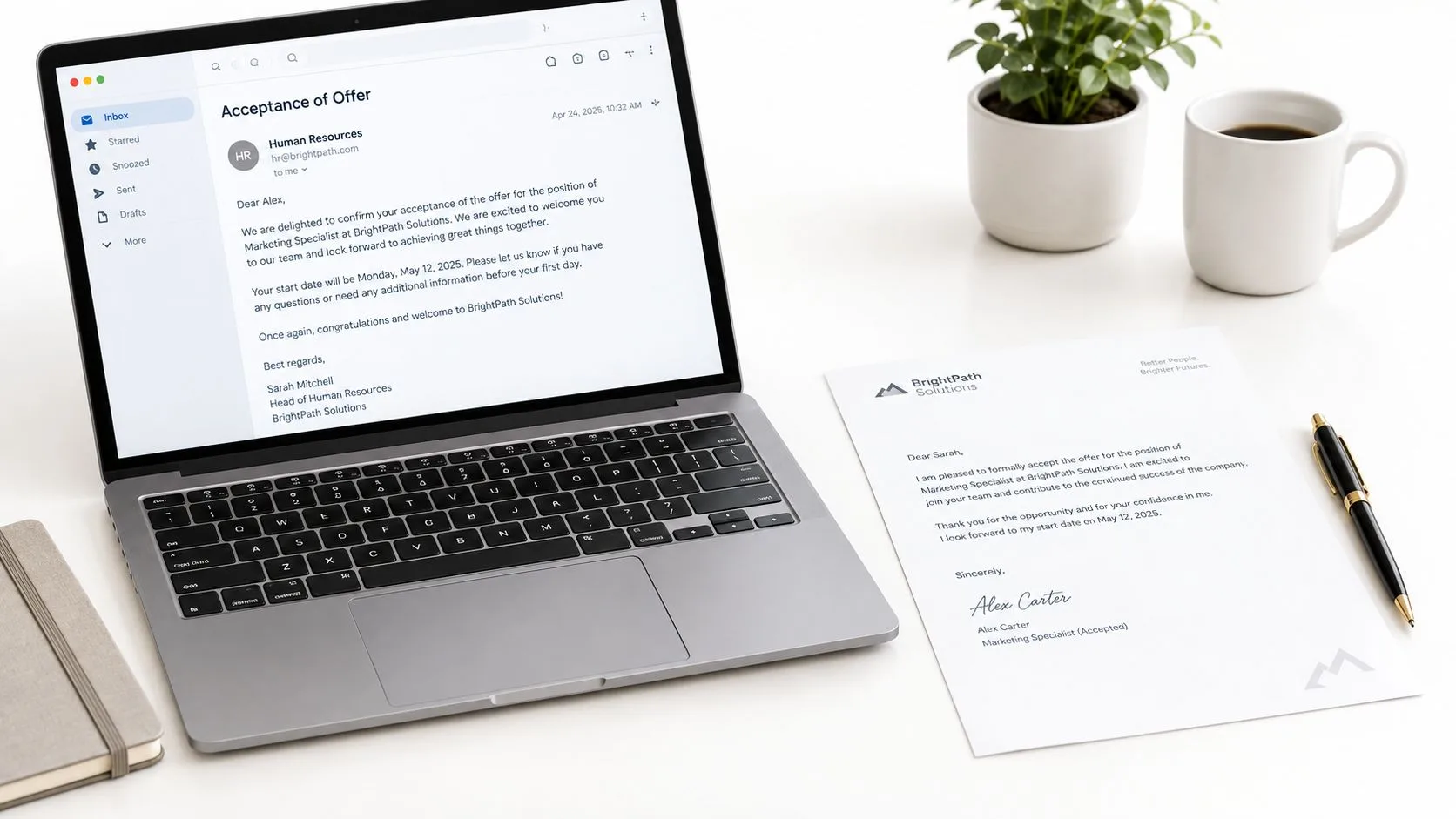
Use these 7 example email accept job offer templates for formal, concise, and enthusiastic replies, with subject lines, clauses, and sending tips.

You’ve just received the job offer you were hoping for. You’re ready to say yes, but you’re wondering how formal the message should be, which terms to repeat, and whether you should ask questions before sending it. The best acceptance email makes the decision unmistakable, confirms essentials such as the job title, salary, and start date, and keeps any remaining questions easy to answer. This guide gives you seven example email accept job offer templates, organized around real decisions, from formal and warm replies to clarification, onboarding, contingencies, and notice periods. You’ll also find subject-line guidance, clause-by-clause reasoning, and a final send-and-cc checklist. Mail Tracker for Gmail is a product name, not a generic category such as “email tracker for Gmail.” Used optionally, it can show open events for the message you sent. If you’re still reviewing compensation before you accept, see these Interview Pilot salary tips.
1. Professional Formal Job Acceptance Email
A formal acceptance works well when the employer uses traditional business communication, the role is senior, or the offer came from a large organization. A new hire joining a Fortune 500 company, a banking professional completing onboarding, or a candidate accepting a government position will usually benefit from a structured message rather than an overly casual reply.
Use a subject line that removes doubt:
Subject: Accepting [Company Name]’s Offer, [Your Name]
Address the person who sent the offer. Then thank them, state your acceptance in the first paragraph, and confirm the terms that matter most.
Subject: Accepting [Company Name]’s Offer, [Your Name]
Dear [Hiring Manager’s Name],
Thank you for offering me the position of [Exact Job Title] in the [Department Name] at [Company Name]. I’m pleased to formally accept the offer.
I confirm the salary and employment terms outlined in the offer letter, with a start date of [Month Day, Year]. I’m grateful for the opportunity and look forward to contributing to the [Department or Team Name].
Please let me know if you need any additional documentation from me before my start date.
Kind regards, [Your Full Name]
[Phone Number]
The wording “formally accept the offer” is stronger than “I’m happy about the offer.” It records the decision clearly. Repeating the exact job title and department from the offer letter prevents confusion if the employer has several similar openings. A specific date also avoids scheduling problems.
Proofread the message carefully, especially names, dates, the department, and the attachment you’re returning. You can find another useful model for a polished business message in this professional email example. Mail Tracker for Gmail may show that the hiring manager opened the message, but an open event confirms engagement with the email, not that the recipient agreed with every term.
2. Enthusiastic and Warm Job Acceptance Email
A warm acceptance is a better fit when the hiring process felt personal and relationship-led. A candidate joining a creative agency, marketing firm, nonprofit, or close-knit startup can show genuine excitement without abandoning professional standards.
The key trade-off is tone. A personal detail can make the email memorable, but too much casual language can make a formal commitment sound uncertain. Mention one specific conversation, project, product, or mission point that explains why you’re excited.
Subject: Excited to Join [Company Name]
Hi [Hiring Manager’s Name],
Thank you so much for the offer to join [Company Name] as [Job Title]. I’m delighted to accept and am excited to start on [Start Date].
I especially enjoyed learning about [Specific Project, Product, or Team Detail] during my conversations with [Interviewer’s Name]. The opportunity to contribute to [Mission, Customer Problem, or Company Goal] is a major reason I’m looking forward to joining the team.
Please let me know what I should complete before my first day. I’m excited to get started.
Best, [Your Name]
The sentence “I’m delighted to accept” carries warmth while remaining unambiguous. The next sentence gives the enthusiasm a reason, which sounds more authentic than broad praise. If the organization has a relaxed culture, “Hi” may be appropriate. If you’re unsure, keep the greeting and sign-off slightly more formal.
A tech startup might tolerate an emoji in a casual internal exchange, but an acceptance email becomes part of the hiring record. It’s safer to let your words express excitement and keep symbols limited. Keep the message concise, then allow the hiring manager to respond with logistics.

3. Conditional Acceptance With Clarification Questions Email
Sometimes you’re ready to accept in principle, but one or two details still need written confirmation. This can happen when a remote candidate needs the work-from-home arrangement clarified, an international candidate needs visa sponsorship details, or a mid-career professional needs to discuss a flexible start date.
Don’t hide the questions inside a long paragraph. State your positive intent first, then number only the issues that affect your decision or preparation.
Subject: Accepting [Company Name]’s Offer, Clarification on Final Details
Dear [Hiring Manager’s Name],
Thank you for the offer to join [Company Name] as [Job Title]. I’m very pleased to accept the opportunity and look forward to joining the team. Before we finalize the paperwork, could you please confirm the following details?
- Whether the role follows the remote or hybrid schedule we discussed.
- When benefits eligibility begins and which documents I’ll receive.
- Whether the proposed start date of [Date] can be adjusted to [Alternative Date] because of my current notice period.
I’d appreciate your confirmation by the end of the week, if possible, so I can complete the remaining steps promptly. Please let me know if a brief call would be easier.
Kind regards, [Your Name]
This template protects you from a bare yes that leaves verbal promises undocumented. It also avoids sounding adversarial because each question asks for confirmation rather than making an accusation. If compensation is still being negotiated, don’t call the message a final acceptance until you know whether the employer treats it as conditional.
Use the recruitment email templates for ideas on organizing candidate communication. Mail Tracker for Gmail can show whether the hiring contact opened the message and, where supported, whether an attachment was opened. That signal helps you decide when to follow up, but it doesn’t prove that the employer has approved the requested terms.
4. Brief and Direct Job Acceptance Email
A short email can be exactly right when you and the hiring manager have already discussed the role in detail. It suits an executive accepting an offer after several conversations, a contractor confirming a temporary assignment, or an employee accepting an internal promotion after the terms were reviewed in a meeting.
Brevity only works when the context already exists. If the offer contains unresolved compensation, benefits, reporting, or location details, a two-line reply may create more uncertainty than it removes.
Subject: Acceptance of [Job Title] Offer, [Your Name]
Hi [Name],
Thank you for the offer. I’m pleased to accept the [Exact Job Title] position at [Company Name], with a start date of [Month Day, Year].
I’m looking forward to joining the team. Please let me know if there’s anything I need to complete before then.
Best, [Your Name]
The minimum viable message contains three facts: you accept, what you’re accepting, and when you’ll start. The final sentence preserves warmth and invites the next instruction, so the email doesn’t read like an automated transaction.
For a senior role, you might replace “Please let me know” with “I’ll coordinate with [Contact Name] on the remaining paperwork.” For an internal promotion, “joining the team” could become “moving into the [Department] team.” Those small changes make the message sound connected to the conversation you’ve already had.
Mail Tracker for Gmail can provide an open event for a tracked Gmail message, which may reassure you that the brief reply reached the recipient’s attention. Still, don’t use the notification as your only record. Save the sent email and retain the formal offer and any signed documents.
5. Job Acceptance Email With Next Steps and Onboarding Questions
An acceptance email can also start the transition into the role. This approach is useful for a graduate joining a technology company, an employee relocating, or someone transferring departments and needing practical information about equipment, paperwork, team structure, or the first day.
Lead with acceptance, then group questions so the recipient can route them efficiently. You don’t need to ask everything at once. Request only information that affects your preparation.
Subject: Accepting [Job Title] Offer and Onboarding Next Steps
Hello [Hiring Manager’s Name],
Thank you for offering me the position of [Job Title] at [Company Name]. I’m happy to accept, and I confirm my start date as [Date]. I’m looking forward to joining the [Team Name].
To prepare for the transition, could you please share:
- IT: Whether a laptop, software access, or security credentials will be provided before or on my first day.
- HR: Any forms, identification, or benefits documents I should complete.
- Team: Who I’ll report to and whether there’s an onboarding schedule available.
- Logistics: Where I should arrive, what time to begin, and whether there’s anything I should bring.
I understand the team may send standardized onboarding documents separately. Please let me know if there’s anything else you need from me now.
Best regards, [Your Name]
This structure shows initiative without implying that the employer has failed to prepare. If HR and your future manager are both involved, address the sender and cc the other person only when appropriate. Mail Tracker for Gmail may show separate open events for recipients, but it can’t confirm that either person has completed an onboarding task.
A short meeting follow-up guide can also help if the onboarding questions lead to a call. Send the message before chasing individual team members, because HR may already have a standard process.
6. Job Acceptance Email With Contingency Acknowledgment
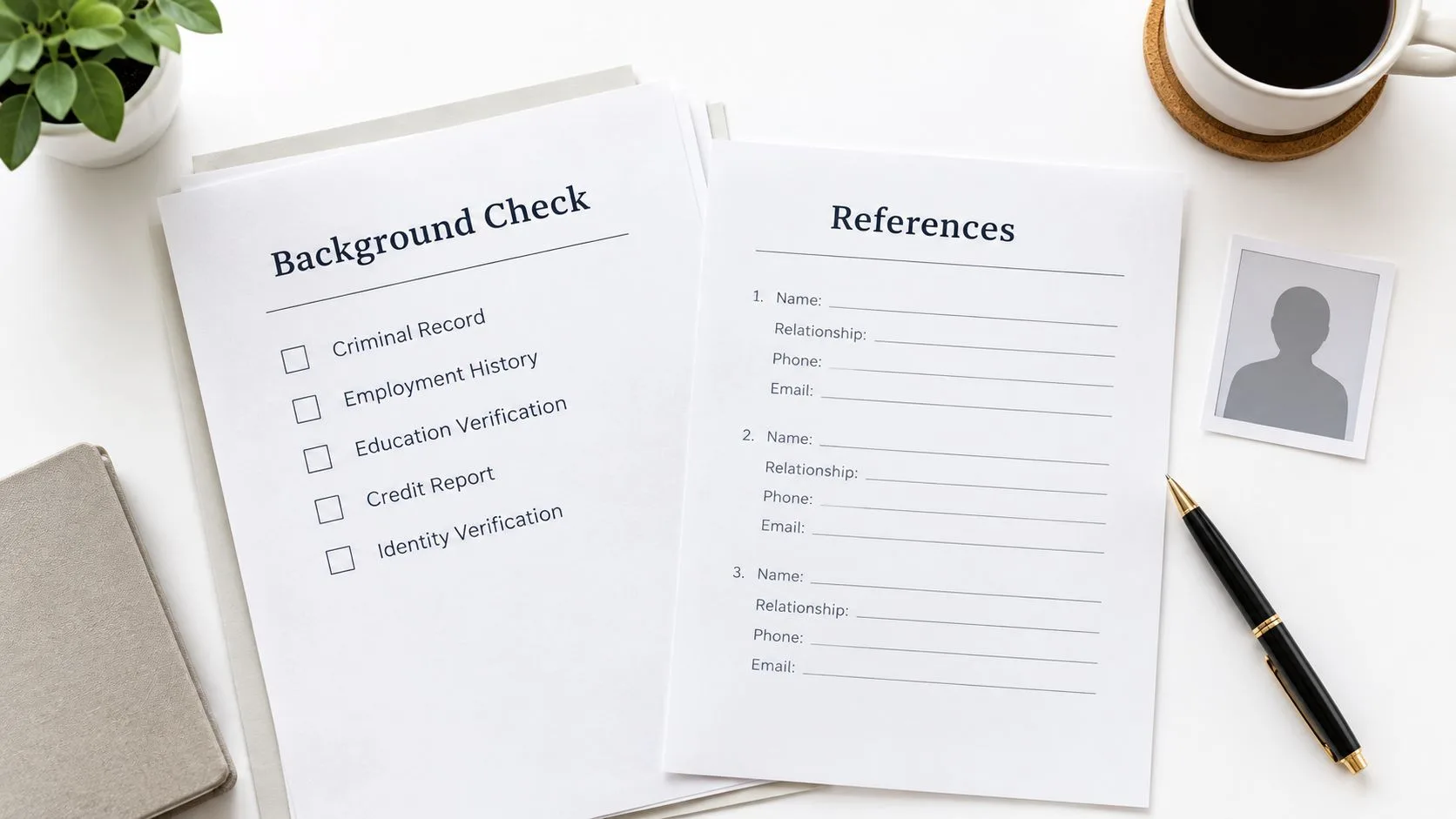
Some offers depend on steps that must happen before employment is finalized, such as background checks, reference verification, licensing checks, or security clearance. A government or security-sensitive role, a healthcare position, and an international job may all require this kind of confirmation.
Read the offer letter closely and repeat the contingencies using the employer’s own terminology. That shows you understand the process and gives HR a clear opportunity to tell you what happens next.
Subject: Acceptance of [Job Title] Offer and Required Contingencies
Dear [HR Contact or Hiring Manager’s Name],
Thank you for offering me the position of [Job Title] at [Company Name]. I’m pleased to accept the offer, subject to the contingencies described in the offer letter, including [Background Check, Reference Verification, License Review, or Security Clearance].
I’m prepared to provide the required information and authorize the checks as soon as you’re ready to begin. Please let me know whether you need any documents, references, or additional details from me now.
I understand that these requirements must be completed before the agreed start date of [Date]. I’m looking forward to moving ahead and joining [Company Name].
Kind regards, [Your Full Name]
[Phone Number]
The phrase “subject to the contingencies described in the offer letter” avoids creating a contradiction between acceptance and the conditions of employment. Don’t promise that a check will pass, since the employer controls the process and may apply its own standards. You can express readiness instead.
A clear acknowledgment also helps distinguish a routine condition from a new requirement. If HR requests an additional form, ask what it covers and whether it changes the offer terms. Mail Tracker for Gmail can show that HR opened your message, but it can’t verify that a screening provider received your information or that the contingency has been cleared.
7. Job Acceptance Email With Transition and Notice Period Confirmation
If you’re employed, accepting a new role involves two timelines. You need to communicate your commitment to the new employer while giving your current employer an orderly transition. This matters for a mid-career professional moving between corporate positions, a senior employee changing companies, or a manager arranging knowledge transfer.
Confirm your final working day with your current employer before sending the acceptance email. A typical notice period is often two to four weeks, but the correct date depends on your contract, workplace policy, and agreement with your current employer.
Subject: Accepting [Company Name]’s Offer, Start Date Confirmation
Dear [Hiring Manager’s Name],
Thank you for the offer to join [Company Name] as [Job Title]. I’m pleased to accept and remain fully committed to joining the team.
I’ve confirmed that my final day with my current employer will be [Final Working Date]. Based on that transition, I can begin with [Company Name] on [Start Date]. I’ll use the notice period to complete my responsibilities and provide an orderly handover.
If an urgent business need affects this timeline, I’m happy to discuss whether there’s reasonable flexibility, although I want to make sure I leave my current team responsibly. Please let me know if the proposed start date works for you and whether there are any preparations I should complete beforehand.
I’m looking forward to getting started.
Kind regards, [Your Name]
This wording reassures the new employer that the delay isn’t hesitation. It also avoids criticizing your current organization, which protects professional relationships. Don’t announce a final date you haven’t agreed to, and don’t resign solely on the basis of an informal verbal promise when you still need the written offer or contract.
Mail Tracker for Gmail can show when the new hiring manager opens the message, but their open doesn’t equal approval of your timeline. Look for an explicit written response confirming the start date, then save that response with your offer documents.
Comparison of 7 Job Acceptance Email Examples
| Template | Complexity 🔄 | Resource Requirements ⚡ | Expected Outcomes 📊 | Ideal Use Cases 💡 | Key Advantages ⭐ |
|---|---|---|---|---|---|
| Professional Formal Job Acceptance Email | Medium, structured, precise wording | Low–Medium, time to confirm terms and proofread | Formal confirmation, reduced ambiguity, official record | Corporate, executive, government roles | Creates a clear record; demonstrates professionalism |
| Enthusiastic and Warm Job Acceptance Email | Low, conversational tone with personalization | Low, requires personal references and tone balance | Positive rapport, memorable first impression | Startups, creative teams, mission-driven orgs | Builds rapport; signals cultural fit and enthusiasm |
| Conditional Acceptance with Clarification Questions Email | High, careful, diplomatic phrasing needed | Medium, drafting numbered questions; possible negotiation | Clarified terms, fewer surprises, potential onboarding delay | Offers with unclear terms, visa/sponsorship, remote roles | Protects candidate interests; opens final negotiations |
| Brief and Direct Job Acceptance Email | Low, very concise format | Very Low, minimal time to compose | Fast confirmation; efficient communication (may feel curt) | Busy executives, time-sensitive hires, internal moves | Quick to send; respects recipient’s time |
| Job Acceptance Email with Next Steps and Onboarding Questions | Medium, organized multi-topic requests | Medium, compiles logistics for HR/IT/team | Smoother onboarding; clarified first-day logistics | New graduates, relocations, technical roles | Proactive; reduces first-day confusion and follow-ups |
| Job Acceptance Email with Contingency Acknowledgment | Medium, precise reference to contingencies | Low–Medium, may require supporting documents | Alignment on preconditions; transparency about checks | Security-clearance, healthcare licensing, international hires | Prevents misunderstandings; signals readiness to comply |
| Job Acceptance Email with Transition and Notice Period Confirmation | Medium, coordinates dates and commitments | Medium, confirm notice with current employer | Realistic start timeline; professional transition plan | Mid-career moves, senior hires with notice periods | Shows integrity; sets clear expectations for start date |
Send the Acceptance Without Leaving Gaps
Choose the formal template for traditional employers, regulated industries, or senior positions. Choose the warm version when your relationship with the hiring team and the organization’s culture support a more personal message. The brief version works when the context is already established and the key terms have been discussed. Use the clarification, contingency, onboarding, or transition versions when a specific issue needs to be documented rather than left to memory.
Your subject line should identify the purpose without making the recipient open the message to understand it. Good options include:
- Accepting [Company Name]’s Offer, [Your Name]
- Acceptance of [Job Title] Offer, [Your Name]
- Accepting [Job Title] and Confirming Start Date
- Acceptance and Onboarding Questions, [Your Name]
Before you send, compare the draft with the written offer. Confirm the exact job title, department, salary, benefits, start date, employment conditions, and any contingencies. Check the recipient addresses, attachments, signature, phone number, and any requested reply deadline. If you’re returning a signed letter, attach the correct file and name it clearly.
Cc HR or another relevant contact only when that person is involved in the acceptance or onboarding process. Too many recipients can create uncertainty about who should respond. Save the sent message, the offer letter, signed documents, and the employer’s written confirmation together.
Hiring communication often depends on timing. Guidance commonly recommends responding within 24 to 48 hours where possible, as summarized in this job-offer email template guide. Recruiting analytics defines offer-to-acceptance as the calendar time between the written offer and the signed acceptance or accepted status, so a prompt written reply gives both sides a clearer record. A separate recruiting outreach dataset found that 93.2% of eventual replies arrived within the first three touches, with 97.7% coverage by the fourth touch, and that 74.8% arrived within 24 hours. Those figures describe outreach rather than job-offer acceptance, so treat them as context for timely follow-up, not a promise about your employer’s response.
Mail Tracker for Gmail can show open events, timestamps, and message activity for tracked Gmail emails. An open notification is not a substitute for an explicit written response, a signed contract, or confirmation that every question has been answered. If you need to follow up, use a calm message such as, “I’m checking that my acceptance and attached document reached you. Could you please confirm receipt and the next step?”
The clearest acceptance email does three jobs: it says yes, records the terms, and makes the next action obvious. Use the template that matches your situation, edit every bracketed field, and send a message you’d be comfortable keeping in your professional records. For a practical follow-up sequence, you can also review this second follow-up email guide.
Mail Tracker for Gmail adds read receipts, open counts, timestamps, and real-time notifications to messages sent from Gmail, helping you see whether your acceptance email has been opened. Visit Mail Tracker for Gmail to review the tracking option and decide whether it fits your communication needs.
Ready to track your emails?
Add Mail Track for Gmail from the Google Workspace Marketplace and know the moment your emails are opened. Free and unlimited.
Add to GmailMore reading
More from Guides

How Accurate Is Email Tracking? What Opens Really Tell You
How accurate is email tracking in Gmail? Learn why opens get overcounted or missed, how to spot false opens, and which signals to trust before you follow up.

Email Tracking Pixel: How It Works, How to Spot One and Where It Falls Short
What is an email tracking pixel, how does it show an open in Gmail, how can you find one, and why Gmail and Apple Mail proxies limit what it can tell you.
8 Meeting Follow Up Email Examples That Get Replies
Use these 8 meeting follow up email examples for intros, demos, internal syncs, and decisions, with subject lines and copy-paste templates.