
8 Meeting Follow Up Email Examples That Get Replies
Use these 8 meeting follow up email examples for intros, demos, internal syncs, and decisions, with subject lines and copy-paste templates.
A productive meeting can still disappear by the next morning. Everyone leaves aligned, then new messages arrive, priorities shift, and the decision that felt obvious in the room becomes a vague memory. Your meeting follow up email determines whether the conversation advances, stalls, or ends.
A useful follow-up isn’t a generic thank-you note. It should match the meeting type, preserve the decisions people made, identify action items, and make the next move easy to accept. The right message after a sales call won’t look like the right message after a recruiting conversation or an internal planning session.
This guide gives you eight copy-paste-ready approaches. Each includes subject-line options, an adaptable email, timing guidance, and notes on why the wording works. You can also transcribe meeting notes by voice before drafting, especially when the meeting included several commitments or open questions. Mail Tracker for Gmail is an optional Gmail add-on for read receipts and open notifications, which can help you time a thoughtful message without treating tracking as a substitute for relevance.
1. The Soft Reminder Follow-Up
A prospect leaves a demo interested, but your recap sits unopened while their inbox fills. A soft reminder gives the conversation another entry point without turning silence into pressure. It suits a prospect after a demo, a recruiter waiting on a candidate, or a consultant checking whether a proposal reached the right person.
Use it two or three days after the initial email when the conversation is not urgent. Send the meeting recap itself within 24 hours, while the discussion remains fresh. Same-day or next-day follow-up is also recommended after meetings, demos, and internal discussions, according to meeting follow-up research.
Subject-line options
- Quick follow-up on [meeting topic]
- Did my note about [specific detail] reach you?
- Checking in on [next step]
- Reconnecting after our conversation
Copy and adapt
Hi [Name],
I wanted to make sure my note about [specific detail from the meeting] reached you. I thought [relevant outcome or benefit] could help with [their company, team, or role]. Please let me know if any questions came up.
Best, [Your name]
The wording gives the recipient a neutral explanation for the silence. “I wanted to make sure this reached you” is easier to answer than “I haven’t heard back,” and the meeting detail shows that you wrote the message for this conversation rather than sending an automated nudge. Keep the benefit specific, and remove it if you cannot connect it to something they discussed.
Mail Tracker for Gmail can report whether a tracked Gmail message was opened, along with open notifications and timestamps. Treat that information as a timing signal, not evidence that the recipient owes you a reply. If the message was opened, shorten the reminder and add a useful clarification. If it was not, review the address, subject line, and relevance before sending another note. This follow-up email method in Gmail shows how to structure the process.
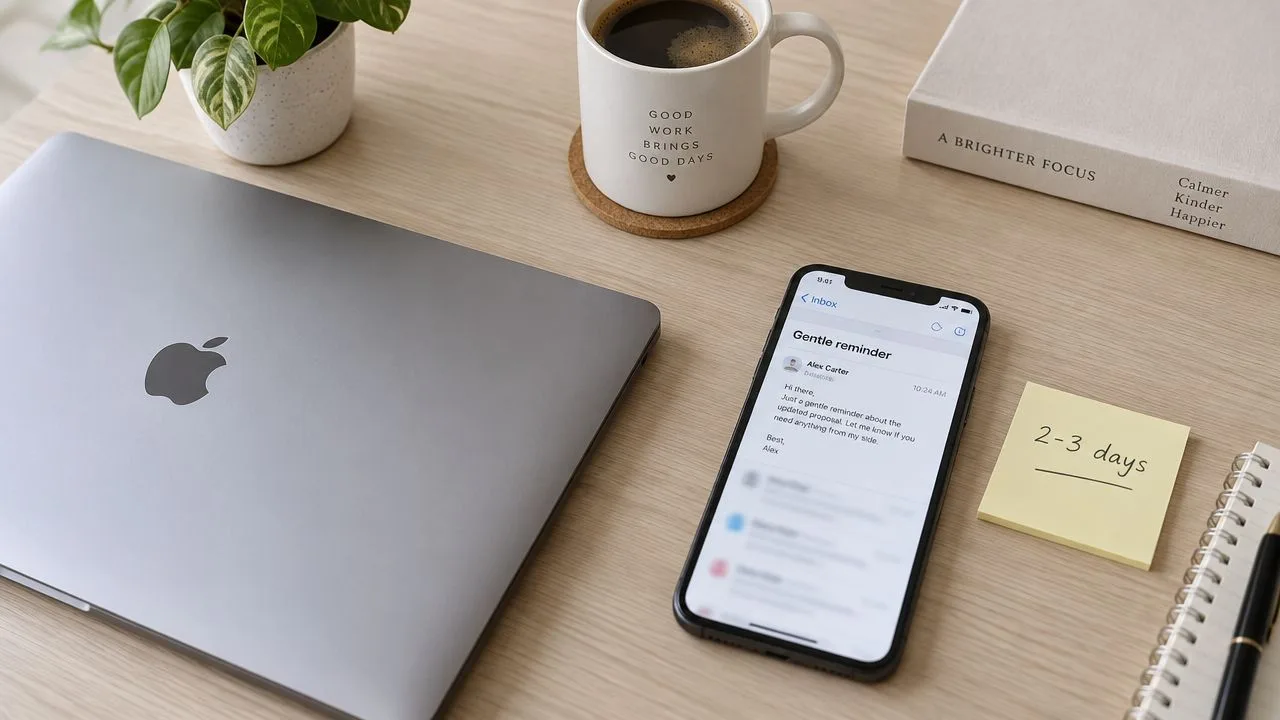
Keep the email to two or three sentences. Send it early in the recipient’s workday, or on a Tuesday through Thursday workday when that matches their location and schedule. For a sales-specific variation, compare this advice on how to follow up after the sales call.
2. The Value-Add Follow-Up
A reminder asks for attention. A value-add follow-up earns it by giving the recipient something useful that relates directly to the meeting. That might be a relevant article, a product comparison, a webinar, a short analysis, or a resource that helps the recipient explain an issue internally.
This approach suits sales professionals, consultants, freelancers, and business development teams. It also works in recruiting when a candidate or hiring manager mentioned a skills gap, market question, or decision they’re still considering.
Subject-line options
- Resource for [challenge discussed]
- Thought of your team after our meeting
- Relevant [guide, webinar, or report] for [company]
- One resource on [specific topic]
Copy and adapt
Hi [Name],
You mentioned [specific challenge] during our meeting, so I thought you might find this [resource type] useful: [link]. The section on [specific point] seemed especially relevant to [their role or current priority]. I’d love to hear whether it reflects what your team is seeing.
Best, [Your name]
The introduction should stay brief. The resource isn’t decoration, and it shouldn’t become a disguised sales pitch. Choose something that helps whether or not the recipient buys from you. A consultant might send a practical webinar on an issue the client raised. A recruiter might share an industry report connected to the candidate’s target role. A sales professional might provide a technical guide that helps the prospect build an internal case.
Useful test: If the recipient gets value from the link without replying, the follow-up is probably doing its job.
Mail Tracker for Gmail can help you see whether the recipient engaged with the message, but an open doesn’t prove they read or endorsed the resource. Don’t follow an open notification with “I saw you viewed the report.” Instead, use the signal to decide whether a later question or meeting invitation is appropriate.
The best call to action is soft and specific. “Would love your thoughts on the section about implementation” invites a response without forcing a buying decision. Avoid stacking several links, several questions, and a calendar request in the same note. One useful resource and one natural response path feel personal. Five resources feel like a campaign.
3. The Multi-Channel Follow-Up
Some conversations need more than another email. A coordinated multi-channel sequence can combine email, LinkedIn, a phone call, or a brief message, but it must feel like one respectful conversation rather than an attempt to surround the recipient.
For a post-demo or post-meeting sequence, send the first follow-up within 24 hours. Some sales cadences recommend five to eight total touches across email, phone, SMS, and social over roughly 14 to 21 days, with later touches spaced about three to seven days apart, as described in this sales follow-up timeline. Treat that as a planning framework, not permission to contact someone repeatedly after they’ve declined.
Subject-line options for the email step
- Following up on [meeting topic]
- One question after our conversation
- Next step for [project or opportunity]
- Continuing our discussion about [priority]
Copy and adapt
Hi [Name],
Thanks again for discussing [topic]. Based on what you shared about [specific priority], I’ve attached [resource or recap]. If it’s useful, I can answer questions by email or walk through the relevant part on a short call.
Best, [Your name]
A practical sequence might look like this:
- Email: Send a concise recap or useful resource.
- LinkedIn: Reference the conversation naturally, without copying the email.
- Phone: Call only when a call is reasonable for the relationship and context.
- Final outreach: State what you’ll do next, or close the loop respectfully.
Mail Tracker for Gmail can provide an open notification before you choose the next channel. If the email is unopened, a LinkedIn message may be more useful than an immediate phone call. If it was opened and the recipient has previously welcomed calls, a call may be appropriate. Tracking shouldn’t override a “do not contact” request or an explicit preference for email.
Before changing channels, record the last touchpoint and its purpose. Customize each message slightly, and leave 24 to 48 hours between touches when the situation allows. The wrong approach is sending the same paragraph through every channel. That feels automated, creates duplicate notifications, and makes the recipient manage your workflow.
The sequence below shows how the channels can work together without repeating the same message.
4. The Personalized Research Follow-Up
A high-value prospect may ignore a generic message but notice a follow-up that accurately reflects their current situation. Research should make the email more relevant, not longer. Mention a recent company development, a role change, a public initiative, or a challenge the recipient raised in the meeting, then connect it to one useful idea.
This is especially effective after strategic sales meetings, senior recruiting conversations, and consulting discussions where the recipient expects preparation. It also carries a trade-off. Research takes time, so don’t spend an hour personalizing a message for someone who never showed interest or whose needs you can’t verify.
Subject-line options
- An idea for [company’s current priority]
- Following up on [specific challenge]
- [Company initiative] and our conversation
- A relevant thought about [business issue]
Copy and adapt
Hi [Name],
I noticed [specific company detail], and it connected with what you mentioned about [challenge from the meeting]. With [relevant development or opportunity] in mind, [your solution, recommendation, or resource] could help with [specific outcome]. Would it be useful to compare notes on how your team is approaching this?
Best, [Your name]
Use company websites, credible news coverage, and public professional profiles to verify details. Don’t mention information that feels invasive, outdated, or unrelated to the meeting. Two or three accurate details can establish preparation, but a long paragraph about the recipient’s company can sound like surveillance.
Credibility comes from relevance, not from showing how much information you collected.
Mail Tracker for Gmail can confirm whether an earlier message was opened before you invest in deeper research. That can help prioritize your time, but it shouldn’t become a condition for treating someone respectfully. An unopened message may reflect timing, inbox filtering, or a bad address rather than disinterest.
A sales representative might connect a prospect’s expansion plans with an implementation challenge discussed on the call. A recruiter might acknowledge a candidate’s move into a new role and ask whether the opportunity matches their broader direction. A consultant might refer to a public sustainability commitment and offer a tightly related recommendation. In each case, the research supports the recipient’s stated priorities instead of replacing them.
5. The Time-Sensitive Urgency Follow-Up
Urgency earns attention only when the deadline is real. A closing registration window, a genuine pricing date, a fixed project slot, or an approaching hiring deadline can justify a direct follow-up. Manufactured scarcity, fake expiration dates, and repeatedly extended deadlines damage trust faster than a missed sale does.
Send the first message within 24 hours of the meeting when the deadline matters. If a tracked email is opened, an immediate notification can help you respond while the topic is active, but don’t pounce on every open. The recipient may be reviewing the message internally or forwarding it to someone else.
Subject-line options
- [Deadline] for [offer or event]
- Availability through [date]
- Decision point for [project]
- Final details before [real deadline]
Copy and adapt
Hi [Name],
A quick timing note on [offer, event, or project]. [Specific deadline] is the last date to [action], because [plain explanation of the consequence]. If you’d like to proceed, you can [direct next step]. If the timing isn’t right, just let me know and I’ll close the loop.
Best, [Your name]
The message should answer three questions immediately: What is changing, when does it change, and what should the recipient do? For example, an event organizer can explain that workshop registration closes when the venue list is finalized. A consultant can state that a particular project slot is available only during a defined period. A sales professional can identify the actual date when an offer expires.
Don’t frighten the recipient with vague consequences. “You’ll miss out forever” is manipulative. “The current proposal is valid through Friday, then we’ll need to reissue it under the next pricing schedule” is clear and professional. If you extend the deadline, explain why. Repeated extensions teach people that your deadlines aren’t real.
6. The Question-Based Follow-Up
A question can reopen a conversation more effectively than another statement about your offer. This approach is useful when the meeting surfaced uncertainty, competing priorities, or several possible problems but didn’t reveal which one matters most.
The key is restraint. Ask one primary question, then include an optional follow-up only if the answer changes your recommendation. A survey disguised as a follow-up email still feels like work.
Subject-line options
- One question after our meeting
- Prioritizing [challenge]
- How is your team weighing [decision]?
- A question about [specific issue]
Copy and adapt
Hi [Name],
I’ve been thinking about our discussion of [topic]. When your team evaluates ways to address [challenge], what matters most right now, [option A], [option B], or something else? Your answer would help me focus any recommendation on the issue that has the greatest practical impact.
Best, [Your name]
The question should be genuine. A sales representative might ask which evaluation criterion will determine the decision. A recruiter could ask what an ideal next role needs to offer someone with the candidate’s background. A consultant might ask which of several business challenges would create the largest benefit if solved.
A tracked open notification from Mail Tracker for Gmail can help you avoid asking a question before the original message has had a fair chance to reach the recipient. Still, an open doesn’t tell you what the person thinks. Prepare to listen, acknowledge the answer, and adapt your recommendation. Don’t use the reply as a bridge back to a script you’ve already written.
For stronger discovery prompts, review these discovery sales questions. The same principle applies outside sales. Good questions reduce assumptions, clarify priorities, and give the recipient a reason to answer because the response will influence what happens next.
7. The Social Proof Follow-Up
Social proof can make a second email more credible, but only when the example matches the recipient’s situation. A recognizable client in an unrelated industry may add less value than a lesser-known organization facing the same operational problem.
Use a short result, testimonial, or case-study reference after a meeting where the recipient needs evidence to justify a decision. Keep the claim accurate and get permission before sharing a client’s name or results. Never turn a private customer conversation into marketing material without approval.
Subject-line options
- How [similar organization] approached [challenge]
- A relevant customer example
- Results related to [meeting topic]
- One example for your team
Copy and adapt
Hi [Name],
You asked how teams handle [specific challenge]. One relevant example is [approved customer or anonymized profile], which used [solution or approach] to address [problem]. I can send the full case study, or we can discuss whether the situation is comparable to yours.
Best, [Your name]
Use one strong example rather than a parade of logos. Include a concrete metric only when you can verify it and the client has approved its use. The planned example claims, such as cost reductions, retention rates, ratings, and user counts, aren’t supported by the verified data here, so they shouldn’t be inserted as facts without an approved source.
Evidence should reduce uncertainty, not manufacture confidence.
Mail Tracker for Gmail can show engagement with the message, but tracking data isn’t social proof. Don’t describe a high open count as evidence that your product works. If you mention Mail Tracker for Gmail itself, use only documented product facts, such as its open notifications, timestamps, and Gmail integration, and keep those separate from customer outcome claims.
For a recruiter, a relevant testimonial might come from a hiring manager who approved its use. For a consultant, it could be a short approved statement about the engagement’s scope and result. For a sales professional, a concise case study can help the prospect explain the proposal internally. In every case, match the proof to the decision the recipient is trying to make.
8. The Clear Next Steps Follow-Up
Vague closings create vague replies. “Let’s connect sometime” asks the recipient to design the next step, find a time, and decide what the meeting should accomplish. A clear next-steps email removes that friction by offering a small number of concrete choices.
Send it within 24 to 48 hours after a recipient opens the original message when the meeting already established interest. The broader benchmark remains a same-day or next-day recap, especially when the email records decisions or assigned tasks. A professional email example for Gmail can help you refine the structure, but your wording should still reflect the actual conversation.
Subject-line options
- Choosing the next step for [project]
- Two ways to continue [topic]
- [Specific meeting outcome] next steps
- Tuesday or Thursday for [follow-up topic]?
Copy and adapt
Hi [Name],
Based on our discussion about [priority], here are the simplest next steps:
- A short call on Tuesday at 2 p.m.
- A short call on Thursday at 10 a.m.
- I send the relevant resource first, and you review it when convenient.
Which option fits your schedule and priorities best?
Best, [Your name]
Offer two or three choices, no more. Include one low-effort option, such as sending a document or answering a question by email. A sales representative might offer two call times and a resource review. A recruiter could ask whether the candidate prefers a quick call or the formal job description first. A consultant might offer a consultation link, a case study, or a detailed proposal.
Use direct links to scheduling tools or resources, and state what each option involves. “Would any of these be helpful?” is softer, but “Which option fits your schedule?” makes the reply easier. Don’t assume interest that the meeting didn’t establish, and don’t use tracking signals to push someone into a commitment. A clear path should feel convenient, not coercive.
8 Meeting Follow-Up Comparison
| Follow-Up Type | 🔄 Implementation Complexity | ⚡ Resource Requirements | ⭐📊 Expected Outcomes | 💡 Ideal Use Cases | ⭐ Key Advantages |
|---|---|---|---|---|---|
| The Soft Reminder Follow-Up | Low, simple timing and light personalization | Low, brief email; Mail Tracker optional | Moderate, gentle engagement boost, preserves rapport | Busy decision-makers; initial outreach | Maintains professionalism; low risk of annoyance |
| The Value-Add Follow-Up | Medium, requires curating relevant content | Medium, research time and content assets | High, increases replies and credibility | Sales, consultants, business development | Differentiates you; builds trust via usefulness |
| The Multi-Channel Follow-Up | High, coordinates sequencing across channels | High, multi-platform tools and tracking | High, higher contact and conversion rates | Hard-to-reach prospects; enterprise sales | Reaches varied preferences; boosts contact likelihood |
| The Personalized Research Follow-Up | High, deep, prospect-level research needed | High, time‑intensive; not easily scalable | Very high, strong responses from high-value targets | Executive outreach; strategic deals | Highly personalized; strong credibility builder |
| The Time-Sensitive Urgency Follow-Up | Medium, careful timing and authentic deadlines | Low–Medium, legitimate offers + instant notifications | High, prompts quick action when genuine | Event registrations, limited offers, booking slots | Drives fast responses when urgency is real |
| The Question-Based Follow-Up | Medium, crafting thoughtful, open-ended questions | Low, minimal resources, requires genuine curiosity | Moderate–High, invites dialogue and insights | Discovery calls; consultative sales | Encourages engagement; positions you as a peer |
| The Social Proof Follow-Up | Medium, sourcing relevant testimonials or metrics | Medium, case studies, client permissions, assets | High, overcomes skepticism; builds trust | Risk-averse buyers; proof-driven decisions | Provides external validation; reduces objections |
| The Clear Next Steps Follow-Up | Low–Medium, define concrete options and logistics | Low, calendar links or brief scheduling tools | Very high, reduces friction and increases commitments | Scheduling demos, moving deals forward | Simplifies decisions; increases conversions |
Make Every Follow-Up Earn Its Place
Choose the approach based on the problem you need to solve. Use the soft reminder when visibility is the issue and the first message may have been overlooked. Use the value-add version when the recipient needs a useful reason to re-engage. Choose social proof when credibility or internal justification matters, and use the question-based version when you still need to understand the recipient’s priorities.
Urgency belongs only where a real deadline exists. If there isn’t a genuine closing date, don’t manufacture one. The clear next steps format works best when the recipient is ready to act but needs an easy route forward. A multi-channel sequence can help when email alone isn’t reaching the person, but every channel should respect preferences and avoid duplicate pressure. Personalized research is most valuable for high-priority conversations where accurate context can change the relevance of your recommendation.
Timing matters because people respond to work email on a relatively short horizon. One 2026 B2B benchmark reported an average response time of 2.3 hours, with enterprise companies averaging 1.8 hours. Another 2026 synthesis reported 4 hours and 10 minutes during work hours and 12 hours and 55 minutes when elapsed calendar time included evenings and weekends, showing why a message sent late in the day can appear slower than it is. These figures come from email response-time benchmarks and cross-industry response-time analysis. Treat them as context, not a promise that every recipient will answer quickly.
Before sending, edit with five questions:
- Does the message match the meeting context?
- Does it have one purpose?
- Does the subject line name the topic or next step?
- Can the recipient scan it quickly?
- Does the ending offer one clear action?
The timing case is strongest immediately after the meeting. One industry research summary reported that 39% of meeting commitments are never completed, the average follow-up takes 3.2 days, and 73% of professionals rely on memory alone to track next steps. Those figures are reported in meeting follow-up statistics, and they reinforce a practical point: write down the decision, owner, and next action while the conversation is still fresh.
Mail Tracker for Gmail can provide open notifications, read receipts, open counts, and timestamps inside Gmail. Use those signals to prioritize replies and choose a sensible moment for a reminder, not to replace consent, relevance, or a useful message. The product’s documented privacy approach states that it doesn’t read email content and records open events, so review the tracking norms that fit your recipients and organization before enabling it.
Mail Tracker for Gmail provides read receipts and real-time open notifications inside Gmail, helping you see when a meeting follow-up was opened and decide what to do next. Visit Mail Tracker for Gmail to connect those signals with concise, relevant follow-up habits instead of sending reminders blindly.
Ready to track your emails?
Add Mail Track for Gmail from the Google Workspace Marketplace and know the moment your emails are opened. Free and unlimited.
Add to GmailMore reading
More from Guides

How Accurate Is Email Tracking? What Opens Really Tell You
How accurate is email tracking in Gmail? Learn why opens get overcounted or missed, how to spot false opens, and which signals to trust before you follow up.

Email Tracking Pixel: How It Works, How to Spot One and Where It Falls Short
What is an email tracking pixel, how does it show an open in Gmail, how can you find one, and why Gmail and Apple Mail proxies limit what it can tell you.

7 Example Email Accept Job Offer Templates
Use these 7 example email accept job offer templates for formal, concise, and enthusiastic replies, with subject lines, clauses, and sending tips.