
7 Professional Email Examples for Any Work Scenario
Explore 7 professional email examples for outreach, follow-ups, meetings, proposals, onboarding, and more, with subject lines and practical customization tips.
You know what you want to say, but the blank email window creates a harder problem: how do you sound credible without sounding stiff, concise without leaving out context, and persistent without becoming a nuisance? A strong professional email example gives you more than wording. It shows the recipient why the message matters, what action to take, and what happens next.
The seven examples below follow the complete work relationship lifecycle, from first outreach through customer onboarding. Each one explains the strategic job of the message, then shows how to adapt the subject line, personalization, call to action, timing, and follow-up. You’ll also see where Mail Tracker for Gmail can provide useful open signals inside Gmail. Mail Tracker for Gmail is a product name, not a generic label for the category “mail tracker for gmail” or “email tracker for gmail.” Open activity can inform a considerate next step, but it can’t replace judgment, relevance, or respectful communication.
1. Initial Sales Outreach Email
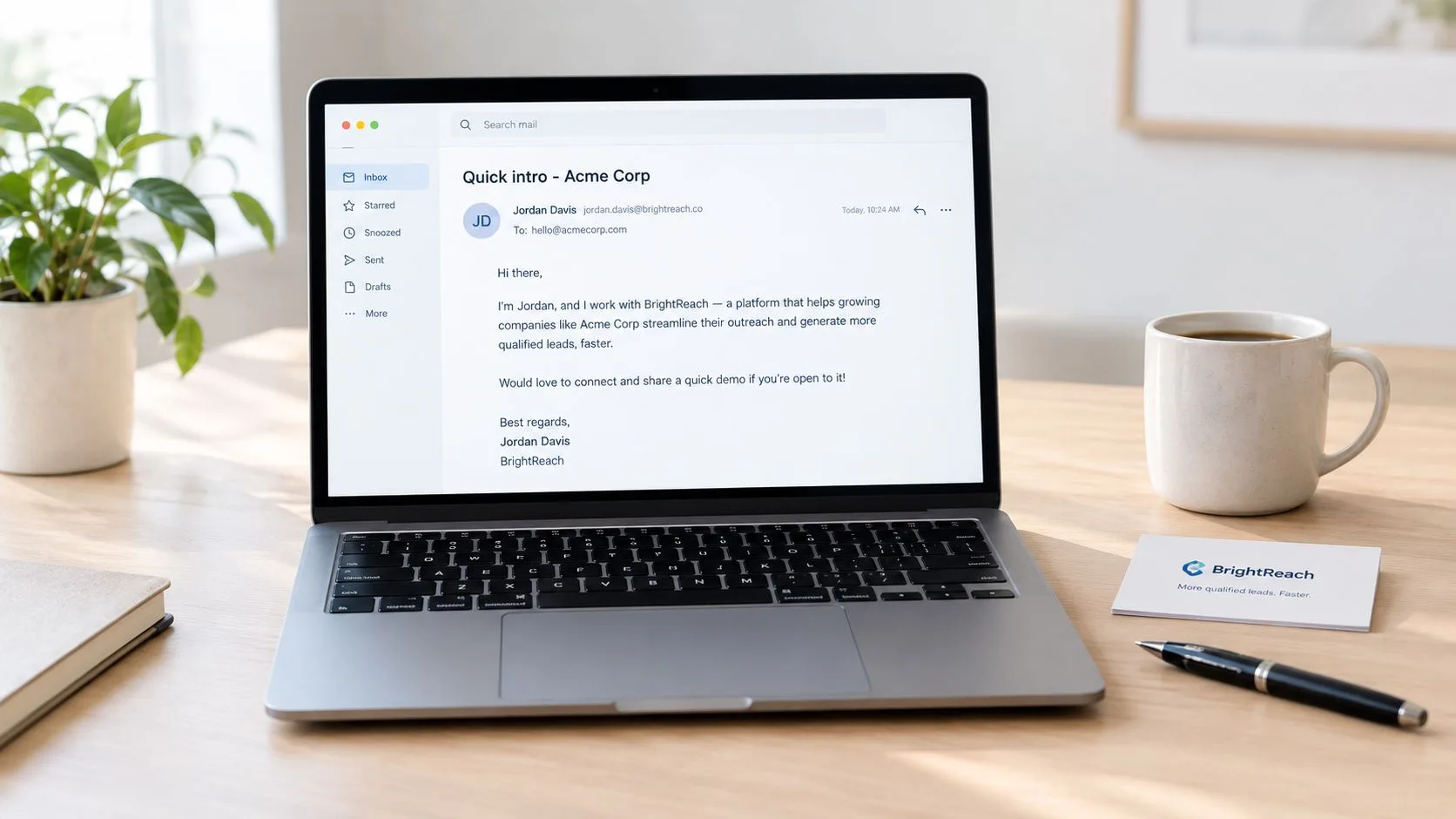
A first sales email has one job: earn permission for the next conversation. It shouldn’t explain every feature, tell the company’s full story, or force a buying decision. A credible message connects a specific problem to a relevant outcome and makes the reply easy.
For example, a technology sales representative contacting an IT director might write:
Subject: Reduce ticket backlog at [Company]
Hi [First Name],
I noticed that [Company] is expanding its distributed support team. IT leaders in that position often need a faster way to route recurring requests without adding more manual work.
[Product] helps teams centralize intake, automate routine assignments, and give employees a clearer view of request status. Would you be open to a brief conversation next week to see whether it fits your current workflow?
Best, [Your Name]
Keep the subject specific and short enough to work in a mobile preview. The message should name the recipient, company, and relevant pain point, then explain the value in one or two sentences. A soft call to action, such as “Would you be open to a brief conversation?”, creates less pressure than asking for a purchase.
Practical rule: Personalize the reason for contact, not just the greeting.
Before sending, check whether the problem is relevant. A recruiter should mention the candidate’s background and the role’s appeal. A consultant should connect the offer to a visible business priority. An account executive introducing a new service to an existing customer should reference the relationship rather than write as if the recipient were a stranger.
You can also review guidance on sales outreach strategy and study account based selling playbooks for more targeted planning. Mail Tracker for Gmail can add double check marks, open counts, timestamps, and notifications inside Gmail. Use those signals to decide whether a relevant follow-up may be timely. They aren’t proof that the prospect understood the message or wants a call.
2. Follow-Up Email After No Response
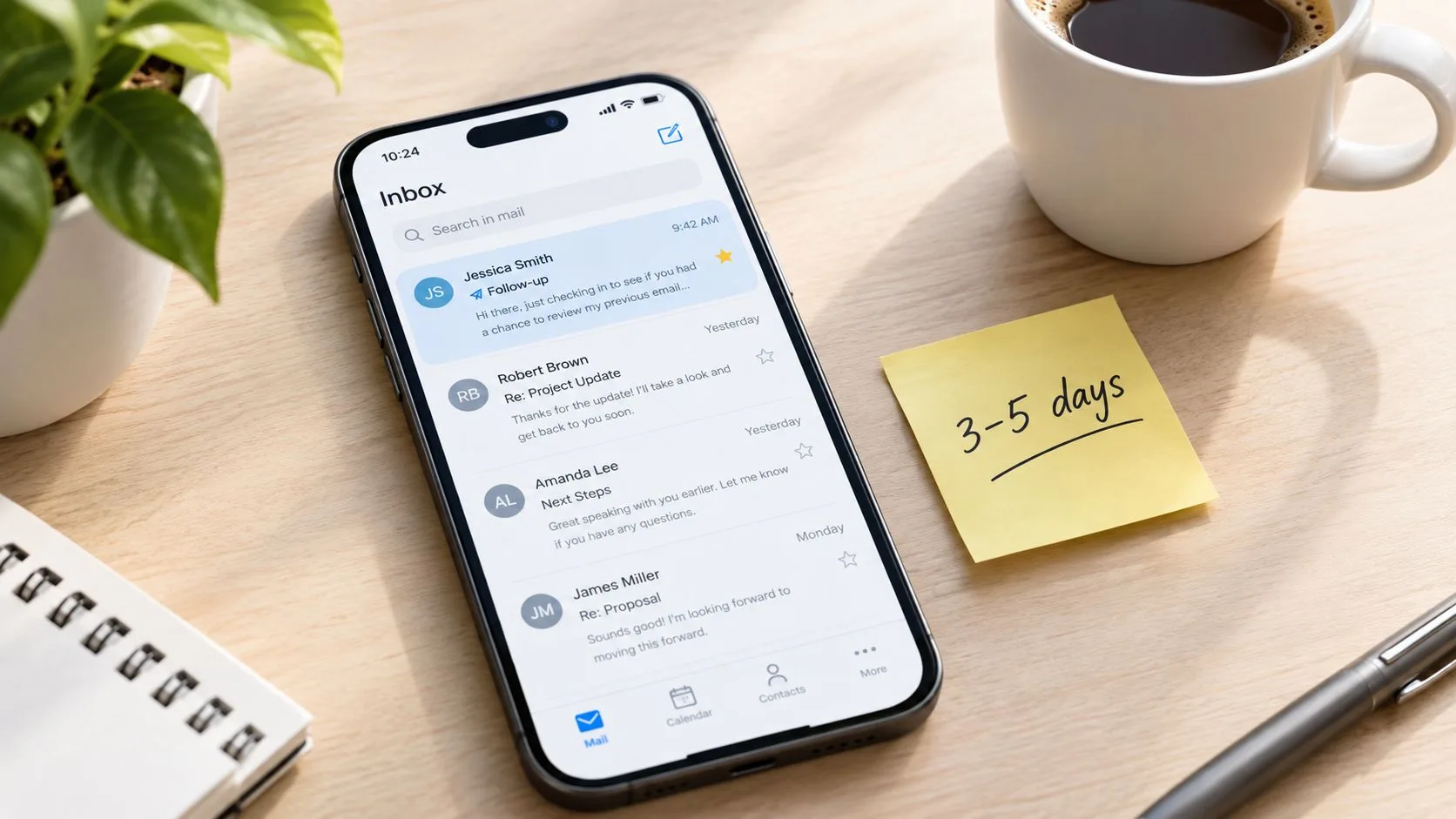
Silence doesn’t always mean rejection. The recipient may have missed the email, lacked the context to respond, or needed a stronger reason to prioritize it. A useful follow-up references the original note, introduces new value, and gives the recipient a simple way to close the loop.
Cold-email timing deserves restraint. Research cited by cold-email follow-up timing guidance places the strongest response window within 48 hours to five days after the initial message, with a first follow-up around day three often performing better than a much later reminder. Broader benchmarks recommend three to five follow-ups, spaced several days apart rather than sent daily. Average cold-email reply rates commonly fall between 1.5% and 3%, while 5% or more is considered elite in broad benchmark sets, according to Mailshake’s 2026 cold-email benchmarks.
Subject: Quick follow-up, onboarding support
Hi [First Name],
I’m following up on my note about reducing manual work in your support workflow. I thought this short resource on onboarding distributed IT teams might be more useful than another product overview: [resource link].
If this isn’t a priority, just let me know and I’ll close the loop. If it is relevant, would [option one] or [option two] work for a brief conversation?
Best, [Your Name]
A tracked open can help you distinguish “possibly seen” from “probably not noticed,” but treat the distinction carefully. Mail Tracker for Gmail’s open counts and push notifications can inform timing, not justify repeated pressure. If the person opened the message but didn’t reply, add context or value rather than saying you know they read it.
Use a slightly shorter subject, such as “Quick follow-up, [new angle],” and change the message’s substance. A case study, relevant article, testimonial, or pricing detail gives the recipient a reason to reconsider. For additional subject-line guidance, see effective subject lines for sales emails and these follow-up email templates for 2026.
3. Meeting Request and Calendar Invitation Email
A meeting request should remove scheduling friction before it appears. Offer several options, account for time zones, state the meeting type, and make the agenda clear enough that the recipient knows why the time is worthwhile.
A recruiter arranging a phone screen could use this format:
Subject: Jordan Lee, phone screen, three options
Hi [First Name],
Thanks for your interest in the [Role Title] position. I’d like to schedule a phone screen to discuss your experience with [relevant skill] and answer questions about the role.
Would any of these times work for you?
- Option one: [Day, date, time, time zone]
- Option two: [Day, date, time, time zone]
- Option three: [Day, date, time, time zone]
You can also choose a time through [calendar link]. The conversation will take about 30 minutes. I’ll use the first few minutes to outline the team’s priorities, then we can discuss your experience and next steps.
Best, [Your Name]
The subject line tells the recipient who you are, what the meeting is, and what to expect. Multiple options work better than an open-ended “Let me know when you’re free,” because the recipient can select, reject, or propose an alternative without planning the entire meeting.
Include the video link or call details in the body when possible. Don’t make someone click through several pages to find the access information. If the meeting crosses regions, write the time zone beside every option instead of assuming the recipient shares yours.
Mail Tracker for Gmail can show whether the request was opened before the scheduled conversation, which may help you decide whether a practical reminder is needed. An unopened message calls for a clear reminder or another approved channel, not a conclusion about the person’s interest. If the email was opened, send the agenda, access details, or a concise reminder at an appropriate point.
Keep the message to five to eight sentences, excluding the time options. The calendar invitation should carry the logistical detail, while the email explains the purpose and makes attendance easy.
4. Thank You Email After Meeting or Call
A thank-you note is more than courtesy. It records what both sides discussed, confirms ownership, and prevents a promising conversation from dissolving into uncertain memory. Send it while the details are still fresh, and make the note sound like it came from someone who was present.
Subject: Thank you, [meeting topic]
Hi [First Name],
Thank you for taking the time to discuss [topic] today. Your comments about [specific challenge or priority] helped clarify where the project needs to begin.
As agreed:
- [Your Name]: Send the revised proposal by [date].
- [Recipient’s Name]: Confirm the internal stakeholders by [date].
- Both teams: Review the implementation plan during our next call.
I’ve attached the [resource] we discussed. I’ll follow up on [date] with the next version, and please reply if I’ve missed or misunderstood anything.
Best, [Your Name]
The strongest thank-you email contains two to four specific action items, names the person responsible for each, and includes dates where the conversation established them. A sales representative might summarize product questions and trial steps. A freelancer might restate scope, milestones, and the client’s preferred review process. An account manager might document quarterly objectives and the support plan.
Use a warm tone, but avoid empty praise. Mention a particular observation, question, or anecdote from the discussion. “I appreciated your perspective” is less useful than “Your point about consolidating regional reporting will shape the proposed workflow.”
Mail Tracker for Gmail can confirm that promised materials were opened and help you prepare for the next conversation. Don’t interpret an open count as agreement. The email’s real value comes from accurate documentation, not from monitoring.
A concise thank-you message protects both sides. It gives the recipient a chance to correct the record, and it gives you a visible commitment to honor.
5. Proposal or Quote Presentation Email
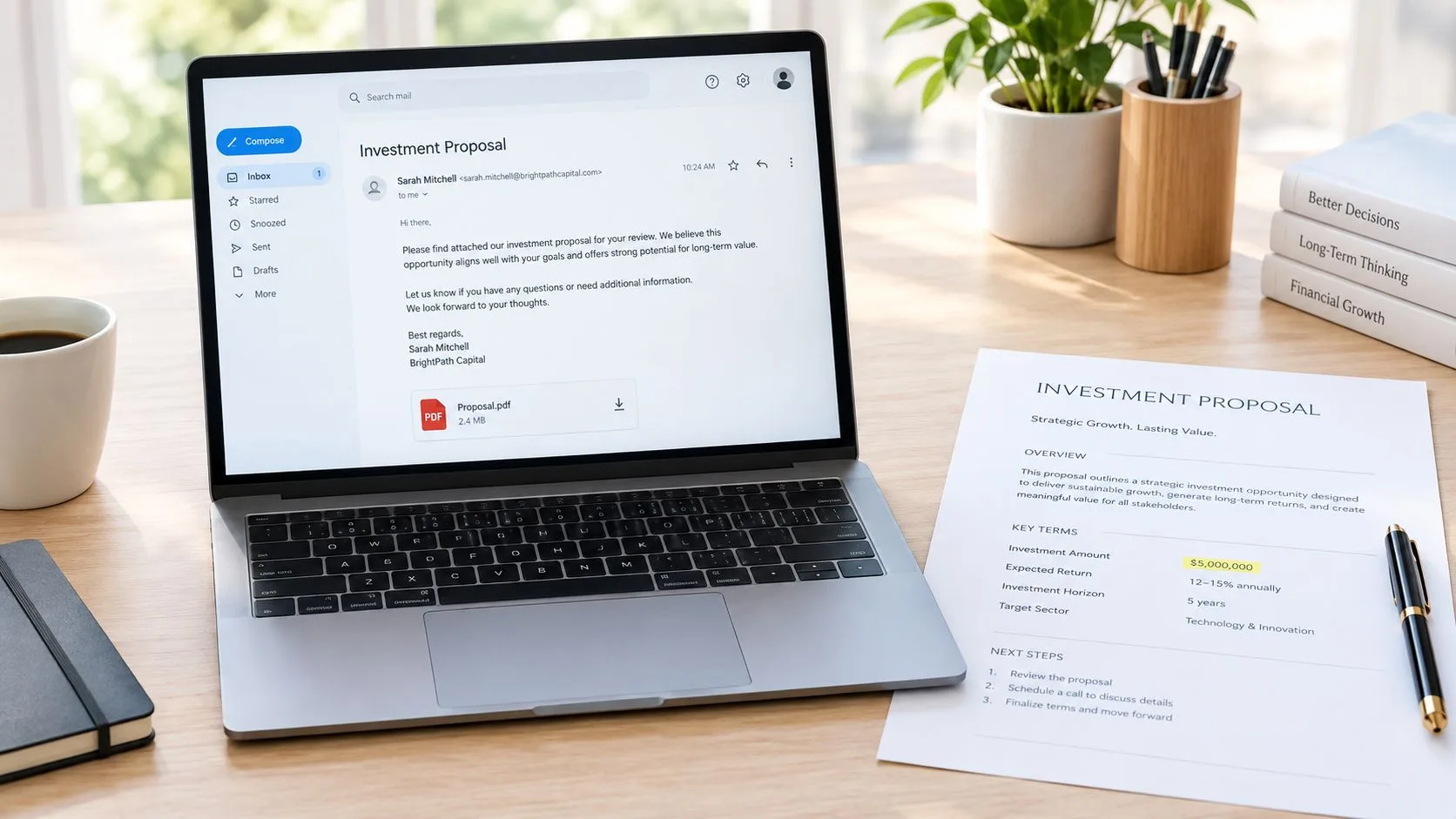
A proposal email should help the recipient understand the document before asking them to review it. Connect the proposal to the needs they already expressed, surface the decision they need to make, and explain how to proceed without forcing urgency that the project doesn’t support.
An agency presenting a creative services proposal might write:
Subject: Proposal for [Company] content program
Hi [First Name],
Thank you for sharing [Company]’s goals for the upcoming content program. Based on our discussion, the attached proposal focuses on a clear editorial process, consistent delivery, and reporting tied to the priorities you identified.
The recommended package includes [brief scope], delivered across [brief timeline]. The investment is [amount], and the proposal is valid through [specific date].
Please review the attached PDF and reply with any questions. If the scope looks right, you can confirm by replying to this email, and we’ll schedule a kickoff to finalize responsibilities and milestones.
Best, [Your Name]
Keep the email to three or four short paragraphs. Let the proposal carry detailed terms, deliverables, assumptions, and alternatives. The message itself should answer three questions quickly: why this proposal exists, what it includes, and what action the recipient should take.
A specific validity date can create legitimate planning clarity, but don’t use an artificial deadline. If approvals require several stakeholders, say who should review the document and offer to answer questions in one shared conversation. This reduces the risk of conflicting versions and unclear authority.
Mail Tracker for Gmail can show when the proposal email was opened, how often the message received activity, and when engagement occurred. Those signals may help you time a helpful follow-up, such as clarifying a pricing option or offering to walk through the scope. They shouldn’t become a reason to imply that a recipient is ready to sign.
For attachment planning, review Gmail file-size guidance. If the document is large, use a trusted shared link and verify that permissions work before sending. Avoid vague links and unexplained attachments, especially in high-stakes commercial communication, because clarity also supports security.
6. Nurture and Relationship-Building Email
Not every useful contact is ready for a sales conversation. A nurture email keeps the relationship active by giving the recipient something relevant to read, consider, or share. The message should stand on its own even if the recipient never books a call.
A consultant writing to past prospects could send:
Subject: A practical guide to [industry challenge]
Hi [First Name],
You mentioned that [specific challenge] was becoming harder to manage as your team grew. I found this guide useful because it explains how teams can identify the underlying workflow issue before choosing a new tool: [resource link].
The section on [specific topic] reminded me of your question about [conversation detail]. I’d be interested to hear whether the approach fits what you’re seeing at [Company].
Best, [Your Name]
The soft call to action, “I’d be interested to hear your view,” invites conversation without pretending the recipient is ready to buy. Other useful offers include a webinar invitation, a short industry roundup, a product update, a career-development resource, or an educational tip for the person’s role.
Consistency helps recipients recognize the pattern, but don’t send material merely to maintain a schedule. Segment the audience by role, industry, relationship stage, or stated interest. A recruiter sending career guidance to candidates needs a different editorial rhythm from a SaaS company educating free-trial users.
Mail Tracker for Gmail can show which content attracts engagement and which contacts may be ready for a more direct conversation. Treat repeated opens as a prompt to review relevance, not as consent for aggressive outreach. Open notifications can also reflect previews, shared inbox behavior, privacy tools, or automated systems.
Useful standard: Every nurture email should deliver value even when the recipient takes no commercial action.
A weekly industry roundup, a thoughtful product explanation, or a well-chosen case study can strengthen familiarity over time. Keep the subject line specific, the body scannable, and the sales pressure low. The relationship is the asset, so protect it.
7. Customer Success and Onboarding Email
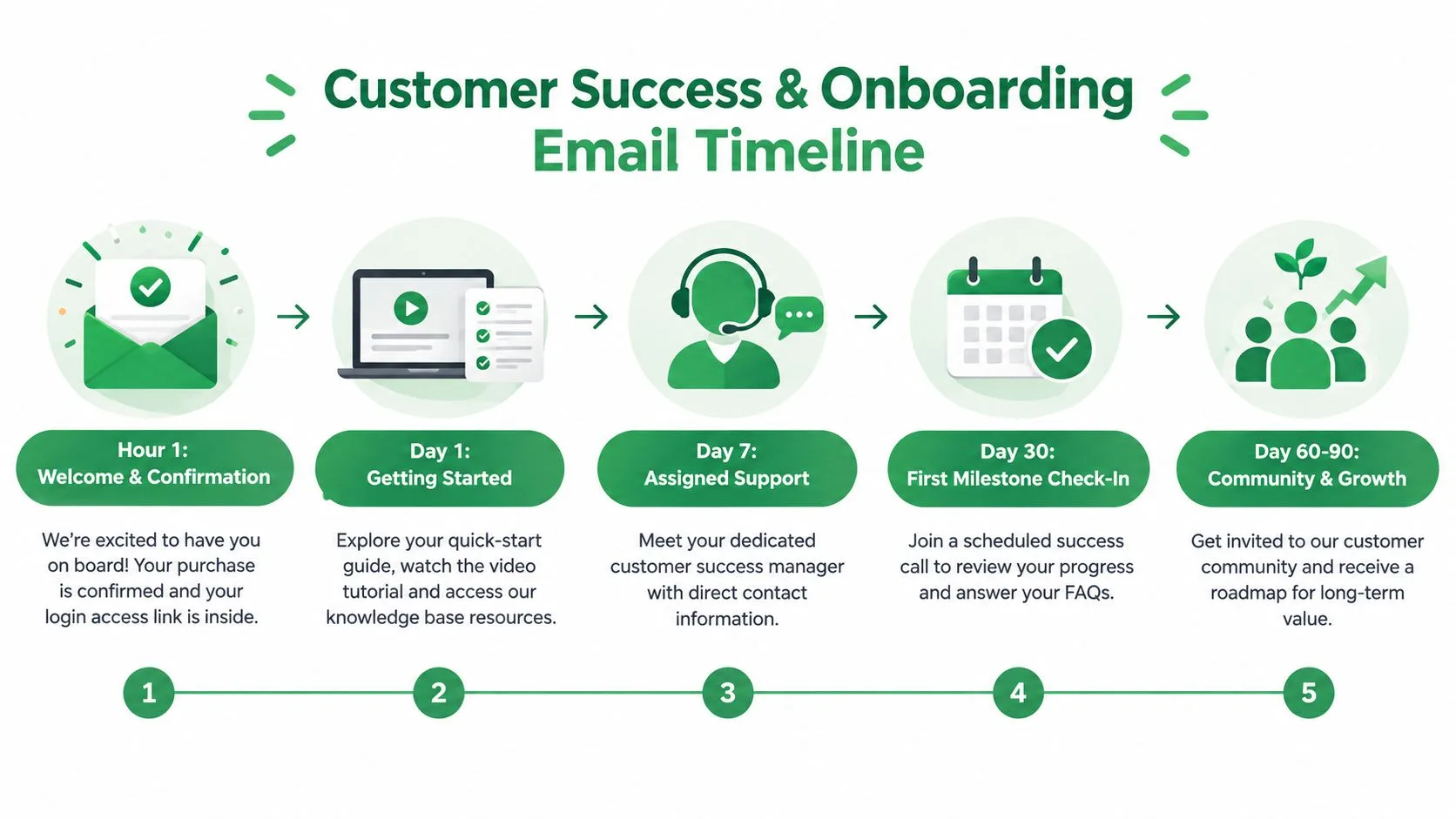
The first customer email should help someone take a useful action, not overwhelm them with every available resource. Welcome the customer, confirm access, identify the person responsible for support, and provide a short path from activation to early success.
A B2B platform might write:
Subject: Welcome to [Product], your first steps
Hi [First Name],
Welcome to [Product]. Your account is active, and you can sign in here: [secure access link].
To get started, please complete these steps:
- Sign in: Confirm that your account access works.
- Set up: Follow the [getting-started guide].
- Attend: Join the first-use training session on [date and time].
- Contact: Reply to this email or contact [name and support details] with questions.
Our first success check-in is scheduled for [date]. We’ll review your setup, answer questions, and agree on the next milestone.
Best, [Your Name]
Send the welcome message promptly after activation so the customer knows what happens next. Keep the initial note to three or four short paragraphs, and place detailed documentation, videos, and troubleshooting steps behind clearly labeled links. A customer shouldn’t have to search an entire help center to find the first action.
Segment the onboarding experience when the customer’s size, industry, or product tier changes the path. A small team may need a self-guided setup, while an enterprise account may need named owners, security review, and a coordinated training session. The message should reflect the customer’s actual purchase and responsibilities.
Mail Tracker for Gmail can indicate whether onboarding resources were opened, helping customer success teams identify customers who may need proactive support. An unopened guide doesn’t prove disengagement. Check access permissions, delivery, competing priorities, and the customer’s preferred channel before escalating.
A short walkthrough can make the first step easier for customers who prefer to watch rather than read.
Comparison of 7 Professional Email Examples
| Template | Complexity 🔄 | Resources & Speed ⚡ | Expected outcomes ⭐ / Impact 📊 | Ideal use cases | Key advantages 💡 |
|---|---|---|---|---|---|
| Initial Sales Outreach Email | 🔄 Low–Medium (needs personalization) | ⚡ Fast to send; requires tracking & A/B testing | ⭐⭐⭐, good open rates when personalized; 📊 starts pipeline engagement | Cold outreach, warm introductions, SDR first touch | Establishes credibility; measurable opens; scalable with templates; keep subject <50 chars |
| Follow-Up Email After No Response | 🔄 Medium (timing + message finesse) | ⚡ Low time per send; depends on open/timestamp data | ⭐⭐⭐⭐, significantly increases response rates vs single email; 📊 helps qualify interest | Re-engaging unresponsive prospects; post-no-reply sequences | Recovers missed opportunities; add new value; limit sequence to 3–5 touches |
| Meeting Request & Calendar Invitation Email | 🔄 Medium (timezones, multiple slots) | ⚡ High efficiency with calendar links; integration required | ⭐⭐⭐⭐, higher conversion to scheduled meetings; 📊 reduces scheduling friction | Scheduling demos, interviews, discovery calls | Reduces back-and-forth; offer 3–4 slots and calendar link; include brief agenda |
| Thank You Email After Meeting or Call | 🔄 Low (requires accurate notes) | ⚡ Quick to send if notes ready; best within 2 hours | ⭐⭐⭐, reinforces relationship; 📊 increases follow-through on action items | Post-meeting summaries, confirming next steps | Documents commitments; builds trust; list 2–4 action items with owners/dates |
| Proposal or Quote Presentation Email | 🔄 High (document prep, pricing confidence) | ⚡ Slower prep; needs attachment/link; tracking valuable for timing | ⭐⭐⭐⭐, critical for closing; 📊 open frequency signals buyer intent | Delivering proposals, pricing to decision-makers | Formalizes offer; clarifies pricing/terms; use decision deadlines and highlight investment |
| Nurture & Relationship-Building Email | 🔄 Medium–High (ongoing content cadence) | ⚡ Requires continual content production; automation reduces effort | ⭐⭐, long-term authority building; 📊 identifies warm segments over months | Long sales cycles, ABM, content-led engagement | Builds trust without pressure; use tracking to segment top openers for outreach |
| Customer Success & Onboarding Email | 🔄 Medium (coordination across teams) | ⚡ Time-sensitive (send within hour); needs guides and CS resources | ⭐⭐⭐, improves adoption and time-to-value; 📊 early engagement reduces churn | New customers, post-purchase onboarding sequences | Sets expectations and roadmap; flags non-engagers for proactive support; schedule first check-in |
Turn Good Templates Into Better Conversations
A template gives you a starting point, but the recipient experiences the message as a real interaction. Personalize before sending, make one clear request, and remove anything that doesn’t help the recipient decide what to do. The best professional email example isn’t the one with the most polished wording. It’s the one that makes the next useful action obvious.
The lifecycle also changes what “good” means. Initial outreach needs a credible reason to contact someone. A follow-up needs new value rather than repetition. A meeting request needs practical scheduling options. A thank-you email should document commitments. A proposal should connect the document to the recipient’s stated needs. A nurture email should earn attention without forcing a sales conversation. An onboarding email should guide the customer toward a first useful outcome.
Use this compact review before you send:
- Subject line clarity: Can the recipient understand the topic from a mobile preview?
- Recipient relevance: Does the opening show why this message belongs to this person?
- Readable formatting: Are the ask, links, dates, and next steps easy to scan?
- Proofing: Have you checked names, attachments, permissions, time zones, and links?
- Timing: Does the send time fit the urgency, relationship, and recipient’s working pattern?
- Ethical interpretation: Are you using open notifications as a limited signal rather than proof of intent?
Email remains a crowded professional channel. One independent industry dataset estimates 4.59 billion global email users in 2025, equal to 56% of the world population, with projections of 4.73 billion users in 2026 and 4.85 billion in 2027. The same dataset estimates 376.4 billion daily email messages in 2025, which helps explain why concise subjects, clear calls to action, and relevant follow-up matter. See the email usage and traffic dataset for that context.
Mobile behavior makes the first lines especially important. Third-party Gmail statistics report that roughly 67% of Gmail users check email on mobile first, according to compiled Gmail mobile usage data. Write the subject, first sentence, and call to action so they remain understandable when the recipient sees only a short preview.
Mail Tracker for Gmail can provide optional visibility inside Gmail through read receipts, open notifications, double check marks, open counts, and timestamps. Use that visibility to prioritize thoughtful follow-up, never to pressure someone or infer more than the signal supports. An open is not a reply, approval, buying intent, or permission to keep contacting someone indefinitely.
Mail Tracker for Gmail offers read receipts and real-time open notifications inside Gmail, with mobile support for sending tracked messages and receiving alerts. Use it to add context to the professional email examples above, then visit Mail Tracker for Gmail to see how it can fit your Gmail workflow.
Ready to track your emails?
Add Mail Track for Gmail from the Google Workspace Marketplace and know the moment your emails are opened. Free and unlimited.
Add to GmailMore reading
More from Guides

How Accurate Is Email Tracking? What Opens Really Tell You
How accurate is email tracking in Gmail? Learn why opens get overcounted or missed, how to spot false opens, and which signals to trust before you follow up.

Email Tracking Pixel: How It Works, How to Spot One and Where It Falls Short
What is an email tracking pixel, how does it show an open in Gmail, how can you find one, and why Gmail and Apple Mail proxies limit what it can tell you.

7 Example Email Accept Job Offer Templates
Use these 7 example email accept job offer templates for formal, concise, and enthusiastic replies, with subject lines, clauses, and sending tips.