
Follow Up Email After Interview: Timing, Templates and Open Signals
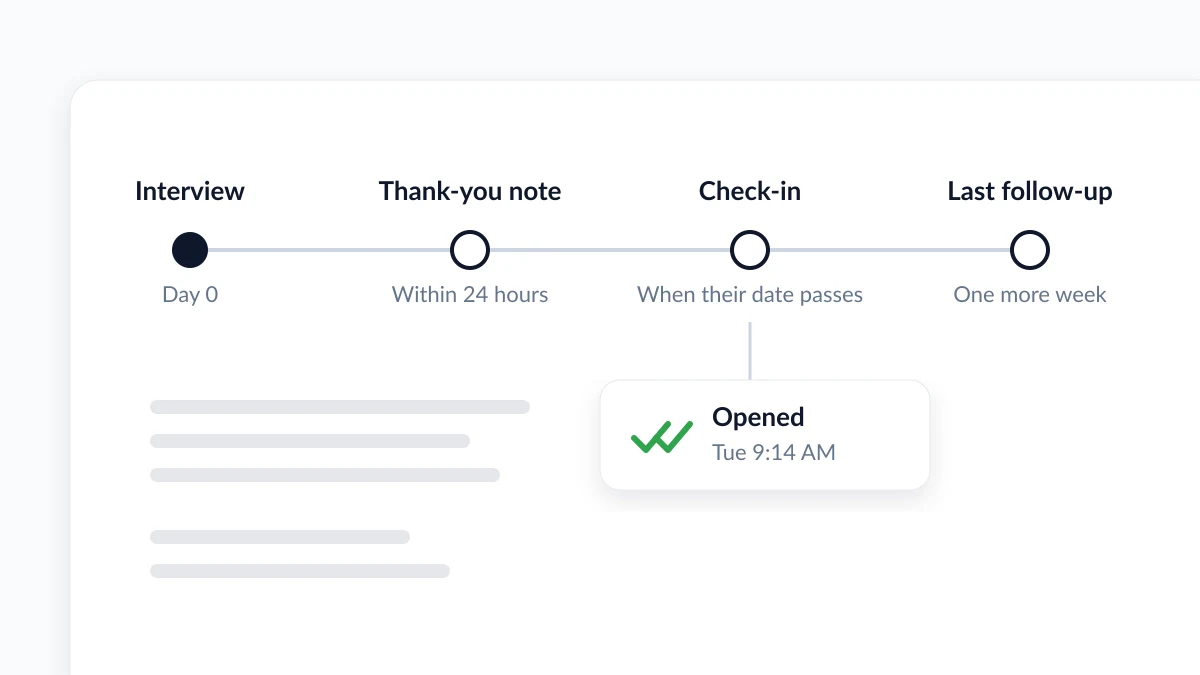
A follow up email after interview works best on a schedule: a thank-you within 24 hours, a check-in when their date passes, one more a week later. Templates.
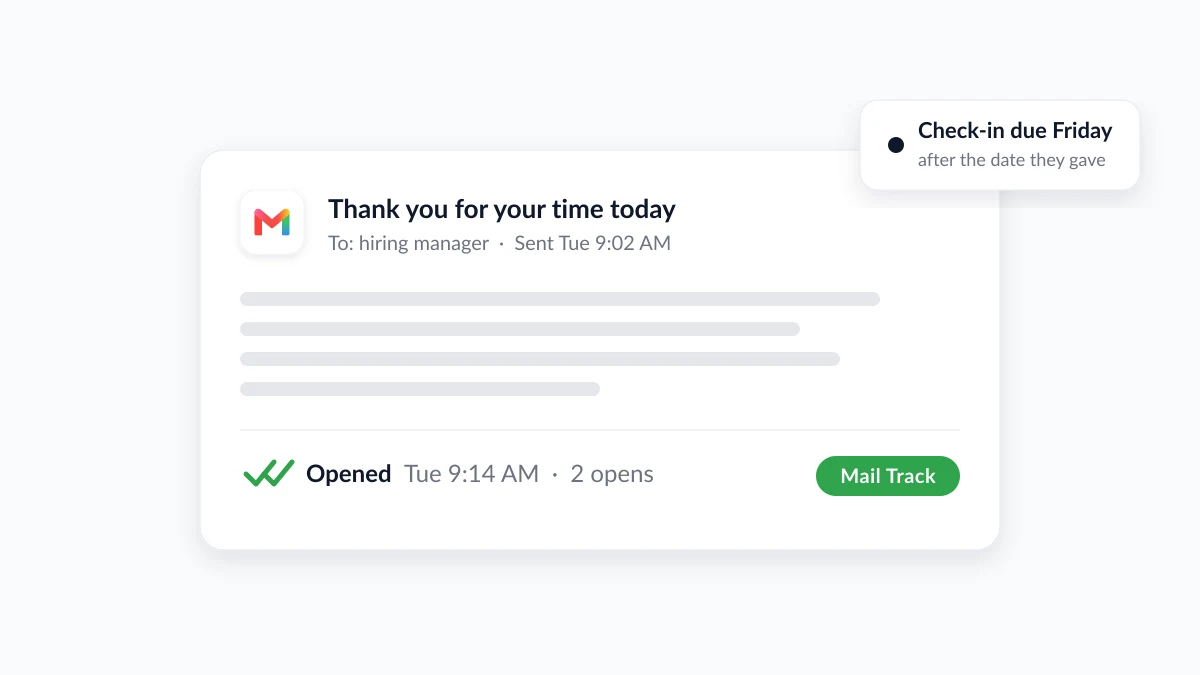
The interview went well, you said your thanks at the door or closed the video call, and now the silence starts. A follow up email after interview is the one move still in your hands, and it works best as a short sequence rather than one nervous message: a thank-you note within 24 hours, a check-in once the date they gave you has passed, and at most one more email a week later. Each message has a job, a length and a right moment.
This guide gives you that schedule, a template for each email, and the Gmail features that keep you on time. It also answers the question every candidate asks after hitting send: did they open it? Mail Track for Gmail, a Chrome extension and Google Workspace add-on, shows when a sent email is opened inside Gmail. That signal helps you time the next step. This guide is honest about where it stops.
When to follow up after an interview: the three-email timeline
| When to send it | What it does | |
|---|---|---|
| Thank-you note | Within 24 hours of the interview | Confirms your interest and adds the point you forgot to make |
| Check-in | When their date has passed, or after about a week if none was given | Asks for a status update in one paragraph |
| Second follow-up | At least one full week after the check-in | One last polite ask, then you move on |
The 24-hour rule is close to universal. Harvard Law School’s career office tells candidates to write a thank-you note or email within 24 hours of the interview, and adds that emailing it is common and perfectly acceptable. Indeed’s guide to follow-up emails after an interview gives the same window, then hands the clock to the interviewer: wait until any deadline they gave you has passed before emailing again, and treat two weeks of silence as the point where a check-in is clearly due.
When nobody gave you a date, a week is the usual yardstick. The University of Kentucky’s career center, in its guide to the second follow-up email after an interview, suggests a polite check-in if you have not heard back within a week, then at least a full week after that before a second message. The recruiter it quotes puts it plainly: a second follow-up “is not necessarily bad or desperate”, it is a matter of timing and framing. For the general rules behind these windows, see our guide on how long to wait before following up on an email.
Does the thank-you note really matter?
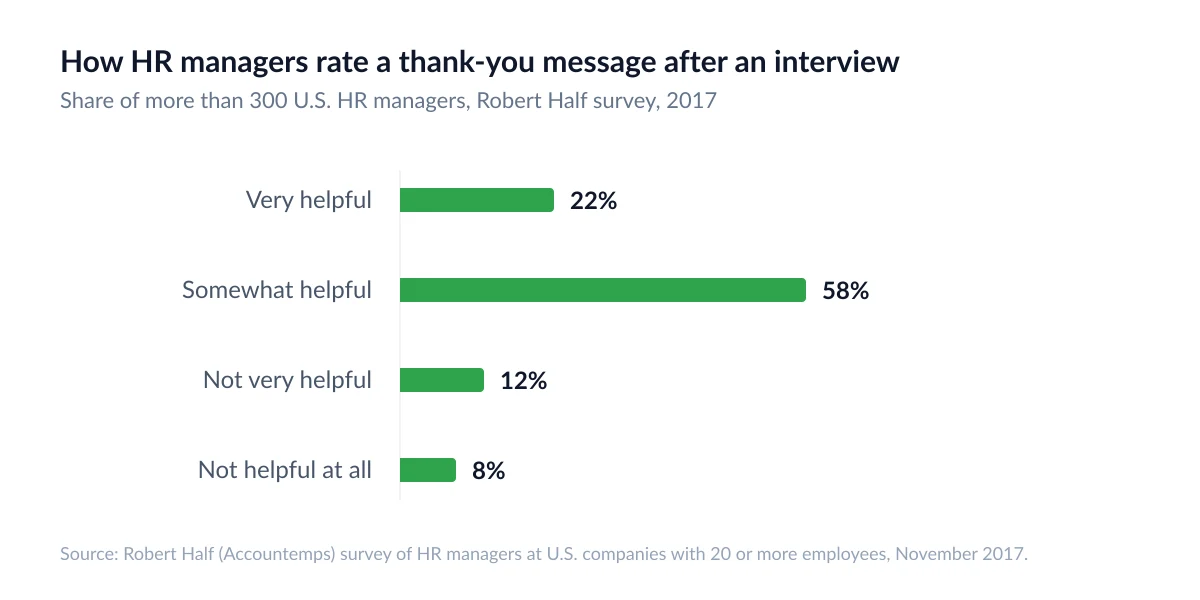
More than most candidates assume. In a Robert Half survey of more than 300 U.S. HR managers, 80 percent said they take thank-you messages into account when deciding whom to hire, yet they received a note from only 24 percent of applicants, down from 51 percent in 2007. Email was named an appropriate channel by 94 percent of them. A later TopResume survey of 316 employers and recruiters was more measured: 51 percent said a thank-you note affects their decision, and only 6 percent had ever dismissed a candidate for skipping one. Read together: the note rarely costs you a job, and it often helps.
How to send a follow up email after an interview, step by step
The same seven steps produce all three emails. Only the ask changes.
- Write to the right person. Thank each interviewer, or send one collective note to a panel, as Harvard’s career office suggests. Send status questions to your main contact, usually the recruiter or coordinator, not to the whole panel.
- Put the role in the subject line. Indeed recommends naming the job title you interviewed for: “Checking in on the marketing coordinator role” tells a busy reader which thread this is. Our list of thank you email subject line examples covers the thank-you note in detail.
- Open with their name and the thanks. First sentence: thank them for their time, with the day or the format if it helps them place you.
- Mention one specific moment. A question they asked, a project they described, a concern you want to answer better than you did in the room. This is what separates your note from everyone else’s.
- State what you want in one sentence. In the thank-you note that is your continued interest. In the check-in it is a status question, such as whether a decision date has been set.
- Keep it short. One paragraph for a check-in, two at most for a thank-you note, with an offer to provide more information if they need it.
- Send it during their working hours. A note written at midnight should still arrive at nine. Gmail’s Schedule send, covered below, does that.
Interview follow-up email templates
Change the bracketed parts and cut anything that does not sound like you.
Short and sweet thank-you note (within 24 hours)
Subject: Thank you, [role] interview
Hi [Name],
Thank you for taking the time to talk with me this morning about the [role] position. I enjoyed hearing how the team handles [specific topic you discussed], and it made me more confident that my experience with [relevant skill or project] would be useful from day one.
If there is anything else I can send you, I am happy to do so. I look forward to hearing from you.
Best regards, [Your name]
Check-in when the date they gave you has passed
Subject: Checking in on the [role] role
Hi [Name],
When we spoke on [date], you mentioned that you expected to make a decision around [date they gave]. I wanted to check in and ask whether there is any update on the timeline, and whether I can provide anything further, such as references.
I remain very interested in the role and in working with your team.
Thank you, [Your name]
Second follow-up email after interview, one week later
Subject: Following up on the [role] position
Hi [Name],
I wanted to follow up once more on my interview for the [role] position on [date]. I understand that hiring decisions take time, so there is no need for a detailed reply. If the position has been filled or the timeline has changed, I would appreciate knowing so I can plan accordingly.
Either way, thank you again for the conversation.
Best regards, [Your name]
After this one, stop. A third message rarely changes a decision and often changes an impression.
Follow up email after interview no response: what the silence means
Silence is rarely a verdict. The University of Kentucky guide notes that many hiring processes take longer than expected, and Indeed’s advice on a second follow-up email is to give the company at least a week between messages, so it has time to interview other candidates and evaluate yours. Budgets freeze, a panel member goes on leave, the role is rewritten. None of that shows up in your inbox.
What you can control is the message that breaks the silence. Keep it to a few sentences, ask one or two questions at most (Indeed suggests “Have you filled the position?” or “Do you have an estimated time for the final decision?”), restate your interest, and never hint at frustration. A line such as “Just wondering if you remember me?” reads as passive-aggressive.
Two things not to do while you wait:
- Do not widen the audience. Writing to every interviewer, or to the hiring manager’s manager, turns a polite check-in into pressure.
- Do not stop applying. TopResume’s survey ranked failing to follow up 15th of 17 interview mistakes: the follow-up matters, but it does not decide the outcome.
Can you tell if the interviewer opened your email?
Gmail’s built-in read receipts are not the answer for most job seekers. Google’s help page on read receipts in Gmail says they are only available to work or school accounts and do not work with personal @gmail.com accounts. The recipient may also need to approve the receipt, and Google adds that getting one “doesn’t always mean the recipient read your message.”
An email tracker fills the gap. Mail Track adds read receipts to Gmail, personal accounts included: double check marks appear on a sent email when it is opened, with the open count and the time of each open, and you can get a push notification on desktop or mobile. The free plan tracks unlimited emails and adds a small visible signature telling the recipient the email is tracked, while the paid plan uses an invisible tracker with no signature. For a job search, decide which of those you are comfortable with before you send the thank-you note.
What an open does and does not tell you
An open is a timing signal, not a verdict. Three limits apply to every tracker:
- An open within seconds of sending is usually a machine. Corporate security filters load images before a person does. Count the opens that arrive minutes or hours later.
- No open does not mean no read. Any Gmail user can turn on “Ask before displaying external images” in Settings, as Google’s page on images in Gmail explains, and Gmail holds images back when it finds a message suspicious. Google also states that senders cannot use image loading to learn about the reader’s computer or location, so a tracker gives you a time, not a place.
- Repeat opens show attention, not intent. A check-in opened three times in a morning probably means your name came up in a conversation. It does not say which way it went.
Our guide to how accurate email tracking is goes through each of these cases.
How to use the signal in a job search
- Thank-you note opened, no reply. Normal. Few interviewers answer thank-you notes. Do nothing until the date they gave you passes.
- Check-in opened twice, then silence. Your email reached a person and is probably waiting on a decision above them. Hold the full week before the second follow-up.
- No open at all after a week. Images may be blocked, or the recruiter may be away. Send the next email on schedule anyway, perhaps to the coordinator who booked the interview.
Gmail features that keep the follow-up on time
Schedule send
Write the thank-you note the evening of the interview, while the details are fresh, and let Gmail deliver it in the morning. Google’s help page on scheduling emails in Gmail describes the steps: on a computer, write the message, click the small down arrow beside Send and choose Schedule send. You can have up to 100 scheduled emails, they go out in the time zone you scheduled them in, and a scheduled email may be sent a few minutes after the chosen time. To change your mind, open the Scheduled label, open the email and click Cancel send, which turns it back into a draft.
Nudges
Gmail can also remind you when a sent email has had no reply. Google’s announcement of Gmail nudges in May 2018 explained that Gmail would nudge users to reply to emails they may have missed and to follow up on emails they had sent without receiving a response. The feature is on by default and can be turned off in Gmail settings.

Treat nudges as a safety net rather than a plan. Gmail does not know what date the interviewer gave you, so it may nudge too early. Your own timeline, plus a calendar reminder on the date they named, is what keeps you from writing too soon.
FAQ
Conclusion
A good follow up email after interview is three short messages on a schedule: a thank-you note within 24 hours, a check-in when the date they gave you has passed, and one more email a week later. Each one names the role, mentions something real from the conversation and asks for one thing. Gmail’s Schedule send and nudges keep the timing honest, and an open signal from Mail Track tells you when your message was seen, so you wait with less guessing. The reply, when it comes, is still the only answer that counts.
Ready to track your emails?
Add Mail Track for Gmail from the Google Workspace Marketplace and know the moment your emails are opened. Free and unlimited.
Add to GmailMore reading
More from Use cases
Quote Follow Up Email: Templates, Timing and What Opens Tell You
Quote follow up email guide: five templates from a first check-in to a closing note, a timing ladder for Gmail, and how open signals pick the right one to send.
Payment Reminder Email: Templates, Timing and Open Signals
Payment reminder email guide: five templates from a friendly heads-up to a final notice, a timing ladder for Gmail, and how open signals pick the right one.
Follow-Up Email After Job Application: When to Send It and How to Use Open Signals
Write a follow-up email after a job application at the right time. Learn the timing, a template, and how Gmail open tracking can inform your next move.