
Quote Follow Up Email: Templates, Timing and What Opens Tell You
Quote follow up email guide: five templates from a first check-in to a closing note, a timing ladder for Gmail, and how open signals pick the right one to send.
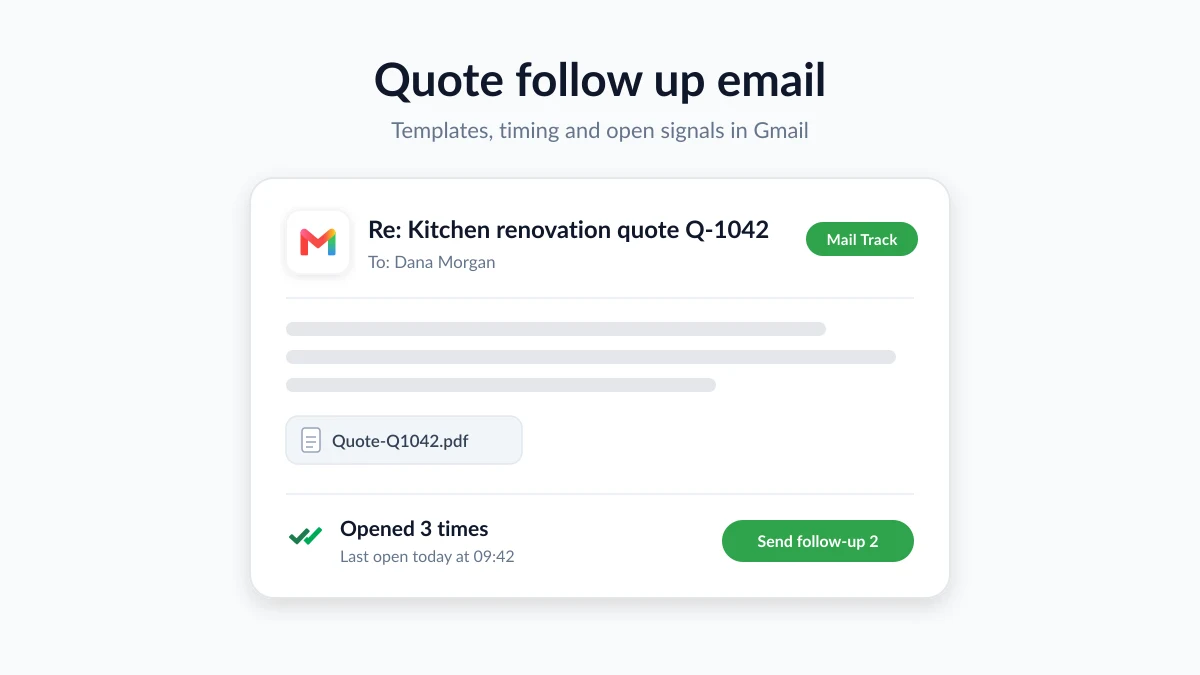
You sent the quote on Tuesday. It is now the following Monday and the thread has gone quiet. A good quote follow up email is how you find out what is happening without sounding pushy. It checks that the document arrived, answers the question the client has not asked yet, and gives them an easy way to say yes, not yet, or no.
This guide gives you five templates, from a first check-in to a polite closing note, and a timing ladder you can run from Gmail with templates and schedule send. It also shows how open signals from Mail Track for Gmail, a Chrome extension and Google Workspace add-on for email open and click tracking inside Gmail, tell you which template to send. A client who never opened your quote needs a different message than one who has opened it four times this week.
Why a quote goes quiet, and why silence is rarely a no
Most quotes that go unanswered are not rejected. They are parked. The client is waiting for two other quotes, for a partner to look at the numbers, for a budget meeting, or for a quieter week. Sometimes the problem is more basic: the PDF never arrived, the email went to the person who asked for the quote rather than the one who approves it, or your message is sitting under forty newer ones.
Following up is therefore part of quoting, not an awkward extra. Each message below removes one of those blockers, and three principles keep the sequence polite:
- Every follow-up needs a reason. “Making sure it arrived”, “answering your question”, “the price holds until Friday”. Never “just checking in”.
- Make no an easy answer. A client who can say “we went with someone else” in one line often will.
- Keep the thread. Reply to your original quote email so the numbers and the attachment travel with every follow-up.
How to write a follow up email after sending a quote
A follow-up that gets a reply is short, specific and easy to act on. The structure barely changes from the first message to the last. What changes is the reason you give for writing.
The subject line
Reply in the same thread and the subject takes care of itself. If you start fresh, name the job and the reference: “Your kitchen renovation quote (Q-1042)” or “Website redesign proposal, option B”. Avoid “Following up” and “Checking in”: they describe your intent, not the client’s problem, and they are the easiest subjects to skip.
The body, in five lines
- Reference the quote. The job, the date you sent it and the total: “I sent the quote for the garden office on 28 October (14,200 including VAT).”
- Give one reason for writing. Confirming it arrived, answering something they raised, offering a start date, or the price is about to expire.
- Ask one specific question. “Does the scope match what you had in mind?” works better than “Any thoughts?”
- Offer one next step. A ten-minute call, a revised option, or a simple “yes, not yet or no” reply.
- Sign off and attach the quote again. Save the client the hunt.
Keep it under 120 words: a short email on a phone screen is far more likely to be read.
Attach the quote properly
Re-attach the PDF to every follow-up. Google’s help page on sending attachments in Gmail explains that personal Gmail accounts can send up to 25 MB of attachments per message, that work and school accounts have limits set by the Google Workspace administrator, and that when the total goes over the limit Gmail removes the attachment and adds it as a Google Drive link instead. For a heavy quote with plans or photos, share a Drive link on purpose, and put the total and the validity date in the body text so they can be read without downloading anything.
Say how long the price is valid
A quote is an offer with a date on it. UK consumer guidance from Citizens Advice on getting a quote before building work describes a quote as a fixed price that the trader cannot raise once it is agreed, except for extra work the client asks for or a genuine pricing error, and lists “how long the price is valid for” as one of the things a proper quote should state. Rules differ by country and between consumer and business work, but the habit travels: a validity date protects you against rising costs and gives you an honest reason to follow up before it passes.
Five quote follow up email templates
Replace the bracketed parts, keep the tone that fits your trade, and send them in the order they appear. Each template exists for a different stage of the client’s silence.
Template 1: the check-in (day 2 or 3)
Subject: Re: Your [job] quote (Q-1042)
Hi [first name],
I sent the quote for [job] on [date] and wanted to make sure it reached you and that the numbers make sense. If anything is unclear, or you would like a different option priced, tell me and I will update it the same day. The PDF is attached again.
Best regards, [Your name]
Template 2: something new (day 7)
Subject: Re: Your [job] quote: a start date to consider
Hi [first name],
A quick update on the [job] quote. A slot has opened in [month] that would suit this project, and I can hold it until [date] with no commitment. I have also attached photos from a similar job in [area] so you can see the finish we quoted. Would a ten-minute call this week help?
Best regards, [Your name]
Template 3: before the price expires
Subject: Re: [job] quote: the price holds until [date]
Hi [first name],
A short note that the [job] quote is valid until [date]. After that I will need to recheck material prices and availability before confirming the figure. If you would like to go ahead, a reply to this email is enough. If you need more time, let me know and I will see what I can do.
Best regards, [Your name]
Template 4: the open question (opened, no reply)
Subject: Re: Your [job] quote: one question
Hi [first name],
I would rather ask than guess. Is anything in the [job] quote holding you back: the price, the timing, or what is included? Tell me which and I will come back with an option. If plans have changed, a one-line reply saves us both the follow-ups.
Best regards, [Your name]
Template 5: closing the file (day 21 to 30)
Subject: Re: [job] quote: closing the file
Hi [first name],
I have not heard back about the [job] quote, so I will assume the project is on hold and close the file on my side. If it comes back to life, reply to this thread and I will update the quote and the dates. Thank you for considering us.
Best regards, [Your name]
The closing note gets replies more often than people expect, because it is the first message in the sequence that asks for nothing.
When to send each one: a timing ladder for Gmail
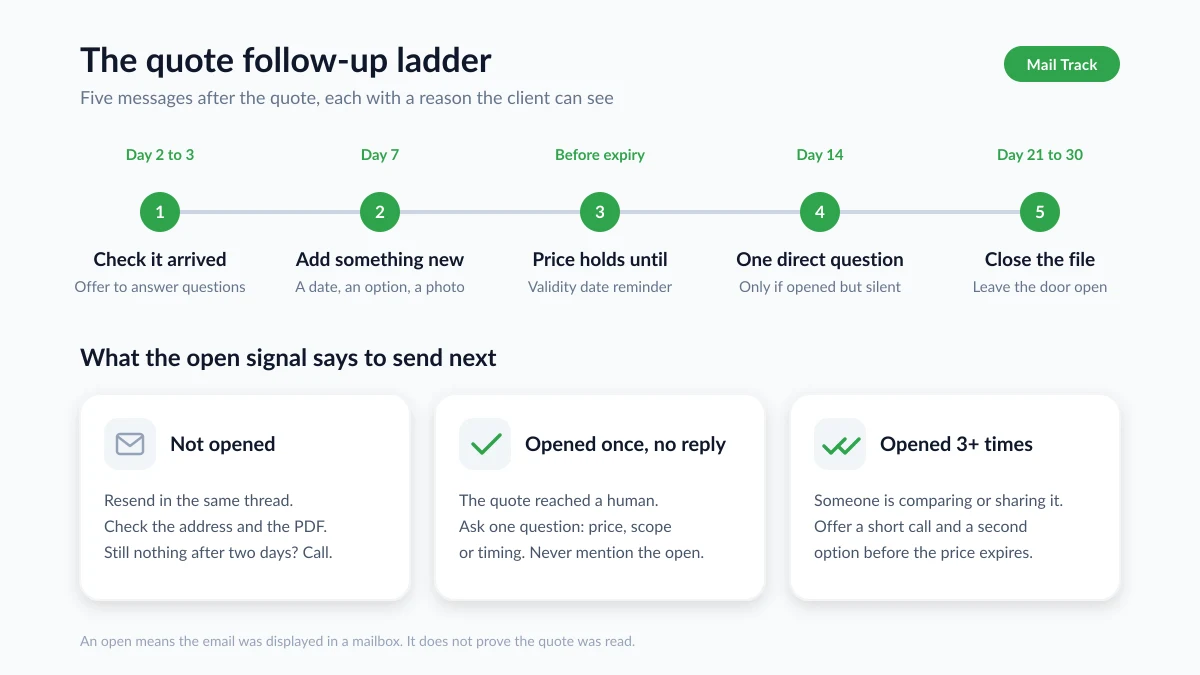
Industry guidance clusters around one cadence. Jobber’s quote follow-up guide for home service businesses recommends a first follow-up within two days of sending the quote, a second about a week after the quote, a final reminder 24 to 48 hours before it expires, and closing the file if there is still no reply after the third follow-up. Blended with the templates above, that gives a ladder for every quote:
| Day | Message | Reason the client sees |
|---|---|---|
| 0 | Quote sent | Scope, total and validity date |
| 2–3 | Template 1 | Did it arrive, any questions |
| 7 | Template 2 | Something new: a date, an option, an example |
| 2 days before expiry | Template 3 | The price holds until this date |
| 14 (if opened but silent) | Template 4 | One direct question |
| 21–30 | Template 5 | Closing the file |
Adjust the gaps to the size of the job: a full kitchen deserves a week before the first proper follow-up, a two-hour repair can move faster. If the client gave you their own decision date, follow up on the working day before it and skip the rest of the ladder. Our guide to writing a follow up email after no response covers the cadence rules behind this ladder.
Two Gmail features make the ladder almost effortless:
- Templates. Save the five messages once. Google’s Gmail templates help page explains that templates work only in Gmail on a computer, that you enable them under Settings, See all settings, Advanced, then Templates, and that a draft is saved as a template from the More options menu in the compose window. Deleted templates cannot be recovered, so keep a copy.
- Schedule send. Write the day 2 check-in right after sending the quote and schedule it. Google’s schedule send help page notes that you can have up to 100 scheduled emails, that they go out based on the timezone you scheduled them in, and that cancelling one turns it back into a draft, so you can pull a follow-up the moment the client replies.
Use open signals to pick the right quote follow-up
The ladder tells you when to write. Open signals tell you what to write. Mail Track adds read receipts to Gmail, so next to each sent quote you see whether it was opened, how many times and when, on desktop and in the Gmail mobile app. The free plan tracks unlimited emails and adds a small visible signature to tracked messages, and the Premium plan offers an invisible tracker. That changes the ladder in three ways.
Not opened after three days. Do not send template 2, because nobody has seen the message you would be adding to. Resend the quote in the same thread with a one-line note, double-check the address, and consider whether the PDF or the subject line sent it to spam. If that also shows nothing after two days, call.
Opened once, then silence. The quote reached a human. Send template 1 or, if a week has passed, template 4.
Opened several times, or on several days. Somebody is comparing your quote with others or forwarding it to a partner, a boss or a finance team. This client deserves a call offer and a second option, which is what templates 2 and 4 are for. Repeated opens just before the validity date usually mean a decision is close, so template 3 can be shorter and softer. An open within minutes of your follow-up means the client is engaged right now, so give them a day before the next step.
Whatever you see, keep it to yourself. “I noticed you opened the quote” sounds like surveillance and puts the client on the defensive. Use the signal to choose the message, not to make a point.
What an open does and does not prove
Gmail displays images automatically by default, as Google’s page on images in Gmail explains, so opens from clients who read in Gmail usually show up. But Google also scans images before they reach the reader, other mail apps preload or block images entirely, and any recipient can switch on “Ask before displaying external images”. An open means your message was displayed in a mailbox. It does not prove anyone studied the total or the validity date, and a missing open can simply mean images are off. Our guide on how accurate email tracking is walks through each case.
Gmail’s native read receipts do not fill the gap. Google’s read receipt help page states that they are only available to work or school accounts, that the recipient may need to approve them, and that a receipt does not always mean the message was read.
Mistakes that lose the job
- Discounting in the first follow-up. A price cut before the client has raised price teaches them that your quotes are soft. Offer options, phasing or a start date first.
- Following up without a reason. “Just checking in” asks the client to do your thinking. Each template above gives them something.
- Following up daily. Two unanswered messages in a week reads as pressure. Follow the ladder and widen the gaps as it goes.
Once the quote is accepted, the same habits (a clear reference, one ask and a sensible cadence) carry straight into your payment reminder emails when the invoice goes out.
FAQ
Conclusion
A good quote follow up email is short, has a reason the client can see, and arrives at the right point in the client’s silence: a check-in, something new, a reminder before the price expires, one direct question, then a polite closing note. Save the templates in Gmail, schedule the first one as you send the quote, and let open signals tell you whether to resend, to ask or to offer a call. Mail Track shows you when your quote was opened, inside Gmail, so the next message you send is the right one.
Ready to track your emails?
Add Mail Track for Gmail from the Google Workspace Marketplace and know the moment your emails are opened. Free and unlimited.
Add to GmailMore reading
More from Use cases
Payment Reminder Email: Templates, Timing and Open Signals
Payment reminder email guide: five templates from a friendly heads-up to a final notice, a timing ladder for Gmail, and how open signals pick the right one.
Follow-Up Email After Job Application: When to Send It and How to Use Open Signals
Write a follow-up email after a job application at the right time. Learn the timing, a template, and how Gmail open tracking can inform your next move.
Follow Up Email After No Response: A How-To Guide
Learn when and how to send a follow up email after no response. Our guide provides proven templates, timing strategies, and tips to get replies.