
How Long to Wait Before Following Up on an Email (With Tracking Signals)
How long to wait before following up on an email? Use these waiting windows by situation, plus open and click signals in Gmail to time each follow-up.
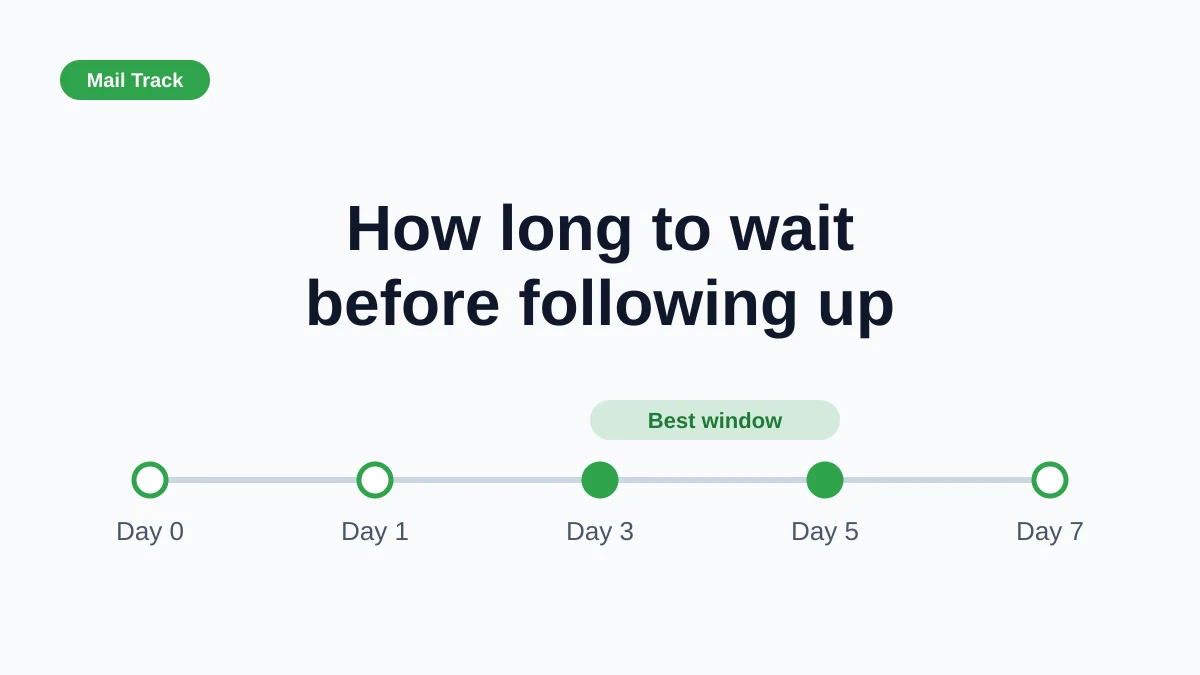
You sent an email, nothing came back, and now you are staring at the thread wondering when it stops being patient and starts being pushy. The honest answer to how long to wait before following up on an email is that it depends on the situation, but a few reliable windows cover most cases. Add open and click signals from Mail Track for Gmail, a Chrome extension and Google Workspace add-on for email open and click tracking inside Gmail, and you can fine-tune the timing instead of guessing.
This guide gives you the default windows, the reasons behind them, how many follow-ups are reasonable, and how to read tracking data without over-trusting it.
The default rule: wait 3-5 business days
For a normal professional email, the common rule of thumb is to wait three to five business days. Time to Reply describes the logic well. Follow up in under two days and you look impatient. Wait more than a week and the thread has probably sunk under newer messages.
Business days matter. An email sent on a Thursday afternoon has had barely one working day by Monday morning, so count accordingly.
Waiting windows by situation
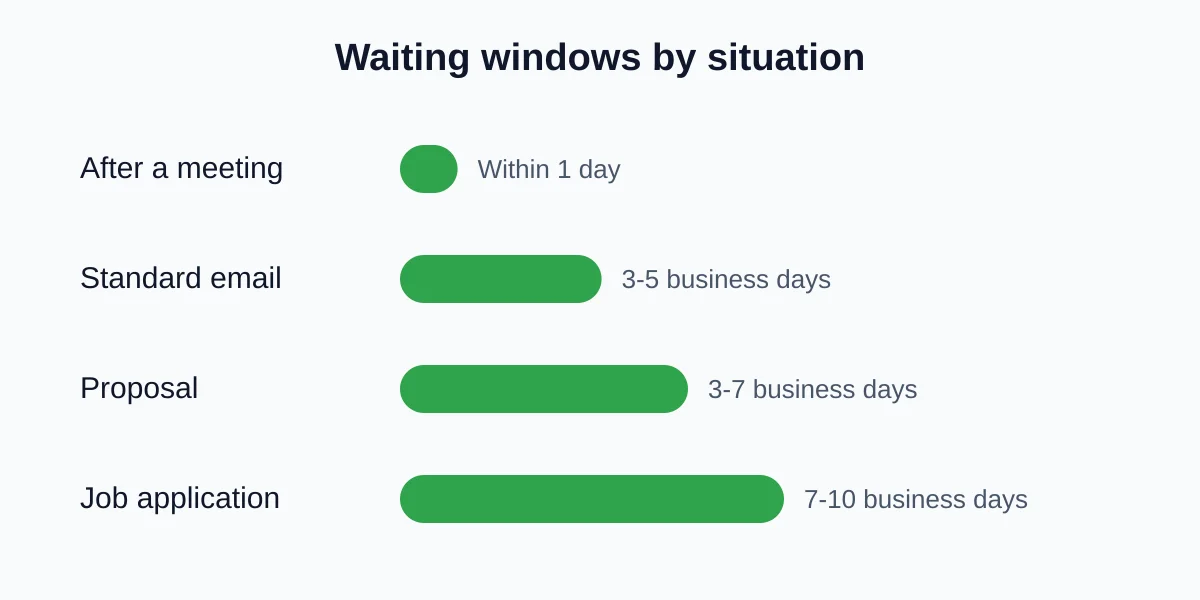
Treat these as starting points, not laws:
- After a meeting or call: follow up within one day while the conversation is fresh.
- Standard business email or question: 3-5 business days.
- Proposal or quote: 3-7 business days, since several people may need to review it.
- Job application: 7-10 business days, because hiring teams review candidates in batches.
- Urgent request with a deadline: follow up when the deadline is close, and say so in the subject line.
If you need wording, the follow up email after no response guide has templates you can adapt.
How many follow-ups are too many?
One follow-up is often not enough. Sales-focused sources such as Nutshell report that the best results usually come from a handful of touches, commonly somewhere around four to seven in total, with sharply diminishing returns after that. These numbers come from vendors analyzing their own audiences, so use them as direction rather than proof for your own inbox.
A sensible personal cadence looks like this:
- First email.
- First follow-up after 3-5 business days.
- Second follow-up 5-7 business days later, adding something new such as a short question or a useful link.
- A polite closing note that makes it easy to say no.
Stop after that unless the person has engaged. For job-related or personal emails, one or two follow-ups is plenty.
Use open and click signals to adjust the timing
Waiting windows are the default. Tracking lets you adjust. With email open tracking in Gmail you can see roughly what happened to a message after you sent it:
- Opened once, no reply: the message arrived. Follow up at the normal time.
- Opened several times or opened again after a few days: the topic may be under discussion, so a short, helpful follow-up often lands well.
- Link clicked, no reply: interest is real. Mention the link and offer the next step.
- Never opened after the full window: try a new subject line or another channel instead of repeating the same message.
Being on the receiving end matters too. The Gmail Nudges feature brings old sent messages back to the top of your inbox with a prompt such as “Sent 3 days ago. Follow up?” It only reminds you, it does not tell you whether the message was seen. Pairing a nudge with an open signal gives you the missing half. Our follow up email in Gmail guide shows how to combine them.
Be honest about what opens can tell you
An open is not a read, and sometimes it is not even a human. Apple’s Mail Privacy Protection preloads images for many recipients, which can report an open that never happened, as Mailchimp’s MPP FAQ explains. Gmail also loads images through its own proxy. Our explainer on how email tracking pixels work covers the details.
Practical rules:
- An open right after delivery may be automatic. Do not treat it as proof of attention.
- Clicks and replies are stronger signals than opens.
- Never use a signal to pressure someone. Use it only to choose a better moment and a more relevant message.
For a broader look at what you can and cannot conclude, read can you tell if someone read your email.
A simple follow-up routine
- Send the email and let Mail Track record opens and clicks.
- Note the date. Count business days, not calendar days.
- On day 3-5, check the thread. If there was a click or repeat open, reference it naturally. If there was no open, rework the subject line.
- Keep follow-ups short, with one clear question.
- Stop after two or three attempts unless the person engages.
FAQ
Conclusion
The best answer to how long to wait before following up on an email is 3-5 business days for most messages, within a day after meetings and up to 10 days for job applications. Keep the number of follow-ups reasonable, and let open and click signals refine your timing without driving it. To see those signals right inside Gmail, try Mail Track.
Ready to track your emails?
Add Mail Track for Gmail from the Google Workspace Marketplace and know the moment your emails are opened. Free and unlimited.
Add to GmailMore reading
More from Tips
How to Know if Someone Blocked Your Email in Gmail: Signs and Checks
How to know if someone blocked your email in Gmail: what a block really does, how to read bounce messages, and how open tracking tells a block from silence.
Gmail Snooze Email: How It Works and When to Use It
Learn how Gmail snooze email works, how it differs from archive and mute, and how to pair it with open tracking so follow-ups come back at the right time.
10 Email Communication Best Practices for Professionals
Master email communication best practices with actionable tips on subject lines, send timing, personalization, and Gmail open tracking for higher engagement.