
GDPR Email Compliance for Gmail: A Practical Guide
GDPR email compliance explained for Gmail users. Learn lawful bases, tracking rules, and practical steps to send tracked emails the right way in 2026.

You’re in Gmail, looking at a candidate rejection or a sales follow-up, and the little signal you’re waiting for appears. The message was opened at 11 p.m., maybe on a phone, maybe from a quiet inbox you’ll never see again. That’s useful operationally, but it’s also where GDPR email compliance stops being abstract and starts touching real people, real metadata, and real risk.
For recruiters, sales reps, and account managers, the hard question isn’t whether email tracking is convenient. It’s whether the act of recording an open, a timestamp, and a device trail turns a routine Gmail workflow into personal data processing under GDPR. It does, and the enforcement picture has only gotten harsher since GDPR took effect on 25 May 2018. By January 2026, cumulative fines were reported at about €5.88 billion across 2,245 cases, with some 2026 reporting putting the total around €7.1 billion (GDPR enforcement history and penalties).
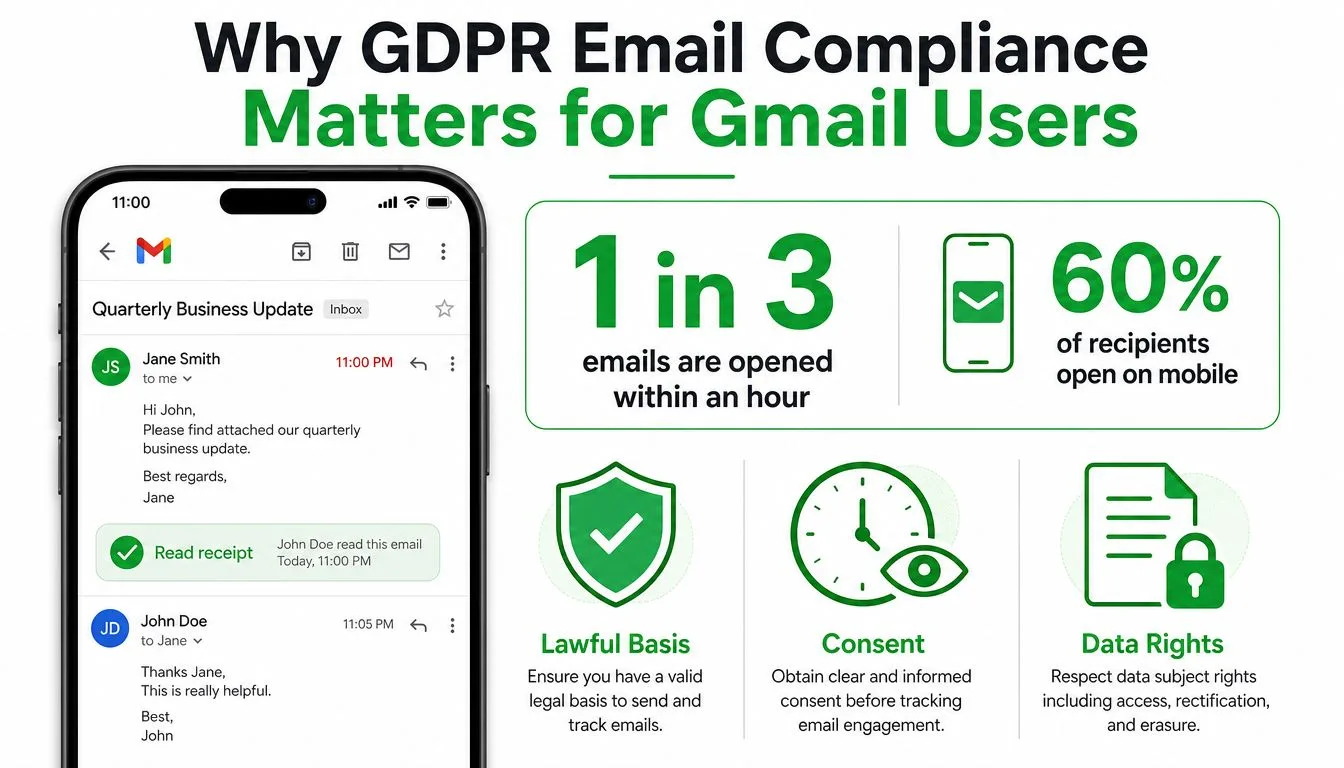
Why GDPR Email Compliance Matters for Gmail Users
A recruiter turns on read receipts, sends a rejection email, and watches for the open. That single event looks routine, but it still creates a record tied to a person, and that is the point regulators focus on.
Email tracking isn’t a neutral feature
Open counts, timestamps, and read-receipt metadata are operational signals, but they become personal data once they can be linked to an identifiable person. At that point, they need a lawful basis and a clear handling model. Gmail teams cannot treat that as a minor detail, even if the sender is in one country and the recipient is in another, because GDPR applies to organizations processing data of EU and EEA residents regardless of where the sender sits.
For Gmail users, the compliance question starts as soon as an address, a pixel, or a receipt notification is involved. The email body matters, but the metadata around it often raises the sharper privacy issue.
The cost of guessing keeps rising
GDPR enforcement is not a one-off risk. It can mean fines of up to €20 million or 4% of global annual revenue, whichever is higher, and that ceiling alone should make teams stop treating tracking choices as harmless admin work (GDPR enforcement history and penalties).
The operational pressure is real too. GDPR requires personal-data breaches to be reported within 72 hours of discovery, and privacy researchers reported that European authorities were seeing roughly 363 breach notifications per day across 2024–2025, with one 2026 dataset showing about a 22% year-over-year increase in breach notifications (GDPR breach and notification pressure). That is the environment Gmail users are operating in now, so sloppy tracking and loose mailbox hygiene deserve direct scrutiny.
Practical rule: if you would not be comfortable explaining the tracking trail to a recipient, do not treat it like a harmless productivity feature.
A quick way to ground the review is to read the privacy policy details before you switch on any tracker. If the policy does not clearly describe what is collected, why it is collected, and how long it is kept, do not assume the default setup is defensible.
The Core Concepts Behind GDPR Email Compliance
GDPR uses ordinary-looking words that matter a lot in email operations. A recipient, a sender, a mailbox provider, and a tracking add-on can all sit in different roles at the same time, and Gmail teams need to know which role they’re playing before they send anything.
The people and the data trail
A data subject is the person the data is about. In email work, that is usually the recipient, but it can also be the sender or a contact in a CRM record. A data controller decides why and how the data is processed, while a data processor handles the data on the controller’s behalf.
That distinction matters because an email tracker does more than move messages around. It creates a processing trail. A recipient’s email address, IP address, device information, and open-event timestamp can all be personal data once they are linked to an identifiable person. A tracker turns a simple send into a record of who viewed what, when, and on which device.
What GDPR actually reaches
GDPR applies to processing, not just storage. That includes collecting an address, logging an open, suppressing a contact, deleting a record, or forwarding metadata into another system for reporting. Gmail add-ons that record opens or expose follow-up signals are part of that processing chain.
If you want a practical benchmark, review the privacy policy details and compare how clearly the policy describes collection, use, retention, and rights handling. The standard is not “we have a policy.” It is whether you can explain what data moves, who touches it, and why.
Where scope gets missed
Many teams assume GDPR only matters for European companies or marketing departments. That assumption fails fast. A sales rep in Texas can still be in scope if they process data about an EU resident. The same applies to recruiters, founders, and freelancers using Gmail to track outreach.
The clean mental model is simple. If the message creates a person-linked data trail, treat it as regulated processing, not an invisible add-on feature.
Choosing the Right Lawful Basis for Email Tracking
GDPR gives you six lawful bases, but most Gmail users only need to make a serious choice between two of them. The others matter in edge cases, yet they rarely decide how sales outreach or recruiter tracking should run.
Consent and legitimate interest are not interchangeable
Consent is the cleanest basis when you are sending tracked email to someone who has not already built a clear relationship with you. It has to be freely given, specific, informed, and unambiguous, and the person can withdraw it at any time. That makes it the safer route for outbound campaigns where you do not want to argue about expectations later.
Legitimate interest can work for B2B outreach, but only if you document the balancing test. You need to show that your interest in outreach outweighs the recipient’s privacy expectations, and that the processing is necessary and proportionate. That is a written decision, not a casual checkbox.
If you cannot explain why the tracking is necessary for this contact, the lawful basis is weak.
The decision pattern that holds up
For cold outreach, consent is usually the safer lane if you can get it before tracking starts. For existing customers receiving similar-product updates, a soft opt-in can apply in limited circumstances, but it does not justify a blanket “we’ll send unless they object” stance. That model fails because it shifts the burden onto the recipient instead of showing why you are allowed to process in the first place.
Here is the operational split that works:
| Criterion | Consent | Legitimate Interest |
|---|---|---|
| Legal posture | Clearest when the person explicitly opts in | Defensible when you have documented necessity and balance |
| Best fit | Outbound outreach with prior permission | Targeted B2B contact with a written justification |
| Withdrawal | Must be easy and immediate | Objection must be respected immediately |
| Audit trail | Consent text, timestamp, source | Balancing test, purpose, minimization notes |
| Risk profile | Lower if recorded correctly | Higher if documented loosely |
A good record file should show who was contacted, why, and which basis supported the decision. If that file does not exist, the basis is weak no matter what your email template says. For a plain-language reference point on consent and marketing rules, see the GDPR email marketing guidance.
Honoring Data Subject Rights in Your Gmail Workflow
GDPR rights aren’t theoretical. They show up as inbox requests, forwarded messages from legal teams, and angry replies from people who want to know what you’ve stored. If your Gmail process can’t handle those requests cleanly, it’s not compliant.
Each right has a real operational meaning
The right of access means someone can ask what you hold on them. In a Gmail workflow, that means you need a way to identify the messages, tracking events, and notes connected to that person. The right to rectification means fixing incorrect data, like a misspelled name or the wrong contact channel.
The right to erasure is the one teams ignore until it’s urgent. If someone asks for deletion, you need to remove their trackable record, not just archive it. The right to restriction means pausing processing. The right to data portability means providing data in a usable format when the request applies. The right to object is critical for outreach, because once someone objects to processing for direct marketing, you stop.
What a small team should do
A Gmail user or small sales team usually has one calendar month to respond. That response doesn’t need to be dramatic, but it does need to be complete. Check the inbox record, the tracker history, the suppression list, and any CRM or spreadsheet copy that still carries the person’s details.
Mail Tracker for Gmail documents support for access, correction, and removal requests, which is the right starting point if you’re using a tracker in day-to-day outreach. That doesn’t remove your own responsibility, but it does give you a defined support path instead of forcing you to improvise under pressure.
Keep the response boring and fast
- Access requests: export the person’s data trail and explain where it came from.
- Correction requests: update the record in every system that still uses it.
- Erasure requests: delete the data and add a suppression entry so it doesn’t come back.
- Objection requests: stop any further direct outreach immediately.
- Restriction requests: pause processing while you verify the legal basis.
- Portability requests: provide the data in a structured, readable form when applicable.
A complaint is easier to defend when your team can show a predictable response path. Silence or delay makes the entire workflow look sloppy, even if the original send was legitimate.
How Open Tracking and Read Receipts Create Personal Data
A tracking pixel sounds tiny because it is tiny. The compliance problem comes from what happens when it fires. The request reaches a server, the server records a timestamp and technical identifiers, and the open event gets tied back to a specific email address.
What gets recorded when the pixel fires
A tracked Gmail message usually creates a chain: email sent, pixel requested, server log written, open event matched to the recipient, follow-up triggered. The technical details matter because the recipient’s IP address, user agent, and timestamp can all become personal data the moment they’re linked to a person.
That’s why open tracking is not a neutral deliverability feature. It is processing. It can be justified in some outreach contexts, but the justification has to be real, not convenient. The question is whether the sender’s interest in knowing the message was opened outweighs the recipient’s privacy expectations.
Visible tracking is easier to defend than hidden tracking
If you’re going to track, disclosure matters. A visible tracking signature gives the recipient some notice that tracking is happening. An invisible tracker can be harder to defend because it creates the same data trail without the same transparency.
That’s where the compliance posture gets practical. For sales and recruiting, use visible tracking whenever possible, keep the lawful basis documented, and never track sensitive threads. That means no HR complaints, no health topics, and no legal correspondence. Those threads are exactly where the privacy expectation is strongest.
The internal discussion many teams avoid is whether open tracking itself should be used for business outreach at all. The answer depends on the context, but the gray zone is real. You need to disclose, minimize, and give people a way out if you want the tracking to look defensible instead of sneaky.
A useful reference point for Gmail read receipts and open-event handling is MailTrack’s Gmail read-receipts guidance, especially if your team is deciding how much visibility to expose to recipients.
Record Keeping, Retention, and Security Controls
If you can’t prove what happened, you don’t really control the process. That’s the core lesson behind GDPR record keeping for email. Compliance lives or dies on the records you keep, the data you suppress, and the access controls around the tracker itself.
Four records that matter
First, keep consent capture with timestamps and the exact wording shown to the user. Second, keep suppression lists tied to erasure and objection workflows so opt-outs don’t leak back in. Third, keep an audit trail of preference changes. Fourth, tag the lawful basis and retention expiry for each contact or list segment.
For practical hygiene, review communication documentation guidance and compare it with your own internal notes. If your team can’t explain who approved a sequence, when the contact was added, and why the record still exists, the documentation is too weak.
Article 32 is an operating standard, not a slogan
Under Article 32, email systems handling personal data need appropriate technical and organisational measures. The email-security guidance that matters most here points to encryption in transit and at rest, least-privilege access, MFA, key rotation, and audit logs as core controls (Article 32 email security controls; email encryption and access controls). That’s the minimum serious posture, not an advanced configuration.
A simple table helps turn that into a workflow:
| Control | What it means | Where to apply it |
|---|---|---|
| Consent evidence | Store the exact opt-in wording and timestamp | CRM, tracker notes, list source records |
| Suppression logic | Block future sends after objection or erasure | Gmail add-on, CRM, outbound tool |
| Audit logs | Record who changed tracking or permissions | Admin console and tracker account |
| Encryption | Protect stored data and message-related logs | Mailbox access, tracker storage, admin access |
Keep the data you need, not the data you like
Use the shortest retention period that still supports audits and complaint handling. The point is to preserve proof, not build a surveillance archive. Mail Tracker for Gmail’s privacy posture, as described in its product materials, is that it records open events without reading message content. That’s the kind of minimization you want if your team cares about shrinking exposure instead of expanding it.
Configuring Mail Tracker for Gmail for GDPR Compliance
A defensible Gmail setup starts with one decision, what you will track, and just as important, what you will not track. If you treat Mail Tracker for Gmail as a default-on convenience tool, you will create avoidable GDPR risk. If you set clear rules first, the add-on can fit into a controlled sales or recruiting workflow without turning every open event into a compliance problem.
Start with the visible option and define your scope
Use the visible tracking signature as the default. It gives recipients notice and is the cleaner choice for most Gmail users. If you move to Premium and turn on the optional invisible tracker, do it only after you have a lawful basis and a written reason for keeping the signal discreet. Premium also gives you daily email reports and full tracking history, which are useful for internal review and audit support.
Scope matters more than features. Track known sales contacts or recruiter sequences where you have already set the basis, and keep sensitive threads out of tracking altogether. That means HR, legal, health, and internal dispute emails stay outside the tracker. If you want a practical reminder for deliverability hygiene while you are tightening that scope, review these list hygiene tips for online retailers and apply the same discipline to your outbound lists.
Put the paperwork next to the send
For each contact, record the lawful basis, the date, and the exact context that justified tracking. Keep that note close to the send record, not buried in a personal inbox. If the person opts out, remove them from future tracked sends immediately and add them to suppression. If you receive an access or deletion request, route it through the documented support path instead of trying to clean it up by hand in three different tools.
Mail Tracker for Gmail also has guidance on email tracking for Gmail, which helps if you want a consistent team setup instead of ad hoc tracking decisions from each sender.
Match configuration to deliverability rules
Bulk sender rules still matter here. Gmail and Yahoo require SPF, DKIM, and DMARC, plus one-click unsubscribe support through the List-Unsubscribe header (bulk sender authentication and unsubscribe requirements). That sits alongside GDPR, not apart from it. A clean unsubscribe path and suppression logic let you honor withdrawal quickly, and they keep your tracking practice from drifting into bad list management.
Use this checklist inside your Gmail workflow:
- Visible by default: keep the visible signature on unless you have a clear reason to hide tracking.
- Track selectively: apply tracking only to contacts with a documented basis.
- Tag each record: note consent, legitimate interest, or soft opt-in where relevant.
- Disable sensitive threads: keep HR, legal, and health-related messages out of tracking.
- Keep evidence: save reports, history, and opt-out actions for audit use.
- Clean lists regularly: if a contact objects, suppress them immediately and do not re-add them casually.
If your current setup cannot do those six things, it is not ready for serious GDPR use.
Compliance Do’s and Don’ts and When to Run a DPIA
A strong GDPR program for email runs on discipline. Teams that stay out of trouble do not chase clever exceptions. They make conservative choices, document them, and treat tracking as a controlled part of the workflow, not a convenience feature that gets a free pass.
If your team is using Gmail for sales or recruiting, the question is simple. Track only what you can justify, keep the setup visible, and make sure every tracked contact has a recorded reason for being in scope.
The rules I’d tape to the wall
Do document the lawful basis for each contact. Do keep tracking visible whenever you can. Do honor opt-outs right away. Do retain consent evidence with timestamps and the exact wording shown to the person. Do review the workflow at least once a year and after any major change in sending practices.
Don’t track sensitive threads. Don’t assume legitimate interest without a balancing test. Don’t rely on bundled “continued communication” consent. Don’t keep data indefinitely because deleting it feels inconvenient. Don’t ignore a deletion request because the record also lives in another tool.
For Gmail users, that means your default setup should be boring on purpose. If a contact, campaign, or mailbox category cannot be tied back to a lawful basis and a clean retention rule, it does not belong in the tracker.
When the DPIA line gets crossed
A Data Protection Impact Assessment is required when processing is likely to create a high risk to the rights and freedoms of data subjects, including large-scale monitoring or systematic evaluation of personal aspects. If your team is tracking employees, handling high-volume recipient behavior data, or building a workflow that infers attention patterns at scale, you are in DPIA territory.
A useful DPIA file should describe the processing, assess necessity and proportionality, identify the risks, and document the safeguards. It should also show who approved the setup and what controls are in place if someone objects or asks for deletion. That work is heavy for a reason. It forces the team to prove the design is controlled before the tracker goes live.
Enforcement still matters
The enforcement pattern has not softened. Fines are large enough to matter even for major firms, and the history of GDPR penalties shows continued escalation rather than a one-time compliance wave (GDPR enforcement history and penalties). The gap keeps widening between teams that treat GDPR as an operating process and teams that treat it as paperwork.
If you want Gmail tracking that respects GDPR instead of fighting it, use Mail Tracker for Gmail with a visible default, clean suppression handling, and documented lawful basis for every tracked contact. Visit Mail Tracker for Gmail to review the product, decide whether its tracking model fits your workflow, and tighten your outreach setup before the next send.
Ready to track your emails?
Add Mail Track for Gmail from the Google Workspace Marketplace and know the moment your emails are opened. Free and unlimited.
Add to GmailMore reading
More from Guides

How Accurate Is Email Tracking? What Opens Really Tell You
How accurate is email tracking in Gmail? Learn why opens get overcounted or missed, how to spot false opens, and which signals to trust before you follow up.

Email Tracking Pixel: How It Works, How to Spot One and Where It Falls Short
What is an email tracking pixel, how does it show an open in Gmail, how can you find one, and why Gmail and Apple Mail proxies limit what it can tell you.

7 Example Email Accept Job Offer Templates
Use these 7 example email accept job offer templates for formal, concise, and enthusiastic replies, with subject lines, clauses, and sending tips.