Mail Tracker for Gmail
Tutorials Updated July 8, 2026

How to Improve Email Open Rates: A Practical 2026 Guide

Learn how to improve email open rates with proven tactics for 2026. This guide covers subject lines, personalization, timing, and using tracking to get replies.

MT
Mail Track for Gmail Team
#how to improve email open rates#email marketing#email open rate#gmail tracker#sales outreach
How to Improve Email Open Rates: A Practical 2026 Guide

You send an important email. It’s thoughtful, relevant, and sent to the right person, at least you think so. Then nothing happens. No reply, no meeting, no progress. The hardest part isn’t rejection. It’s not knowing whether the email was ignored, buried, or never really had a chance.
That’s why open rate matters. Not as a vanity metric, but as the first gate in every email conversation. If the message doesn’t get opened, the body copy, offer, ask, and timing don’t matter yet.

Getting better opens usually comes down to four things. Your subject line has to earn attention. Your message has to feel relevant to the person receiving it. Your technical setup has to help the email land in the inbox, not spam. And your process has to include measurement, because guessing occurs far more often than testing.

Why Your Emails Aren’t Getting Opened

Low open rates usually aren’t caused by one dramatic mistake. They come from a stack of small misses. The subject line is generic. The timing is off. The recipient doesn’t immediately see why the email matters. Or the message never reaches the primary inbox in the first place.

A lot of senders also judge every campaign by the same standard, which leads to bad conclusions. Different email types perform differently. Welcome emails achieve an average open rate of 83.63%, while standard marketing campaigns average around 28.6% according to Genesys Growth’s benchmark roundup. That gap matters because it shows how strongly timing and intent influence visibility. When someone has just signed up, attention is high. When they’re one of many names on a regular campaign, you have to work much harder.

The real problem is uncertainty

The biggest operational problem with low open rates is uncertainty. Sales teams don’t know when to follow up. Recruiters don’t know whether a candidate saw the outreach. Consultants don’t know whether a proposal email got buried or ignored.

That uncertainty leads to bad behavior:

  • Over-following up: sending too soon and sounding pushy.
  • Waiting too long: missing the short window when interest is highest.
  • Blasting the list: replacing relevance with volume.
  • Fixing the wrong thing: rewriting copy when the actual problem is deliverability.

If you want a broader benchmark view, CartBoss’s email open rate insights are useful because they put campaign performance into business context instead of treating every email as the same job.

What usually breaks first

Here’s where I’d audit first:

  • First impression: subject line, preview text, and sender name.
  • Audience fit: whether the email was written for a segment or for “everyone.”
  • Inbox placement: domain authentication and list quality.
  • Process discipline: whether you’re learning from results or repeating guesses.

Many teams also create their own problems with preventable habits. If you’ve ever sent to stale contacts, overused promotional language, or skipped segmentation, this breakdown of common email marketing mistakes is worth a look.

Open rate isn’t the finish line. It’s proof that your email earned the chance to start a conversation.

Craft an Irresistible Subject Line and Preview Text

Your subject line does one job. It gets the open. Not the sale, not the reply, not the click. Trying to force all of that into one line usually creates clutter and kills curiosity.

An infographic illustrating how to craft effective email subject lines and preview text to improve open rates.

The best subject lines feel clear, specific, and easy to process. According to MoEngage’s subject line guidance, the strongest approach combines the K.I.S.S. principle with reducing choice overload, and often keeps subject lines in the 30 to 50 character range so they display well on mobile. The same source also recommends a Double Open tactic: resend to non-openers 2 to 3 days later with a modified subject line.

Write for recognition first

A subject line loses before it wins. Inbox decisions happen fast, so the recipient has to recognize the message as relevant almost instantly.

Good subject lines usually do one of these:

  • Point to a concrete benefit: “Cut onboarding friction in Gmail”
  • Signal relevance: “Question about your hiring pipeline”
  • Create contained curiosity: “One thing I’d change in your follow-up flow”
  • Reference a live context: “Following up on yesterday’s proposal”

Weak subject lines often fail for the opposite reason. They’re vague, overloaded, or written like ads.

Better approachUsually weaker approach
Specific and calmHype-heavy and generic
One ideaMultiple ideas crammed together
Written for a personWritten for a list
Suggests valueAnnounces promotion

Practical rule: If your subject line sounds like it belongs to any company, it’s too generic.

Use preview text as your second chance

Preview text is underused real estate. Often, the focus is entirely on the subject line, letting the inbox pull random body text. That’s a mistake.

Your preview text should complement the subject line, not repeat it. If the subject line creates interest, the preview text should resolve uncertainty just enough to earn the open.

For example:

  • Subject line: Quick thought on your outreach Preview text: I noticed one issue that may be suppressing replies.

  • Subject line: Your Q3 client follow-up Preview text: I mapped out a cleaner cadence for the next touchpoint.

A strong pair works like headline and subheadline. The subject line catches attention. The preview text confirms why it’s worth opening.

To see subject line ideas in action, this short walkthrough is useful:

Keep the psychology simple

You don’t need tricks. You need a line that reduces friction.
Three principles work repeatedly:

  1. Clarity beats cleverness. Clever lines can work, but only when the audience already knows you.
  2. Specificity beats abstraction. “Feedback on your deck” is easier to act on than “Thoughts.”
  3. Relevance beats urgency. Artificial urgency makes emails feel disposable.

The same MoEngage guidance also warns against spam-trigger words such as “Free,” “Guarantee,” or “Buy Now,” because they can hurt open performance. Even when those words don’t trigger filtering, they often make the message feel mass-sent.

Emojis can work, but only when they fit

Used well, emojis can help an email stand out in a crowded mobile inbox. Used badly, they make the message look cheap.

A few practical rules:

  • Use one, not a pile: one visual cue is usually enough.
  • Match tone: a recruiter, consultant, and ecommerce brand shouldn’t all use the same symbols.
  • Place meaning first: the emoji should support the message, not carry it.
  • Test against plain text: sometimes the non-emoji version wins because it looks more serious.

Resend without repeating yourself

The resend to non-openers is one of the easiest wins if you do it carefully. Don’t send the same message again with the same subject line. Change the angle.
Try these changes on the second send:

  • Shift the framing: from curiosity to direct relevance.
  • Adjust the timing: a different day or part of the day.
  • Trim the wording: shorter often works better on the resend.
  • Change the preview text: give the recipient a new reason to care.

The first send tests the hook. The second send tests whether the miss was timing or framing.

Segment and Personalize for Maximum Relevance

Most email personalization is shallow. Adding a first name can help, but it doesn’t fix a message that’s irrelevant. Real personalization starts before the copy is written. It starts with deciding who should receive the email at all.

A flowchart showing the three-step process of segmenting and personalizing content to achieve maximum marketing relevance.

According to MoEngage’s open rate analysis, personalized subject lines using names or location-based data can increase open rates by 20 to 40%, and highly personalized emails can reach open rates as high as 37.04%. That’s useful, but the deeper lesson is bigger than merge tags. Relevance moves the metric.

Start with behavior, not just profile data

Demographic segmentation is easy. Behavioral segmentation is more useful.

If I’m sorting a list, I care more about what the contact did than what category they fit into. Someone who clicked pricing, revisited a proposal, or opened the last few emails has signaled intent. Someone with the right job title but no activity hasn’t.

A practical segmentation ladder looks like this:

  • Basic segmentation: role, company type, geography.
  • Useful segmentation: lifecycle stage, prior conversation, source of signup.
  • High-value segmentation: opens, clicks, buying behavior, page visits, recent activity.

Relevance by use case

Different teams should personalize in different ways.

RoleBetter personalization angle
SalesReference the problem they’re likely solving now
RecruitingMention role, stage, or candidate context
Client servicesTie the email to a live deliverable or recent milestone
ConsultingReference a specific observation, not a generic pitch

Many senders frequently over-automate. They build a “personalized” campaign that inserts a name, company, and city, but still sends the same core message to everyone. Recipients notice that immediately.

The best personalized email usually feels edited, not automated.

Don’t confuse inflated metrics with a healthy strategy

There’s a trade-off that many guides skip. Sending only to your hottest segment can make your numbers look better while shrinking your longer-term opportunity.

The nuance is explained well in this discussion of engagement ceilings and list trade-offs. If you only send to the most recently engaged contacts, open rates can rise sharply, but you may starve the broader segment that still drives pipeline over time. Good email programs balance efficiency with reach.

That means avoiding two extremes:

  • Batch-and-blast: broad reach, weak relevance.
  • Hyper-restrictive sending: strong metrics, limited growth.

A better approach is to tailor by engagement band. Send one message to recent openers, another to the mid-engagement group, and a different reactivation message to colder contacts.

Use AI for drafting, not for faking relevance

AI can speed up segmentation work if you use it to generate angles, variants, and offers for each audience slice. It shouldn’t replace the strategic judgment about why someone should care.

If you want help building those prompts, Samuel Woods put together a practical list of ChatGPT prompts for email marketing that’s useful for drafting segment-specific ideas without defaulting to bland copy.

Master Your Send Time and Deliverability

Most open rate advice focuses on copy. That’s incomplete. A strong subject line can’t rescue an email that lands in spam, arrives at the wrong moment, or gets sent to too many stale contacts.

A six-step infographic illustrating strategies for mastering email send time and improving overall email deliverability.

The technical baseline matters more than many teams want to admit. According to LinkedIn’s overview of email open rate factors, you should implement SPF, DKIM, and DMARC to verify email legitimacy, and unauthenticated emails face a 30 to 50% higher risk of rejection.

What authentication actually does

You don’t need to be an email engineer to understand the point.

  • SPF helps receiving providers confirm that your sending source is allowed to send on behalf of your domain.
  • DKIM adds a cryptographic signature so the provider can verify the message hasn’t been tampered with.
  • DMARC tells mailbox providers how to handle messages that fail those checks.

Together, they tell Gmail, Outlook, and other providers that your email is probably legitimate. Without them, even good campaigns can struggle to reach the inbox consistently.

Deliverability rule: If providers don’t trust your domain, recipients never get the chance to trust your message.

Send time is a testing problem, not a universal formula

There’s no single best hour for every list. B2B contacts often behave differently from consumer audiences, and even within B2B, executives, recruiters, and operators don’t check inboxes the same way.

Instead of looking for one magic slot, build a testing rhythm:

  1. Test by audience type: split B2B and B2C if you send to both.
  2. Test by intent level: warm leads don’t behave like newsletter subscribers.
  3. Test by message type: follow-ups, proposals, promos, and updates each have different timing windows.
  4. Watch the lag: some audiences open quickly, others later in the day.

The point isn’t to find the best time forever. It’s to find the best time for that audience and that type of message.

List hygiene protects open rates

A neglected list drags everything down. If you keep mailing people who never engage, mailbox providers start reading that as a quality signal.

The same LinkedIn source recommends cleaning your list every 3 to 6 months and removing inactive subscribers who show zero opens in 90+ days. It also notes that this can improve open rates by 15 to 25% by lowering bounce rates and improving reputation.

A few habits matter:

  • Remove long-term inactives: stop forcing mail into dead inboxes.
  • Watch cold imports: never dump a cold list into a live sending schedule.
  • Warm gradually: the same source recommends starting with 5 to 10 emails per day to engaged users and increasing volume by 10 to 15% daily.
  • Separate reactivation sends: don’t mix cold contacts with your healthy segments.

Timing and deliverability work together

Teams often treat send time and deliverability as separate topics. They aren’t. If you send at the wrong time to the wrong segment from a poorly trusted setup, opens suffer on all fronts. If you send at a sensible time to engaged recipients from an authenticated domain, the message gets a fair shot.

That’s the main goal. Not finding a hack, but removing friction at every stage between send and open.

Use Tracking Data to Iterate and Win

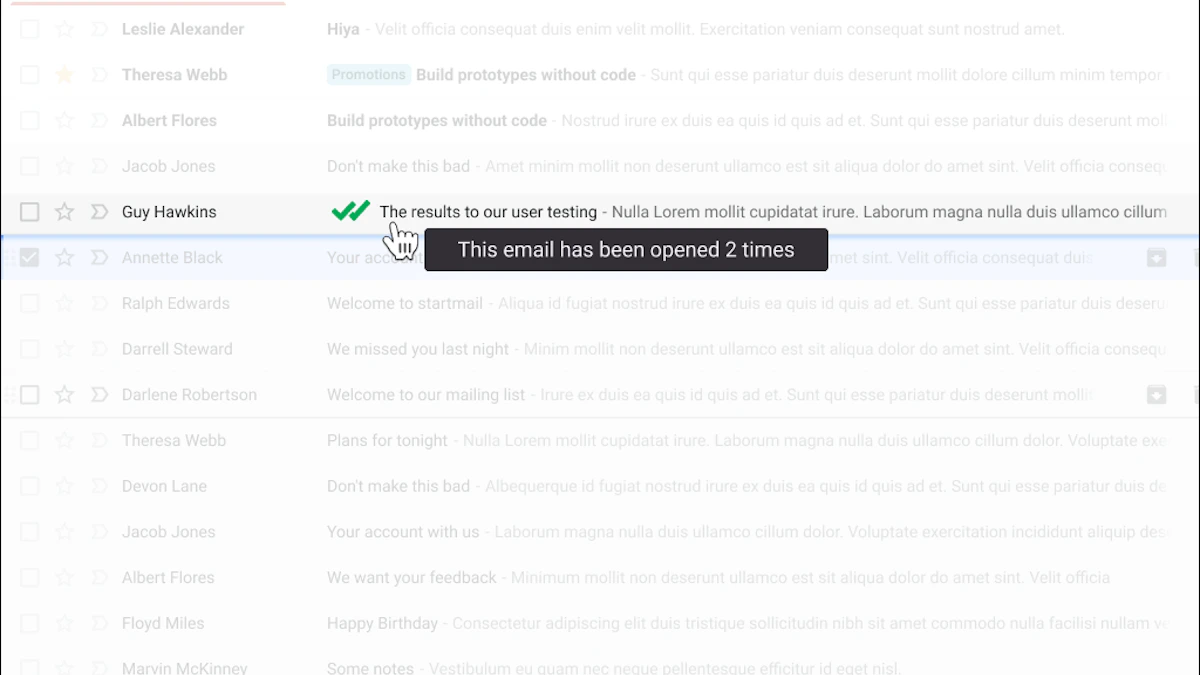
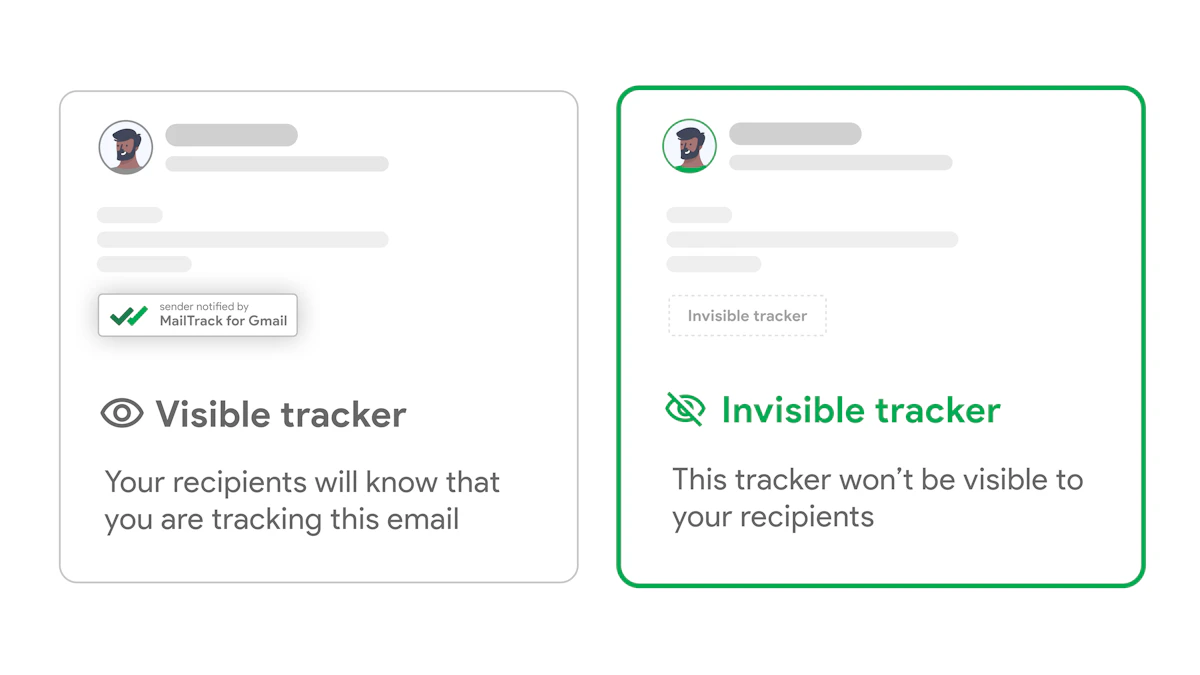
If you’re serious about how to improve email open rates, opinion can only take you so far. Without tracking, you don’t know whether the problem is the subject line, the timing, the segment, or the inbox placement. You’re editing in the dark.

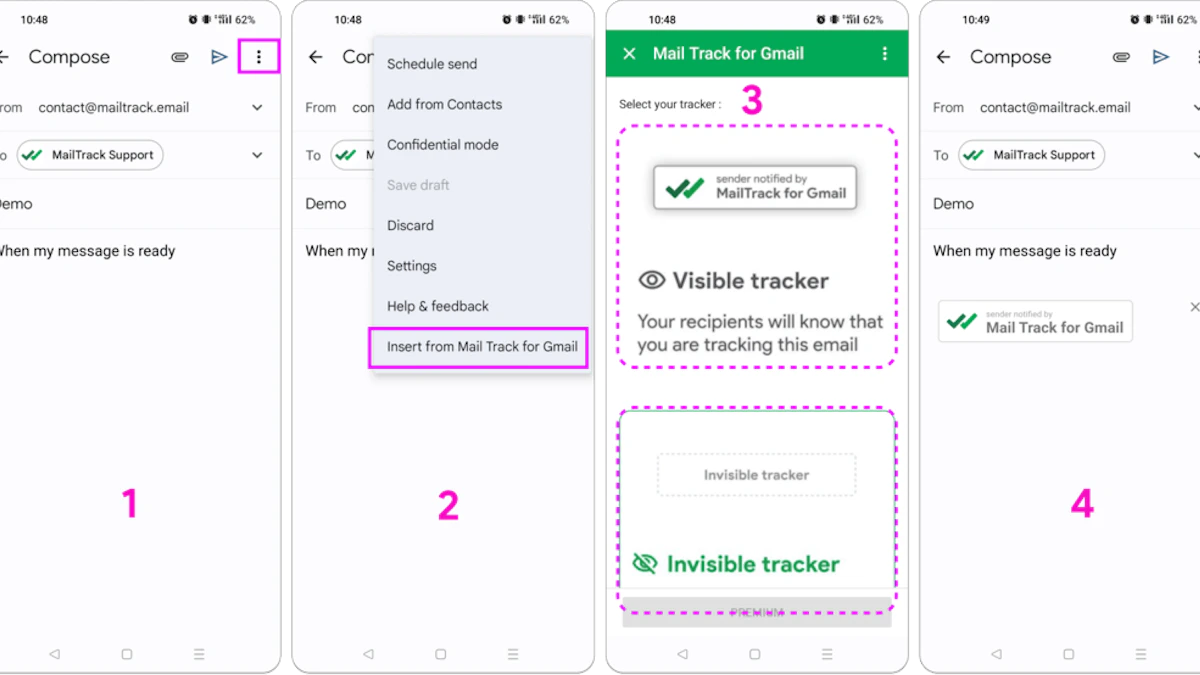
Screenshot from https://mailtrack.email

The fastest improvement loop is simple. Send. Observe. Adjust. Send again. That sounds obvious, but the middle step is often neglected, leading to a direct progression from one campaign to the next.

A/B testing only works when you isolate variables

A common mistake is testing too many things at once. New subject line, different sender name, new offer, different segment. Then the result comes back and tells you nothing.

A cleaner approach:

What to testKeep constant
Subject lineBody copy, audience, send window
Send timeSubject line, audience, body copy
Preview textSubject line, send window, audience
Resend angleOriginal audience and core message

Context is key, as it changes results. Maropost’s summary of GetResponse data notes that subject lines with 61 to 70 characters generated an average open rate of 32.1% across 7 billion analyzed emails, which is a useful reminder that slightly longer subject lines can outperform shorter ones in some contexts. The important part isn’t copying a number. It’s validating what works for your audience with testing.

Track patterns, not isolated wins

One good campaign can mislead you. Look for recurring behavior instead.

Useful questions include:

  • Which subject line style wins more often? Direct, curiosity-based, or problem-led?
  • Which segment opens fastest? Fast opens usually change follow-up timing.
  • Which resend angles recover missed opportunities? Some lists respond better to directness on the second attempt.
  • Which messages never recover? That often points to audience mismatch, not timing.

Open data becomes more valuable when it changes action. If a prospect opens twice in a short window, that may be the moment for a follow-up. If a segment consistently ignores one type of message, stop sending it in the same format.

Use open rate as part of a larger campaign view

Open rate is the first checkpoint, not the only one. It helps diagnose attention, but you still need to connect that attention to reply quality, meeting creation, or pipeline movement.

This guide to email campaign KPIs that matter beyond opens is a good framework for keeping the metric in context. High opens with weak downstream action often means your subject line is outperforming your offer. Lower opens with strong replies can still be a healthy signal if the targeting is tight.

The best senders don’t obsess over one campaign. They build a repeatable system for learning.

Frequently Asked Questions About Email Open Rates

What is a good email open rate

It depends on the type of email and the audience’s intent. A welcome email will usually outperform a standard campaign by a wide margin. If you need benchmark context, this overview of email open rates and what influences them is a useful starting point.

Do all caps hurt open rates

Usually, yes. All caps can make a subject line look promotional or spammy, especially when combined with aggressive wording. Even when it gets delivered, it often reduces trust at the point of decision.

How often should I clean my list

A good operating rhythm is every few months, with closer monitoring for high-volume programs. If a contact hasn’t engaged in a long time, move them into a reactivation segment or suppress them from regular sends.

Should I resend to non-openers

Yes, when the message matters and you change the angle. A resend works best when you adjust the subject line, keep the value clear, and avoid overdoing it. One thoughtful resend is very different from repeatedly hammering the same message.

Are shorter subject lines always better

No. Shorter lines are easier to scan, especially on mobile, but they aren’t automatically stronger. Sometimes a more descriptive subject line performs better because it gives the reader enough context to care.

Do spammy words still matter

Yes. Even when they don’t trigger filtering directly, they can make your email look like low-quality promotion. If the subject line sounds like an ad, people often treat it like one.

Can people block email tracking

Some privacy tools and email clients can limit tracking visibility. That’s one reason not to treat opens as perfect truth. They’re still useful directional data, especially when combined with replies, clicks, and follow-up outcomes.

What improves open rates fastest

Usually three fixes move the needle first: better subject lines, tighter segmentation, and cleaner deliverability setup. Most underperforming programs don’t need more volume. They need more relevance and fewer technical mistakes.


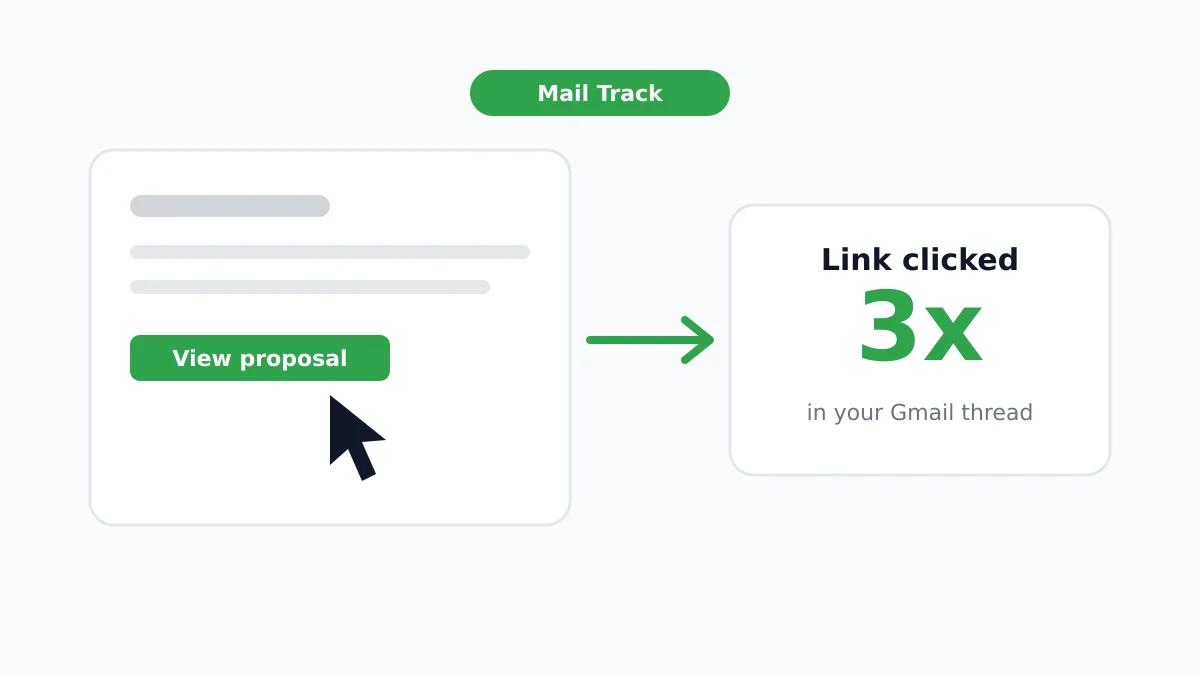
If you want better visibility into when your emails are opened and the right moment to follow up, Mail Tracker for Gmail makes that simple inside Gmail. Mail Tracker for Gmail adds read receipts, open counts, timestamps, and real-time notifications directly to your inbox, so you can stop guessing and start timing follow-ups when interest is there.

Ready to track your emails?

Add Mail Track for Gmail from the Google Workspace Marketplace and know the moment your emails are opened. Free and unlimited.

Add to Gmail