Follow-Up Email After Job Application: When to Send It and How to Use Open Signals
Write a follow-up email after a job application at the right time. Learn the timing, a template, and how Gmail open tracking can inform your next move.
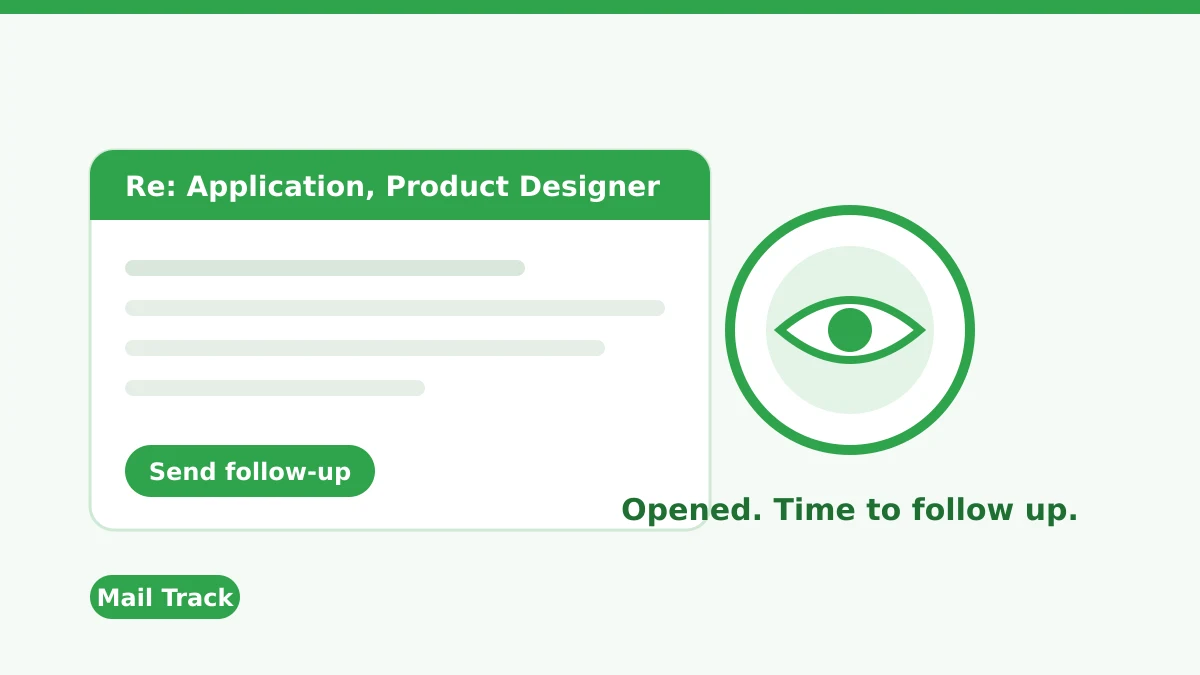
You sent the application, refreshed your inbox for days and heard nothing. A follow-up email after a job application is the polite way to break that silence, but timing and tone decide whether it helps or hurts. The hard part is not knowing whether anyone even saw your first message.
This guide covers when to follow up, what to write, and how open signals from Mail Track for Gmail, a Chrome extension and Google Workspace add-on for email open and click tracking inside Gmail, can help you choose the moment. It also covers what those signals cannot tell you, because they are easy to over-read.
How long to wait before a follow-up email
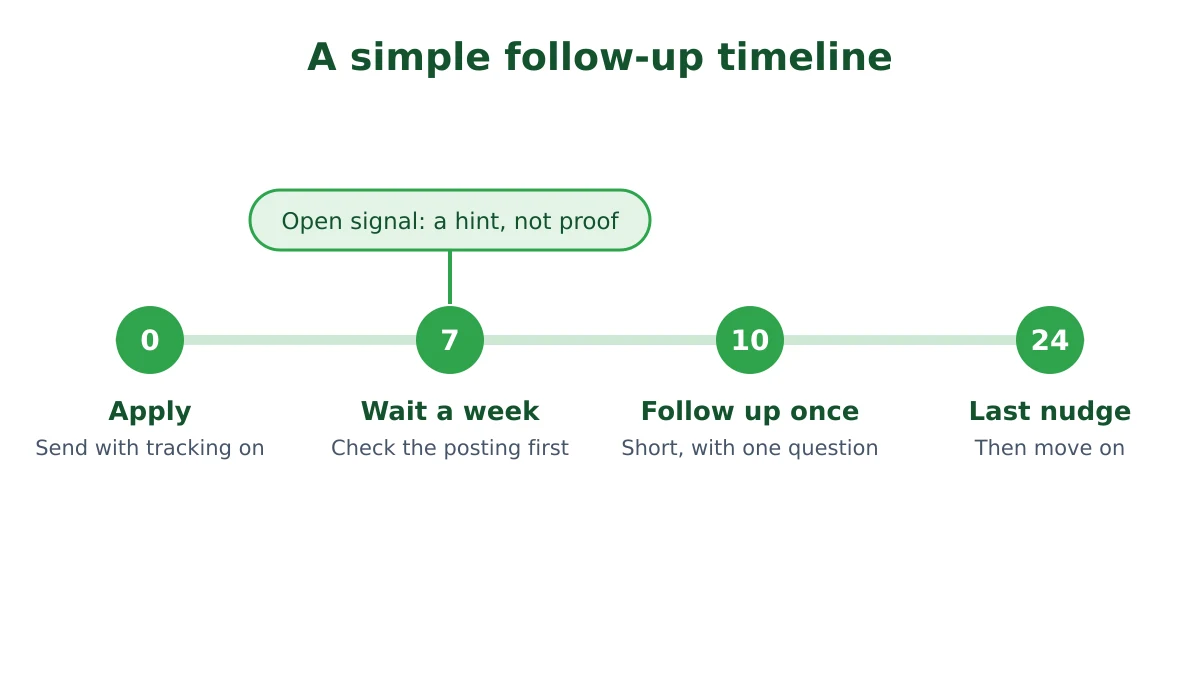
Career advice is fairly consistent on timing. Most guides suggest waiting at least a week after applying and checking in around the two-week mark. The Muse walks through follow-ups at each stage of a job search, and Careery suggests a first nudge around day 8 to 10 and stopping after about 45 days of silence. These are practitioner opinions rather than measured rules, so treat them as a starting range.
Three adjustments matter more than the exact day count:
- The posting wins. If the ad gives a decision date or says “no follow-ups”, respect it.
- Employer size. Large companies and public-sector roles often run slower processes, so lean toward two weeks or more.
- Closing dates. If applications close on a set date, wait until a few days after it. Nobody is reading early.
For a deeper look at the waiting question in general, see how long to wait before following up on an email.
What to put in the follow-up email
A good follow-up is short enough to read in ten seconds. Recruiters handle hundreds of messages, so make the reply easy.
- A subject line that names the role. For example: “Following up: Product Designer application”. Recruiters can then match it to the opening at a glance.
- One line of context. Say when you applied and for which role.
- One line of value. Mention a specific strength that fits the job, not a copy of your resume.
- One clear question. Ask about the timeline or whether they need anything else from you.
- A polite close. Thank them and sign with your name and a link to your portfolio or profile if relevant.
A template you can adapt
Subject: Following up: Product Designer application
Hi Dana,
I applied for the Product Designer role on October 6 and wanted to check in. My recent work redesigning a checkout flow seems close to what the team described in the posting.
Is there a timeline for next steps, or anything else I can send to help?
Thank you for your time, Alex
Keep the tone warm and curious. Avoid phrases such as “just checking in again” or “I have not heard back”, which sound like pressure.
Can you tell if the recruiter opened your email?
Sometimes. Open tracking works by placing a tiny invisible image in the message. When the recipient’s email client loads that image, a signal is recorded. Because Gmail displays images by default, as Google’s own help page explains, an open is often visible when your recipient uses Gmail.
That makes the signal useful in a job search in a few ways:
- No open after a week. Your message may be buried, filtered, or sent to the wrong address. A short follow-up or a check of the contact is reasonable.
- Opened but no reply. The message arrived. The recruiter may be busy or the role may be on hold. Wait a few more days before nudging.
- Several opens in a day. Someone may be forwarding or reviewing your note. It is a good moment to be ready, but not a reason to send three emails.
If you use Mail Track, you see these signals as ticks and notifications inside Gmail without leaving your inbox. Our guide to Gmail read receipts explains how that differs from the built-in request.
What an open does not tell you
Here is where honesty matters, since job seekers often read too much into one tick.
- An open is not a read. Gmail routes images through Google’s servers and scans them before delivery, so a pixel can load without a person reading anything. Our article on how accurate email tracking is covers the overcount and undercount cases.
- Clients behave differently. Some apps block images by default, so a recruiter can read your email and leave no trace. Others, such as Apple Mail, may preload images and register opens that never happened.
- Applicant tracking systems change the picture. Many applications go through a portal rather than a direct email, and system emails may not report opens at all. Open tracking only applies to messages you send yourself from your Gmail account.
- Links give a stronger signal. If your email includes a portfolio link, a click requires a deliberate action. See how to track link clicks in Gmail for how that works.
Use the signal to time your follow-up, never to judge the recruiter. A missing open does not prove rudeness and an open does not prove interest.
A simple routine for tracked follow-ups
- Send the first email from Gmail with tracking on, for example when you write directly to a recruiter or hiring manager.
- Wait the posted time or one week, whichever is longer.
- Check the signal. No open means your follow-up should be very short and may include a resend of the key point. An open means you can wait a few extra days.
- Send one follow-up using the template above.
- Send one last nudge about two weeks later if still nothing, then move on and keep applying elsewhere.
For wider guidance on cadence beyond job searching, read our post on a follow-up email after no response.
Is it okay to track a job application email?
Tracking your own outgoing email is a common practice in sales and recruiting, and many recruiters use tools that do the same to candidates. Still, be considerate. Do not send repeated messages triggered by every open, and do not mention that you saw the open, since it can feel invasive. The US CAN-SPAM guide from the FTC covers commercial email, meaning messages whose primary purpose is promoting a product or service, so a personal note about a job is a different situation. If you send to recipients in regions with strict privacy rules, our article on GDPR email compliance is a useful reference.
FAQ
Conclusion
A good follow-up email after a job application is short, timed sensibly and specific to the role. Open signals can help you decide whether to nudge now or wait, as long as you remember that an open is a hint and not a verdict. To see when your messages are opened inside Gmail, try Mail Track and pair it with the timeline above.
Ready to track your emails?
Add Mail Track for Gmail from the Google Workspace Marketplace and know the moment your emails are opened. Free and unlimited.
Add to Gmail