
Communication Documentation: A Practical Guide for Teams
Learn what communication documentation is, why it matters, and how teams can build accurate records of emails, meetings, and decisions.
You know the moment. A prospect says they never received the proposal, a hiring manager swears the interview debrief was “in the thread,” or a customer success lead tries to reconstruct what was promised on last week’s call. The work happened, but the record didn’t hold together, so the team starts replaying conversations from memory and guessing at next steps.
That gap is what communication documentation is really about. It’s not just writing things down, it’s keeping a clean, usable trail of who said what, when it was said, what was decided, and what should happen next. When that trail is missing, teams duplicate work, miss commitments, and lose confidence in each other’s version of events.
Why Communication Documentation Matters More Than Ever
A sales rep sends a proposal, follows up twice, and gets told the buyer “never saw it.” The rep checks the inbox, finds the message was sent, but there’s no confirmation that anyone opened it, no timestamp for the last touchpoint, and no record that helps the team decide whether to resend, call, or move on. That’s how a small gap in communication documentation turns into a slow, expensive stall.
The same thing happens in hiring and customer work. A recruiter loses the interviewer notes that explained why a candidate looked risky, so the team repeats the same screening questions. A customer success manager promises to “circle back” on a billing issue, but the follow-up lives only in memory, so the account team can’t tell what was committed.
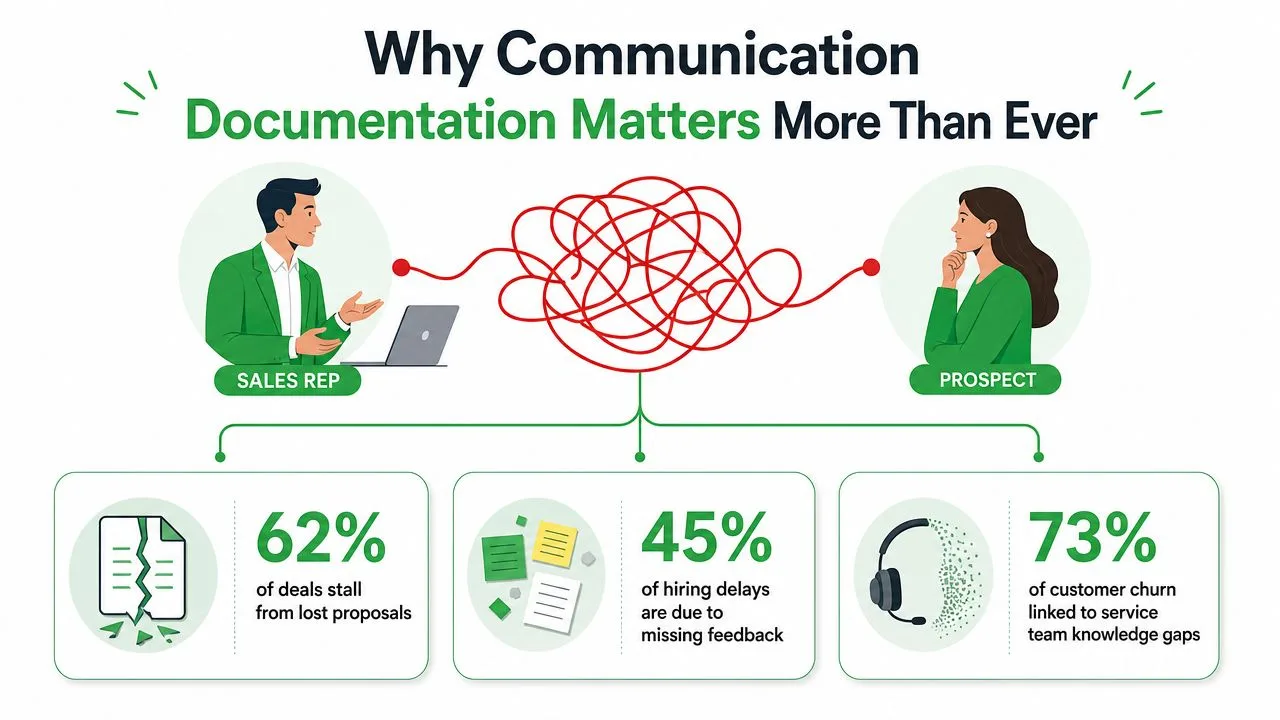
The operational cost shows up fast. Duplicate work wastes time. Misremembered promises create friction between teams. Missing records also leave compliance teams guessing, which is a dangerous place to be when a message needs to stand up later in review or audit.
Practical rule: if a conversation changed someone’s next action, it needed a record, not a memory.
That’s why documentation belongs in operations, not just admin. It turns scattered conversations into an institutional record that other people can use. If you need a concrete example of how teams confirm whether a message was seen, the workflow around email delivery confirmation shows how tracking signals can close part of that gap.
What Communication Documentation Actually Means
The simplest definition is also the most useful. Communication documentation is a record of who said what, to whom, when, and what was decided or promised. It’s the paper trail version of a conversation, while a memory trail depends on whoever remembers the exchange best.
That idea is old. Writing systems made communication durable and reusable, starting with Sumerian cuneiform around 3500 BCE, Egyptian hieroglyphs at about 3200 BCE, and the Phoenician alphabet in the 16th century BCE. Later, Cai Lun’s paper invention in 105 CE and Gutenberg’s printing press in 1440 made records easier to copy, standardize, and move across time and distance, which is why documentation became a scalable operating tool rather than a private note. History of communication
A working definition you can use
Think of the record as the answer to four questions, every time. Who was involved, what was communicated, when it happened, and what changed because of it. A notary’s logbook, a doctor’s chart, and a ship’s log all work the same way, each one preserves a decision or event so the next person isn’t guessing.
That’s also why this isn’t the same as general note-taking. Personal notes can help one person remember a meeting, but communication documentation needs to survive handoffs, audits, and policy changes. A good comparison is a memory trail versus a paper trail, one fades, the other can be checked.
Where the modern version lives
Today, the record may sit in Gmail, a CRM, shared meeting notes, or a ticketing system. The format changes, but the purpose doesn’t. The useful record is still the one that can be searched, verified, and reused without reinterpreting what happened.
If you want a practical way to measure whether communication created usable follow-through, a resource like understanding Gathering Effectiveness Score can help frame the quality of captured interactions, especially when teams care about how well the record supports action, not just storage.
The point is not to preserve every word. The point is to preserve enough truth that someone else can continue the work without starting from zero.
The Core Types of Communication Documentation
Different teams need different records, but the logic stays the same. Some documents prove that a message was sent and seen. Others capture the discussion that led to a choice. A few exist mainly so the next person can understand the context without asking around.
Communication Documentation Formats at a Glance
| Format | Captures | Owner | Where it lives |
|---|---|---|---|
| Email logs | Sent messages, open events, timestamps, follow-up history | Sender or account owner | Gmail, CRM, tracking tool |
| Meeting notes and minutes | Discussion points, action items, decisions | Meeting host or note-taker | Shared docs, project workspace |
| Decision records | The choice made, why it was made, alternatives considered | Team lead, manager, or owner | Wiki, repo, team docs |
| Customer communication files | Emails, notices, payment updates, contractual changes | Account, billing, or support team | CRM, shared drive, case system |
| Chat exports | Informal requests, fast approvals, quick clarifications | Channel owner or ops team | Slack, Teams, archived export |
Email logs are strongest when they capture more than a sent message. A tracked email with a read receipt, open count, and timestamp gives the sender evidence that the thread moved from outbound to seen. That matters because reply timing often depends on whether the recipient opened the note or not.
Meeting notes do a different job. Good minutes capture the discussion, but the weak version stops there and never records what was agreed. When that happens, the team leaves the meeting with a sense of progress and no dependable follow-through.
Decision records are there for the “why,” not just the “what.” A short ADR or lightweight decision log helps future teammates understand why one option was chosen over another, which cuts down on repeated debate later. Customer communication files are broader. They often hold emails, invoices, payment notices, and contract updates, which makes them part of operational and financial infrastructure, not just archive space. customer communication documentation
Good records don’t just capture conversation. They preserve the part of the conversation that changes work.
A common failure mode is context loss after a reply-all thread gets long enough to blur the original issue. Another is treating a support ticket as the whole customer history when the commitment happened in a separate email. If your team is trying to keep Gmail records organized, auto-labeling emails in Gmail can help keep the right threads together so the record stays searchable.
Best Practices and Governance for Clean Records
Clean records start with structure. The strongest communication files are easy to skim because they use templates, consistent naming, and a front-loaded summary that puts the action first. Technical writing guidance also emphasizes one idea per sentence and consistent terminology, because ambiguity grows fast when people are reading under pressure. technical writing guidance
Assign ownership before the record starts
Someone needs to draft, someone needs to approve, and someone needs to archive. If those roles are fuzzy, the record usually becomes a pile of partial drafts and forgotten threads. That’s especially true in regulated workflows, where CCPA guidance says enterprises must notify customers before collecting data and respond to a verifiable consumer request within 45 calendar days. The same guidance also recommends pre-approved response templates and test runs, or “fire drills,” so the process fails in practice before it fails in front of a customer. CCPA communication compliance
Versioning and retention are part of the record
A document that changes without a visible history is hard to trust. Versioning makes it clear which wording was active at the time, and retention keeps records from disappearing the moment they get inconvenient. In enterprise and SaaS environments, wording changes can alter how people interpret statuses, permissions, or notices, so content needs to be reviewed as the product changes, not after someone notices the mismatch.
Keep permissions and audience in mind
Not every record should be open to everyone. Access controls protect sensitive exchanges and reduce the chance that someone edits a record they shouldn’t touch. That’s where governance becomes practical, because a good file is not only accurate, it’s also findable by the right person and protected from the wrong one.
Governance note: archive what matters, don’t delete it just because the thread got messy.
If your team works with client-facing agreements, expert tips on customizing agreements can be useful for thinking about how standardized language and role-specific edits keep records defensible without turning every document into a one-off.
How Real Teams Use Communication Documentation
Sales teams use the record to decide when to act. A rep sends a proposal, sees that the email was opened, and times the next touchpoint around the actual engagement instead of guessing from silence. That turns follow-up from a calendar habit into a response to evidence.
Recruiters use communication records differently. Interview feedback needs to survive beyond the meeting, especially when several people weigh in at once. A structured note that captures candidate concerns, strengths, and final decisions is much easier to defend than a loose summary buried in a chat thread.
Customer success and account managers lean on interaction history before reviews and renewals. They want to know what was promised, what was already explained, and which issue the customer raised last time. That history keeps the team from reintroducing old friction as if it were new.
Freelancers and consultants use the record as a scope boundary. A short follow-up email that confirms what’s included, what’s not, and what comes next protects both sides when memory gets fuzzy later. The same habit also reduces disputes because the client can see the agreement in plain language.
A patient communication standard makes the same point in a different field. It calls for recording who was with the patient, their relationship, the advice given, and any relevant allergy or adverse reaction assessment if medication is prescribed. patient communication documentation That’s a reminder that strong records capture both the people involved and the details that matter to the next decision.
The pattern is simple. Good communication documentation changes a team’s next move, not just its filing system. When the record helps someone act sooner, defend a decision, or avoid a duplicate conversation, it earns its place.
Closing the Loop with In-Gmail Tracking Signals
Gmail is where a lot of team communication already lives, so the cleanest tracking solution is the one that stays inside the inbox. A tool like Mail Tracker for Gmail adds double check marks, open counts, per-message timestamps, and push notifications directly in Gmail, so a sender can tell whether a message was opened without jumping to another system. Its documentation also distinguishes between the visible signature on the free plan and the invisible tracker available on Premium, while keeping the focus on open events rather than email content.
That matters because the record gets tighter when “sent” becomes “confirmed opened.” A timestamped open signal helps a rep decide whether to follow up, a recruiter decide whether a candidate has seen next-step instructions, and a customer success manager decide whether a client has viewed the update. The communication trail stops being theoretical and starts reflecting engagement.
Why the inbox matters more than a separate dashboard
Teams don’t need another tool they have to remember to open. They need the signal to show up where the message already lives. Mail Tracker for Gmail fits that pattern by keeping the interaction visible in Gmail on web and mobile, with support for Android and iOS, plus daily email reports and full tracking history on Premium.
There’s also a privacy angle worth respecting. Recording open events instead of reading message content keeps the focus on delivery and engagement, not on surveillance. That distinction matters in teams that care about trust as much as they care about follow-up timing.
You can compare that approach with the broader tracking guidance in email tracking for Gmail, especially if your team wants to understand how open signals fit into a documented workflow instead of standing alone as a vanity metric.
The best tracking signal is the one that quietly removes uncertainty before it turns into a follow-up problem.
Used well, in-Gmail tracking doesn’t replace documentation. It strengthens it. The message record becomes more accurate because it captures whether the recipient engaged, which is often the missing link between a sent note and a real workflow decision.
Building a Documentation Habit That Actually Sticks
Good communication documentation usually fails because the habit is too slow, too manual, or too easy to skip. The fix is to make the record the default at the moment work happens, not something people remember after the meeting ends. If the note takes two extra minutes while the context is fresh, it saves a lot more than that later.
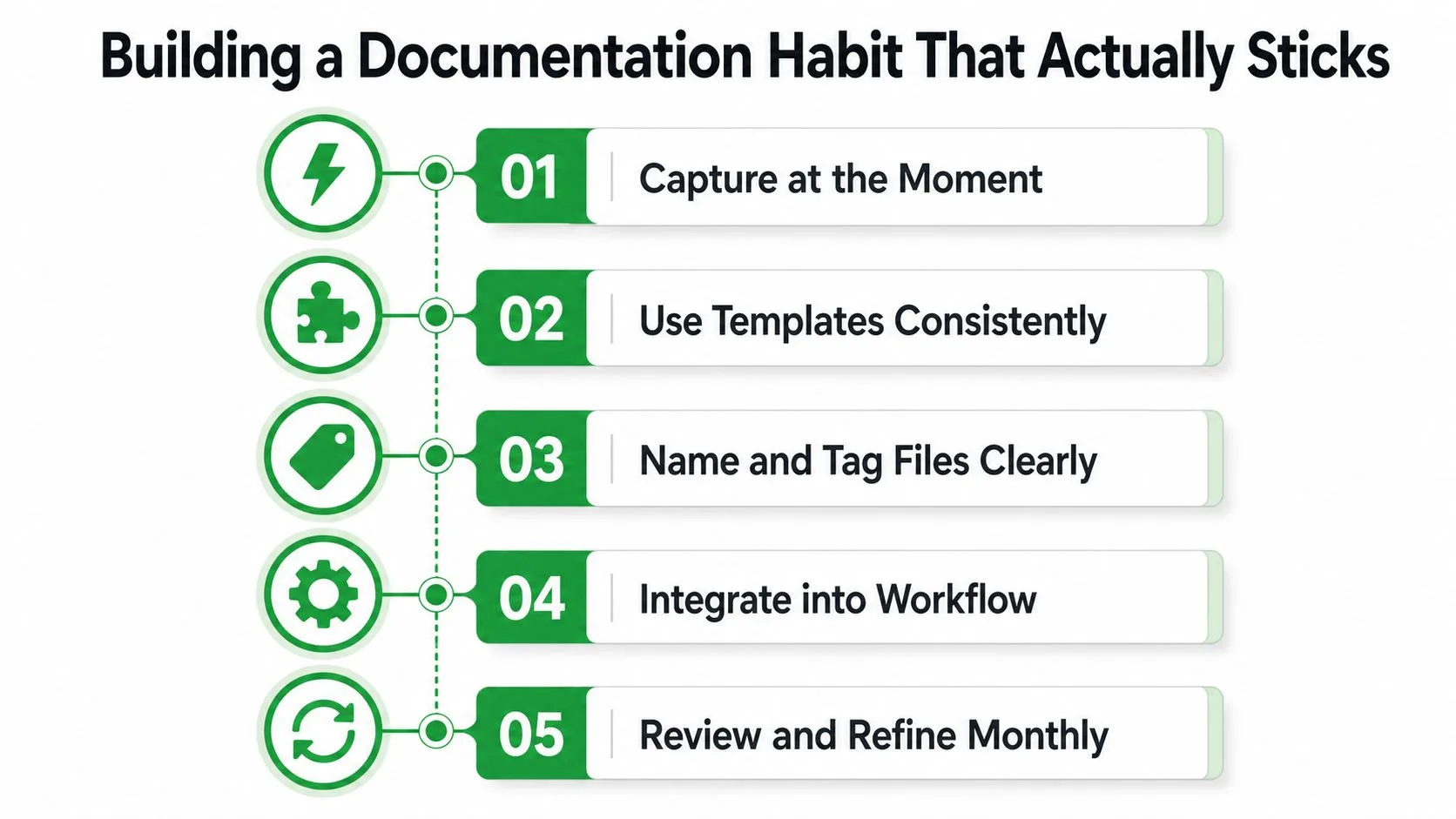
Five habits that hold up in real work
- Capture at the moment: Write the summary right after the call or email while the decision is still clear.
- Use templates consistently: Keep the same fields for subject, context, decision, and next step so nobody has to guess where the important line lives.
- Name and tag files clearly: Use labels that a teammate can search a year later without asking the original sender.
- Integrate into the workflow: Put the record in the system people already use, whether that’s Gmail, a CRM, or shared notes.
- Review and refine monthly: Check for outdated labels, missing ownership, and records that no longer match the live process.
A good habit also needs a retention mindset. Keep what supports legal, operational, or customer history, and retire what no longer serves a purpose. If the team treats every thread as temporary, the useful record disappears. If the team treats every thread as sacred, the archive becomes a junk drawer.
The easiest place to start is one recurring workflow. Pick customer follow-ups, interview feedback, or proposal outreach, then standardize how the record gets captured and where it lives. Once that pattern works, it’s much easier to extend it to the rest of the team.
If you want a simple way to keep Gmail engagement visible while you build better records, visit Mail Tracker for Gmail. It adds open tracking, timestamps, and inbox-level signals that help teams close the gap between sent messages and documented follow-through.
Ready to track your emails?
Add Mail Track for Gmail from the Google Workspace Marketplace and know the moment your emails are opened. Free and unlimited.
Add to GmailMore reading
More from Guides
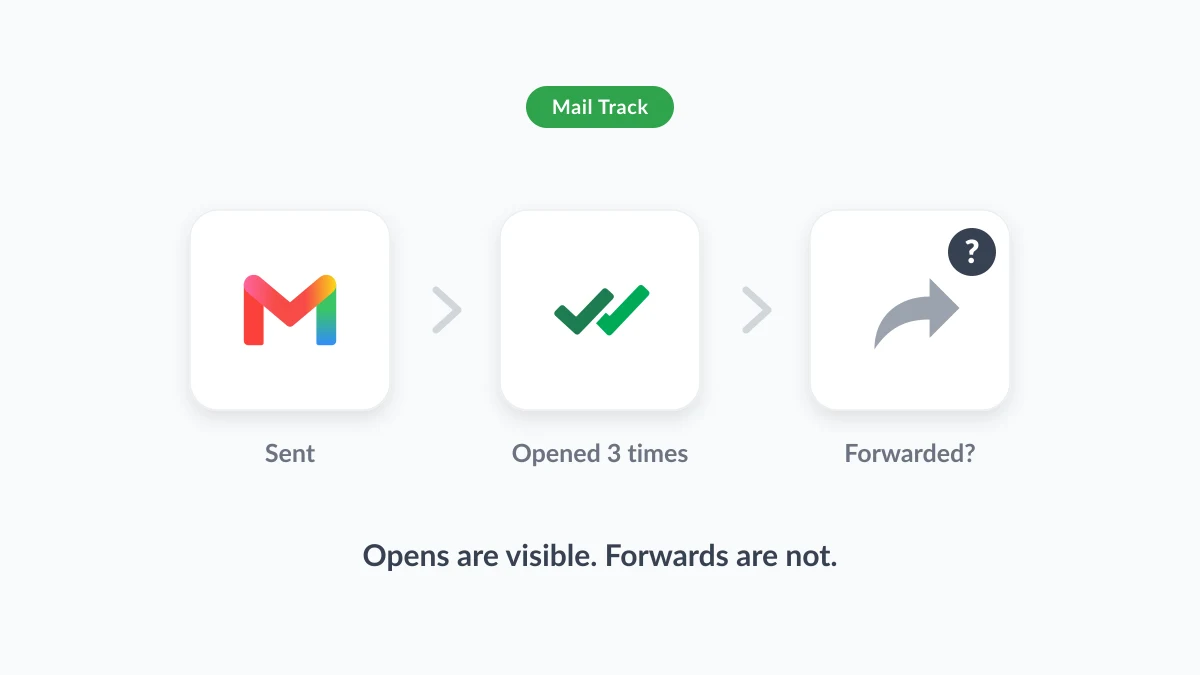
Can You Tell if Someone Forwarded Your Email? What Senders Can See
Can you tell if someone forwarded your email? No mail service notifies the sender, but open counts and timing give clues. What Gmail, Outlook and trackers show.

How Accurate Is Email Tracking? What Opens Really Tell You
How accurate is email tracking in Gmail? Learn why opens get overcounted or missed, how to spot false opens, and which signals to trust before you follow up.

Email Tracking Pixel: How It Works, How to Spot One and Where It Falls Short
What is an email tracking pixel, how does it show an open in Gmail, how can you find one, and why Gmail and Apple Mail proxies limit what it can tell you.