Mail Tracker for Gmail
Tips

Email Delivery Confirmation: A 2026 Guide for Gmail

Get true email delivery confirmation in 2026. Learn the difference between delivered, opened, and read receipts, and discover how to track emails in Gmail.

MT
Mail Track for Gmail Team
#email delivery confirmation#email tracking#read receipts gmail#mail tracker#gmail tips
Email Delivery Confirmation: A 2026 Guide for Gmail

You send a proposal at 4:47 p.m. It’s the kind of email that can move a deal forward, fill next month’s pipeline, or finally get a client to approve a project. Gmail says it’s sent. Then nothing happens.
That silence is where most confusion starts. People assume email works like text messaging, where a sent icon quickly turns into some kind of delivery proof. Email doesn’t work that way. A message can leave your outbox, reach a server, avoid a bounce, and still never become visible where a real person is likely to see it.

That gap matters if you run a small business. You’re not chasing vanity metrics. You want to know if a prospect had a chance to see your note, whether your client update landed somewhere useful, and when a follow-up makes sense.
The Agony of Sending an Email into the Void

You write a careful message. The subject line is clear. The attachment is there. You hit send and start waiting for the tiny signs of life that never come.


A consultant sends a proposal on Tuesday morning and checks Gmail every hour. A recruiter emails a candidate and wonders if the note got buried. A shop owner sends a wholesale pitch and starts second-guessing the wording by lunchtime. The common problem isn’t writing the email. It’s the uncertainty after sending it.

A concerned man sits at a desk looking at a laptop showing an email sent confirmation message.

The hard truth is that your message can be technically accepted and still stay hidden. Only 59% of tested emails globally reach the actual inbox in 2026, with 34% going straight to spam and about 7% being sorted into tabs like Promotions or Updates, according to unspam.email’s deliverability statistics. If you’ve ever thought, “They must have seen it,” that assumption is shakier than it looks.

Why small business owners feel this so sharply

Large teams can spread risk across channels, tools, and staff. Small businesses usually can’t. One missed email can mean:

  • A delayed payment because the invoice reminder didn’t surface
  • A stalled deal because the proposal sat in Promotions
  • A lost applicant because your follow-up looked invisible from their side
  • A wasted week because you kept waiting instead of switching to a call or LinkedIn message

Sometimes the actual issue isn’t your writing at all. It’s inbox placement, timing, or the recipient’s email environment.

Practical rule: If an important email gets no response, don’t assume disinterest. First ask whether the message became visible.

If you send a lot of outreach, it also helps to tighten the message itself. Well-structured copy won’t fix spam filtering on its own, but it can improve clarity once the email is seen. A useful reference is this collection of templates for improved deal closing, especially if you’re refining proposals, follow-ups, or outbound sales emails.

Decoding Email Receipts Delivery vs Open vs Read

The easiest way to understand email delivery confirmation is to think about postal mail.

A delivery receipt is like the postal carrier dropping an envelope at the building. It confirms arrival at the destination system. It doesn’t tell you whether the envelope made it to the kitchen table, got tossed into a junk pile, or was opened by a person.

An open signal is closer to someone taking the envelope inside and breaking the seal. That’s a stronger clue. But even then, it doesn’t prove careful reading or interest.

A read receipt is the closest thing to someone formally telling you, “Yes, I read this.” The problem is that email clients often make that optional, and many people decline it.

What SMTP delivery actually confirms

Standard email delivery confirmation often creates false confidence. SMTP delivery receipt requests only verify that a message reached the recipient’s mailbox server, not that the recipient viewed the content, as Microsoft explains in its guidance on Outlook delivery receipts and tracking.

That’s why “delivered” can be misleading. It often means the server accepted the message envelope. It does not mean a person saw the email in their main inbox.

Email Confirmation Types Explained

Confirmation TypeWhat It ConfirmsReliability
Delivery receiptThe recipient’s server accepted the messageUseful for technical transmission, weak for visibility
Open trackingThe email loaded tracking content when renderedBetter for timing, but affected by image blocking and privacy tools
Read receiptThe recipient or client sent a read acknowledgmentOften inconsistent because it usually depends on recipient approval

A plain-language way to think about it

If you send a proposal to a client at a large company, several different things can happen:

  1. The company server accepts it. That may trigger a delivery-style confirmation.
  2. A filter routes it elsewhere. It might go to spam, quarantine, or another folder.
  3. The recipient opens it later. If tracking content loads, you may get an open signal.
  4. The recipient ignores the read receipt prompt. You get no formal read confirmation at all.

Delivered is a transport event. Open is a viewing clue. Read is a user decision or client behavior.

That distinction clears up a lot of day-to-day confusion. People aren’t usually missing data. They’re mixing up three different kinds of signals.

The Email Journey and Common Failure Points

An email doesn’t travel straight from your screen to someone else’s screen. It passes through a chain of systems, checks, and filters. Each step creates a new chance for delay, rerouting, or silent failure.

A diagram illustrating the five stages of the email journey from sending to inbox delivery.

The five stops that matter

Think of the journey like airport travel.

  1. Outbox
    You hand over your suitcase. In email terms, Gmail sends your message out for processing.

  2. Mail transfer systems
    These are the connecting flights. Servers route the message toward the destination.

  3. Authentication checks
    This is passport control. Receiving systems look for signs that your domain is legitimate and consistent.

  4. Filtering and security review
    This is customs screening. Content, formatting, links, and sender reputation all affect what happens next.

  5. Final placement
    The email may land in the inbox, another tab, spam, or a quarantine area.

Where senders get fooled

The biggest misunderstanding happens in the middle. If the recipient’s environment accepts the message at a server level, many senders think the journey is over. It isn’t. The message still has to survive filtering and placement.

Corporate systems make this trickier. Recent data from 2025 to 2026 shows that 30 to 40% of corporate emails are quarantined by security gateways, meaning senders get no delivery failure alert, according to the discussion summarized in Microsoft Learn’s community thread on email delivery confirmation. That means no bounce, no warning, and often no clue.

Common failure points without a bounce

  • Spam folder placement
    The message is technically accepted but hidden in junk.

  • Promotions or secondary tabs
    The email isn’t gone, but it’s no longer in the main attention stream.

  • Corporate quarantine
    Security tools hold or isolate the message without notifying you.

  • Client-side image blocking
    The person may open the email, but tracking elements don’t load.

No bounce doesn’t mean success. It often means only that nothing failed loudly.

Why authentication still matters

Small business owners often hear terms like SPF, DKIM, and DMARC and tune out. You don’t need to memorize the acronyms to grasp the practical point. Receiving systems want evidence that the sender is who they claim to be.

When those signals are weak or inconsistent, filters get stricter. When they’re healthy, your message has a better chance of reaching a visible location. Authentication isn’t the whole story, but it’s part of why one company’s email lands cleanly while another company’s nearly identical note disappears.

If you’ve ever sent a careful follow-up and gotten nothing back, the silence may not reflect the recipient’s interest. It may reflect the route your message took after leaving your outbox.

Using Gmail’s Native Read Receipts and Their Limits

Gmail does offer a native read receipt option, but many people discover its limits only after depending on it.

For Google Workspace accounts, an administrator can turn the feature on in the Admin Console. Once enabled, a sender can request a receipt on certain messages. The catch is important. Recipients usually have to manually confirm sending that receipt, and the feature is often limited to internal or whitelisted addresses, as outlined in GMass’s guide to Gmail read receipts and tracking.

When native receipts work

Native receipts can be useful in narrow situations:

  • Internal communication where everyone uses the same company setup
  • Formal workflows where recipients expect receipt prompts
  • Controlled environments where IT policies support the feature

For many small businesses, that’s not the practical reality. Clients use different providers. Prospects read email on mobile. Some organizations suppress receipt prompts altogether.

Where the feature breaks down

A native read receipt sounds simple, but it depends on cooperation. The recipient may ignore the prompt, decline it, or never see it depending on the app they use.

That makes it weak for sales, recruiting, client services, and freelance work. In those cases, the question isn’t whether a coworker clicked “send receipt.” The question is whether your contact had any visible interaction with the message at all.

Here’s the practical comparison:

  • Native Gmail receipt depends on recipient action
  • Pixel-based tracking depends on email rendering behavior
  • Server-level delivery info depends on mail system acceptance

Those are very different signals, and they solve different problems.

When to use it anyway

If you’re in a Workspace environment and want to test the built-in option, this walkthrough on how to get a read receipt in Gmail is a straightforward starting point. Just treat the result as partial evidence, not certainty.

A missing native receipt doesn’t always mean the email was ignored. It often means the recipient’s setup didn’t cooperate.

That’s why many businesses move beyond Gmail’s built-in option when they need day-to-day visibility.

How to Get Definitive Delivery Confirmation in Gmail

If your goal is to get closer to real engagement confirmation, the most practical method inside Gmail is tracking based on a tiny image embedded in the email.

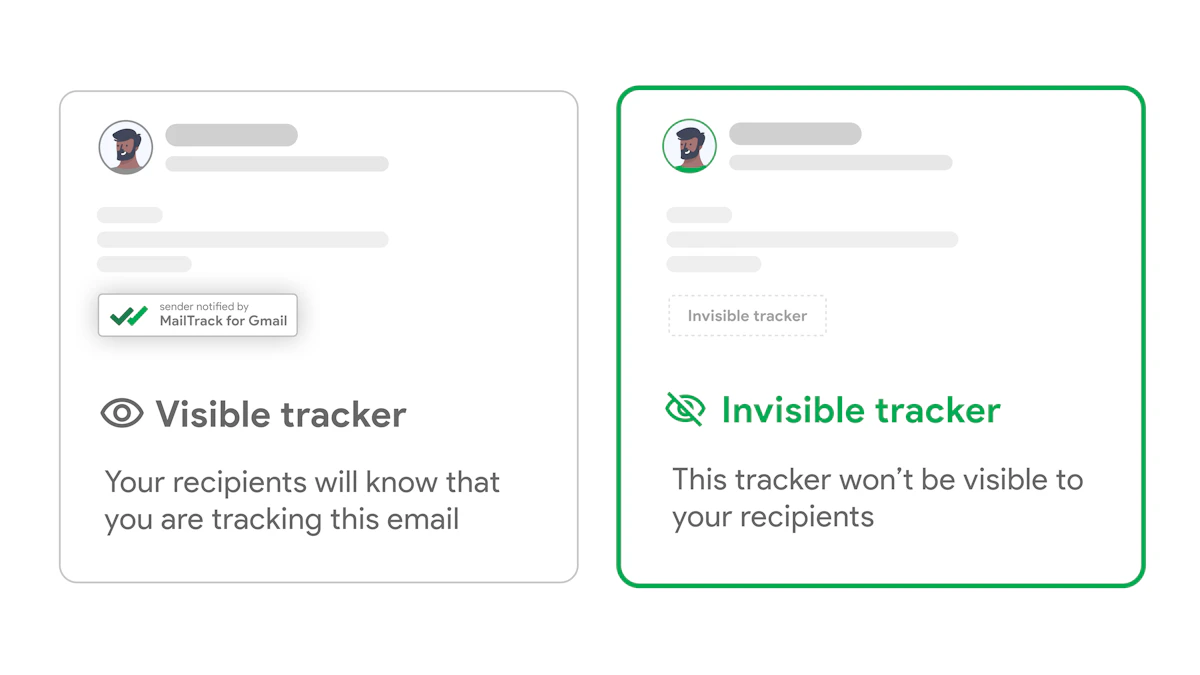
Screenshot from https://mailtrack.email

Gmail email tracking typically works by embedding a unique invisible 1x1 pixel image in the message body. When the recipient’s email client loads that image, it sends an HTTP request to the tracking server, which logs the open event, as described in this technical walkthrough on building a Gmail open-tracking system.

That sounds technical, but the everyday version is simple. If the email renders the hidden image, the tracker gets a signal. That gives you something much more useful than “sent.”

What this looks like in practice

Say you email a proposal to a client at 9:00 a.m.

  • At 9:00, Gmail shows the email left your outbox.
  • Later, a tracking signal tells you the message was opened.
  • If the tool supports timestamps or notifications, you can see when the activity happened.
  • That timing helps you decide whether to follow up, call, or wait.

This is why open tracking is often more useful than native read receipts for everyday business communication. It doesn’t rely on the recipient clicking “yes” to send a notice.

Choosing a Gmail-based workflow

The main advantage of a tracker inside Gmail is convenience. You don’t want a separate dashboard for every message. You want indicators where you already work.

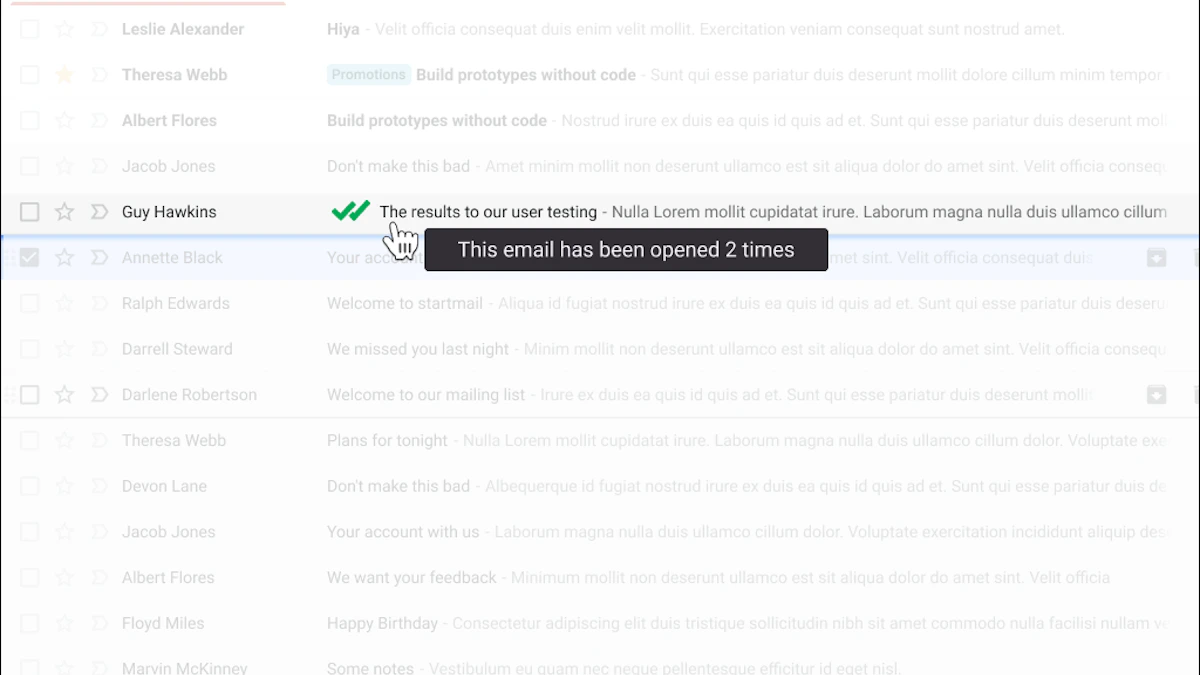
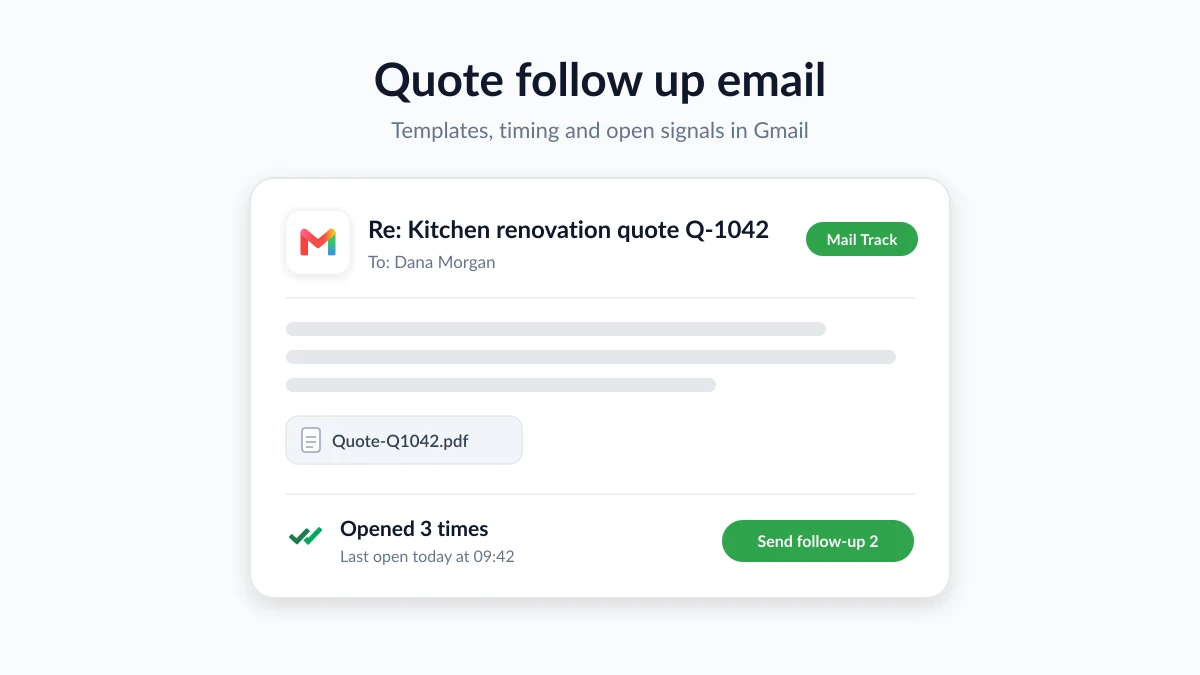
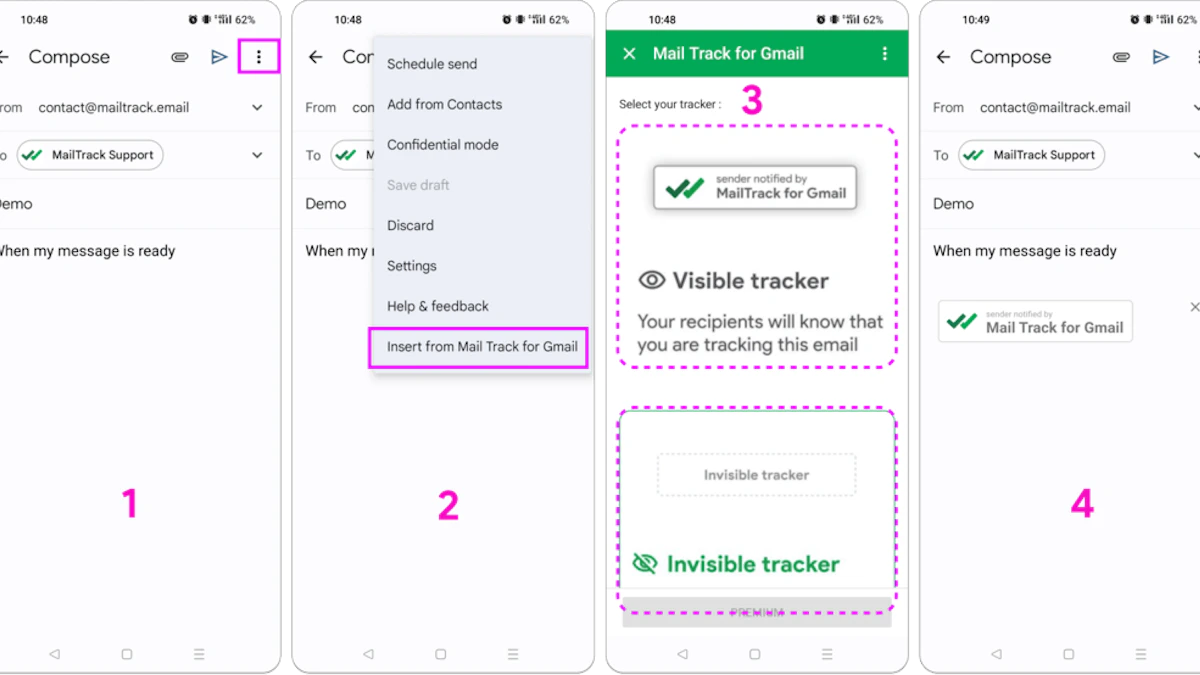
One option is Mail Tracker for Gmail. It integrates into Gmail and adds read-style indicators, open timestamps, and real-time notifications inside the Gmail workflow. If you want a broader overview of the category and how these tools work, this guide to email tracking for Gmail is useful background.

A quick product note matters here. Our product name is very descriptive, Mail Tracker for Gmail, so it’s easy to confuse it with the broader product category of a mail tracker for Gmail or an email tracker for Gmail. In this article, I’m using Mail Tracker for Gmail as the specific product name.

What a good signal can and can’t tell you

Open tracking gets you closer to true email delivery confirmation, but it still has limits. It tells you the email rendered in a way that triggered the tracking image. It does not tell you whether the recipient carefully read every line, forwarded the message internally, or decided to buy.

That’s still a major step forward because it answers a practical question small businesses ask every day: “Did this email become visible enough to register activity?”

A short demo makes the mechanism easier to picture:

A simple decision framework

Use tracking data for three things:

  • Timing
    If an email opens during business hours, that can shape your follow-up window.

  • Prioritization
    Threads with recent activity deserve attention before cold threads.

  • Triage
    If a critical email shows no sign of visibility, try a different subject line or another channel.

Treat open data like a door sensor, not a mind reader.

That mindset keeps you practical. You’re not trying to spy on someone. You’re trying to reduce uncertainty around whether an important message had a fair chance to do its job.

Email tracking raises a fair question. Just because you can observe engagement signals, should you?

For most businesses, the answer is yes, with restraint and transparency. A reasonable use case is knowing whether a client likely saw a proposal, whether a candidate opened an interview update, or whether a follow-up landed at a useful time. The problem starts when tracking becomes covert, excessive, or disconnected from a legitimate business purpose.

Ethical use starts with intent

Use tracking to improve communication, not to pressure people. That means:

  • Track important business messages instead of every casual note
  • Avoid overinterpreting opens as proof of interest or agreement
  • Respect context when emailing customers, candidates, or sensitive contacts
  • Review privacy practices before rolling out any tool across a team

If you want a plain-language example of how a software company explains data handling, this page on our privacy commitment is a useful benchmark for the kind of transparency businesses should look for.

Many people confuse open tracking with legal proof. They are not the same thing.

If you need evidence for a dispute, contract issue, or formal proceeding, standard tracking usually isn’t enough. For legally valid proof of email delivery in 2026, certified email platforms generate an immutable audit trail containing the timestamp, IP address, and a digital signature, creating a tamper-proof evidence document, as described in this overview of legal proof of email delivery and read status.

That’s a very different category of evidence from a standard open notification.

Here’s the easiest way to separate the two:

NeedSuitable approach
Know whether a proposal likely became visibleStandard email tracking
Time a follow-up call or reminderOpen notifications and timestamps
Prove delivery in a legal disputeCertified email platform with audit trail

Ethical tracking helps you communicate better. Legal proof requires a formal evidence chain.

For small businesses, that distinction prevents two mistakes. One is avoiding tracking entirely out of fear. The other is trusting ordinary tracking data as if it were courtroom-grade proof.

Troubleshooting and Smart Follow-Up Strategies

Tracking data is most useful when you stop treating it as a verdict and start treating it as a clue.

A missing open signal doesn’t always mean your email failed. Some clients block images. Some recipients read in text-heavy or privacy-focused environments. Some corporate systems alter how messages display. On the other side, an open can be misleading too.

An infographic titled Smart Follow-Up and Troubleshooting detailing five tips for managing professional email communication effectively.

In 2026, open rates above 60 to 70% are often inflated by Apple’s Mail Privacy Protection, which pre-loads tracking pixels, making replies and clicks more reliable success indicators than opens, according to Instantly’s article on Gmail email tracking and MPP.

How to interpret tracking without fooling yourself

Use this simple approach:

  • If you get no open signal
    Consider inbox placement issues, image blocking, or silent filtering before assuming disinterest.

  • If you get an immediate open on many emails
    Be cautious. Privacy systems can trigger opens that don’t reflect real human attention.

  • If someone opens multiple times
    That can be a stronger indicator of active review, especially when paired with later replies.

  • If the email matters and remains quiet
    Change channels. Call, text, or send a shorter follow-up.

A follow-up rhythm that fits reality

Good follow-up is measured, not frantic. If a message appears to have been opened, a short reply while the thread is still fresh can work well. If there’s no sign of visibility, resending the same email immediately usually doesn’t help.

Try this instead:

  1. Send the original message clearly
  2. Wait for signals, not assumptions
  3. Follow up with a shorter note
  4. Use another channel for urgent matters

If you want examples, this guide on follow-up email after no response offers practical wording ideas.

Replies beat opens. Clicks beat assumptions. Conversations beat both.

The best use of email delivery confirmation is operational. It helps you decide what to do next. That’s a much healthier goal than chasing perfect certainty.


If you want clearer visibility inside Gmail without changing your workflow, Mail Tracker for Gmail adds delivery-style indicators, open tracking, and real-time notifications directly in your inbox so you can follow up based on signals instead of guesswork.

Ready to track your emails?

Add Mail Track for Gmail from the Google Workspace Marketplace and know the moment your emails are opened. Free and unlimited.

Add to Gmail