
10 Email Communication Best Practices for Professionals
Master email communication best practices with actionable tips on subject lines, send timing, personalization, and Gmail open tracking for higher engagement.
Email remains one of the world’s largest business communication channels. Independent 2026 reporting estimates roughly 4.6 to 5.0 billion email users and 376 to 422 billion messages per day, so small improvements in subject lines, follow-up timing, and inbox prioritization can influence a huge volume of professional work. (2026 email usage and best-practice reporting)
Poorly crafted emails waste time, bury important requests, and cause good opportunities to cool off. These 10 email communication best practices give sales professionals, recruiters, consultants, account managers, and business owners a practical Gmail workflow for writing clearly, following up intelligently, and using engagement signals without sacrificing privacy. The same discipline helps when you’re contacting email early stage investors, managing customers, or coordinating internal decisions.
Email has carried professional expectations for decades. Ray Tomlinson sent the first network email on ARPANET in 1971, and adoption grew from fewer than 100 ARPANET users that year to 1 million users by 1985 and 55 million worldwide by 1997. (History of email) That history explains why recipients expect direct writing, accurate addressing, sensible subject lines, and a professional tone. Apply the following practices consistently.
1. Craft Clear Subject Lines That Encourage Opens
A subject line should state the email’s purpose before the recipient opens it. Write a compact promise of relevance, not a teaser that withholds context. Identify the person, benefit, decision, or situation involved so the reader can judge its value immediately.
Use concrete wording:
- Specific question: Quick question about your Q4 strategy
- Clear appointment: Your consultation call, Tuesday at 2 PM
- Personalized benefit: Sarah, reducing costs at your company
- Relevant context: Following up on your product expansion
Avoid “Checking in,” “An important opportunity,” and “Thoughts?” These phrases make the recipient search for the reason to respond. Sensational wording creates the same problem when the email delivers less than the subject promises.
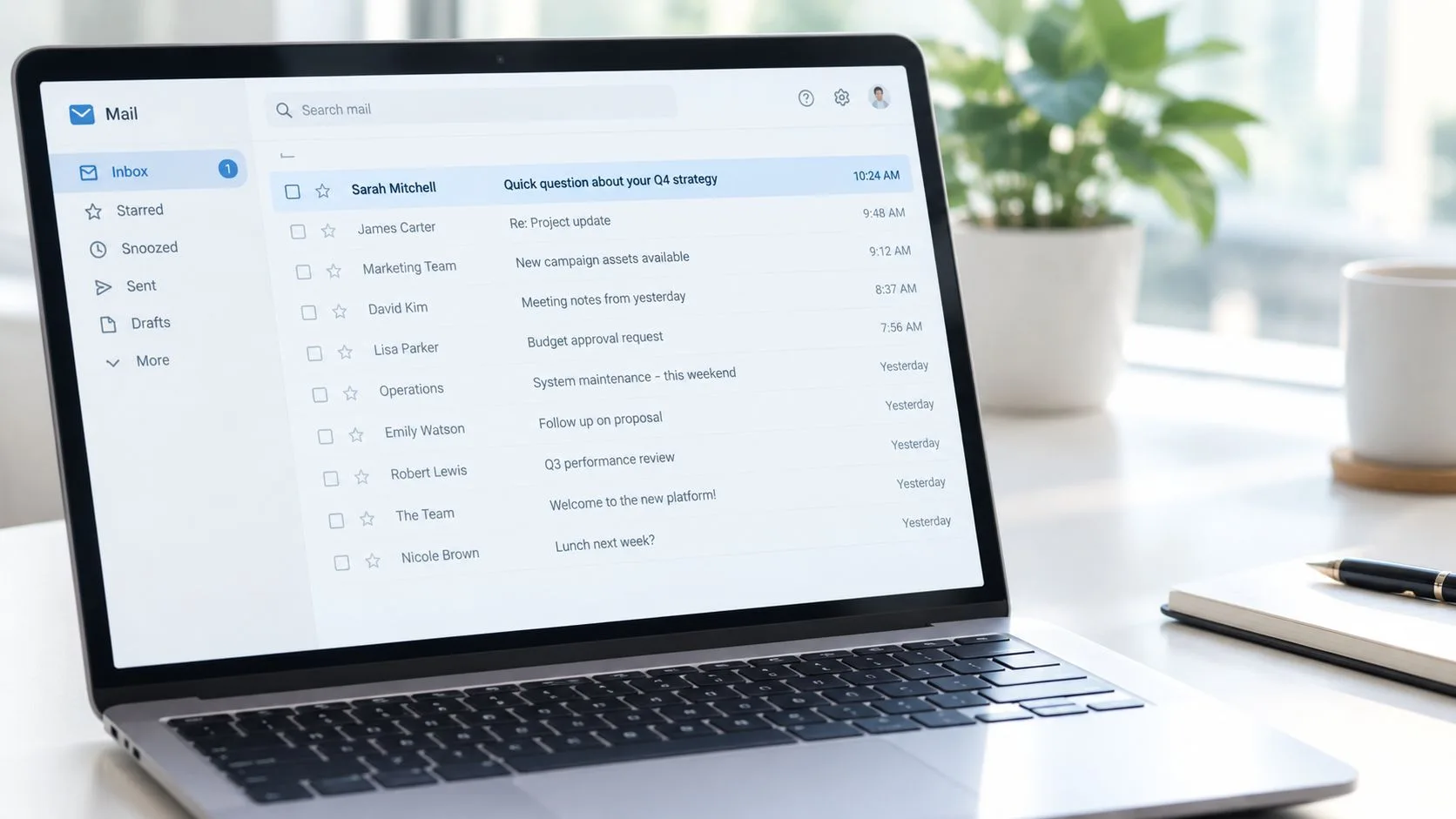
Make the subject useful on mobile
Keep the wording compact enough to remain clear when Gmail truncates it on a phone. Use quick, opportunity, or urgent only when the message warrants the term. Add numbers when they clarify the content, not to make the email appear promotional.
Use Mail Tracker for Gmail to compare engagement across subject-line variations, while reviewing results by audience and message type. Privacy-conscious tracking means using those signals to improve relevance, not treating an open as proof of intent. For more guidance, review these tips for writing effective subject lines for sales emails. You can also study real estate subject line templates, then adapt their principles to your own Gmail campaigns.
2. Keep Messages Concise and Scannable
Put the main point in the first two sentences. A recipient should quickly understand why you’re writing, what information matters, and what action you need. Long introductions, dense paragraphs, and background details placed before the request make even a valuable email feel like work.
A useful structure is:
- Lead with relevance: Explain why this message matters to the recipient.
- State the ask: Tell them exactly what you need.
- Add essential context: Include only details that affect the decision.
- Close with the next step: Make the response easy.
Use short paragraphs, descriptive subheadings when the message is longer, and bullets for multiple facts or actions. Bold formatting can highlight a deadline or decision, but excessive emphasis makes every line compete for attention. Attach supporting material or link to deeper information instead of turning the email body into a report.
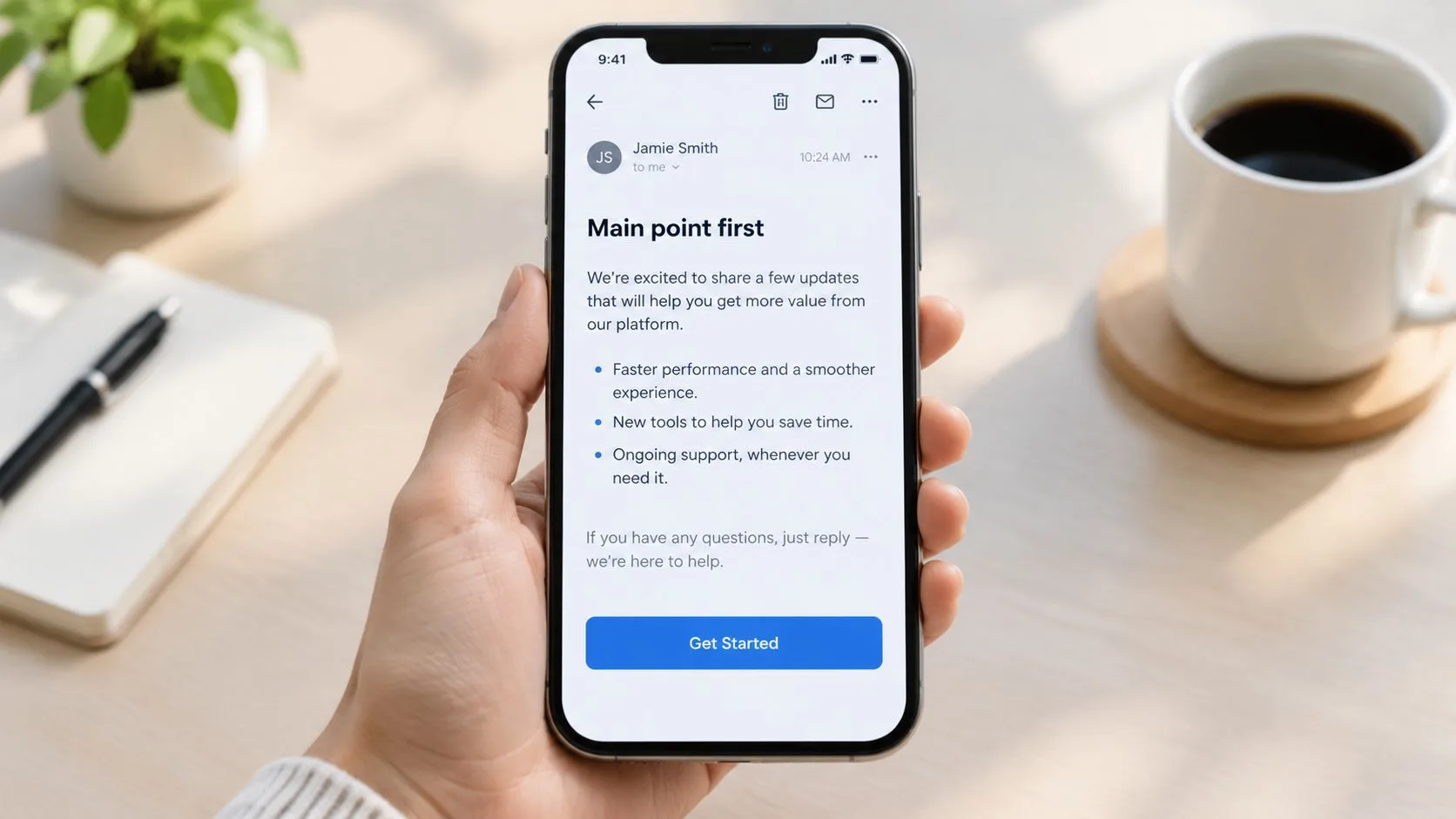
A sales email might need only a short value statement, one proof point, and one question. A recruiter can state the relevant role, ask about availability, and provide a calendar link. A consultant can present the current status in bullets, identify a blocker, and list the next action.
Practical rule: If the recipient can’t identify the purpose and requested action during a quick scan, edit the email before sending it.
Gmail users should check the draft on both desktop and mobile. A layout that looks clean on a large monitor can become a wall of text in the Gmail app.
3. Personalize Beyond the First Name
Adding a first name isn’t personalization. Useful personalization connects a verifiable detail about the recipient to a reason for contacting them. Reference their role, company direction, recent announcement, published work, mutual connection, or a problem that clearly relates to their responsibilities.
Compare these openings:
- “I work with companies like yours.”
- “I saw your team is expanding its product operation, so I’m reaching out about a way to reduce manual reporting.”
- “Your background in SaaS sales makes this client acquisition example relevant.”
- “Sarah mentioned you’re leading the product expansion, and the timing of this conversation seems appropriate.”
The second versions work because they explain why this person, not merely why the sender wants attention. Keep the detail accurate and restrained. One or two relevant observations are stronger than a paragraph of exaggerated praise.
Connect research to the message
Use company websites, professional profiles, public announcements, and previous correspondence to prepare. Don’t mention information that feels private, excessive, or unrelated to the recipient’s work. Personalization should make the email more useful, not make the reader wonder how closely they’re being watched.
Adapt the value proposition to the person’s likely priorities. An executive may care about business impact, a recruiter about candidate fit, and a customer success leader about adoption or risk. Mail Tracker for Gmail can help you compare engagement patterns between carefully customized messages and generic templates, but open activity should guide your judgment rather than replace a genuine conversation.
4. Implement Strategic Follow-Up Sequences
A follow-up shouldn’t repeat the original email with a different greeting. Each message needs a new reason to respond, such as a relevant example, a clarification, a useful resource, or a simpler version of the original question. Acknowledge the previous message naturally and make it easy for the recipient to decline or suggest a better time.
Use context rather than a rigid universal cadence. Some cold-outreach analyses favor a 3-7-7 rhythm, while other guidance finds that replies can peak when the first follow-up arrives within 24 hours or within a day of the initial pitch. (Cold outreach reply-rate benchmarks) The correct timing depends on urgency, recipient intent, industry expectations, and engagement signals.
A practical sequence might look like this:
- Initial email: State the problem and proposed value.
- First follow-up: Add a relevant example or answer a likely objection.
- Second follow-up: Offer a different angle or a low-friction question.
- Final message: Give the recipient a clear opportunity to close the loop.
For B2B outreach, one study summary reports that waiting three days before the first follow-up can increase replies by 31%, while sending the next day can reduce replies by 11%. The same source recommends a first follow-up 2 to 5 days after the initial email, followed by wider spacing. (B2B follow-up timing guidance)
Read more about writing a follow-up email after no response, then use Gmail timestamps and open notifications to adjust the sequence. Stop immediately after an unsubscribe request or a clear request not to be contacted.
5. Use Strong, Specific Calls-to-Action
Every professional email should tell the recipient what to do next. “Let me know what you think” sounds polite but creates unnecessary work because the recipient must decide what kind of response you want. Replace it with a question that defines the action, timing, or available choices.
Examples include:
- “Would you be open to a brief 15-minute call Tuesday at 2 PM EST?”
- “Which of these three approaches interests you most?”
- “Reply with your availability next week.”
- “Review the attached proposal and confirm whether the scope matches your needs.”
- “Schedule the consultation using this calendar link.”
Use one primary CTA. A secondary option can help when the recipient isn’t ready for the preferred action, such as, “If this isn’t a priority now, would it be useful to reconnect in Q3?” That gives the reader a respectful alternative without weakening the main request.
Remove friction from the response
Give the recipient enough information to answer immediately. Include the relevant time zone, meeting duration, decision required, document link, or response format. If you’re asking for a choice, present a small set of options. If you’re asking for approval, identify precisely what approval covers.
Use action verbs such as schedule, confirm, reply, review, and download. Avoid stacking several unrelated requests in one email. A clear CTA also makes engagement data more meaningful because you can distinguish an opened message from a completed business action.
6. Practice Authentic Transparency and Privacy Respect
Tracking can improve follow-up timing, but it also changes what recipients should expect from an email. Treat visibility and privacy as communication decisions. State what you track, explain why it matters, and give recipients a clear way to set their preference.
EU privacy guidance requires consent to be freely given, specific, informed, and unambiguous, with understandable wording and the option to withdraw consent. Consent to track opens should be separate from consent to receive emails. Review this EU email privacy and consent guidance before enabling tracking for campaigns or individual messages.
Choose the tracking display that matches the relationship. Mail Tracker for Gmail’s free plan includes a visible signature option, while Premium offers an optional invisible tracker. The setting does not replace honest disclosure or applicable consent requirements.
Trust-first practice: Track engagement to improve relevance and timing, not to pressure someone into replying.
Record your tracking practices in your privacy policy and terms. Provide an opt-out route where appropriate, honor preferences promptly, and avoid treating repeated opens as proof of buying intent. Security scanners can open messages automatically, and recipients may share or preview an email without meaningful interest.
For implementation details, review this guide to GDPR email compliance. Keep the explanation readable. Recipients should understand how their email activity is handled without decoding legal wording. In Gmail workflows, use tracking signals as context for a considerate follow-up, not as permission to send repeated reminders.
7. Optimize Send Times for Maximum Engagement
Don’t assume that a universal “best time” applies to every recipient. Timing depends on role, geography, workload, device, and the urgency of the message. Start with a sensible business-hours test, then use your own Gmail engagement history to refine the schedule.
Response-time research from USC Viterbi found that 90% of people who intended to reply did so within a day or two, half of responses arrived in about 47 minutes, and the most likely reply time was two minutes. The study also reported average response times of 13 minutes for teens, 16 minutes for ages 20 to 35, 24 minutes for ages 35 to 50, and 47 minutes for people over 51. Laptop users replied almost twice as slowly as mobile users. (USC Viterbi response-time research summary)
These findings support a practical workflow. Send when the recipient is likely to see the message, keep the request easy to answer, and respond quickly when the conversation is time-sensitive. Don’t treat a notification as permission to call repeatedly or send several messages in quick succession.
Build a Gmail timing routine
Use Mail Tracker for Gmail’s per-message timestamps to identify when specific contacts or segments engage. Compare local send time, recipient role, device context, and message type. Executives may review messages early, while individual contributors may respond later around project work.
Test one variable at a time. If you change the subject, body, audience, and send window simultaneously, you won’t know what influenced the result. A weekly review of opens, replies, and ignored messages will give you a more useful operating pattern than a generic benchmark.
8. Segment Your Audience and Tailor Messages Accordingly
One message rarely fits a prospect, an active candidate, a renewing customer, and an at-risk account. Segment contacts by the information that changes your message, such as role, company size, industry, buying stage, relationship status, or recent engagement.
Start with a small number of meaningful groups:
- Sales prospects: Send product information to people who requested a demo, but lead with business impact for time-pressed executives.
- Recruiting contacts: Give active job seekers clear role details and next steps, while using a relationship-focused message for passive candidates.
- Customer accounts: Present renewal information to stable customers, but address barriers directly with accounts showing signs of risk.
- Consulting prospects: Match the message to the problem already discussed instead of sending a generic capabilities overview.
Use Gmail labels, your CRM, or an email platform to maintain these distinctions. Store the reason for the segment and the date of the last meaningful interaction. A contact shouldn’t remain in a “hot” group forever because they opened one message.
Tailor the angle, not just the greeting
Change the subject, opening, proof, and CTA when the recipient’s priorities differ. A founder may want a concise business case, while an operations manager may need implementation details. Review engagement by segment and adjust the message where readers open but don’t reply.
A relevant resource can strengthen the relationship when it answers a known question. For industry-specific planning, this financial advisor email marketing guide offers a useful example of tailoring communication to a defined professional audience.
9. Monitor and Respond to Email Engagement Signals
Open events, clicks, replies, and forwards can help you prioritize work, but they aren’t interchangeable. An open shows that a message was accessed by a tracking system or reader. A reply shows direct engagement. A click indicates interaction with a specific resource. Treat each signal as evidence that informs your next action, not as a definitive statement of buying intent.
Mail Tracker for Gmail displays double check marks, open counts, and per-message timestamps inside Gmail. It can also send push notifications on desktop and mobile when a tracked email is opened. Those signals help sales representatives, recruiters, and account managers identify which threads deserve attention while the context remains fresh.
Use a simple priority model:
- Hot: A reply, a direct question, or repeated meaningful interaction.
- Warm: An open combined with a relevant click or previous conversation.
- Cold: No observable engagement or an old interaction without a response.
Let signals change the next step
If a high-value prospect opens a proposal, review the thread before deciding whether to call or send a concise clarification. If a candidate opens a role description repeatedly but doesn’t respond, remove friction by asking one direct question about interest or availability. If a customer opens a renewal message but doesn’t follow the link, address possible confusion instead of sending the same reminder.
Don’t promise a fixed response window based solely on an open. Tracking can be affected by privacy tools, previews, shared devices, and automated scanning. Combine activity data with the recipient’s stated preferences and the actual conversation.
10. Maintain Email List Hygiene and Manage Preferences
A clean contact list protects deliverability and preserves professional trust. Remove invalid addresses, record bounce events, honor unsubscribe requests, and keep contact details current. Continuing to message people who have opted out signals that your organization values volume over consent.
Build preference management into the workflow:
- Confirm permissions: Use clear opt-in language and verify new addresses where appropriate.
- Record preferences: Let contacts choose categories such as sales updates, product news, or company announcements.
- Process opt-outs: Remove unsubscribed addresses promptly and never add them back without a new permission.
- Review inactive contacts: Send a respectful re-engagement message, then suppress contacts who remain inactive.
- Monitor complaints: Investigate recurring complaints and remove contacts who clearly don’t want further communication.
Don’t confuse an open with permission to continue sending. Engagement data can identify active contacts, but the recipient’s preference controls the relationship. The same principle applies to one-to-one outreach, newsletters, recruiting campaigns, and customer updates.
Keep records that support good decisions
Maintain the date a contact joined the list, the source of consent, recent engagement, bounce history, and preference changes. Use labels or CRM fields so that a sales representative can see whether a contact is a prospect, customer, former customer, or opted-out recipient before sending.
Review your list on a recurring schedule. Suppress addresses that no longer have a valid business relationship, and keep a secure record of the decision. Mail Tracker for Gmail’s activity history can help identify engaged contacts, but it shouldn’t override consent or replace a proper preference process.
10-Point Email Best Practices Comparison
| Item | Implementation Complexity 🔄 | Resource Requirements ⚡ | Expected Outcomes 📊 | Ideal Use Cases 💡 | Key Advantages ⭐ |
|---|---|---|---|---|---|
| Craft Clear Subject Lines That Encourage Opens | Low, straightforward copy + A/B testing | Low (copywriting + tracking) | ↑ Open rates ~45–50% | Cold outreach, recruiters, sales emails | ⭐ Immediate lift in opens; measurable |
| Keep Messages Concise and Scannable | Low, requires disciplined editing | Low (time to edit; simple formatting) | ↑ Read-through and reply rates | High-volume outreach; mobile audiences | ⭐ Faster reads; higher reply likelihood |
| Personalize Beyond the First Name | Medium–High, per-prospect research | High (research time, data sources, CRM) | ↑ Opens 29% & CTR 41%; better replies | High-value prospects, account execs | ⭐ Stronger rapport; higher conversion |
| Implement Strategic Follow-Up Sequences | Medium, sequence design + timing | Medium (automation/CRM + varied content) | ↑ Conversions with 5–7 touches | Sales cycles, recruiting pipelines | ⭐ Persistence yields measurable ROI |
| Use Strong, Specific Calls-to-Action | Low, craft single clear ask | Low (calendar links, buttons) | ↑ Response rates; faster decisions | Meeting requests, demo scheduling | ⭐ Removes friction; easy to track |
| Practice Authentic Transparency and Privacy Respect | Low–Medium, policy + disclosure setup | Medium (legal review, opt-out mechanisms) | ↑ Trust; fewer complaints; compliance | Regulated industries; long-term outreach | ⭐ Builds credibility; reduces legal risk |
| Optimize Send Times for Maximum Engagement | Medium, testing + analysis per segment | Medium (analytics, scheduling tools) | ↑ Open rates 10–50% (segment-dependent) | Time-sensitive outreach; global audiences | ⭐ Better ROI on sends; automatable |
| Segment Your Audience and Tailor Messages Accordingly | Medium–High, segmentation strategy needed | High (CRM, data hygiene, templates) | ↑ Engagement 2–3x; lower unsubscribes | Large lists; multi-product orgs | ⭐ Personalization at scale; higher relevance |
| Monitor and Respond to Email Engagement Signals | Medium, integrate tracking + workflows | Medium (real-time tools + CRM) | Faster follow-ups; prioritized leads | Outbound sales; high-value prospecting | ⭐ Time-sensitive advantage; better prioritization |
| Maintain Email List Hygiene and Manage Preferences | Medium, ongoing processes & rules | Medium (automation, suppression lists) | Improved deliverability; ↓ spam complaints | Large lists; compliance-focused programs | ⭐ Protects sender reputation; legal compliance |
Next Steps to Effortless Email Excellence
Turn these recommendations into a repeatable operating plan rather than another list to remember. Choose one email workflow that matters to your role, define the response or follow-up standard, and assign a review date. A sales team might begin with prospect follow-ups, while recruiting teams could start with interview coordination.
Audit the messages your team sends most often. Select a small set of templates, record their purpose, owner, audience, and next action, then remove outdated versions from shared folders. Require each template to name its intended outcome and the point at which further contact should stop. This prevents personal preferences from becoming inconsistent team practice.
Build the process around Gmail. Set up labels for active conversations, waiting responses, and closed threads. Use scheduled send for recipient time zones, filters for recurring message types, and calendar reminders for follow-ups that need judgment rather than automatic repetition. Keep the review checklist short enough to use before every important send.
Use Mail Tracker for Gmail as an observation layer, not a pressure mechanism. It provides read receipts, open counts, timestamps, and notifications on web and mobile inside Gmail. Compare those signals with replies, meetings, and other meaningful outcomes. An open can guide timing, but it does not prove interest, agreement, or consent.
Set team rules for engagement data. Limit access to people who need it, explain tracking when appropriate, and give recipients suitable control. Consent to receive email does not automatically establish consent to track engagement, so privacy expectations belong in the workflow rather than in a forgotten policy document.
Review performance on a fixed schedule. Look for recurring problems such as follow-ups sent after a clear decline, templates that generate opens but few replies, or messages that produce repeated clarification questions. Change one workflow element at a time, document the result, and keep changes that improve useful conversations without reducing trust.
Email excellence is a team habit built through clear ownership, careful measurement, and respectful judgment. Start with one workflow this week, publish its standard in the team’s Gmail guidance, and expand only after people can apply it consistently.
Mail Tracker for Gmail provides read receipts, real-time open notifications, open counts, and message timestamps directly inside Gmail on desktop and mobile. Visit Mail Tracker for Gmail to add engagement visibility to your email communication best practices and make follow-ups more timely, relevant, and privacy-conscious.
Ready to track your emails?
Add Mail Track for Gmail from the Google Workspace Marketplace and know the moment your emails are opened. Free and unlimited.
Add to GmailMore reading
More from Tips
Gmail Snooze Email: How It Works and When to Use It
Learn how Gmail snooze email works, how it differs from archive and mute, and how to pair it with open tracking so follow-ups come back at the right time.
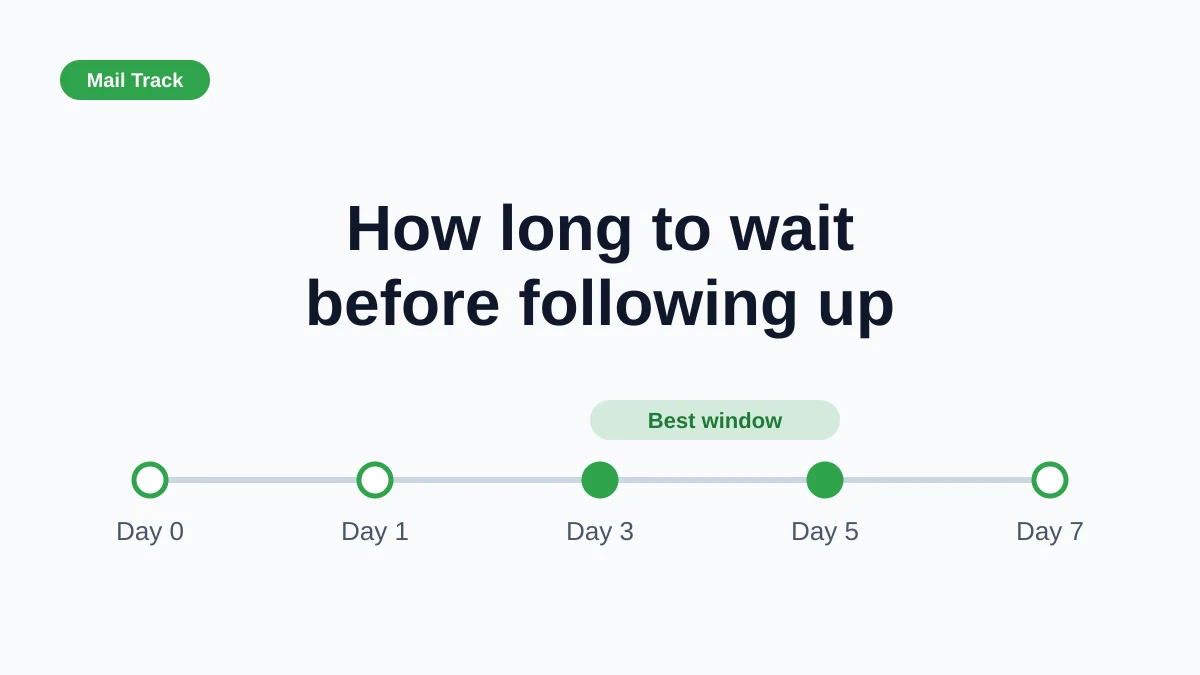
How Long to Wait Before Following Up on an Email (With Tracking Signals)
How long to wait before following up on an email? Use these waiting windows by situation, plus open and click signals in Gmail to time each follow-up.
10 Best Practices Sales Teams Can Use in Gmail
Explore 10 best practices sales teams can apply in Gmail, from subject lines and cadence to personalization, open signals, metrics, and privacy.