
How to Ask for the Day Off: Templates, Timing, and Tactics
Learn how to ask for the day off with confidence. Get email templates, timing tips, and real-world strategies to get your PTO request approved.

Only 49% of PTO requests were approved in the workforce data reported in March 2024, while more than a third of employees asked for PTO each month, according to HR Dive’s summary of BambooHR data. That gap changes the question. Asking for a day off isn’t merely about finding polite wording. It’s about giving your manager enough notice, clarity, and operational confidence to approve your absence without creating a staffing problem.
A strong request answers four questions immediately: What day will you be gone? What type of leave are you using? What work could be affected? Who will handle it? Employees who answer those questions before pressing Send make the decision easier. Employees who leave them unanswered force the manager to investigate, calculate risk, and possibly delay approval.
Why Most Day-Off Requests Get Denied
Less than half of PTO requests were approved in the workforce data reported in March 2024. Requests had reached a four-year high and risen about 11% annually since 2019, while more than a third of employees asked for PTO each month, according to the HR Dive report on PTO requests and approvals. The practical lesson is direct: submitting a request does not make approval automatic.
A denial rarely comes from the day off alone. It usually comes from the risk attached to the absence. Managers assess deadlines, customer coverage, overlapping leave, and the work that may fall on teammates. Your request gets approved when you reduce that risk before your manager has to ask questions.
The three triggers behind pushback
Poor timing creates the first problem. Asking during a product launch, audit, client deadline, or peak staffing period signals that you have not considered the team’s workload. A date that works during a quiet week may be difficult during a critical delivery window. Strategic timing gives your request a better chance before you write a word.
Vague reasoning creates the second. “Something came up” provides no useful context and can sound evasive. You do not need to disclose private details. Identify the category of absence instead, such as a personal appointment, family matter, or planned personal day. That gives your manager enough information to assess the request without demanding sensitive details.
No coverage plan creates the third. If your message makes your manager identify every handoff, deadline, and customer response, approval becomes extra work. State what you will finish, what can wait, and who can handle urgent matters while you are away. A concise plan often matters more than a lengthy explanation.
| Denial Trigger | Frequency | Manager’s Underlying Concern |
|---|---|---|
| Poor timing | Common | Will deadlines or staffing suffer? |
| Vague reasoning | Common | Is more information needed to classify the leave? |
| No coverage plan | Common | Who will absorb the employee’s responsibilities? |
Manager’s test: Can the team operate smoothly while this employee is away?
PTO may be earned, but scheduling still requires coordination. Eligibility to take leave is different from a request that can be approved without disruption. Address timing, context, and coverage directly, and you remove the reasons managers hesitate.
The Pre-Request Checklist That Gets Approvals
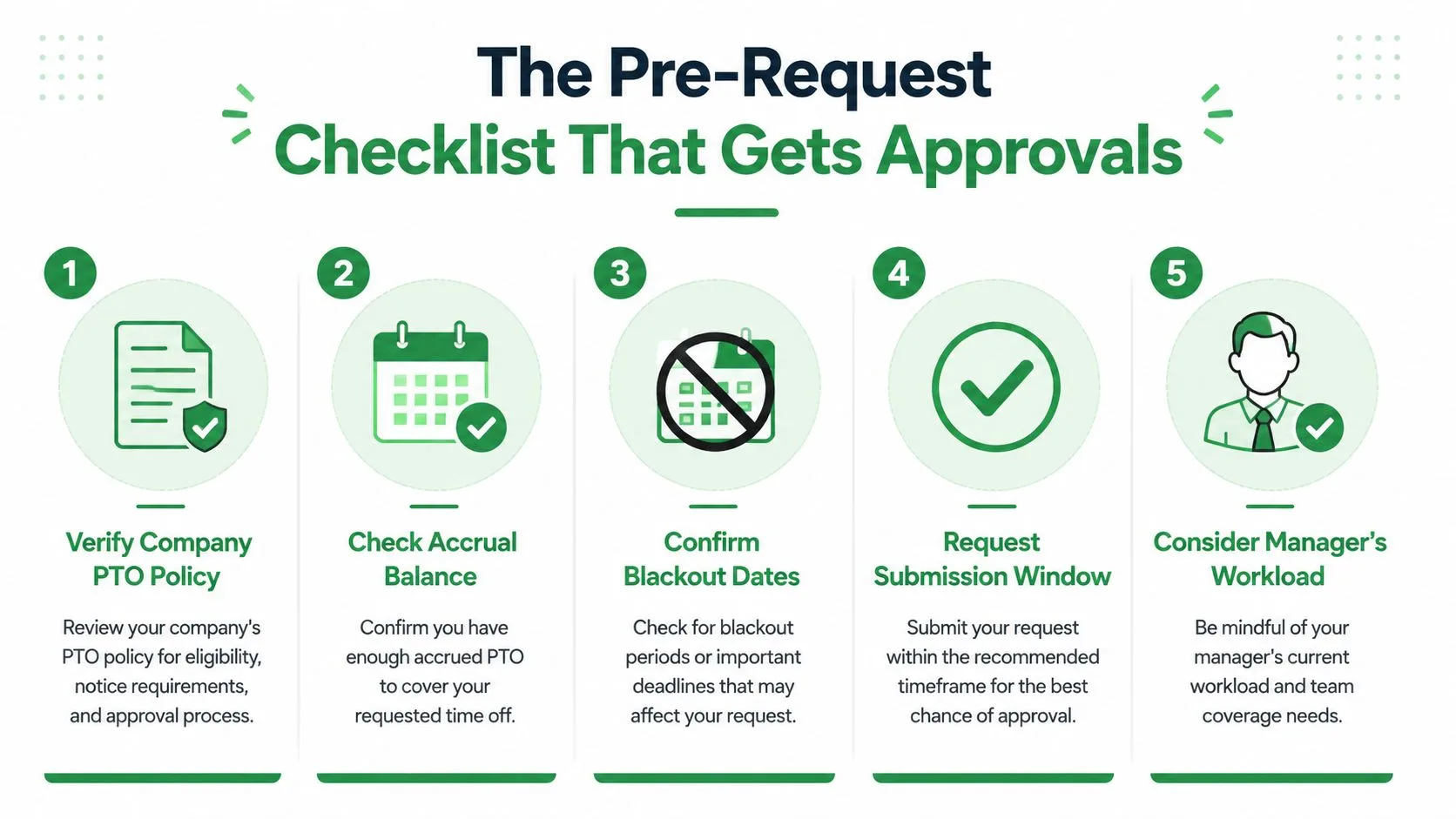
Do the preparation before you write the message. A manager should receive a request that already fits the policy and includes a workable answer for coverage.
Verify the policy and your leave balance
Start with the company’s PTO policy. Check your available balance, eligible leave types, blackout dates, approval workflow, and required documentation. Some employers use an HRIS portal, some require manager approval first, and some require both.
If your organization’s rules are unclear, review practical time off policy templates for 2026 from Paradigm International Inc. Use them to identify the questions you need to ask internally, not to assume that another employer’s rules apply to you.
Set the right notice window
For a single planned day, one to two weeks’ notice is a strong practical benchmark, as reflected in workplace guidance on asking for a day off. Longer breaks generally deserve more advance notice. Holiday-adjacent dates, major events, and periods when several colleagues request leave should be submitted as early as your workplace allows.
Legal rules can differ from etiquette, so don’t treat a general benchmark as a universal requirement. Your policy, contract, collective bargaining agreement, and local law may set a different standard.
Audit the calendar
Look for overlapping absences, project milestones, customer meetings, scheduled launches, and deadlines that fall on the requested date. If another key teammate is already away, identify the conflict before your manager does.
Then build the handoff. List unfinished work, identify the colleague who can cover urgent items, and confirm that person is willing. Don’t volunteer a teammate without checking first.
Consider your recent pattern
Review your recent absences and pending requests. A cluster of last-minute requests can make a reasonable new request look less predictable, especially if you haven’t closed out earlier handoffs. That doesn’t mean you should avoid taking legitimate leave. It means you should provide stronger context and documentation when your recent schedule could raise questions.
Writing a Request That Makes It Easy to Say Yes
The best request is short, complete, and operationally useful. Put the date in the first sentence, identify the leave type, give a brief reason, and explain how work will be handled.
A useful structure looks like this:
- Subject line: Include the exact date and the phrase “PTO request.”
- Opening sentence: Ask for the full day or specific duration.
- Reason: Use one concise line, such as “for a personal appointment.”
- Coverage: Name the colleague, handoff, or process already arranged.
- Close: Invite questions and thank the manager.
Lead with preparation when possible. “I’ve arranged coverage for my client responses with Jordan” sounds more responsible than “I was wondering if I could take Friday off.” Offer flexibility only when you have it. Don’t offer alternate dates that create a different problem.
Formal email template
Subject: PTO request for [Day, Date]
Hi [Manager’s Name],
I’ve arranged for [Colleague’s Name] to monitor [specific responsibility] while I’m away, and I’ve documented the open items in [location]. I’d like to request PTO for [Day, Date], for the full workday, for personal reasons.
I’ll complete [priority task] before I leave and will respond to any urgent handoff questions in advance. If that date creates a scheduling conflict, I can also take [alternate date], subject to your preference.
Please let me know if you need any additional information. Thank you for reviewing my request.
Best, [Your Name]
Informal Slack template
Hi [Manager], I’ve arranged coverage with [Colleague] for [specific task] and added the handoff notes to [location]. Could I take [Day, Date] off as PTO for a personal matter? I’ll finish [priority item] beforehand and can shift to [alternate date] if needed. Thanks.
That wording is direct without sounding demanding. It also avoids forcing your manager to ask what you’ll do about urgent work.
For recurring arrangements, be specific about the pattern and the operational effect:
Hi [Manager], I’d like to request a recurring half-day off each [day] from [time] to [time] for personal commitments. I’ll complete [responsibilities] beforehand, and [coverage arrangement] will handle urgent items. Could we review this schedule for [time period]?
Keep your email signature consistent with your normal workplace identity. If you’re updating that part of your workflow, this guide to professional email signatures can help you create a clear sign-off.
For delegation details, a practical delegation guide from Approved Lux can help you turn a vague handoff into a usable list of owners, deadlines, and escalation points.
Avoid phrases that create uncertainty:
- “I really need this.” It emphasizes personal urgency without explaining work coverage.
- “Something came up.” It sounds sudden and provides no useful category.
- “I’m taking Friday off.” It announces a decision instead of requesting approval.
- “Let me know if there’s a problem.” It shifts the planning burden to your manager.
Legal Notice Requirements Versus Workplace Etiquette
“Give two weeks’ notice” is workplace etiquette, not a universal legal rule. The correct notice period depends on the leave category, jurisdiction, policy, and whether the need was foreseeable.
For foreseeable FMLA leave in the United States, employees generally must provide 30 days’ advance notice when the need is known ahead of time, including situations such as birth, adoption, foster placement, or planned medical treatment, according to the U.S. Department of Labor’s FMLA-101 guidance. The FMLA was signed into law on February 5, 1993, and by 2023 had been in force for 30 years. It provides eligible workers with up to 12 weeks of unpaid, job-protected leave in a 12-month period for qualifying family and medical reasons, as explained in HR Dive’s history of the FMLA and paid leave.
The UK uses a different general rule. Workers must usually give notice at least twice the length of the leave requested plus one day, meaning a single day off requires three days’ notice, according to the UK government’s holiday booking guidance. Employers that refuse must generally provide notice matching that formula.
| Scenario | Legal Minimum | Etiquette Standard | Approval Impact |
|---|---|---|---|
| Planned vacation | Follow local law, policy, and contract | Ask one to two weeks ahead for a single day | Early notice gives managers room to balance staffing |
| Foreseeable FMLA leave | Generally 30 days’ notice when the need is known | Notify the designated contact as soon as practical | Clear classification protects the request and supports planning |
| Medical or protected absence | Depends on jurisdiction and leave category | Share only necessary information through the proper channel | Correct documentation reduces privacy and classification errors |
| Family emergency | Often governed by applicable policy or protected leave rules | Notify the manager immediately | Speed and a brief coverage note help limit disruption |
California became the first state to enact a statewide paid family and medical leave program in 2002, with full implementation in 2004, illustrating how leave protections have developed unevenly across the United States. California’s paid sick leave guidance also recognizes that employees may request leave orally or in writing through the California Department of Industrial Relations.
Use a jurisdiction-aware sequence: check the law, read the company policy, review any union or employment contract, then follow the employer’s documented process. Meeting the legal minimum may protect your rights, but giving practical notice and a coverage plan usually protects the working relationship too.
Handling Sensitive Reasons and Last-Minute Requests
You don’t owe your manager your private medical history, family details, or personal crisis narrative. You do owe the workplace enough information to identify the leave category, understand your availability, and arrange coverage.
For a planned sensitive absence, use a restrained script:
Hi [Manager], I’m requesting [date] off for a medical appointment. I’d prefer to keep the details private, but I’ll follow the required leave process and provide any documentation HR needs.
For a mental health day:
I’m not well enough to work today and need to use sick leave. I’ll update you by [time or next required checkpoint] about my expected return and will send the urgent handoff information now.
For a family crisis:
A family emergency requires my attention today. I need to take the day off, and I’m sending [specific task] to [colleague] before I step away. I’ll follow up when I know more.
These messages are more useful than “something came up” because they establish urgency, leave type, and next steps without oversharing.
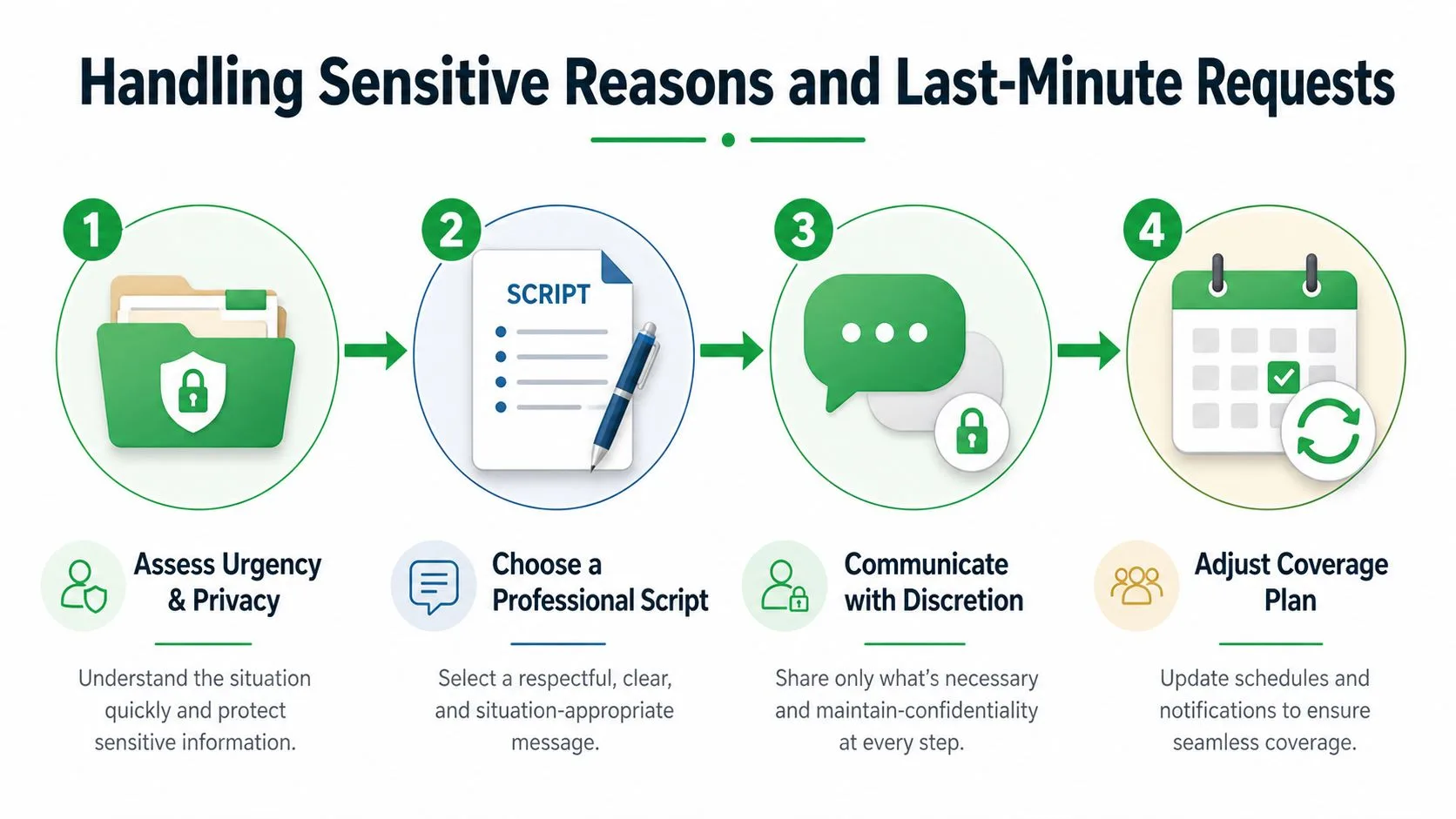
For an emergency that arises hours before a shift, contact the manager through the fastest approved channel first. If policy requires a call, call. If the manager doesn’t answer, leave a voicemail and send a written message so there’s a record. A concise follow-up email can document the request without exposing sensitive details.
Privacy rule: Explain the operational facts, not the intimate facts.
Use verbal communication when speed, emotion, or confidentiality makes a live conversation more appropriate. Follow it with a short written confirmation. For messages involving multiple recipients, review whether a Gmail blind-copy guide can help protect personal information, but don’t use hidden recipients to bypass your employer’s reporting process.
A last-minute request may still be legitimate, but don’t present it as an entitlement. State what happened, say what leave you’re using if known, identify the immediate coverage action, and tell the manager when you’ll provide the next update.
Follow-Up Tactics and Calendar Coordination
Approval is only the first checkpoint. A day off becomes disruptive when the calendar remains unchanged, stakeholders don’t know who owns urgent work, or the returning employee finds a backlog that could have been prevented.
Once approved, update the shared calendar and mark the absence according to your team’s visibility norms. Add an out-of-office message with the dates, a realistic return time, and the correct backup contact. Notify clients, recruiters, project leads, or other stakeholders who rely on your response, but don’t broadcast personal details.
Build a clean handoff
Your handoff note should name:
- Open work: What remains unfinished and where it stands.
- Owner: Who handles each urgent item during your absence.
- Deadline: Which dates or response windows matter.
- Escalation: Who should make a decision if the issue exceeds the backup person’s authority.
- Reference material: Links to the relevant files, systems, or messages.
A shared calendar review can prevent the same problems that affect broader scheduling. The calendar checklist from GRIT Virtual Assistants LLC offers a useful model for checking commitments, ownership, and calendar clutter before stepping away.
Confirm and close the loop
Check the schedule again about 48 hours before the absence when your workplace uses that kind of confirmation practice. This isn’t a second approval request. It’s a final check that a deadline, meeting, or coverage arrangement hasn’t changed.
Keep your PTO balance current in the HRIS or team tracking system, and set reminders for renewal or expiration rules where applicable. If a manager hasn’t acknowledged a documented request, use a concise follow-up email after no response rather than sending repeated emotional messages.
When you return, thank the colleague who covered your work, review urgent messages before resuming normal meetings, and close any handoff items promptly. A smooth return reinforces the same confidence that helped the original request get approved.
Mail Tracker for Gmail helps you confirm whether a time-off request or handoff email was opened by showing read receipts, open counts, timestamps, and real-time notifications inside Gmail. Visit Mail Tracker for Gmail to make follow-up timing clearer when an important workplace message is waiting for a response.
Ready to track your emails?
Add Mail Track for Gmail from the Google Workspace Marketplace and know the moment your emails are opened. Free and unlimited.
Add to GmailMore reading
More from Tutorials
How to Track Link Clicks in Gmail (and What a Click Really Tells You)
Learn how to track link clicks in Gmail, why Gmail does not do it natively, how tracked links work and how to read clicks without being fooled by scanners.

How to Find My Contacts in Gmail: A Practical Guide
Learn how to find my contacts in Gmail on desktop and mobile. Clear steps for Google Contacts, search tips, shortcuts, and contact details from emails.

Objection in Sales Explained and How to Handle It
Learn what objection in sales really means, why it happens, and proven frameworks to handle price, timing and trust objections with confidence.