
How to Track Link Clicks in Gmail (and What a Click Really Tells You)
Learn how to track link clicks in Gmail, why Gmail does not do it natively, how tracked links work and how to read clicks without being fooled by scanners.
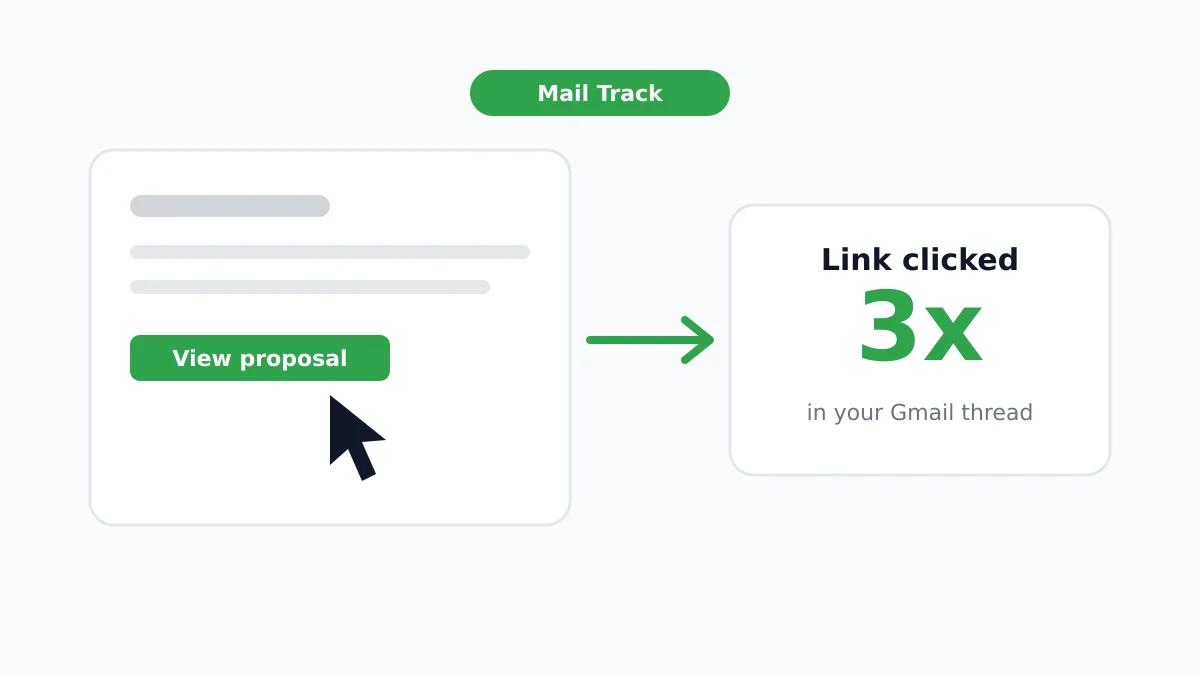
You sent a proposal link, a calendar link or a pricing page, and now you wonder if anyone clicked. The good news is that you can track link clicks in Gmail without leaving your inbox. The catch is that Gmail does not do it for you, and a click is not always a person.
This guide shows how click tracking works, three ways to set it up, and how to read the results honestly. It also shows where Mail Track for Gmail, a Chrome extension and Google Workspace add-on for email open and click tracking inside Gmail, fits in.
Does Gmail track link clicks on its own?
No. Gmail shows you the message, your sent folder and (with Google Workspace read receipts) an optional confirmation that a message was opened. It does not tell you whether a recipient clicked a link inside your email. Read receipts also say nothing about individual links, as explained in our guide to Gmail read receipts.
To get click data, something has to sit between the recipient and the destination page. That something is a tracked link.
How click tracking works
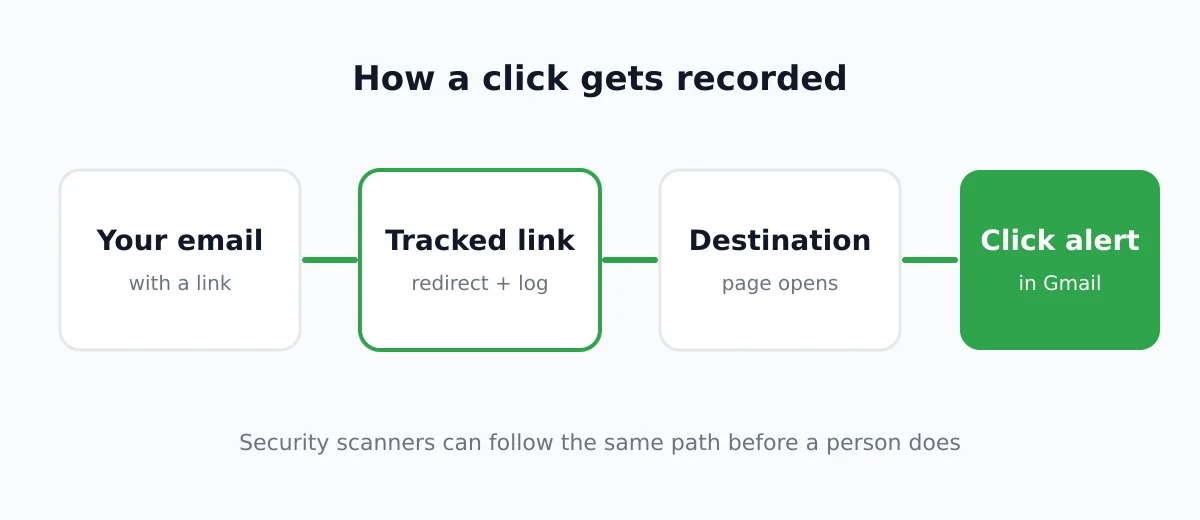
A tracked link is a normal link that points first to a tracking server and then forwards the visitor to the real page. The steps are short:
- You write your email with a link to your page.
- At send time the tool swaps the link for a tracked version.
- The recipient clicks and their browser asks the tracking server for the address.
- The server logs the click (with a time stamp) and redirects to your page in a fraction of a second.
- You see the click in your tool.
This is different from open tracking, which relies on a tiny hidden image. If you want the background, read our explainer on the email tracking pixel. Clicks need an actual request for the link, so they are generally a stronger signal than opens. They are still not perfect, more on that below.
Three ways to track link clicks in Gmail
Method 1: Use a Gmail click tracker
The simplest route is an extension or add-on that handles tracked links while you write. With Mail Track for Gmail you compose as usual, and the tool records opens and link clicks for you inside Gmail. You then follow up when a thread shows signs of life.
A few habits make any click tracker work better:
- Write full links. Include
https://so the tool recognizes the address. - Use descriptive link text. Hyperlink words such as “see the proposal” rather than pasting a long URL.
- Keep one main link per email. It makes the click easy to interpret.
- Send yourself a test. Click your own link once to confirm it registers and lands on the right page.
Method 2: Add UTM parameters and read Google Analytics
If you care about what happens after the click, UTM tags are free and reliable. Google explains in its help page on custom campaign URLs that you append parameters to the destination so Analytics learns where a visit came from. Google advises always using utm_source, utm_medium and utm_campaign, and it notes that values are case sensitive.
An example for a sales email:
https://example.com/pricing?utm_source=outreach&utm_medium=email&utm_campaign=october_followup
UTMs tell you about visits on your site, not about who clicked. They do not alert you in Gmail. They pair well with a click tracker, since the tracker tells you when and the analytics tell you what happened next.
Method 3: Use a short link service
Link shorteners with a click counter give you a number per link. This works for newsletters and public posts. For one-to-one sales email, a short link can look suspicious and a counter will not tell you which recipient clicked, so it is the weakest option here.
Why a click is not always a person
Click data is better than open data, yet it can be inflated. Mailchimp states in its documentation on bot activity that security scans, Apple Mail Privacy Protection and link previews can follow links or open emails before a recipient does, which can “falsely inflate open and click metrics.” Many companies run scanners that check every link in incoming mail for malware, and a scanner click looks just like a real one.
Common signs of a bot click:
- The click arrives within seconds of sending.
- Several links are hit in a rapid sequence.
- There is a click but you have no sign of an open or any reply.
For a deeper look at the limits of the signals, see how accurate email tracking is. The honest summary is that a click is a hint and not proof.
How to read clicks sensibly
- Weigh the pattern, not one event. A click hours after delivery, then another a day later, is a stronger sign than a single instant click.
- Match it with context. A prospect who clicked your pricing link right after a call is a warm lead.
- Check what happened next. UTM data or a booked meeting confirms interest.
- Never treat a click as consent or intent to buy. It means the link was requested.
Using clicks to time your follow-up
The best use of click tracking is timing. If someone clicked your link yesterday and has not replied, a short follow-up that references the topic is natural. If nobody opened or clicked after several days, change the subject line or the ask. Our guides on follow-up emails after no response and how long to wait before following up give wording and timing you can copy.
Be considerate too. Tracking should help you be relevant, not turn into pressure. Mention a link only in ways you would be comfortable saying out loud.
A quick setup checklist
- Install a Gmail click tracker such as Mail Track for Gmail.
- Write your email with one clear call to action link.
- Add UTM parameters if you use Google Analytics.
- Send a test to yourself and click it.
- Watch for clicks and treat instant ones with caution.
- Follow up with context when the pattern suggests interest.
FAQ
Conclusion
To track link clicks in Gmail you need a tracked link, because Gmail will not report clicks by itself. Use a click tracker for alerts, add UTM tags for what happens next, and read every click as a hint rather than proof. Ready to see opens and clicks right where you work? Try Mail Track for Gmail and follow up at the right moment.
Ready to track your emails?
Add Mail Track for Gmail from the Google Workspace Marketplace and know the moment your emails are opened. Free and unlimited.
Add to GmailMore reading
More from Tutorials
How to Find My Contacts in Gmail: A Practical Guide
Learn how to find my contacts in Gmail on desktop and mobile. Clear steps for Google Contacts, search tips, shortcuts, and contact details from emails.
Objection in Sales Explained and How to Handle It
Learn what objection in sales really means, why it happens, and proven frameworks to handle price, timing and trust objections with confidence.
How to Forward Emails in Gmail
Learn how to forward emails in Gmail with step-by-step instructions for single messages, automated filters, mobile setups, and troubleshooting silent failures.