
How to Make an Introduction Email That Gets Replies in 2026
Master how to make an introduction email that gets replies. Step-by-step guide with proven templates, subject lines, and timing strategies.
You’ve found the right person, written a thoughtful message, and pressed send. Then the inbox goes quiet. You start wondering whether the recipient missed the email, disliked the idea, or hasn’t had a reason to answer yet.
Learning how to make an introduction email work isn’t about adding more polish to a long self-description. It’s about reducing the effort required to understand your message, making the relevance obvious, and following up at a sensible moment. The best introduction emails feel specific, respectful, and easy to answer.
Why Most Introduction Emails Get Ignored
A prospect checks email between meetings and sees “Quick question.” The sender is unfamiliar, the opening says “I hope you’re doing well,” and the next paragraph lists a company, platform, and features. The message is deleted before the request appears.
The problem is usually relevance, not intent. Senders know their own work and expect interest to follow once they explain the details. Recipients first see an unfamiliar person asking for attention without showing why the conversation belongs in their day.
Email attention is uneven. Recent benchmark reporting places industry-wide open rates around 43.46% in 2025, with reported industry ranges from 30.1% to 55.71%, according to Pushwoosh’s email open-rate benchmark analysis. Earlier guidance put the average across industries at 21.5% in 2021, also covered in that analysis. An introduction email therefore needs to earn attention before it can earn a reply.
The recipient sees friction before value
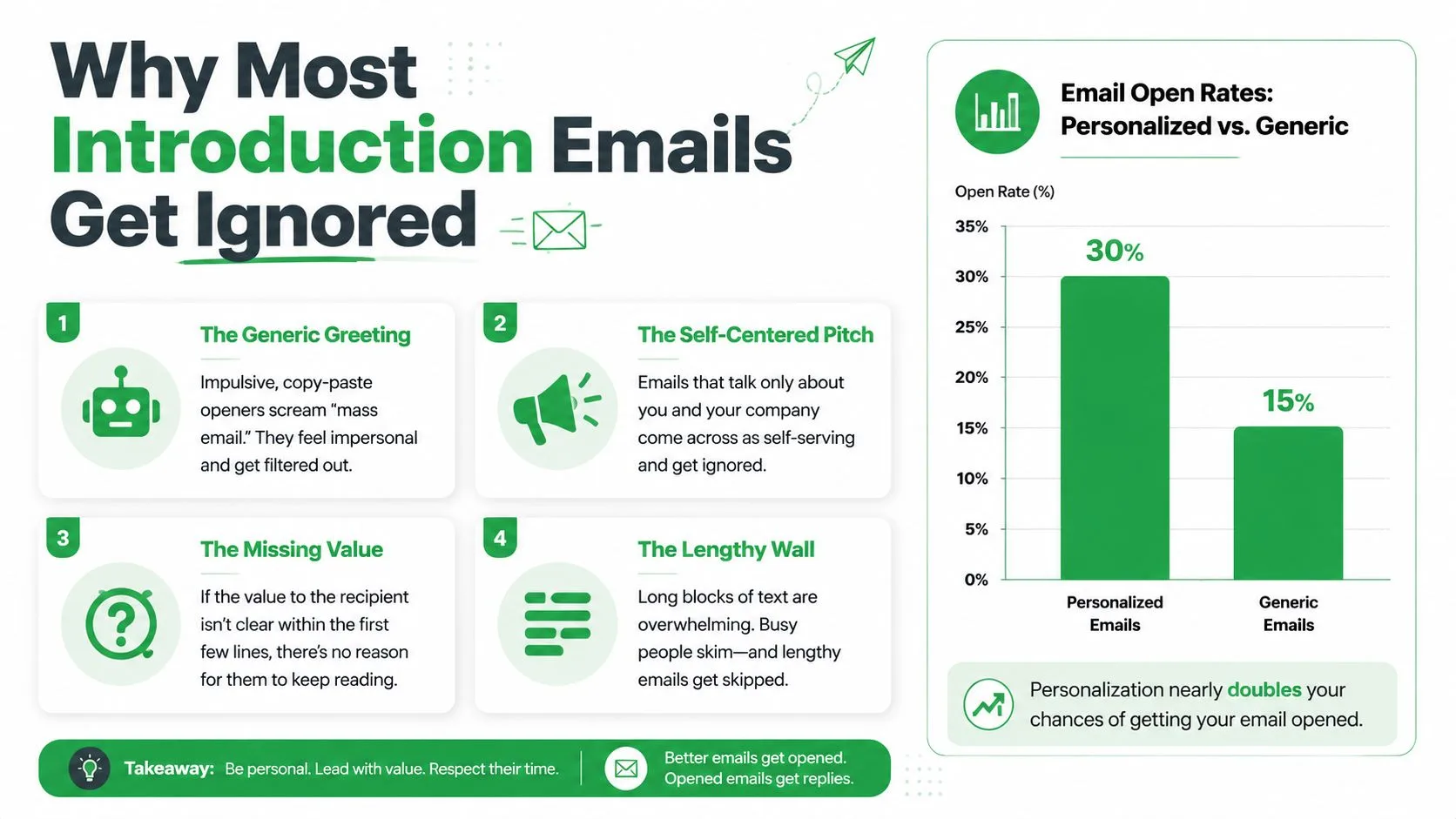
Four problems appear repeatedly:
- The generic greeting: “Hi there” offers no evidence that the message was written for this person.
- The self-centered pitch: The sender explains their background before giving the recipient a reason to care.
- The missing benefit: The recipient cannot tell what changes after replying.
- The lengthy wall: A long message demands sustained attention before earning it.
Personalization creates a recognizable connection. One dataset reported a 20.79% open rate for personalized cold emails versus 14.96% for generic messages, as documented by Mailmend’s welcome email performance data. That comparison does not make personalization a response guarantee. It shows why a relevant first line can help the reader continue.
Timing and follow-up matter too. Use Mail Tracker for Gmail to see whether a message was opened, then follow up based on that signal rather than sending repeated reminders blindly. The goal is to increase email engagement while respecting the recipient’s attention.
For ideas that make an initial exchange easier to answer, review examples that craft welcome conversation starters. Write for the person scanning the message, not for the sender proud of having written it.
The Core Framework for a High-Converting Intro
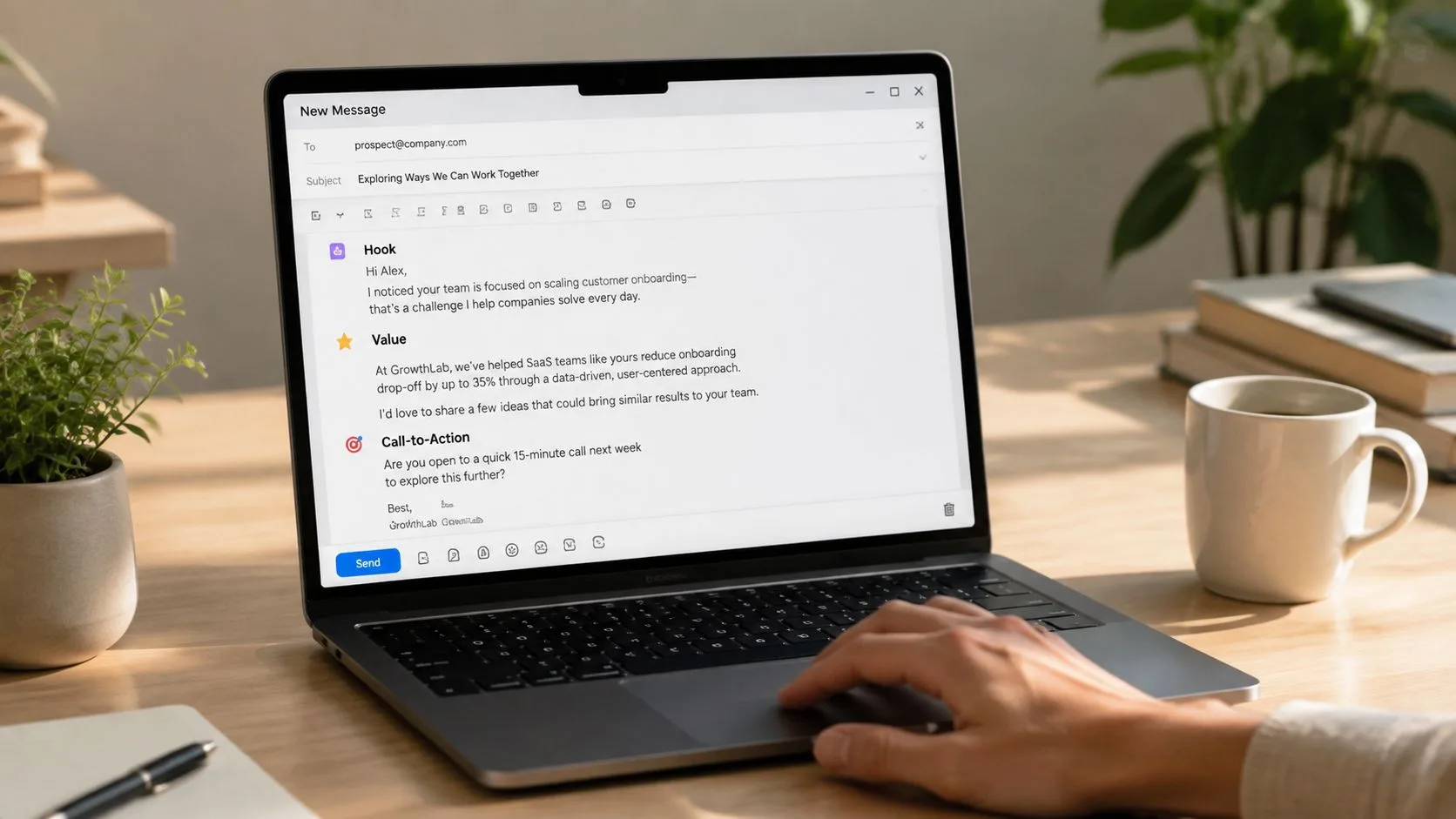
A reliable first-touch introduction has three jobs. It earns attention, connects your reason for writing to the recipient’s situation, and makes the next action easy. I use the Hook, Bridge, Ask structure because it prevents the two most common problems, vague personalization and unclear requests.
Start with the hook
Keep the first observation specific, true, and under 15 words. “I saw your company is growing” is too broad. “Your onboarding library now includes role-specific implementation guides” gives the recipient something concrete to recognize.
The hook shouldn’t flatter the recipient without purpose. It should prove that you understand a relevant detail.
Build the bridge
The bridge connects the observation to a plausible problem or opportunity. Don’t claim to know the recipient’s internal priorities. Use measured language:
“Teams making that transition often need a clearer way to see which customer questions remain unanswered.”
Then introduce yourself and your company in the smallest useful space. Your role matters only when it explains why you’re qualified to raise the topic. The message should usually stay between 50 and 100 words. Salesforce’s benchmark guidance, based on analysis of more than four million emails, found reply rates peaked at 8.2% in the 50 to 125 word range and fell to 3.9% at 200 to 300 words. See the supporting Salesforce email benchmark guidance.
A compact structure might look like this:
- Hook: “Your team recently expanded its customer education resources.”
- Bridge: “That often makes it harder to spot which follow-ups are waiting in individual inboxes.”
- Identity and benefit: “I’m Sam from a Gmail workflow company that helps teams identify opened messages and prioritize replies.”
- Ask: “Would a short conversation about your current process be useful?”
Finish with one ask
Choose one action. Ask for a reply, a short call, permission to send an example, or the name of the right contact. Multiple requests create work and make the recipient decide what matters.
The strongest CTA is low friction and specific without being demanding. “Would this be relevant to your team?” is easier to answer than “Are you available for a detailed product demonstration next week?”
Tailoring Your Approach for Different Audiences
The same structure changes meaning depending on the relationship. A candidate is assessing whether you respect their career, a sales prospect is judging relevance, and a prospective client wants confidence that you understand the assignment. Copying one template across all three situations produces the wrong emotional signal.
Recruiting candidates
Recruiting requires respectful curiosity. Lead with a genuine reason the person’s background caught your attention, then give enough context for them to judge the opportunity. Don’t hide the company, exaggerate the role, or push for a call before explaining why the message is relevant.
Recruiting example:
Subject: Product design role at Northstar
Hi Maya, Your work on simplifying complex onboarding flows stood out to me. I recruit for Northstar, where our product design team is improving the first-run experience for new customers. Would you be open to receiving the role overview?
Best, Jordan
The ask is deliberately small. The candidate can request more information without committing to an interview.
Sales prospects
Sales outreach should be value-first, not feature-first. Mention a credible observation about the prospect’s business, connect it to a problem your offering may address, and avoid presenting every capability in the first email.
Sales example:
Subject: Follow-up visibility at Acme
Hi Daniel, I noticed Acme is expanding its customer success team across several regions. That can make it harder to see which important client emails still need a response. I’m with a Gmail workflow provider that surfaces open activity and follow-up timing. Would it be useful to compare your current process?
Regards, Priya
This version doesn’t pretend the sender knows the prospect’s exact pain. It offers a relevant hypothesis and lets the recipient confirm or reject it.
Freelance services
Freelancers need professional clarity. Show the connection between your experience and the client’s visible need, then propose one practical next step. Don’t attach a portfolio before the recipient has asked for it unless the context clearly calls for one.
Freelance example:
Subject: Content support for your resource center
Hi Elena, I read your recent customer education post and noticed an opportunity to make the implementation steps easier to scan. I’m a freelance B2B writer focused on product education and onboarding content. Would you like me to send two relevant samples?
Best, Marcus
Your signature should reinforce trust without turning into a banner advertisement. For practical branding advice from AiHeadshots, focus on a clear name, role, company, and one useful contact path. The recipient should know who you are, not sort through a crowded block of logos and links.
Mastering Subject Lines and Send Timing
A subject line earns attention by making the email easy to classify. Recipients weigh the sender, context, and effort implied before deciding whether to open it. “Quick question” creates curiosity without explaining the reason for contact. “Introduction from your new account contact” gives the inbox a clear category.
Good subject lines are short, concrete, and consistent with the message:
- Introduction from Jordan at Northstar
- Following up on your onboarding resources
- Freelance content support for Acme
- Maya suggested I reach out
Curiosity works when the body immediately supplies the missing context. A vague hook may win an opening, then weaken trust when the email offers no clear reason to continue.
Timing the first send
B2B cold-email analyses often favor Tuesday through Thursday mornings, around 8 to 10 AM in the prospect’s local time zone. The same recommendations generally discourage Friday afternoons, weekends, and very early Monday sends, as summarized in Flowstrata’s B2B cold-email timing analysis.
Context should override a generic calendar. A recruiting note tied to an active application may need prompt delivery, while a partnership introduction can wait for a working period when the recipient can evaluate it.
Timing also matters after delivery. Benchmark research reports an average business email response time of about 12 hours and 10 minutes, while customers expect replies within 1 hour. A separate 2026 analysis measured 4 hours and 10 minutes during business hours and 12 hours and 55 minutes elapsed across 22 industries. Another benchmark reported 14 hours and 54 minutes elapsed for customer-facing replies in Q1 2026. These figures appear in Mailover’s email response-time research.
Use a Mail Tracker for Gmail to record opens and identify when a recipient engages, then schedule a relevant follow-up rather than guessing. Send-time optimization guidance can help refine delivery windows, but tracking cannot compensate for an irrelevant introduction. Relevance still determines whether timing produces a reply.
The Art and Timing of the Follow-Up
A follow-up shouldn’t repeat the original email with “just checking in” added at the top. It should either clarify the request, add useful context, or give the recipient an easy way to decline. Persistence works best when each message reduces uncertainty rather than increasing pressure.
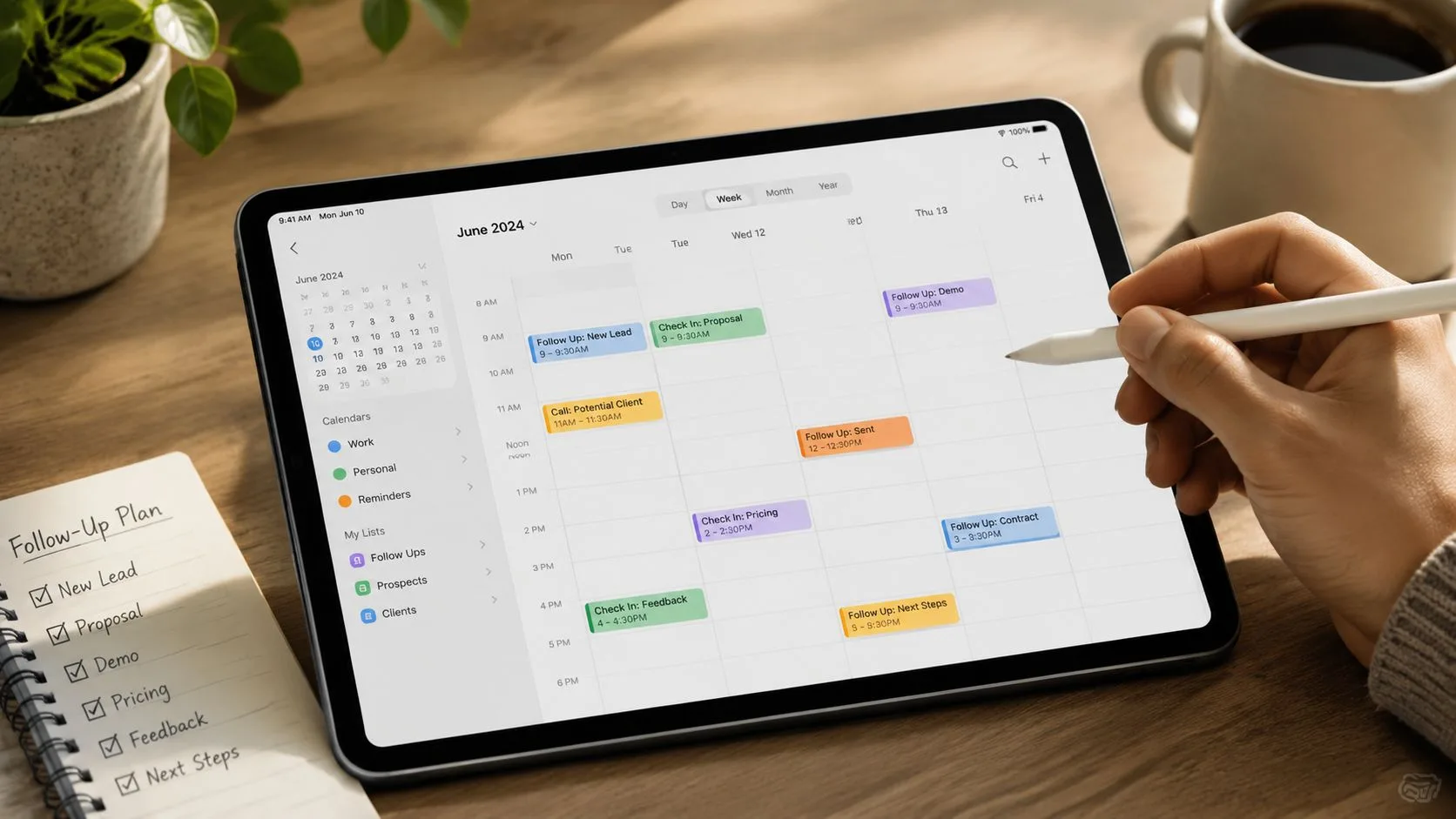
A practical sequence starts with the initial introduction, then gives the recipient working time before another touch. Benchmark-style guidance favors waiting at least 3 business days before following up, while small-batch outreach is generally preferred to broad blasts. The right interval varies by urgency, relationship, and role, so treat the timing as a floor for courtesy rather than a rigid promise.
Add a reason to reply
Use the first follow-up to make the original request easier to process:
Follow-up example:
Hi Daniel, I’m checking back on my note about follow-up visibility for your customer success team. If this isn’t on your agenda, no problem. If it is, I can send a short overview of the workflow rather than book a call.
Best, Priya
That message gives the recipient a lower-effort option and a graceful exit. A later follow-up can close the loop: “I’ll leave this with you for now. If follow-up visibility becomes a priority, feel free to reply here.”
Follow-up matters because a substantial share of replies can arrive after the first email. One benchmark-style source reports that about 42% of replies can arrive after the initial message, and it also reports that a follow-up increased reply rates by almost 50%. Review the supporting Prospeo introduction email examples for the broader timing context. Keep those figures as directional benchmarks, not guarantees for every audience.
Replace guessing with observed timing
The question “Did they see it?” often leads people to send an anxious second email too soon. A Gmail tracking add-on such as Mail Tracker for Gmail can show read receipts, open counts, timestamps, and real-time desktop or mobile alerts inside Gmail. That information can help you distinguish an unopened message from one that was opened but hasn’t received a reply, although an open event isn’t proof that the recipient read every word or intends to respond.
Use tracking as a prioritization signal, not as permission to pressure someone. If an important message is opened while you’re available, a timely, relevant response may make sense. If it’s opened repeatedly without a reply, send a value-adding follow-up or stop rather than reacting to every event.
For wording and spacing, use this guide to follow up after no response.
A short demonstration can also help teams understand how follow-up timing fits into a daily workflow:
Final Checklist Before You Hit Send
Before sending, read the message as the recipient would. They don’t know your internal context, your product history, or how much time you spent drafting the note. If the relevance isn’t visible quickly, the email still needs work.
Use this final check:
- Confirm the purpose: Can the recipient tell why you’re writing without rereading the message?
- Personalize the opening: Is the first observation specific, true, and relevant to their role?
- Cut the biography: Have you removed background details that don’t support the immediate conversation?
- Check the length: Is the first-touch email within the recommended 50 to 100 words, supported by the benchmark guidance cited earlier?
- Use one CTA: Does the recipient have one clear action, rather than several competing requests?
- Match the tone: Would this wording feel appropriate for a candidate, prospect, client, peer, or senior contact?
- Review the subject: Does it explain the reason for contact without vague curiosity?
- Remove unnecessary attachments: Attachments and heavy graphics can create friction, and one dataset reported that removing them could double response rates, as summarized in Mailmend’s performance statistics.
- Proofread names and links: A wrong name or broken link can undo otherwise careful personalization.
- Plan the next touch: Decide what new value you’ll add if the recipient doesn’t respond.
The best introduction email is not the one that says the most. It’s the one that gives the right person enough context, relevance, and confidence to take one simple next step.
Mail Tracker for Gmail adds read receipts, open counts, timestamps, and real-time desktop and mobile notifications to Gmail, helping you choose follow-up timing with more context. If you want to stop guessing which introduction threads deserve attention, visit Mail Tracker for Gmail and explore the tracking options for your workflow.
Ready to track your emails?
Add Mail Track for Gmail from the Google Workspace Marketplace and know the moment your emails are opened. Free and unlimited.
Add to GmailMore reading
More from Tutorials
How to Track Link Clicks in Gmail (and What a Click Really Tells You)
Learn how to track link clicks in Gmail, why Gmail does not do it natively, how tracked links work and how to read clicks without being fooled by scanners.
How to Find My Contacts in Gmail: A Practical Guide
Learn how to find my contacts in Gmail on desktop and mobile. Clear steps for Google Contacts, search tips, shortcuts, and contact details from emails.
Objection in Sales Explained and How to Handle It
Learn what objection in sales really means, why it happens, and proven frameworks to handle price, timing and trust objections with confidence.