
Send Time Optimization: The Gmail Playbook for 2026
Master send time optimization in 2026 with proven Gmail tactics, A/B test methods, and AI timing strategies that lift opens, replies, and revenue.
From January to November 2021, send time optimization emails averaged a 22.82% open rate versus 11.26% for standard emails, a near 2x lift in a campaign setting, not a lab model (IQVIA fact sheet). That gap is why timing keeps showing up in email strategy conversations, because open rate is usually the first gate before clicks, replies, and conversions ever have a chance to happen.
The mistake many make is treating send time optimization like a calendar trick. It isn’t “Tuesday morning” or “9 a.m. in your timezone.” It’s a per-recipient prediction problem, where the system looks at prior engagement and estimates when each person is most likely to open, then releases the message in that window (Oracle Eloqua, Dynamic Yield glossary).
For Gmail senders, that distinction matters even more. Most timing advice is written for batch email platforms, but sales reps, recruiters, account managers, and founders usually send one-to-one or one-to-few messages. That means the core unit of optimization is the message, not the campaign, and the best hour only helps if you can act while the recipient is paying attention.
What Send Time Optimization Does
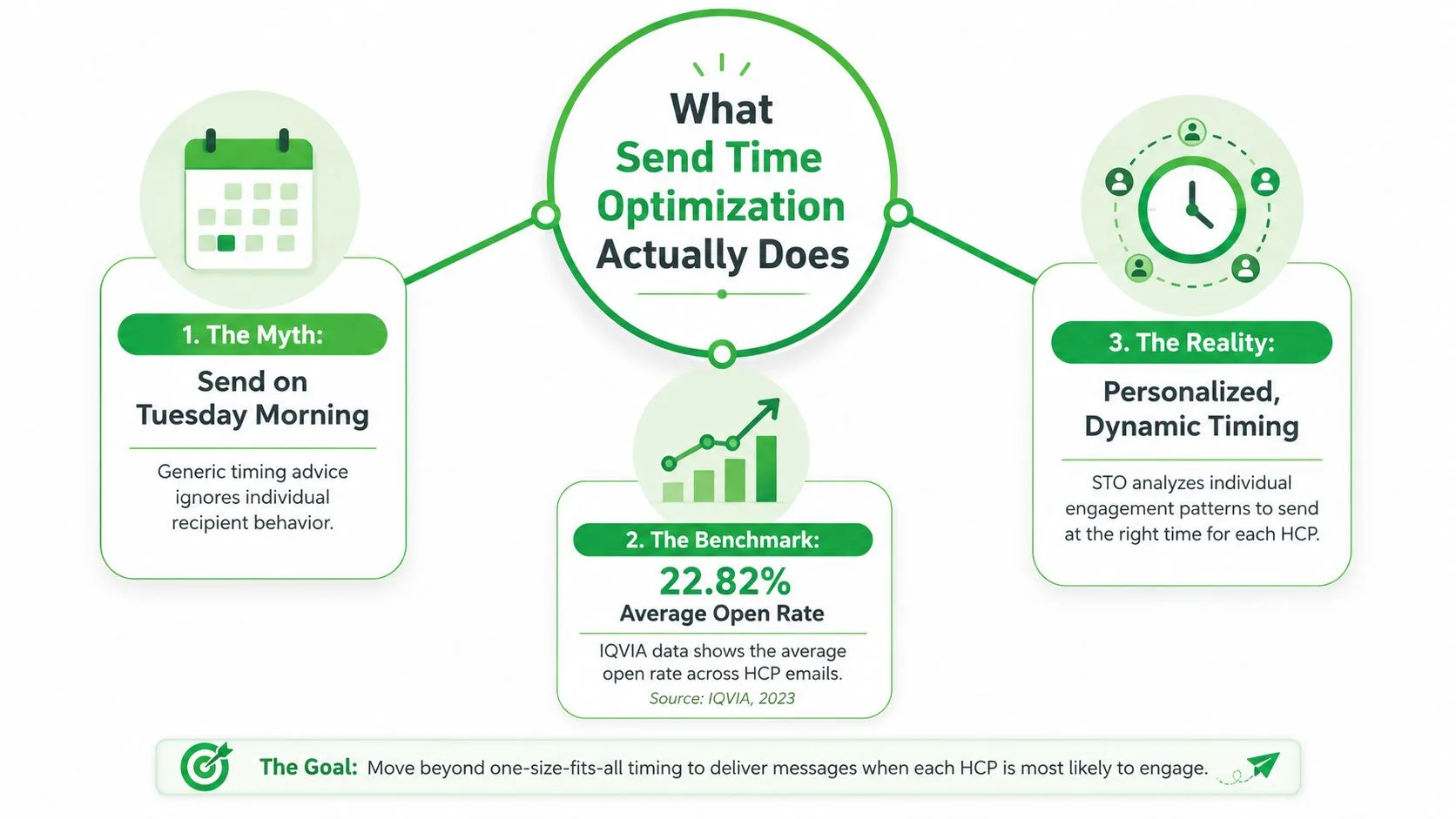
Send time optimization chooses the delivery window for each person based on how that person has engaged before. In practice, the system is not asking, “When do recipients usually open email?” It is asking, “When does this specific contact usually open or click?” The difference sounds small, but it changes the whole operating model.
The cleanest way to think about it is simple. A normal batch send pushes the same message to everyone at once. STO scores historical behavior, then schedules delivery around the contact’s likely open window, which Oracle Eloqua describes as sending in the hour around each contact’s optimal time (Oracle Eloqua). That makes STO a prediction layer, not a fixed rule.
The IQVIA benchmark shows why teams pay attention. Their fact sheet reports 22.82% average open rate for STO emails versus 11.26% for standard emails from January to November 2021, which is roughly a 2x lift (IQVIA fact sheet). That does not mean every sender gets that result, but it does show why timing is treated as a serious lever rather than a cosmetic tweak.
Practical rule: if you can only change one thing, change timing only after the list and subject line are stable.
Gmail is a special case because the workflow is personal and immediate. A sales rep does not need a full campaign calendar to benefit from timing. They need a better release moment for a proposal, intro, or follow-up, which is why timing should be tied to a real sending habit, not a generic best-time chart. For readers who want a broader automation lens, this pairs well with smart email workflows, especially when timing decisions are part of a larger process rather than a one-off guess. If you want to see how open timing is usually discussed in practice, a closer look at email open rates helps separate timing from the other factors that shape inbox behavior.
The clean mental model is simple. STO predicts a window for each person, uses behavioral signals to choose that window, and then sends when the odds of engagement are highest. The value comes from scale, because even small timing gains matter when the message volume is large or the follow-up window is short.
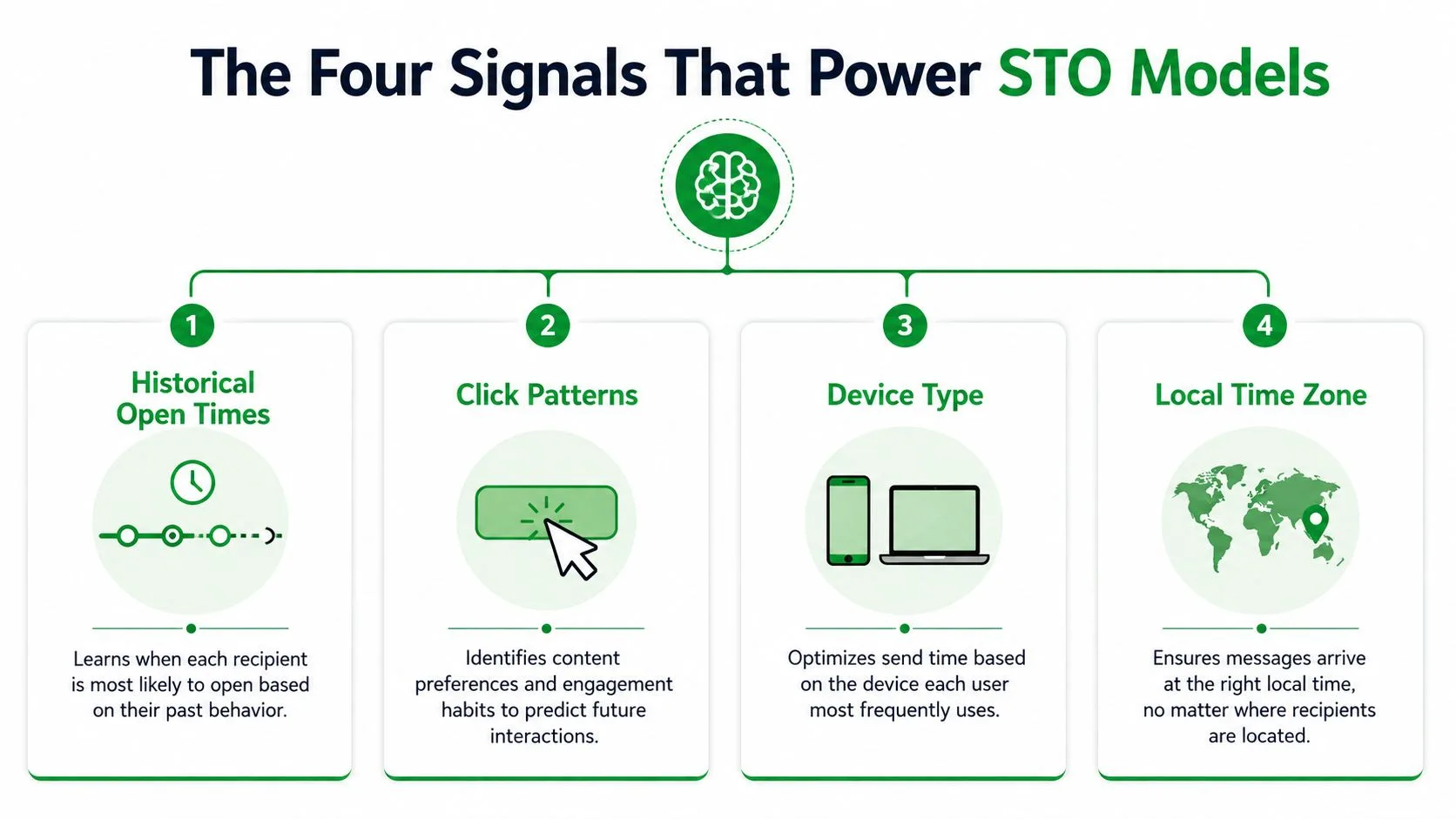
The Four Signals That Power STO Models
A send-time model does not pick an hour at random. It scores behavior, then uses the strongest patterns to estimate when a message is most likely to get attention.
Historical open times and click patterns
Open times show when someone checks email, which is different from when the message landed in the inbox. That difference matters because delivery time and attention time are often out of sync. Click patterns usually carry even more weight, since a click points to intent, while an open can still be a quick scan.
That is why timing guidance usually starts with engagement history. The model looks for repeat behavior, then uses it to estimate a better send window. If you want a practical bridge between timing and measurement, a close look at email open rates helps separate true attention from the rest of inbox activity.
Device type and local time zone
Device type helps sort out how people handle email during the day. Someone who opens on a phone while moving between meetings does not behave like someone who clears the inbox at a laptop after lunch. Local time zone keeps the sender from relying on a clock that only makes sense on the sender’s side.
This is why a probabilistic model works better than a fixed “Tuesday at 10 a.m.” rule. The fixed rule assumes the list moves in one rhythm. The model assumes routines vary by device, geography, and work style, so the same send time will not fit everyone. New contacts and dormant lists are harder to score because the model has less history to work with, which makes the signal thinner and the prediction less certain.
The pattern is only as good as the behavior behind it.
Where the model gets its signal
The four inputs usually work together. Open history shows attention habits. Clicks show intent. Device type shows how the person tends to interact with email. Local time zone keeps those habits aligned with the recipient’s day rather than the sender’s.
That also explains why STO can underperform when the trail is weak. If opens are sparse, clicks are inconsistent, or time zone data is wrong, the model has less to score and the result gets noisier. A team using recommended signal tools can improve that input layer, but the timing system still depends on enough clean behavior to read. Analysts looking at Monday.com describe the same core pattern, send-time models work best when they can combine several signals instead of guessing from one weak clue.
Seasoned operators treat STO like a scoring system. It can improve timing, but it cannot fix a weak list, bad time-zone data, or a message that never gets real engagement in the first place.
Choosing the Right STO Strategy for Gmail Senders
Gmail users usually don’t begin with machine learning. They begin with a crowded inbox, a real list, and limited time. The better path is to choose the lightest timing method that fits the list, then move to a more advanced layer only after the earlier one gives you usable results.
Start with segmentation when the list is mixed
Segmentation is the lowest-friction first step. If your outreach includes sales prospects, recruiting candidates, and customer follow-ups, do not force them into one send window. Split by role, industry, seniority, or outreach type so you are not comparing people who read email on different schedules.
A practical emailing strategy helps here, because timing decisions get cleaner once the audience is grouped by intent rather than treated as one blob. Segmentation will not create predictive timing by itself, but it will stop you from averaging away differences that matter.
Normalize time zones before you do anything fancier
Time-zone normalization is the first hygiene fix that pays off. If you are sending to distributed contacts and your timing is based on your own clock, you are already adding noise. A recipient in London and a recipient in Austin should not be judged as though they live inside the same workday.
Rule of thumb: fix timezone math before you test send windows, or the test result will not mean much.
Use A/B/n testing to validate the window
A/B/n testing is the validation layer. Send the same message at a few candidate windows, then compare opens and replies. Keep the copy stable so timing is the only variable that changed.
That matters because timing tests fail fast when the message itself keeps shifting. If one version has a stronger subject line or a more urgent ask, you will not know whether the window helped or the wording did the work. Simple tests are easier to trust.
Move to machine learning only after you have enough history
Machine-learning timing makes sense when volume and history justify it. Industry guidance places the impact of personalized send timing in the 5% to 15% open-rate improvement range, and one 2026 analysis says personalized timing can move average batch-email open rates from 18%–22% to 28%–35% (Kumo.ai). The same analysis estimates that for a brand sending 50 million emails per month, each 1 percentage-point increase in open rate can be worth $1–$2 million annually in downstream revenue.
The reason those numbers matter is simple. Small programs do not need a heavy model to learn the basics, because the list itself often changes too quickly for timing predictions to stay stable. Large programs have enough repeat behavior for a machine-learning layer to help, especially when the sender is already cleaning segmentation, time zones, and message quality.
For Gmail senders, the question is not whether STO sounds advanced. It is whether the list has enough clean behavior for timing to matter more than the content, the targeting, and the follow-up process. When those pieces are weak, even a good model has little to work with. When they are in order, timing becomes one more way to improve a system that already works.
Turning Timing Into a Live Follow-Up Signal
A sales rep sends a proposal at the recipient’s predicted best hour. The email opens within the attention window. The rep replies while the thread is still warm, before the recipient gets buried in the rest of the day. That’s where timing starts paying for itself.
The value isn’t just that the email arrived at a better hour. The value is that the sender saw the opening at the right moment and used it. In Gmail, a native tracker can turn that into a live workflow instead of a postmortem. The sender gets open confirmation in real time, then uses the same-hour window for a follow-up, a call, or a short clarifying note.
That matters because batch platforms usually create a delay between engagement and action. By the time someone checks a dashboard hours later, the timing advantage has already faded. In one-to-one outreach, the edge comes from the immediate response, not from the send alone.
The practical setup is straightforward. Install from the Google Workspace Marketplace, enable real-time desktop and mobile push notifications, and use the tracking view that fits the plan, visible signatures on the free tier or an invisible tracker on Premium. Daily email reports are useful too, because they show which threads are pulling attention and which ones need a nudge.
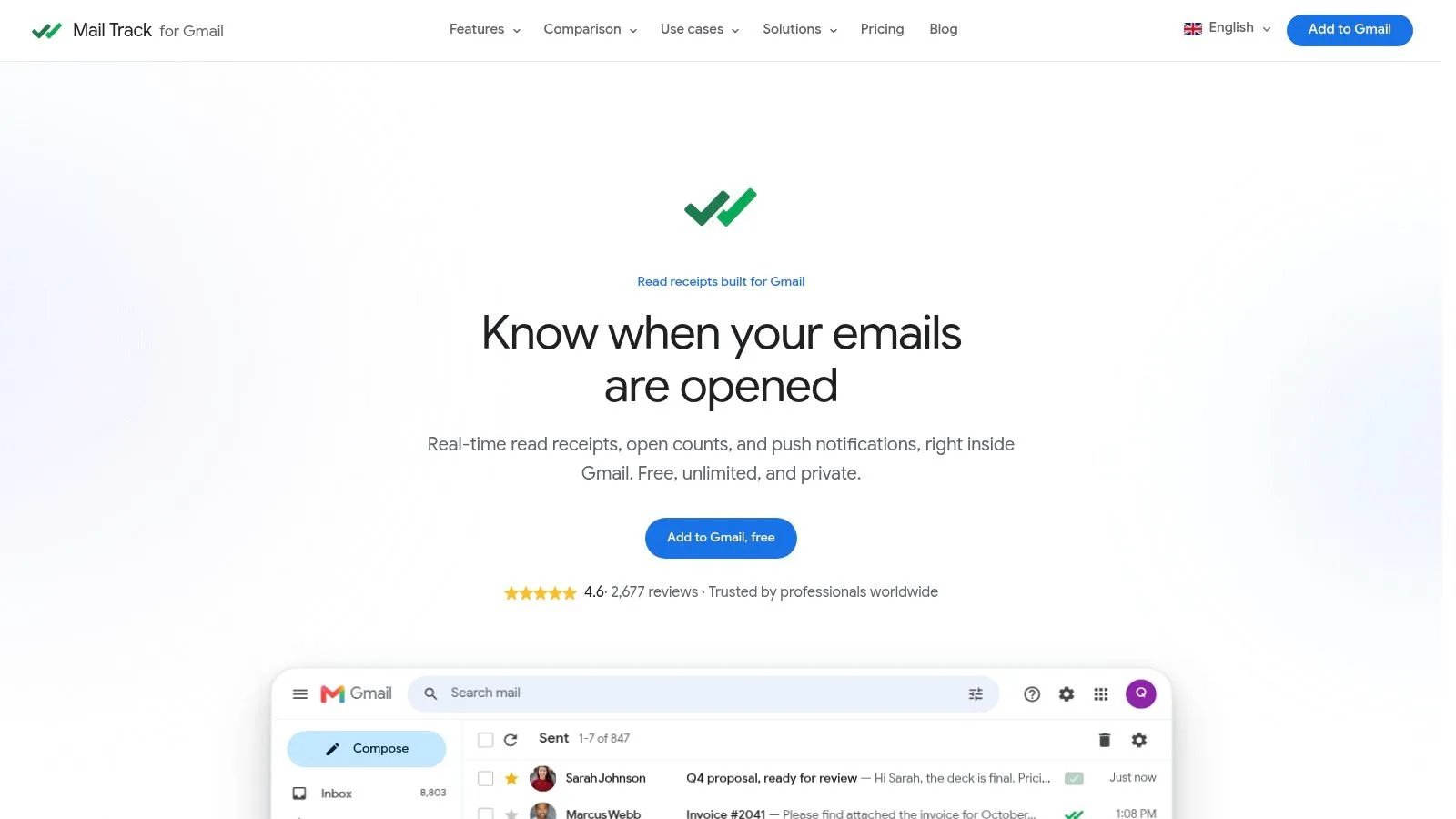
For teams that live in Gmail, the operational question is simple. Can you react while the contact is still in the inbox? The Google Workspace Marketplace rating for Mail Tracker for Gmail is 4.6/5 from 2,677+ reviews, which at least tells you the workflow has been widely used in real Gmail environments.
If you want a tactical follow-up template after an open or no response, the guide on follow-up email after no response is a practical companion. The point is not to automate pressure. The point is to stop missing the narrow window where a timely reply still feels natural.
Where Send Time Optimization Quietly Fails
STO looks strongest when the data is rich and the recipient habit is stable. It gets shaky when either one falls apart.
New contacts and dormant lists
New leads don’t have enough open history to support high-confidence timing. Dormant contacts are just as tricky, because the last meaningful open may be so old that it no longer reflects current behavior. Higher Logic’s support guidance says systems may fall back to the scheduled time or spread sends across throttle windows when there’s no recent engagement data, which makes a fallback rule mandatory, not optional (Higher Logic support).
Mobile-first inbox behavior
Mobile-first recipients can make timing look better or worse than it really is. Push notifications and inbox re-ranking can surface the message later than the original send moment, which weakens the simple “send at the right hour” story. That’s why timing should be treated as one input, not the whole plan.
Weak content still loses
A weak subject line, stale list, or irrelevant offer won’t be rescued by perfect timing. That’s the part many timing articles skip. Timing can improve the chance of engagement, but it can’t fix poor targeting or a message nobody wanted in the first place.
STO is a prioritization tool, not a guarantee.
One more boundary matters. Effective optimization generally needs months of engagement history, so cold outreach, brand-new subscribers, and tiny personal lists are often outside the high-confidence zone. That doesn’t make STO useless. It just means the model needs enough signal before it can outperform a simple schedule with confidence.
The safest operating rule is to use STO where it can help, and keep a fallback for where it can’t. If the model is weak, the email still needs to stand on list quality, subject line clarity, and a real reason to reply.
A Phased Implementation Plan for Gmail Users
Start with measurement, not with theory. A Gmail sender can build a usable timing system in layers without overhauling the whole stack.
Phase 1 and 2, baseline and segmentation
Install tracking from the Google Workspace Marketplace, turn on real-time open notifications on desktop and mobile, and spend two weeks recording your current open and reply behavior. That gives you a baseline that isn’t guesswork. Then split outreach by role, industry, or seniority and compare when each segment tends to engage.
Phase 3 and 4, testing and prediction
Run matched timing tests at three candidate windows. Keep the message as similar as possible so you learn something real from the result. Once you’ve collected a few months of behavioral data, layer in a platform-side STO feature or a timing tool that can override your manual rule when the model has enough history to trust it.
Phase 5, monthly review
Review the patterns every month. If lift disappears, the bottleneck may be list hygiene, subject lines, or a change in audience behavior rather than timing itself. A timing program only stays useful when the sender keeps checking whether the model is still learning the right patterns.
The comparison below is a simple way to think about the options.
| Strategy | Best For | Data Needed | Typical Lift |
|---|---|---|---|
| Segmentation | Mixed lists with obvious audience differences | Role, industry, or seniority labels | Qualitative improvement in relevance |
| Time-zone normalization | Distributed audiences | Local time data | Qualitative improvement in delivery timing |
| A/B/n timing tests | Teams validating one send window against another | Open and reply history | Qualitative lift when the winner is clear |
| Machine-learning STO | Larger programs with steady history | Months of engagement signals | Strongest fit once behavior is stable |
If you want a short operational reference for delaying messages inside Gmail, the internal guide on delay send on Gmail fits neatly alongside this rollout.
Optimization Checklist and Key Takeaways
Send time optimization gets useful when you stop treating it like a universal best hour and start treating it like a recipient-specific signal. It’s strongest when the list has history, the timezone data is right, and someone can react while the open is still fresh. It’s weakest when the list is cold, the content is weak, or the inbox has already re-sorted the thread.
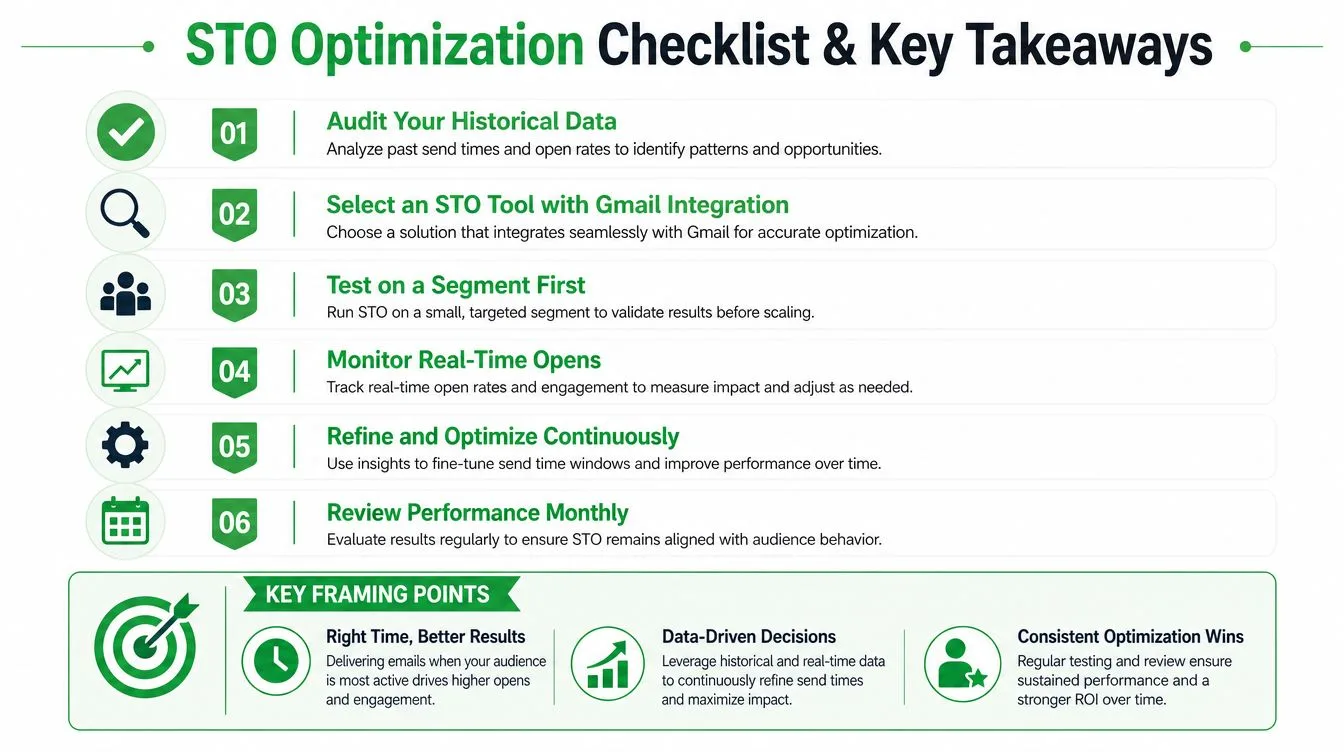
A fast checklist makes the decision easier:
- Audit your timing history. Look at opens, replies, and time zones before changing the send window.
- Segment the list. Separate roles, industries, or outreach types so patterns aren’t blended together.
- Test three windows. Compare matched sends instead of trusting a gut feel.
- Watch opens in real time. Follow up while the thread still has attention.
- Check monthly. If timing stops working, inspect list quality and subject lines first.
- Keep a fallback. When data is thin, send on schedule instead of pretending the model knows more than it does.
The three framing points that matter most are simple. STO is per-recipient, not universal. Timing without a follow-up trigger leaves value on the table. A weak signal plus a strong model still produces a weak result. That’s why the Gmail sender’s edge comes from turning predicted timing into same-hour action through native tracking.
If you want a cleaner way to connect timing, opens, and immediate follow-up inside Gmail, visit Mail Tracker for Gmail. It gives you real-time open alerts, read receipts, and Gmail-native tracking so you can act while attention is still live.
Ready to track your emails?
Add Mail Track for Gmail from the Google Workspace Marketplace and know the moment your emails are opened. Free and unlimited.
Add to GmailMore reading
More from Guides

How Accurate Is Email Tracking? What Opens Really Tell You
How accurate is email tracking in Gmail? Learn why opens get overcounted or missed, how to spot false opens, and which signals to trust before you follow up.

Email Tracking Pixel: How It Works, How to Spot One and Where It Falls Short
What is an email tracking pixel, how does it show an open in Gmail, how can you find one, and why Gmail and Apple Mail proxies limit what it can tell you.

7 Example Email Accept Job Offer Templates
Use these 7 example email accept job offer templates for formal, concise, and enthusiastic replies, with subject lines, clauses, and sending tips.