
Follow Up Email in Gmail: Timing, Templates and Tracking
Master the follow up email in Gmail with proven timing rules, native features, templates, and real-time tracking to boost replies without annoying recipients.
Most Gmail follow-up advice starts with a calendar rule: send one reminder after three days, then stop. That’s too simple for the way modern inboxes work. A follow-up email in Gmail should respond to context and credible engagement signals, not just the passage of time. An opened message, a silent thread, a recent meeting, and an unanswered proposal each call for a different next move.
Open tracking also deserves less confidence than it used to receive. Gmail senders have reported quarter-over-quarter open-rate drops of 30% or more, while Apple Mail Privacy Protection can inflate open metrics, making opens directional rather than definitive (cold-email benchmark coverage). The practical question isn’t only “When should I follow up?” It’s “What do I know about this thread, and what action helps the recipient respond?”
Why Most Gmail Follow-Up Advice Falls Short
A follow-up is often the difference between a missed opportunity and a reply, but generic persistence advice treats every silent thread the same. One benchmark summary found that adding at least one follow-up raised reply rates from about 9% to around 13%. Another dataset reported 27% for campaigns with at least one follow-up, compared with 16% for single-email outreach (follow-up email benchmark data). The practical lesson is narrower than “send more.” Silence can reflect workload, timing, an unclear request, or low priority.
The execution gap matters. The same benchmark reports that 42% of all replies come from follow-up messages, yet 48% of salespeople never send any follow-up. A first email can be relevant and still disappear beneath newer work. Returning to the thread with a sharper reason to respond gives the recipient a better decision path.
Persistence needs calibration
A next message should earn its place in the thread. A client waiting for a promised document, a warm contact after a meeting, and a cold prospect receiving an unsolicited pitch require different handling. Context should determine the signal, the message, and the amount of pressure.
A useful follow-up changes at least one variable:
- The value: Add a relevant observation, resource, answer, or piece of context.
- The effort: Ask for a smaller action, such as confirming the right contact or choosing between two options.
- The timing: Adjust the wait based on urgency, recipient type, and the decision already underway.
- The tone: Remove pressure when the recipient has no obligation to reply immediately.
Practical rule: Do not send a reminder because the calendar says so. Send it when the thread provides a reasonable next step and your message makes that step easier.
Open tracking can support that judgment, but it cannot prove that someone carefully read the email. A visible open may come from a privacy system, a security scanner, or an image request unrelated to meaningful attention. Treat it as one weak signal, then check the thread history, the recipient’s prior behavior, the promised response window, and any recent engagement before following up.
The right question is not only when to send. It is what changed, if anything, that makes another message useful now.
The Data Behind Optimal Follow-Up Timing and Cadence
Sequence data supports persistence, but only within a clear limit. The 2026 cold-email benchmark report records a 4.1% reply rate for a one-email sequence, 6.64% after one follow-up, and a peak of 6.94% for a three-email sequence. Sequences with 5 or more emails dropped to 3.01%. For cold outreach, two or three total sends are a reasonable operating range, not a fixed rule for every thread.
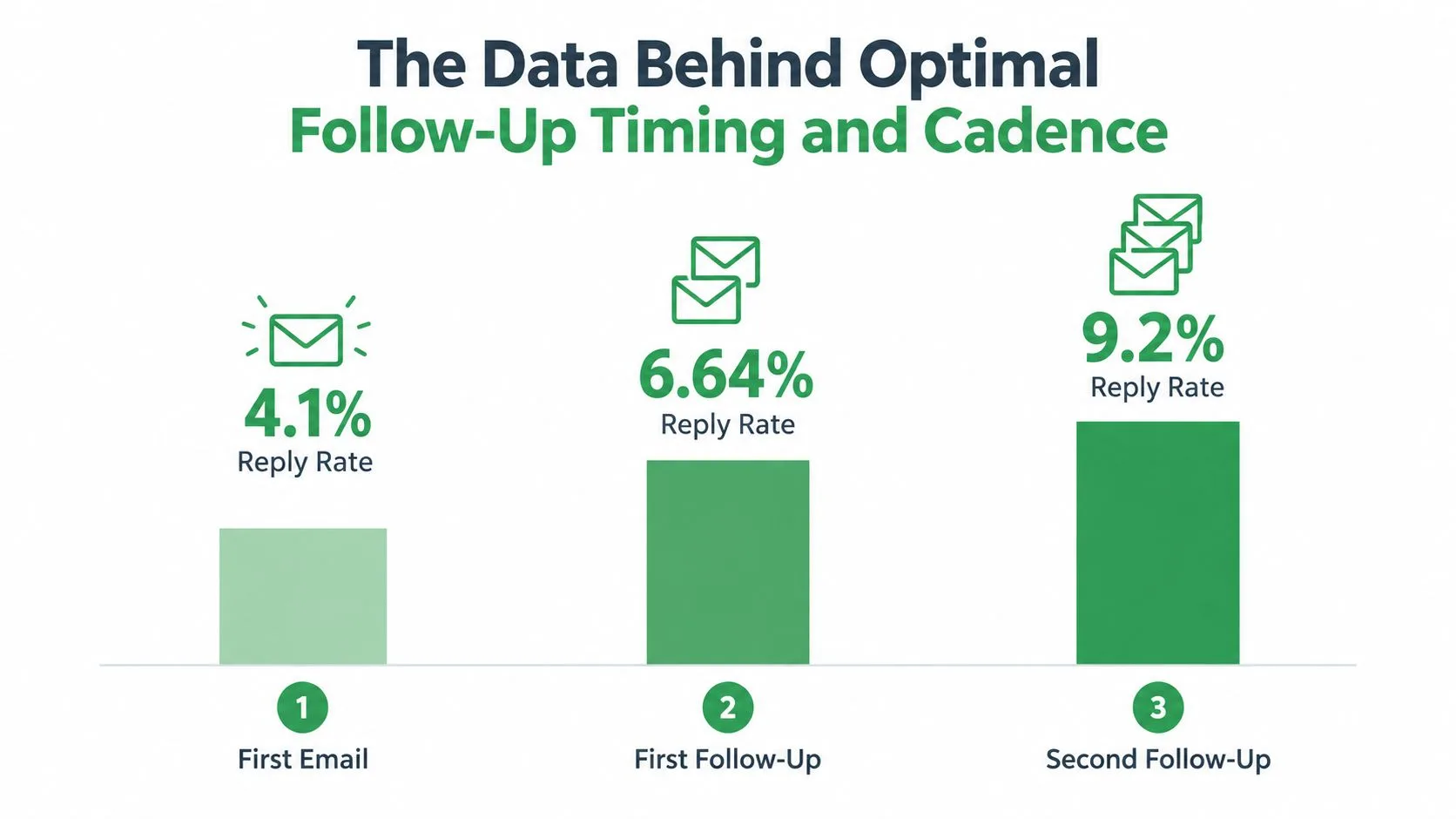
The practical takeaway is to treat cadence as a diminishing-return problem. The first follow-up can recover attention. Later messages need a stronger reason to exist, such as a new observation, a clearer choice, or information that changes the decision. Repeating the opening with different wording adds volume without adding value.
Match cadence to the thread
Cold outreach calls for restraint because the recipient did not request contact. Give the first message room, then make the follow-up brief and materially different. A second attempt can narrow the idea or ask an easier question. If the thread still has no useful signal, close it rather than extending a sequence of identical nudges.
Recruiting conversations depend on the candidate’s level of engagement. Someone who has discussed role scope, timing, compensation, or interview logistics may need a prompt that removes uncertainty. Silence from a candidate calls for more room and useful context, not an assumption that urgency will improve the response.
Active client threads can justify faster follow-up when an agreed deliverable, approval, or project dependency is blocking work. Use that commitment as the trigger. State the decision needed, identify the consequence of delay, and make the next action easy to complete.
Send time still affects delivery context. Gmail users can use this send-time optimization guide to coordinate scheduling with the recipient’s working pattern and the requirements of the thread.
Use engagement as supporting evidence
Open data can help prioritize a review, but it should not determine cadence on its own. A recorded open may reflect technical activity rather than deliberate reading, so a sender should weigh it alongside clicks, replies, calendar actions, previous conversations, and the response window already established.
The follow-up engagement research offers useful context for evaluating sequence performance, but benchmarks describe groups, not individual recipients. A prospect who clicked a resource may merit a specific follow-up now. A client who promised an answer by a given date should be contacted according to that commitment. A cold contact with no interaction should receive fewer, more purposeful attempts.
The strongest trigger is a meaningful change in the thread. Use the calendar to prepare the task, then use context and engagement to decide whether sending the next message helps the recipient take a real step.
Using Gmail Native Features to Streamline Follow-Ups
Gmail already contains most of the mechanics needed for a disciplined follow-up workflow. The challenge is configuring them so the inbox reminds you at the right moment instead of forcing you to search through old threads.
Schedule the message before you lose the thread
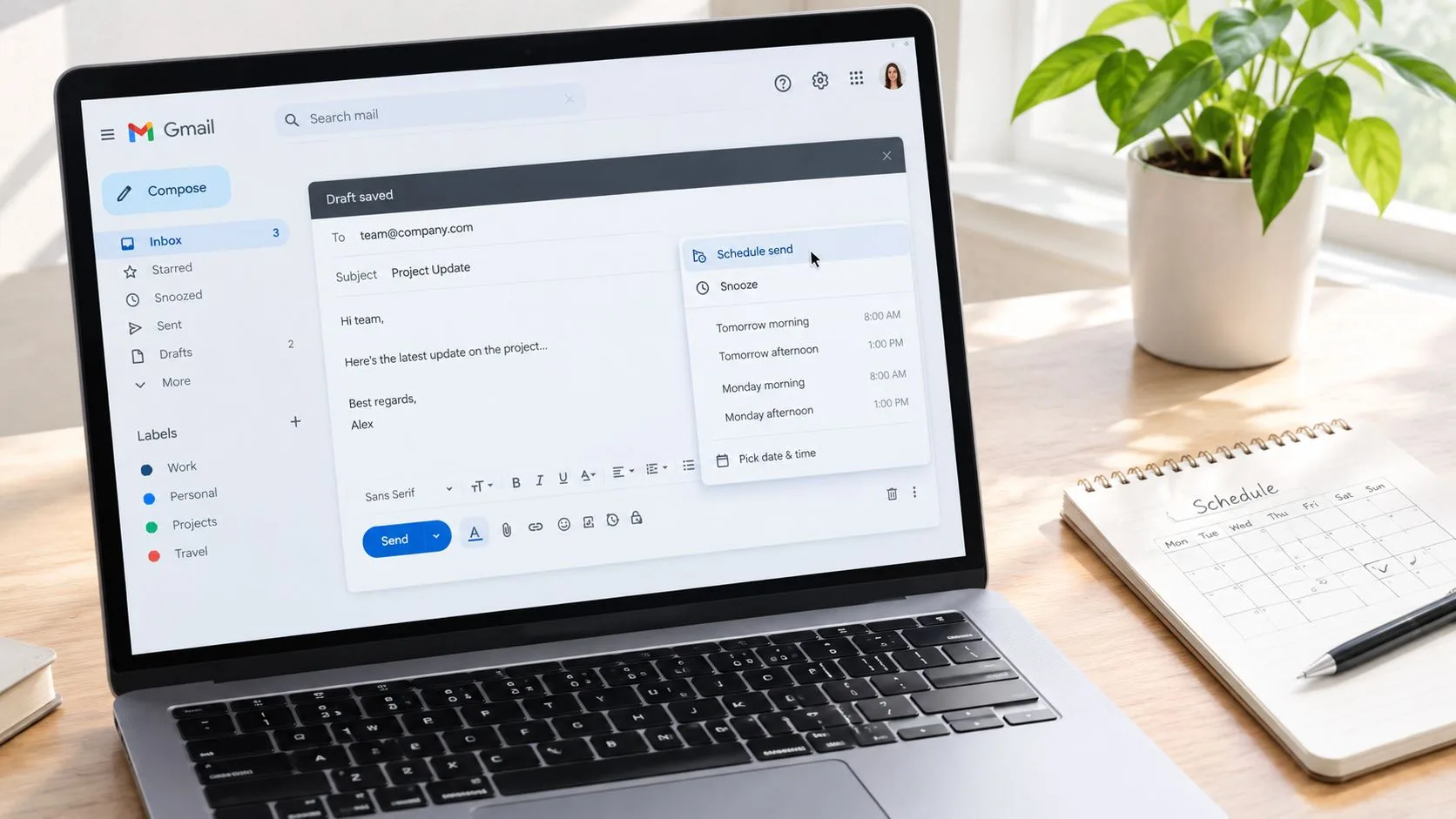
Write the follow-up while the context is fresh. Instead of sending immediately, select the arrow beside Send, choose Schedule send, and select a suggested time or a custom date and time. This works well for planned outreach, post-meeting recaps, and messages that should arrive during the recipient’s working window.
Scheduling separates writing from delivery. You can prepare a thoughtful message after a call, then avoid the temptation to send a cold-outreach reminder before the thread has had enough time.
Snooze the conversation, not your responsibility
For an incoming message that needs a later response, select the Snooze clock icon and choose a date and time. Gmail removes the thread from the inbox until that moment. Snooze is useful when the recipient has asked you to reconnect later, when a decision depends on an upcoming event, or when you need to wait for information before replying.
Schedule send controls when your message leaves Gmail. Snooze controls when Gmail brings a conversation back to your attention. Mixing those purposes creates missed follow-ups, so use each feature deliberately.
Build templates around situations
Turn on templates under Settings, See all settings, Advanced, then enable Templates. In a draft, select the three-dot menu, choose Templates, and save the message. Later, insert it from the same menu, then rewrite the opening, context, and call to action before sending.
A useful library might include:
- Post-meeting recap: Summarize the agreed action and ask for one confirmation.
- Proposal check-in: Name the proposal and offer a simple decision path.
- Cold outreach follow-up: Add one new relevant observation instead of repeating the pitch.
- Close-the-loop note: Give the recipient a polite way to defer or decline.
Gmail’s conversation threading has supported this kind of chain management since the service launched publicly on April 1, 2004, with 1 GB of free storage and threading that grouped related messages together (Gmail follow-up workflow history). Smart Reply arrived in 2017, and Smart Compose followed in 2018, but automated suggestions still need human editing. For outreach projects that involve asking site owners for placements, this guide to link building via email outreach offers useful context on organizing those conversations without losing the personal details.
Tracking Email Opens with Mail Tracker for Gmail
Native Gmail read receipts are narrower than many users expect. Google says they aren’t available for personal @gmail.com accounts, and eligible work or school accounts still require the recipient to approve the receipt (Google’s Gmail read-receipt guidance). In Google Workspace, an administrator can disable receipts, restrict them to internal or allowlisted addresses, or permit broader requests, but recipients may still be prompted before a receipt returns (Google Workspace read-receipt settings).
That makes native receipts suitable for controlled internal workflows, not dependable outreach measurement. Workspace settings may also take up to 24 hours to propagate after an administrator changes them (Google Workspace administration discussion). If your follow-up process depends on knowing whether a message was opened, that delay matters.
What an inbox-based tracker adds
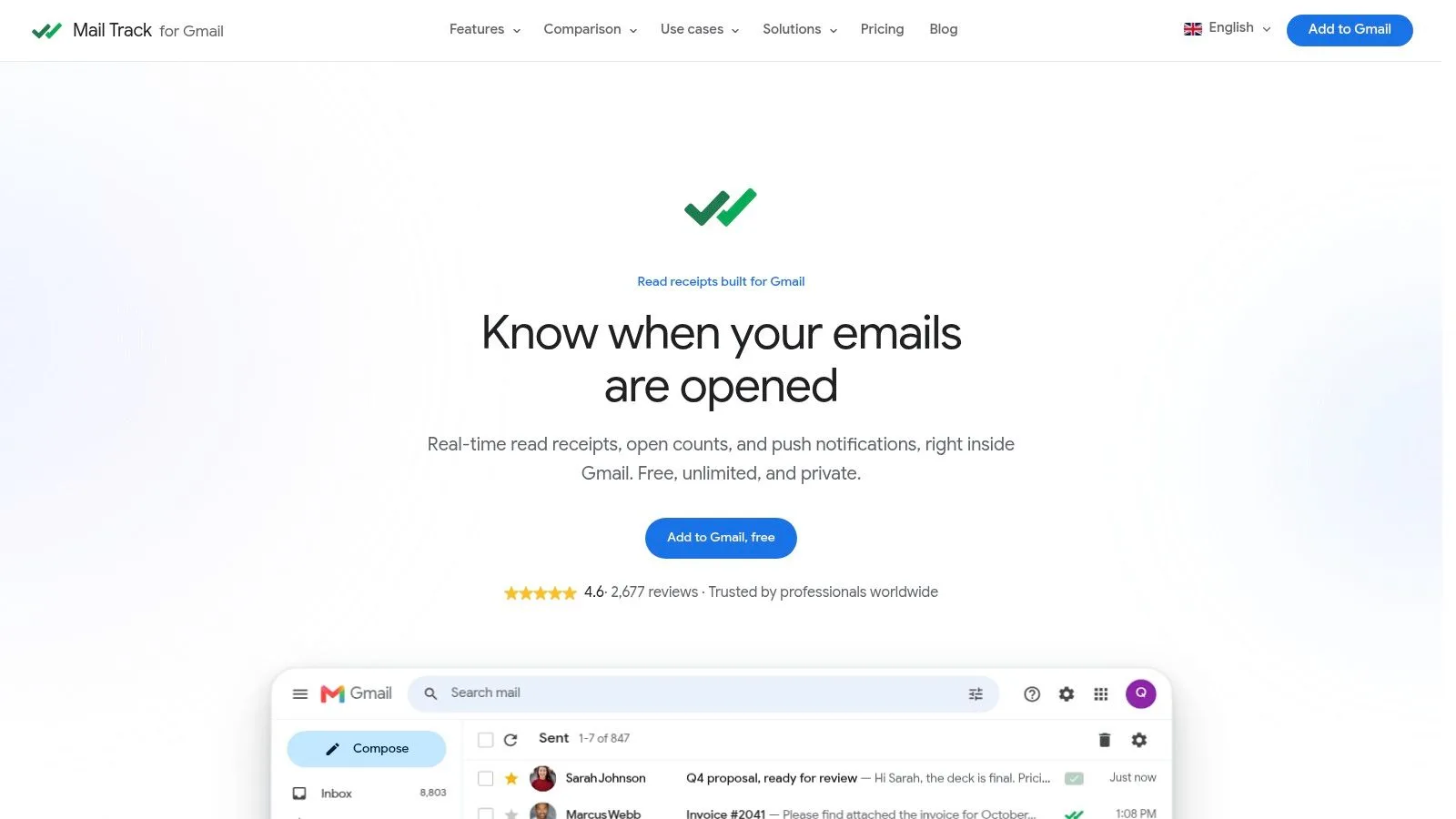
Mail Tracker for Gmail displays double check marks, open counts, and per-message timestamps within Gmail. It can send push notifications on desktop and mobile, and it supports tracked sending and alerts through Gmail on Android and iOS. The free plan includes a visible tracking signature, while Premium provides an invisible tracker, along with daily reports and fuller tracking history.
The product records open events rather than reading email content, which gives teams a way to monitor engagement without handing message contents to a separate workflow. Its public Google Workspace Marketplace listing shows a 4.6/5 rating from more than 2,677 reviews, as provided by the publisher’s product information. The product name is Mail Tracker for Gmail, not the generic category “mail tracker for Gmail” or “email tracker for Gmail.”
Use open notifications as prompts to inspect the thread, not as commands to send immediately. If a prospect opens a message once but has no other engagement, stay with the planned cadence. If a known contact repeatedly revisits a proposal, the signal may justify a more useful message that answers a likely question or offers a smaller next step.
A practical walkthrough of the surrounding workflow is available in this guide to email tracking for Gmail.
Building a Follow-Up Decision Framework
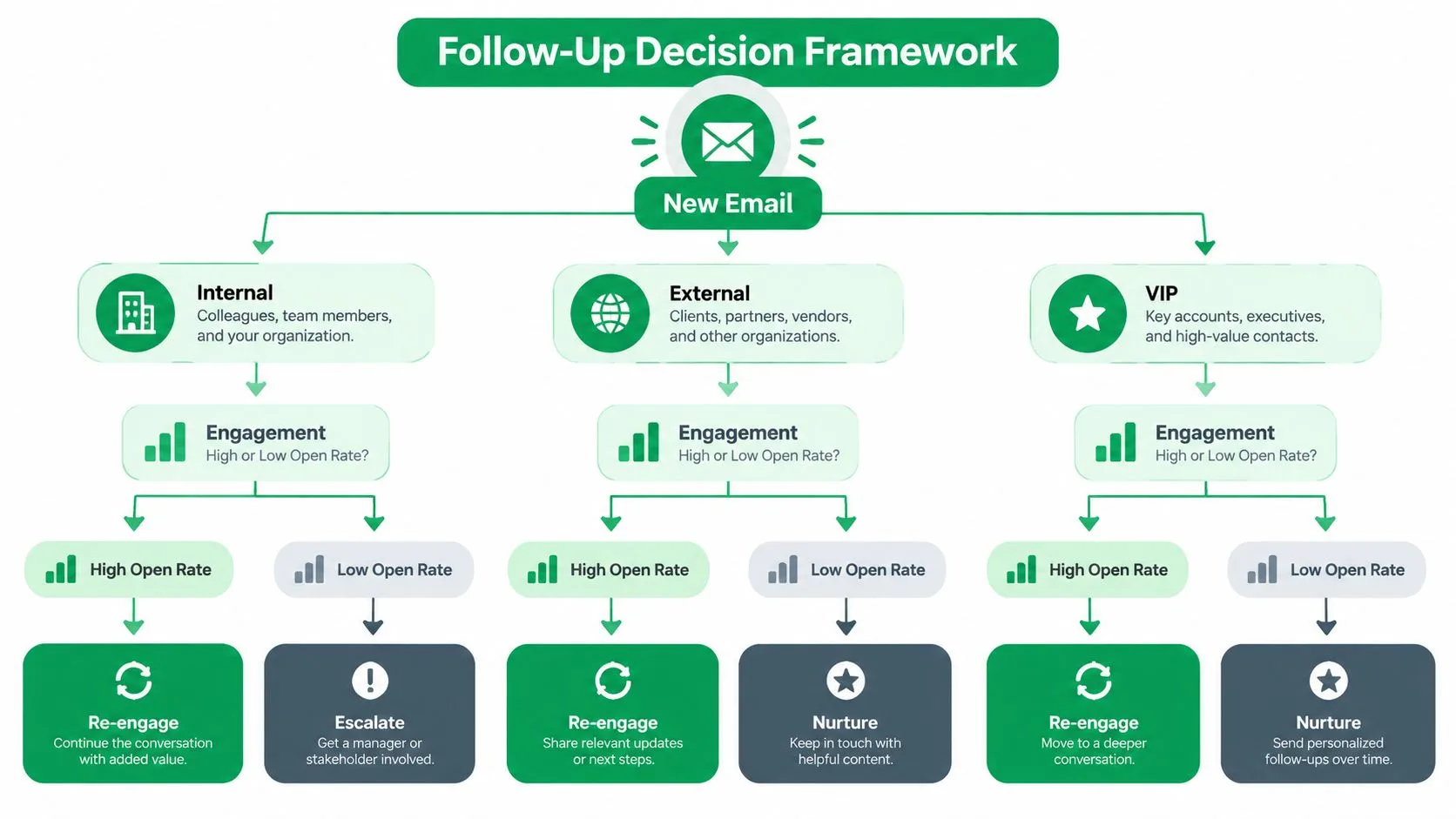
An open notification is weak evidence, not a follow-up instruction. Start with the recipient and the thread context, then use engagement signals to decide whether the next message should be sent, rewritten, or delayed.
Start with recipient type
For internal contacts, use the shared deadline, dependency, or meeting agenda as the trigger. A read signal only shows that the message surfaced. It does not replace a clear request or confirm that the recipient is ready to act.
For external prospects, protect relevance and patience. If the email was opened without a reply, make the next note shorter and give the recipient a fresh reason to respond. If no dependable signal exists, follow the planned cadence and never mention tracking.
For VIP contacts or active clients, prioritize the live decision over sequence count. A message tied to a current dependency can go out sooner than a generic reminder, particularly when the recipient’s action affects other people.
Use the signal to change the action
One tracked open with no reply usually supports the normal cadence. It does not justify an immediate escalation. Repeated opens can support a more useful message, such as a concise answer to a likely objection, a summary, or a smaller commitment. A reply, calendar booking, or explicit “come back to me later” should remove the thread from an automated sequence and return it to human handling.
The decision table should reward persistence without treating every thread alike. Follow-up research reports that 55% of replies can come from a follow-up rather than the first message. Applied here, that finding supports another touch when there is no reliable signal, provided the message is shorter and asks one clear question. It does not justify sending the same reminder repeatedly.
| Thread condition | Recommended action |
|---|---|
| No reply and no reliable signal | Wait for the planned window, then send a shorter message with one clear question. |
| Opened, but no response | Keep the cadence, improve relevance, and avoid implying that tracking proves attention. |
| Repeated engagement | Address a likely concern, offer a useful resource, or propose a low-friction next step. |
| Active deadline or client dependency | Follow up around the agreed milestone and state exactly what decision is needed. |
Templates create consistency, but they should not flatten the context of the thread. Review the CleanMyList business email guide before building one, especially for clear business-email structure. Use Gmail’s daily reports and full tracking history, where available, to prioritize threads that deserve attention. Treat those records as prompts for review, not proof that a recipient read or understood the message.
Your Pre-Send Follow-Up Checklist
Before sending a follow up email in Gmail, run through these checks:
- Read the entire thread: Confirm the last request, promise, attachment, and date. If the recipient already answered elsewhere, don’t send an automated reminder.
- Identify the recipient context: Decide whether you’re writing to a colleague, prospect, candidate, client, or decision-maker. If you can’t explain why this person should act now, rewrite the message.
- Review engagement carefully: Check available opens, timestamps, replies, clicks, and calendar activity. Treat an open as directional, not proof of attention.
- Confirm the timing: Leave appropriate space for cold outreach. For active work, use the agreed milestone or dependency. If your only reason is impatience, wait.
- Add something new: Include a sharper observation, a useful resource, a relevant answer, or a smaller next step. “Just checking in” rarely gives the recipient a reason to respond.
- Make the CTA easy: Ask for one action, such as “Should I send the short summary?” or “Is Tuesday suitable?” Avoid combining a meeting request, product question, and approval request in one message.
- Keep the thread readable: Short paragraphs and a clear subject help the recipient understand the message quickly. For subject-line refinement, use these effective subject lines for sales emails.
- Choose the right delivery method: Use Schedule send when the message is ready but the timing isn’t. Use Snooze when the conversation needs to return to your task list later.
A final test is simple: could the recipient answer from a phone with one short sentence? If not, reduce the scope of the request before you hit Send.
Mail Tracker for Gmail adds open notifications, double check marks, timestamps, counts, and mobile alerts inside the Gmail workflow, so you can use engagement as one input for better follow-up decisions. Visit Mail Tracker for Gmail to review the tracking options and choose a plan that fits your outreach process.
Ready to track your emails?
Add Mail Track for Gmail from the Google Workspace Marketplace and know the moment your emails are opened. Free and unlimited.
Add to GmailMore reading
More from Guides

How Accurate Is Email Tracking? What Opens Really Tell You
How accurate is email tracking in Gmail? Learn why opens get overcounted or missed, how to spot false opens, and which signals to trust before you follow up.

Email Tracking Pixel: How It Works, How to Spot One and Where It Falls Short
What is an email tracking pixel, how does it show an open in Gmail, how can you find one, and why Gmail and Apple Mail proxies limit what it can tell you.

7 Example Email Accept Job Offer Templates
Use these 7 example email accept job offer templates for formal, concise, and enthusiastic replies, with subject lines, clauses, and sending tips.