
Sales Outreach Strategy: A Practical Playbook for Gmail
Master the sales outreach strategy with our playbook designed for Gmail teams. Learn proven tactics to boost engagement and conversions in 2026.
Most sales teams still chase more sends, more templates, and more automation, then act surprised when pipeline stays flat. That mindset misses the core problem. Sales outreach strategy is not a volume contest, it’s a timing, targeting, and follow-up system, and in Gmail-based motions, open notifications and read receipts can change which prospect gets attention next and when.
The numbers already point in that direction. One industry analysis says 58% of replies come from the first email, while 42% come from follow-ups, and it warns that untargeted lists can drive 67% fewer replies while a 5-7 touch multi-channel cadence captures more of the response window (Prospeo). Cold email is still a low-percentage channel, too, with benchmark data showing 15-25% opens, 1-5% replies with a 3.43% platform-wide average, and only 0.2-2% converting to a deal in one roundup, while another guide says decent campaigns land around 15-25% opens and 5-6% replies (Martal). The teams that win don’t send harder. They sequence better.
Why Most Sales Outreach Strategies Fail Before the First Email
The biggest mistake in outbound is treating the first send like the whole job. Reps write one decent email, send it to a broad list, and then call the campaign finished when replies stay flat. That is activity, not a sales outreach strategy.
A stronger model starts with a sequence. The first touch creates awareness, but follow-ups do most of the work when the list is tight and the timing is deliberate. A YouTube playbook summary says 80% of sales require five or more follow-ups, while 44% of reps stop after one (YouTube playbook summary). That gap is where most pipeline disappears.
Volume hides bad targeting
Sending more emails to the wrong people just makes the failure louder. Untargeted lists produce 67% fewer replies in the analysis cited earlier, so list quality has to come before copy polish. If the contact does not match the offer, no subject line fixes it.
Practical rule: If a list feels easy to build, it is probably too broad.
The better teams build cadence around relevance, not hope. They use the first touch to open the door, then use later touches to frame the problem, show proof, and make the next step easy. In Gmail-based outreach, read receipts and open alerts change that work because an open without a reply tells you the thread is still active enough to prioritize. For a practical example of how prospecting workflows are structured, see this email prospecting sample guide.
Real-time engagement changes follow-up timing
When a prospect opens an email and does not respond, timing starts to matter. A tracked open gives you a live signal that the message is still in front of them, which lets you send the next touch while the context is warm instead of waiting for a fixed calendar reminder. That discipline matters in crowded inboxes, where stale follow-up often gets ignored.
The mistake is treating a single open as a single intent. It is not. It does tell you which thread deserves attention before the rest of the sequence runs on autopilot.
Segmenting Your Audience with Precision
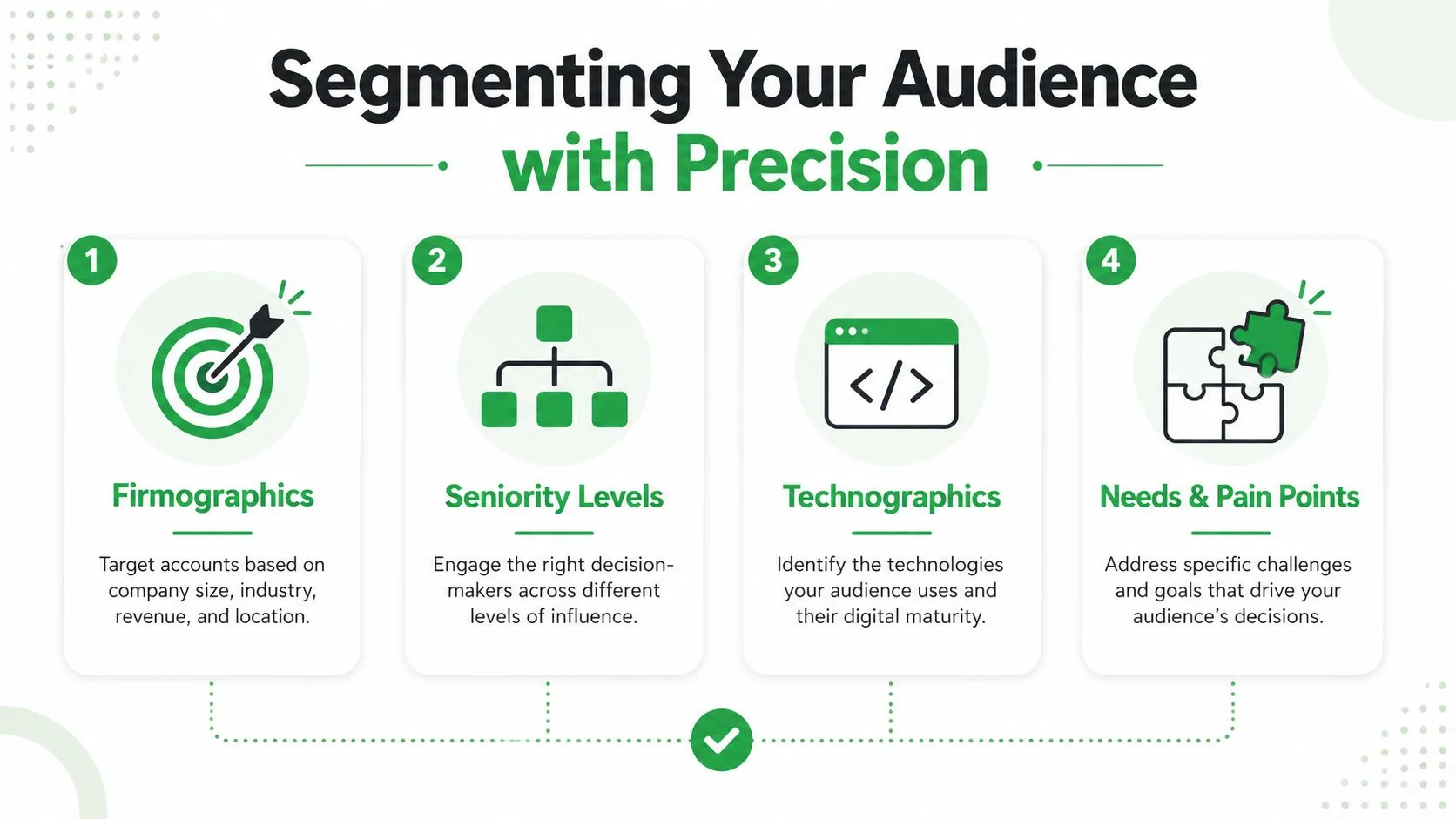
Good outreach starts before the writing. The list decides the ceiling, because segmentation determines whether the message sounds relevant or generic. In practice, the best teams build around firmographics, seniority, technographics, and trigger events, then score accounts so the highest-value prospects get the most thoughtful work.
Start with the account shape
A useful ICP isn’t a slogan, it’s a filter. Look at company size, industry, tool stack, leadership level, and a real reason to buy now. If you’re selling to startups or investors around the sales stack, the Gritt.io investor database for sales founders is the kind of resource that helps narrow the field instead of spraying into it.
Use trigger events to make the outreach concrete. Leadership changes, earnings commentary, and funding rounds give you a reason to contact someone now instead of “checking in” for the sake of it. SalesMotion’s 2026 playbook specifically recommends anchoring outreach to a real business signal and spending 5 minutes of account research before every send (SalesMotion).
Score the people, not just the companies
Once the account matches, rank the contacts inside it. Seniority matters because a VP, director, and manager won’t care about the same outcome or the same amount of detail. The cleanest approach is to score prospects on three dimensions, alignment with your solution, budget authority, and influence, then work the highest totals first.
That’s where the internal distinction between a lead and a prospect matters operationally. If you need a sharper framework for that handoff, this guide on lead vs prospect is worth keeping nearby.
Research should support a signal, not decorate a template
Personalization fails when it’s only cosmetic. A name, company, and merge field don’t create relevance by themselves. Real personalization starts with one business signal that explains why this person should care, then uses the rest of the message to connect that signal to a business pain.
Useful standard: Research enough to prove you understand the account, not enough to get lost in the account.
That’s also why Gmail-based teams should treat open alerts as a prioritization layer, not a replacement for segmentation. If the target is wrong, the open means very little. If the target is right, the open helps you move faster.
Writing Messages That Earn Replies
Strong outreach messages don’t try to sound clever. They try to sound useful, specific, and easy to answer. The best ones usually do three things well, they reference a real trigger, keep the ask small, and respect the reader’s time.
A subject line should feel like a reason to look, not a demand to click. Effective outreach also depends on personalized messaging, varied channels, and sequences that do not repeat the same email over and over. The first line sets that tone, and the CTA has to follow it.
Open with something the prospect can verify
The opening line should prove you did some work. Mention a recent hiring move, product launch, funding event, or operational shift if you have one. SalesMotion’s signal-based approach fits here because the message becomes about a live business condition instead of a generic pitch (SalesMotion).
Good openings are short. Bad openings explain your company before they explain why the prospect should care.
Make the CTA low-friction
The reply often comes down to how hard you make the next step. “Want a demo?” is vague and heavy. A better close is a concrete, specific question tied to one issue, like whether they’re responsible for the workflow, open to a short comparison, or willing to point you to the right owner.
Practical rule: The smaller the ask, the better the reply odds.
If you want a pattern source for tone and structure, this internal guide on email prospecting with samples is useful to keep nearby. Use it to compare formats, not to copy lines blindly.
Match tone to role and context
Senior executives tend to skim for relevance, not decoration. Managers usually care more about the operational burden and the immediate payoff. The same offer needs a different angle depending on whether you’re emailing a founder, VP, or team lead.
Automation helps when it speeds up research and workflow. It hurts when it turns every message into a mass-produced paragraph. The right balance is a reusable structure with one or two custom details that matter. Real-time open notifications and read receipts matter here because they tell you when to press quickly, when to pause, and which replies deserve first attention in Gmail-based outreach.
Designing a Multi-Channel Cadence That Converts
A single email rarely closes the loop. A working outbound motion gives each touch a job, then changes channel before the prospect starts filtering out the pattern. Email, LinkedIn, and phone should support each other, not repeat the same sentence three different ways.
The key question is not how many touches to cram in. It is whether the sequence stays disciplined enough to create recognition without turning into noise. One playbook recommends 6-8 touches over 2-3 weeks or 8-10 actions over 12-15 business days (YouTube playbook summary), and LeadSpark AI recommends 7-10 total touches spaced 2-3 days apart across email, LinkedIn, and phone (LeadSpark AI). The exact count matters less than whether the team can execute it cleanly.
Give each touch a distinct job
Do not repeat the same pitch in every message. One touch can establish awareness, the next can frame the problem, another can add proof, and the last can make the CTA easy to answer. Repetition across channels kills engagement because it makes the sequence feel automated, not coordinated.
A clean cadence usually starts with email, follows with a LinkedIn touch, then adds a phone attempt or voicemail when the account signal is strong. The point is not to be everywhere at once, it is to stay relevant without becoming background noise.
Sample 15-Business-Day Outreach Cadence
| Day | Channel | Touch Type | Objective |
|---|---|---|---|
| 1 | Initial outreach | Open a relevant conversation tied to a business signal | |
| 3 | Connect or note | Reinforce recognition without repeating the email | |
| 5 | Problem framing | Show the operational pain behind the original trigger | |
| 7 | Phone | Call or voicemail | Add human presence and test urgency |
| 9 | Proof touch | Share a short, relevant example or observation | |
| 11 | Follow-up message | Keep the thread visible on a different channel | |
| 13 | Low-friction CTA | Ask one specific question that is easy to answer | |
| 15 | Phone | Final attempt | Close the loop or route to the right owner |
The strongest sequences feel paced, not frantic. If a prospect opens twice but does not reply, the next touch should move with that signal instead of waiting for the next scheduled step. In Gmail-based outreach, real-time open notifications and read receipts help you make that call while the thread still has attention, which is where teams either win the reply or waste the window.
Using Mail Tracker for Gmail to Time Follow-Ups Perfectly
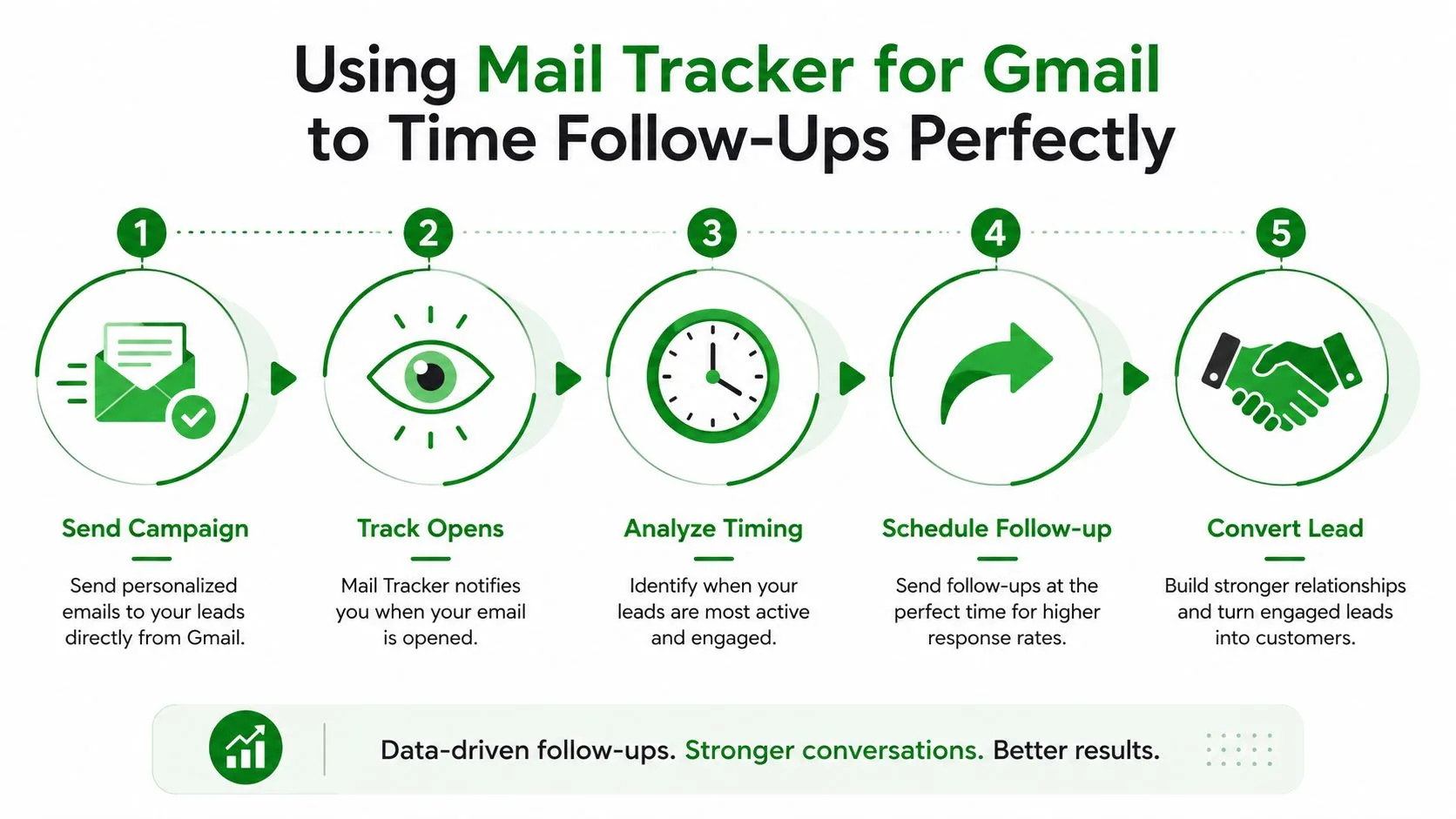
Strategy gets operational with Mail Tracker for Gmail, which provides Gmail users read receipts, real-time open notifications, double check marks, open counts, and per-message timestamps inside Gmail, so follow-up timing isn’t based on guesses. It works inside the Gmail interface on web and mobile, which means you can spot engagement without moving to another tool.
Read the signal, then choose the next move
An open alert doesn’t mean the deal is hot, but it does mean the thread has current attention. If a prospect opens the message once and stays silent, the next step can be a short follow-up that references the same topic. If they open multiple times, that thread usually deserves priority over a cold contact still sitting untouched.
The point is to use opens as a routing signal. A reply queue sorted by real engagement is much more useful than a generic “sent yesterday” list.
Use notifications and reports to keep timing tight
Instant push notifications on desktop and mobile help catch opens while the message is still fresh. That matters in Gmail-based outreach because the difference between a same-hour follow-up and a next-day follow-up can change whether the prospect remembers the context. Premium users also get daily email reports and full tracking history, which makes it easier to surface high-priority threads when volume gets messy.
The privacy choice matters too. The free plan uses a visible tracking signature, while Premium offers an invisible tracker. That gives teams a practical way to balance transparency and discretion depending on the audience.
Keep tracking inside the workflow
One reason this kind of tracking matters is that it sits where reps already work. There’s no separate app to babysit and no new workflow to learn, which keeps the friction low. The Gmail app support on Android and iOS also helps when follow-up timing happens away from the desk, not just at it.
The best tracking data isn’t the one with the fanciest dashboard. It’s the one a rep actually uses before the next send.
If you want a practical follow-up pattern after silence, this internal guide on follow-up email after no response pairs well with open-based prioritization.
Measuring What Actually Predicts Pipeline
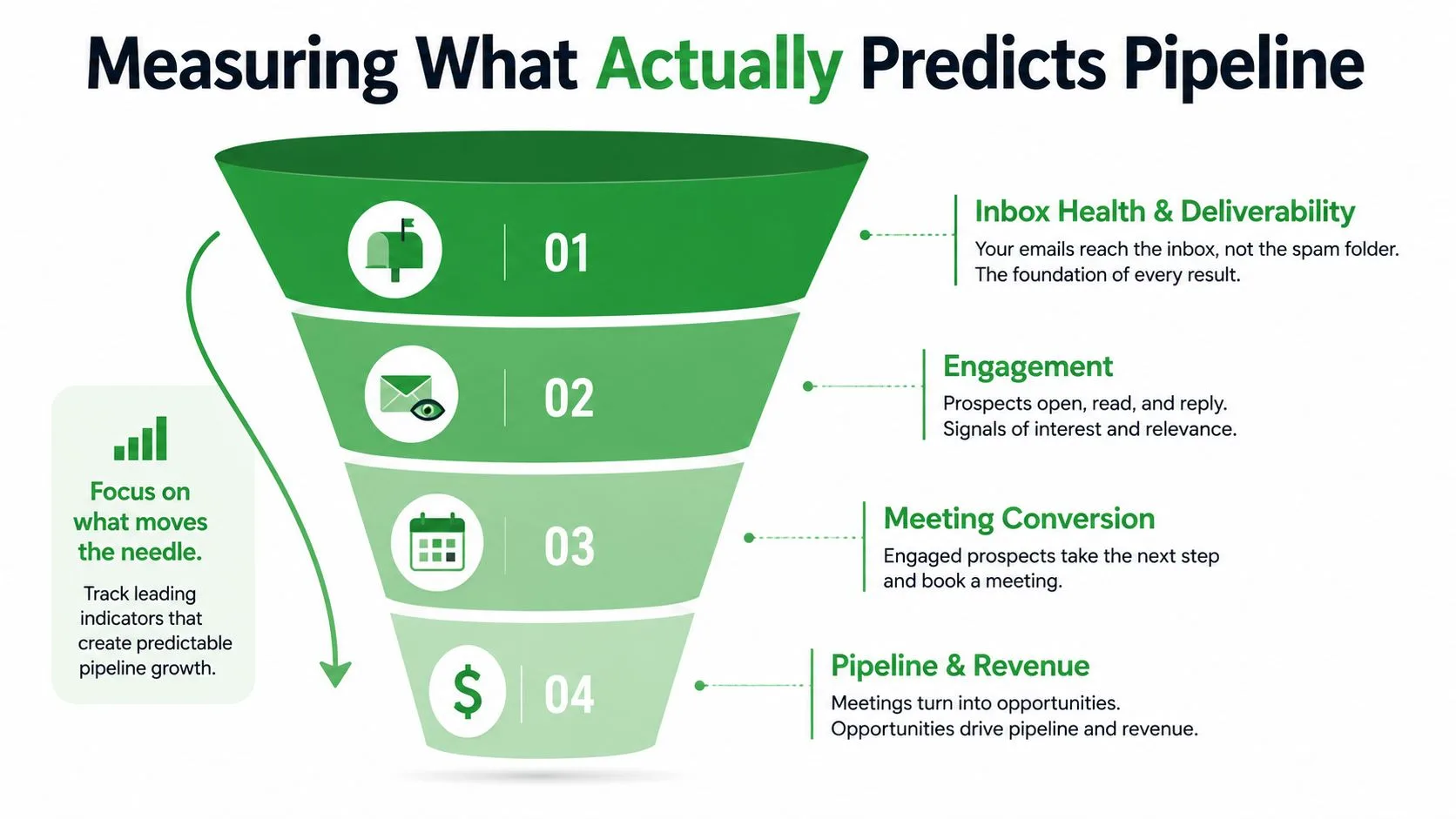
Teams often focus on the easiest number to report, rather than the one that predicts revenue. Opens feel useful because they are visible, but they do not tell you whether the message created interest, qualified a need, or moved a meeting forward. Strong measurement treats outreach like a funnel, not a single metric.
Track the funnel, not just the inbox
The useful layers are inbox health, engagement, qualification, and conversion. Inbox health covers bounce trends, spam signals, and domain reputation. Engagement is about positive replies, reply speed, and channel mix. Qualification and conversion tell you whether the replies are any good and whether they become meetings and pipeline.
Woodpecker’s guidance recommends comparing delivered rate, opens, replies, meetings, and pipeline against realistic targets such as 15-25% opens and 5-6% replies, then fixing the biggest constraint first, usually list quality or offer clarity, before scaling volume (Woodpecker). That order matters because you can’t A/B test your way out of a broken list.
Judge reply quality before reply count
This is the part a lot of dashboards skip. A thread full of “not interested” replies isn’t a healthy campaign, it’s a noisy one. The more useful question is whether the response shows intent, urgency, or a next step that your team can act on.
The Atlassian piece calls out a gap in the market here, especially as AI makes it easier to increase reply volume without improving pipeline quality (Atlassian). For Gmail teams, that’s where open data can be misleading. It tells you the prospect looked, not whether they’re ready.
Useful benchmark habit: Measure the quality of the conversation before you scale the send count.
A/B testing only helps once the list and offer are clean enough to read the result. If the target market is wrong, test data just creates more confusion.
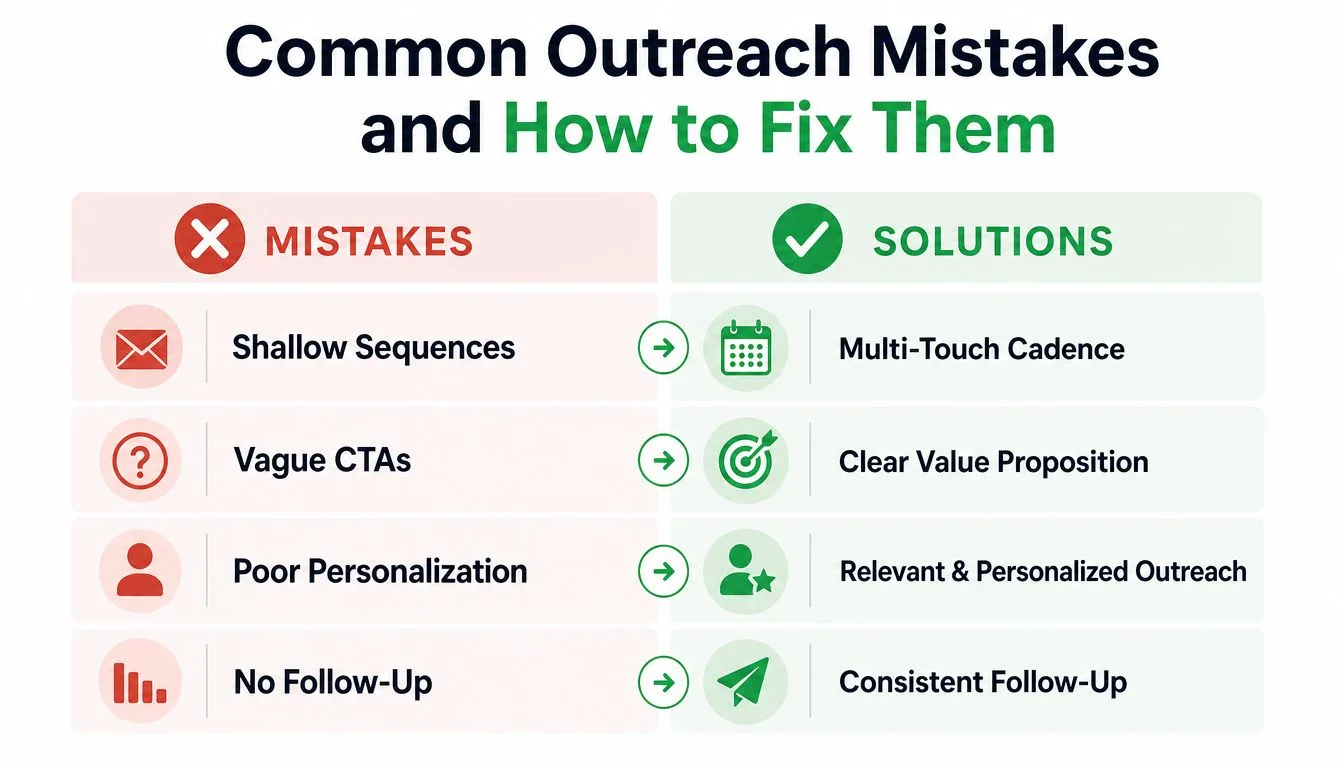
Common Outreach Mistakes and How to Fix Them
The patterns that sink outreach are usually boring. Reps stop after one touch, write vague CTAs, optimize for opens, or lean on AI-generated personalization that sounds crafted but doesn’t improve pipeline quality. The result is more motion and less revenue.
The weekly cleanup list
- Shallow sequences: Extend the cadence so one ignored email doesn’t end the process.
- Vague CTAs: Replace “want to chat?” with one specific next step tied to the account signal.
- Open-only reporting: Add reply quality, meetings, and pipeline to the dashboard.
- Tracking without action: Use opens and timestamps to prioritize, not to admire activity.
A simple weekly operating rhythm
Start the week by tightening the list, then review the accounts with the strongest signals first. Write the first touch around a real business event, build the follow-ups as distinct touches, and watch opens for timing clues inside Gmail. End the week by reviewing which replies converted into conversations, not just which threads got attention.
If the sequence feels busy but the pipeline feels thin, the fix is usually not more automation. It’s better targeting, clearer messaging, and faster reaction to the signals you already have.
Mail Tracker for Gmail gives Gmail-based teams the open tracking, read receipts, and real-time notifications needed to act on live engagement instead of stale assumptions. If your outreach depends on catching the right moment for a follow-up, visit Mail Tracker for Gmail and see how tracking inside Gmail can support tighter cadence discipline and better reply prioritization.
Ready to track your emails?
Add Mail Track for Gmail from the Google Workspace Marketplace and know the moment your emails are opened. Free and unlimited.
Add to GmailMore reading
More from Tips
Gmail Snooze Email: How It Works and When to Use It
Learn how Gmail snooze email works, how it differs from archive and mute, and how to pair it with open tracking so follow-ups come back at the right time.
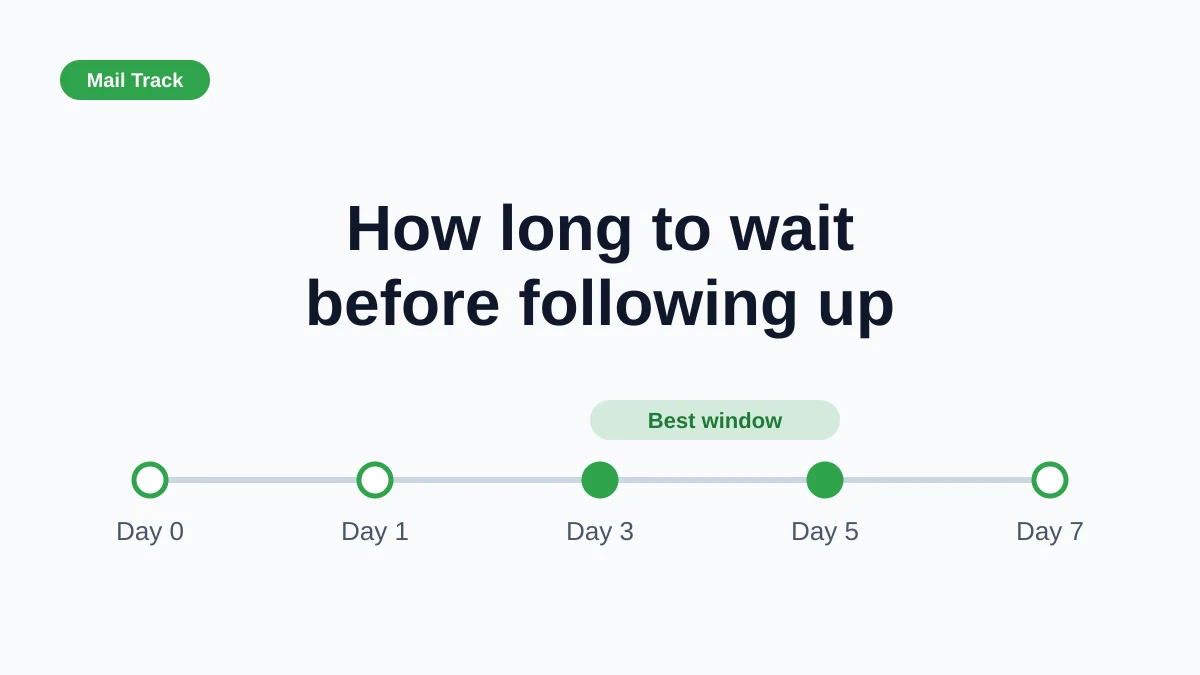
How Long to Wait Before Following Up on an Email (With Tracking Signals)
How long to wait before following up on an email? Use these waiting windows by situation, plus open and click signals in Gmail to time each follow-up.
10 Email Communication Best Practices for Professionals
Master email communication best practices with actionable tips on subject lines, send timing, personalization, and Gmail open tracking for higher engagement.