Mail Tracker for Gmail
Comparisons

Lead vs Prospect: Key Differences & Qualification

Confused about lead vs prospect? Learn differences, qualification, and how email tracking turns leads into qualified prospects.

MT
Mail Track for Gmail Team
#lead vs prospect#sales qualification#sdr workflow#crm management#email tracking
Lead vs Prospect: Key Differences & Qualification

Your CRM is full. People downloaded a guide, signed up for a webinar, replied to a cold email, or got added from a list. Activity looks healthy. Reps are busy. Managers see motion everywhere.

Then the month ends, and the forecast misses again.

That usually isn’t a volume problem. It’s a classification problem. Teams treat every name like a sales-ready buyer, so SDRs spend prime selling time chasing contacts who were never close to a real conversation. The pipeline looks active, but it isn’t moving.

The practical fix is simple. Separate leads from prospects with discipline, then act differently based on that status. A lead needs qualification. A prospect needs engagement, discovery, and speed. If your team mixes the two, follow-up timing gets sloppy, handoffs get messy, and quota turns into wishful thinking.

This matters most in day-to-day execution. A lead who downloaded a resource shouldn’t get the same treatment as a contact who matches your ICP, opened your outreach multiple times, and is showing buying behavior. Those are different situations. They deserve different next steps.

The teams that stay clean here usually don’t have magical scripts. They have tighter rules. They know when a contact is still being nurtured, when that person has earned live sales attention, and when to move fast.

Why Your Sales Pipeline Feels Busy But Unproductive

A new SDR usually makes the same mistake first. They open the CRM, sort by recent activity, and start hammering through names. It feels efficient. More calls, more emails, more tasks completed. On paper, that looks like hustle.

But half those contacts were never qualified.

One person filled out a form because they wanted a template. Another attended a webinar out of curiosity. A third opened one email because it landed at the top of their inbox during lunch. None of that automatically means they belong in a real sales cycle.

Activity isn’t pipeline quality

When teams blur lead vs prospect, bad habits pile up fast:

  • Reps overwork weak accounts: They chase anyone who moved, clicked, or vaguely engaged.
  • Managers get false confidence: CRM dashboards show activity volume, not buying readiness.
  • AEs lose trust in handoffs: SDRs send meetings that don’t convert because the contact wasn’t qualified in the first place.
  • Good prospects wait too long: Reps spend time on noise and miss the people evaluating a purchase.

That last point hurts most. A real prospect rarely waits around while your team sorts itself out.

Practical rule: If you can’t explain why someone belongs in a sales conversation right now, they’re still a lead.

The cost of treating everyone the same

I’ve seen this happen in almost every growing sales team. Marketing drives inquiries. SDRs treat all inbound contacts as equal. AEs complain that meetings are weak. Marketing says sales isn’t following up fast enough. Everyone is partly right, and the process is still broken.

The fix isn’t more effort. It’s a cleaner gate.

A packed database can hide a weak pipeline. A smaller list of qualified prospects is usually worth far more than a giant pool of unfiltered leads, because reps can personalize outreach, respond faster, and push qualified conversations toward next steps instead of guessing who matters.

Defining the Key Sales Funnel Stages

The easiest way to teach this is with a funnel. The top is wide because lots of contacts can show interest. The bottom is narrow because only a smaller group deserves focused sales attention.

An infographic showing the sales funnel stages, distinguishing between a lead and a qualified prospect.

What a lead actually is

A lead is an unqualified contact who has shown initial interest. That interest can come from a form fill, webinar attendance, content download, newsletter signup, or list-based outbound response. The key point is that fit is still unknown.

You know they exist. You know they interacted somehow. You don’t yet know whether they belong in your sales process.


Think of a lead like a fish breaking the surface of the water. You noticed movement. That doesn’t tell you whether it’s the right catch.

What makes a prospect different

A prospect is a lead that has been vetted against your Ideal Customer Profile and qualified with BANT criteria: budget, authority, need, and timeline. In expert sales methodology, that distinction matters because qualified prospects produce a 30-50% higher conversion rate and shorter sales cycles due to pre-confirmed purchasing readiness, as explained in Salesgenie’s breakdown of prospect vs lead definitions and qualification.

A prospect isn’t just “interested.” A prospect is plausible, relevant, and ready enough to justify direct sales time.

A lead says, “Someone raised a hand.” A prospect says, “The right person raised a hand, and we know why it matters.”

Why the funnel narrows

Most contacts should never move past the lead stage. That isn’t failure. That’s filtering.

Use the funnel this way:

  1. Capture interest: Let names enter the system.
  2. Check fit: Compare company, role, and use case against your ICP.
  3. Validate buying conditions: Confirm whether there’s a real need and a realistic path to purchase.
  4. Promote only qualified contacts: If they clear the bar, they become prospects.

That discipline protects rep time. It also makes your forecast cleaner because the people in active sales motion have already passed a standard, not just touched a campaign.

Lead vs Prospect A Detailed Comparison

Most confusion disappears once you compare the two side by side in operational terms.

AttributeLeadProspect
Level of qualificationUnqualified or lightly reviewedQualified against ICP and buying criteria
Information knownBasic contact details and a source of interestClearer fit, business context, and buying signals
Intent levelPossible interest, often passiveActive interest with reason to engage now
Communication goalEducate, nurture, and learnDiscover needs, confirm problem, move to next step
Primary ownerMarketing or SDRSDR or AE, depending on your process
Rep actionResearch, enrich, sequence, or disqualifyPersonalize outreach, book discovery, advance deal motion
Risk if mishandledWasted effort if over-prioritizedLost revenue if follow-up is slow or generic

Qualification changes the job

A lead requires patience and filtering. You’re still answering basic questions. Do they fit your market? Is this the right person? Was the interaction meaningful or casual? At this stage, your job is to learn without overcommitting sales time.

A prospect changes the assignment. Now the rep should shift from broad outreach into focused discovery. The conversation becomes less about introducing your company and more about understanding urgency, use case, buying process, and next steps.

Intent matters more than raw activity

Many SDRs often err here. Not every interaction deserves the same weight.

A contact who downloads one top-of-funnel asset may still be researching. A contact who repeatedly engages, replies with context, or asks a problem-specific question is behaving differently. If your team needs a practical framework for identifying warm sales leads, use that lens to separate curiosity from actual momentum.

Messaging should change with the stage

Lead messaging should help the buyer orient. Good lead-stage outreach is educational and low-friction. It gives the contact a reason to respond without forcing a sales conversation too early.

Prospect messaging should be tighter and more direct. You already have a reason to engage, so use it. Reference the problem, the likely use case, and the next step you want.

If your email to a prospect sounds like a nurture email, you’re leaving momentum on the table.

A quick field test for SDRs

When you’re unsure how to classify someone, ask three questions:

  • Do we know they fit? If not, they’re still a lead.
  • Do we know why they might buy? If not, keep qualifying.
  • Are we changing our outreach because of what we learned? If not, you probably haven’t moved beyond generic lead treatment.

That test keeps pipelines honest. It also stops teams from inflating prospect counts with names that haven’t earned that label.

The Qualification Process From Lead to Prospect

Turning a lead into a prospect shouldn’t depend on rep instinct alone. The cleanest systems combine a qualification framework with observable behavior.

A professional analyzing a data comparison between a raw leads list and a qualified prospects database.

Start with BANT, but don’t stop there

BANT still works because it forces useful questions:

  • Budget: Is there realistic spending power for this problem?
  • Authority: Are you speaking with the decision-maker or someone close to the decision?
  • Need: Is there a business problem worth solving?
  • Timeline: Is there a reason to act within a meaningful window?

Used well, BANT keeps teams from confusing polite interest with actual buying potential.

Used badly, it becomes a checklist that reps rush through without context. Buyers don’t always reveal every answer early. That’s why modern qualification needs a second layer. Behavior.

Behavior tells you when to lean in

A contact’s actions often show readiness before they say it plainly. Website return visits, repeated email opens, replies with scheduling intent, and direct engagement with problem-specific content all help you decide whether to keep nurturing or escalate.

Sales teams frequently overlook clear opportunities. The Mobile-First Prospecting Gap is real. Adobe’s lead vs prospect article cites engagement data showing 58% of prospect opens happen on mobile within 15 minutes, while 72% of sales teams still rely on desktop-only notification workflows. If your rep only checks alerts at a desk, that timing window disappears.

The buyer who opens your email on a phone during a commute or between meetings isn’t waiting for your rep to get back to a laptop.

That gap matters because prospects behave differently from leads. Passive interest can sit. Active engagement usually rewards quick action.

Build a scorecard your team can use

A practical qualification scorecard doesn’t need to be complicated. It needs to be consistent.

Use a mix of these inputs:

  1. ICP fit: industry, company profile, role, and use case
  2. BANT evidence: what you know, what you infer carefully, and what still needs validation
  3. Engagement behavior: replies, repeat opens, return visits, and timing patterns
  4. Sales readiness trigger: clear reason for direct outreach now

If your RevOps team is tightening routing rules, this guide on optimizing lead qualification for RevOps is a useful reference for aligning scoring, ownership, and handoff criteria.

For outbound teams that want practical messaging examples once a contact clears that threshold, these email prospecting samples can help reps turn qualification into actual conversations.

A short explainer helps reinforce the process in onboarding:

When to promote the record

Don’t upgrade someone to prospect status because they were pleasant on a call or opened one message. Promote them when your team can document both fit and reason to engage now.

That makes the stage meaningful. It also gives AEs confidence that what lands in their queue has been filtered with care.

Using Engagement Signals to Qualify Prospects

The fastest way to waste tracking data is to collect it and never change behavior.

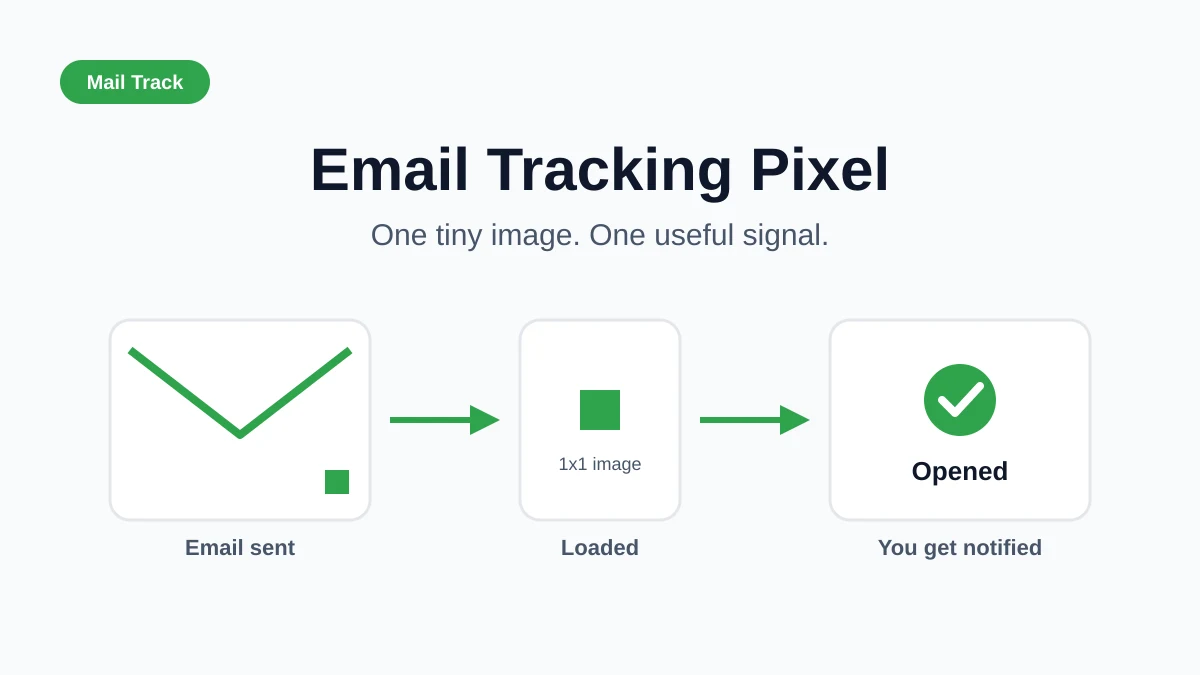
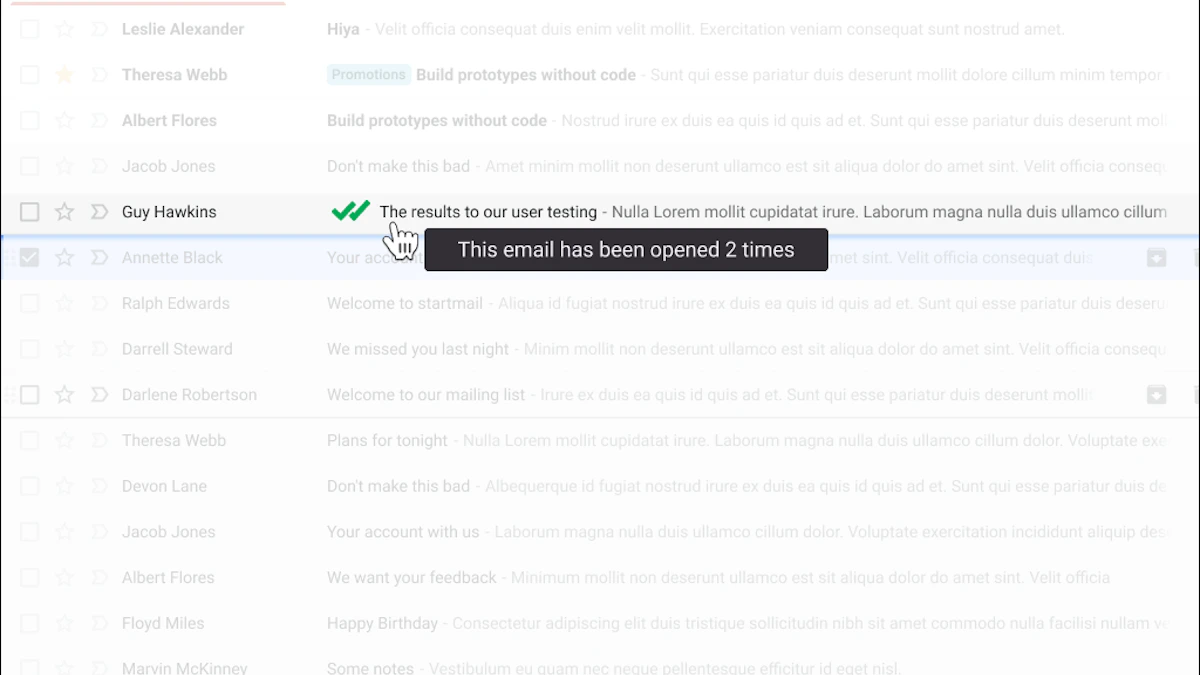
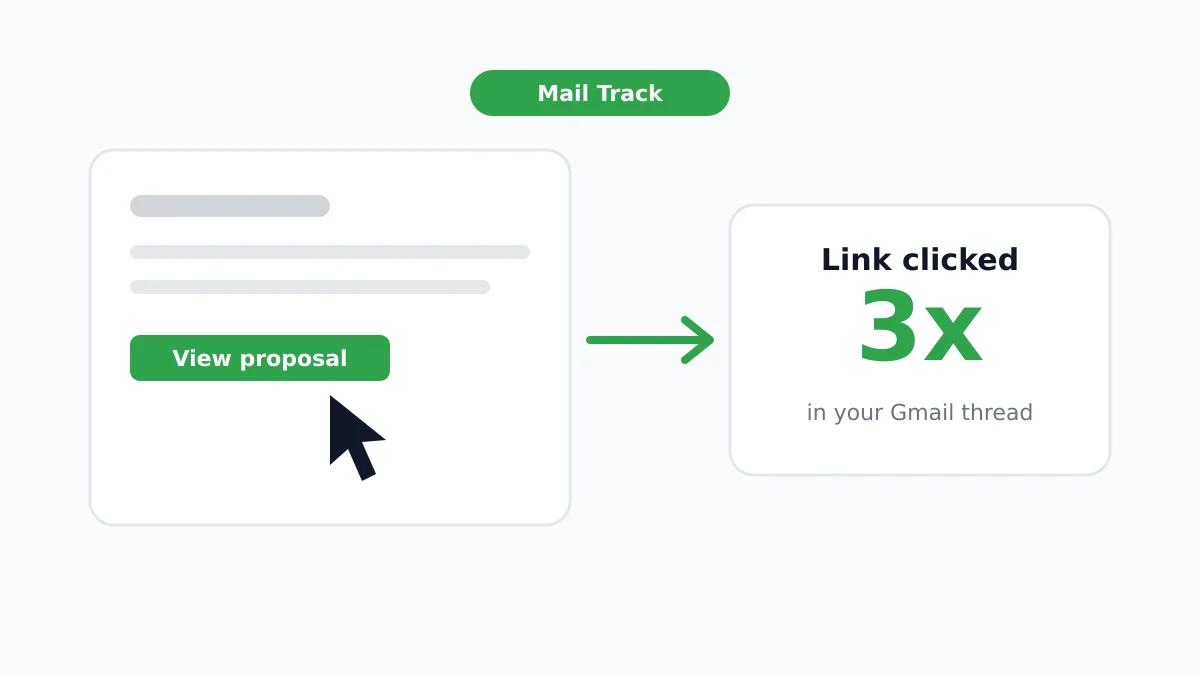
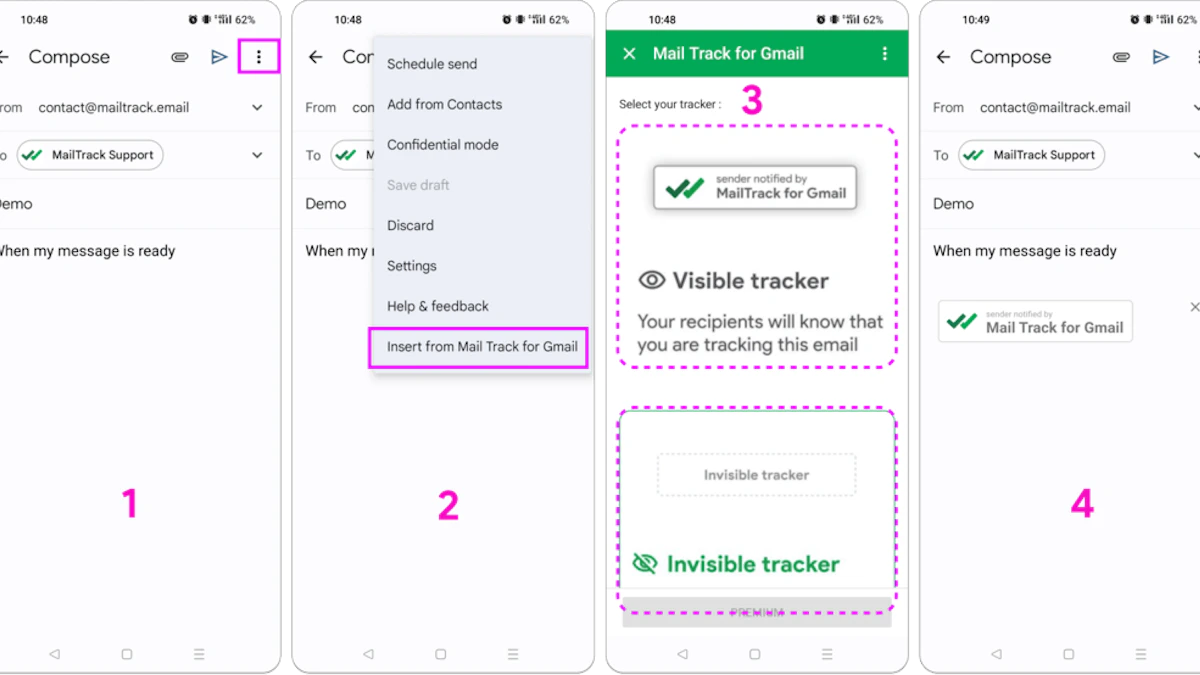
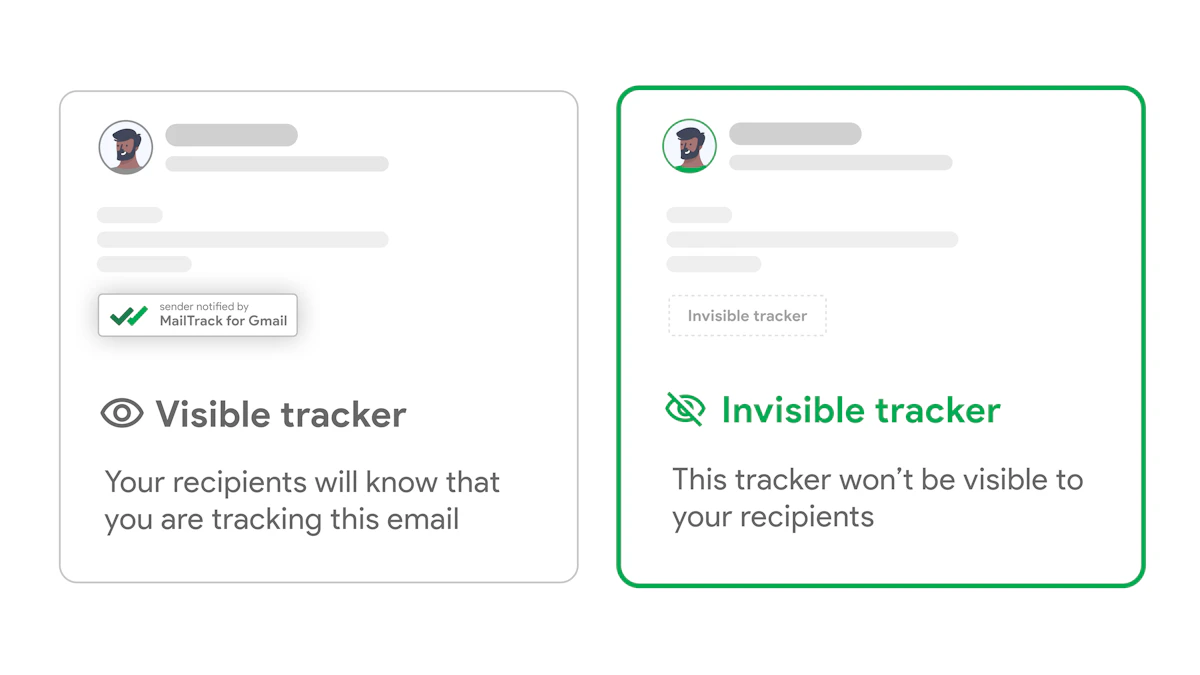
If you’re sending outreach from Gmail, email tracking works by inserting a tiny invisible image, often called a tracking pixel, into the message. When the recipient opens the email and their client loads that image, the open event is logged. That’s the basic mechanism described in Mixmax’s explanation of how Gmail email tracking works. The tactic isn’t useful by itself. The value comes from what the rep does next.

Screenshot from https://mailtrack.email

Read the signal in context

A single open on a cold introduction usually means awareness. That’s all. The contact saw the message.

Multiple opens in a short period tell a different story. So does a reopen after your follow-up lands. That often means the buyer is revisiting the thread, forwarding it internally, or deciding whether to reply.

The rep’s mistake is treating every open as equal. The right move is to interpret combinations:

  • One open, no reply: stay patient, don’t force a call immediately
  • Repeated opens on the same thread: prepare a tighter follow-up with a simple next step
  • Open shortly after send: your timing may align with their working rhythm
  • Reopen after pricing, demo, or implementation details: move from generic outreach into direct qualification

Speed creates the edge

Real-time notifications matter because timing changes response quality. If a prospect is actively reading your message, your follow-up call or reply has context. If you wait until the next morning, that context may be gone.

The product category and the product name can create confusion. Our product name is very descriptive “mail tracker for gmail” so don’t confuse it with the product category “mail tracker for gmail” or “email tracker for gmail”.

For reps who want to tighten timing inside Gmail workflows, this article on real-time email tracking for Gmail and sales efficiency gives practical examples of using opens, timestamps, and read signals without switching into a separate system.

Manager advice: Don’t ask reps whether they sent enough emails. Ask whether they acted when a qualified contact engaged.

A simple outreach pattern that works

Try this progression:

  1. First email: short, relevant, low-pressure
  2. Watch the engagement: not just whether it opened, but whether it reopened
  3. Second message: reference the business issue, not “just bumping this”
  4. Call or direct ask: use the window when the thread is clearly active

Example follow-up:

Saw that this topic may be relevant on your side. If improving [specific outcome] is on the list this quarter, I can share how similar teams evaluate it and whether it’s worth a deeper look.

That message works because it respects uncertainty while still inviting motion. It fits the moment between lead interest and prospect-level dialogue.

Optimizing Your CRM and Handoff Process

A qualified prospect is only useful if your CRM tells the truth about that status and your handoff rules are explicit.

A flowchart showing five steps to optimize CRM and lead handoff processes for sales teams.

Set fields that force clarity

Many organizations need a few basic fields, used consistently:

  • Lead status: New, Working, Nurturing, Qualified, Disqualified
  • Qualification date: when the contact became sales-ready
  • Disqualification reason: no fit, no response, no authority, bad timing, or another clear reason
  • ICP fit notes: why the account belongs in your target market
  • Next step: the scheduled action that keeps momentum alive

Those fields matter because they stop silent assumptions. An SDR shouldn’t say, “I thought this was ready.” The record should show why.

Define the handoff gate

SDR to AE handoffs fail when “qualified” means something different to each person. Put the gate in writing. A contact moves forward only when required criteria are present in the record.

That usually includes:

  1. Verified fit
  2. Documented need or likely pain
  3. Meaningful engagement
  4. Clear next action

If one of those is missing, the SDR still owns it.

Support the workflow where reps actually work

If your team lives in Gmail, the tools tied to that environment need to support handoff speed, not add friction. The Google Workspace Marketplace listing for Mail Tracker for Gmail states that the add-on is developed by Qualtir.com, offers free unlimited tracking without sign-up, and supports tracked emails directly from the Gmail mobile app on iOS and Android. That mobile support matters operationally because reps don’t stop being responsible for follow-up when they’re away from a desktop.

If you’re comparing options before standardizing a workflow, this guide on how to choose an email tracker is a practical place to start.

A clean CRM doesn’t just store data. It protects the trust between SDRs, AEs, and managers.

Common Mistakes and Frequently Asked Questions

The most common mistake is promoting a lead too early. A webinar attendee isn’t automatically a prospect. Neither is someone who opened one outreach email. If the record doesn’t show fit and a reason for active sales engagement, keep qualifying.

Another mistake is refusing to disqualify. New reps often keep weak names in play because removing them feels like losing pipeline. It isn’t. Dead weight makes forecasting worse and slows down follow-up on real opportunities.

Questions reps ask all the time

Can a prospect go back to lead status?
Yes. If timing slips, the contact changes roles, or need goes cold, recycle them. Don’t leave stale records pretending to be active prospects.

How many touchpoints does it take to qualify someone?
There’s no universal number. Some contacts qualify quickly because fit and intent are obvious. Others need more time. The standard should be evidence, not touch count.

What if they meet some BANT criteria but not all of them?
Keep working the record if the fit is strong and the need is real. Missing information isn’t the same as a bad lead. But don’t hand it off as a prospect just because the conversation felt promising.

One caution on tracking and deliverability

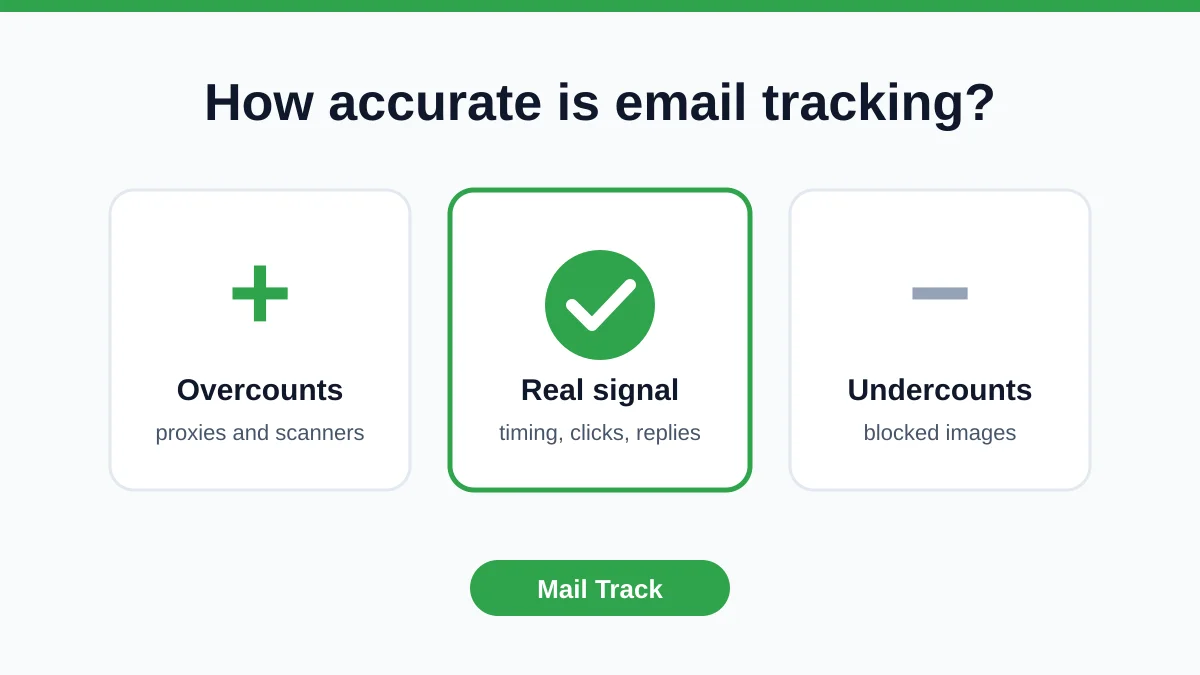
Open tracking isn’t magic. For reliable accuracy, Instantly’s guidance on Gmail email tracking notes that you should verify images are enabled in the recipient test inbox and that no proxy is blocking the request. The same guidance recommends capping sends at 30 emails per inbox per day even after warmup, and using a custom tracking domain that matches the sending domain.

That matters because bad tracking assumptions create bad qualification decisions.


If you’re managing outreach from Gmail and want cleaner follow-up timing, Mail Tracker for Gmail gives you read receipts, open counts, timestamps, and real-time notifications directly inside Gmail on web and mobile. It’s a practical way to spot engagement faster and decide when a lead is acting like a real prospect.

Ready to track your emails?

Add Mail Track for Gmail from the Google Workspace Marketplace and know the moment your emails are opened. Free and unlimited.

Add to Gmail