
8 Standard Out of Office Message Templates
Find 8 editable standard out of office message templates for work, leave, clients, and events, plus customization tips and Gmail setup steps.

You’re about to step away from your inbox, but the messages won’t stop arriving. A client may need a decision, a candidate may be waiting for an update, or a colleague may send something time-sensitive. The wrong standard out of office message can reveal personal information you didn’t need to share, imply that every request is urgent, or leave senders unsure who owns the next step.
A useful auto-reply answers four questions quickly: Are you available? When will you return? What should the sender expect? Who can help before then? The eight templates below adapt that structure to real workplace situations, from short absences and extended leave to sales follow-up, team delegation, and client continuity. Each example includes wording you can edit, along with practical trade-offs around privacy, boundaries, escalation, and what happens when you return.
You’ll also find Gmail setup guidance and a careful way to use Mail Tracker for Gmail. Mail Tracker for Gmail is a Gmail add-on for read receipts and open notifications. It isn’t a generic label for the broader category of email-tracking tools, and it should only be used when message engagement will help you prioritize follow-up.
1. Brief Professional Out-of-Office Message
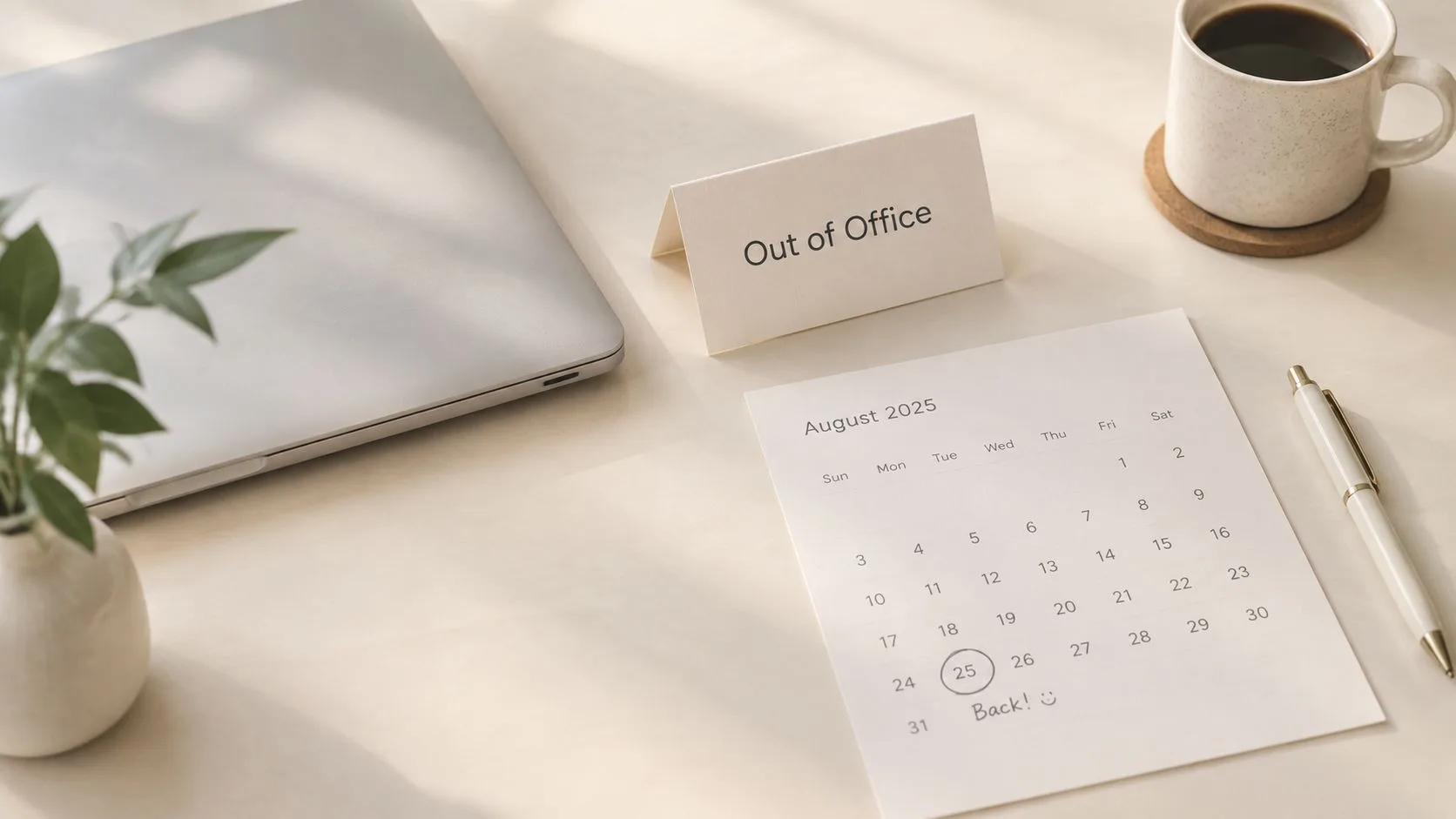
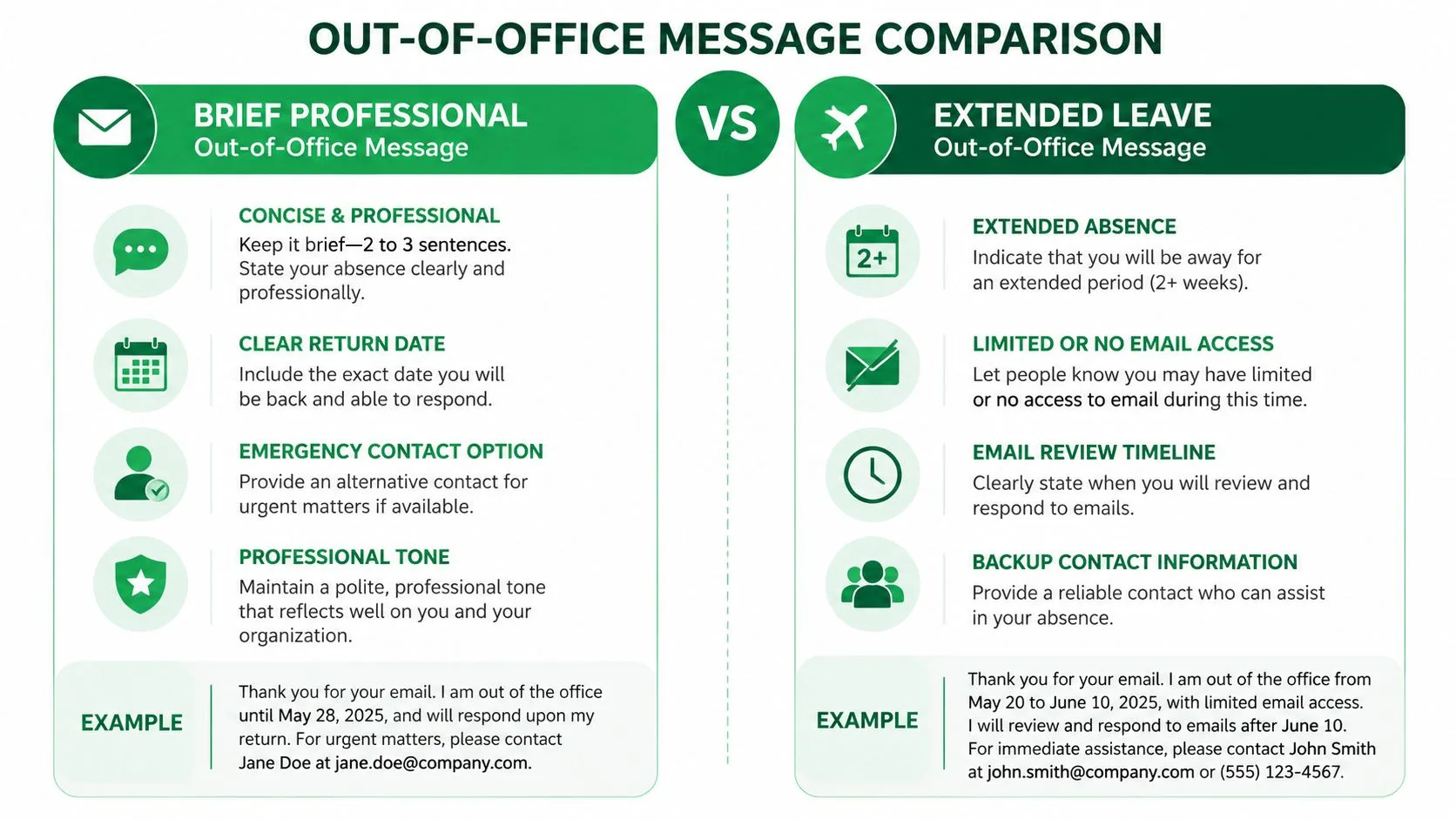
A short professional reply works when senders only need a clear return date and a sensible route for urgent matters. It acknowledges the message without turning your absence into a personal announcement. Keep the reason optional. “I’m away from the office” is enough for many situations.
Subject: Out of Office, Returning [DATE]
Hello,
Thanks for your message. I’m currently out of the office and will return on [DATE]. I’ll review your email and respond as soon as I can after I’m back.
For urgent matters that can’t wait, please contact [NAME] at [EMAIL ADDRESS] or [PHONE NUMBER].
Best, [YOUR NAME]
Specific dates are more useful than “next week” or “soon.” If you’re returning on January 15, write January 15. A sender can then decide whether to wait, contact your colleague, or adjust a deadline without guessing.
Practical rule: Only call something urgent if the alternate contact has the authority and information to handle it.
This format suits sales professionals, recruiters, consultants, and internal specialists who want a formal but approachable tone. A recruiter, for example, can reassure candidates that their application or interview question has been received without promising an immediate decision. A sales representative can direct active opportunities to a colleague while preserving personal ownership of the follow-up.
When you return, Mail Tracker for Gmail can help distinguish tracked messages that were opened from those that still need attention. Its read receipts, open notifications, and message timestamps are most useful when you’ve already chosen which conversations deserve tracking. It shouldn’t replace a well-organized inbox or become a reason to monitor every message.
For a polished close, review this guide to how to close an email and make sure the sign-off matches the tone of your normal correspondence.
2. Extended Leave Out-of-Office Message
Longer absences need clear boundaries. For an extended vacation, sabbatical, or project leave, state whether you will check email, when you will return, and whether waiting for you makes sense. Avoid promising casual access unless you have planned time to respond.
Subject: Out of Office, Away Until [DATE]
Hello,
Thanks for reaching out. I’m away from work from [START DATE] through [END DATE] and will have limited access to email during this time. I’ll begin reviewing messages after [RETURN DATE] and respond according to priority.
For questions about [PROJECT, CLIENT, OR FUNCTION], please contact [DELEGATE NAME] at [EMAIL ADDRESS]. They can assist with [SPECIFIC RESPONSIBILITIES]. Routine requests should go to them during my absence. For matters that can wait, please send the details here and I’ll follow up after I return.
Regards, [YOUR NAME]
The delegation sentence carries the most practical value. “Contact my colleague if needed” leaves the sender to identify the right person and decide what that person can handle. Name one capable delegate, provide direct contact details, and define the role. If the delegate can approve routine requests but cannot change contract terms, clarify that boundary before you leave.
Extended leave also affects post-return triage. A full inbox will not show which conversations became urgent while you were away. Use a structured follow-up email after no response process, grouping replies by client impact, deadline, and required action instead of sending the same note to everyone.
Mail Tracker for Gmail can support that review for selected client or prospect messages you tracked before leaving. Inbox indicators, open counts, and available reports or tracking history may help surface conversations with engagement. Treat those signals as prioritization clues, not evidence that the recipient understood or agreed with the message.
For a sabbatical, the strongest wording is often the least personal. You don’t need to explain why you’re taking leave. Understanding the relevant sabbatical leave rules for employers can help you position the dates and coverage clearly. The dates, access level, delegate, and post-return expectation do the practical work.
3. High-Volume Sales Out-of-Office Message
Sales teams need to balance responsiveness with ownership. A prospect who receives a vague vacation notice may wait unnecessarily, while a reply that promises immediate attention can create pressure you can’t meet. State what happens to the message, give a qualified alternate contact, and make it clear which matters can move forward without you.
Subject: Out of Office, Sales Coverage Until [DATE]
Hi,
Thanks for your message. I’m out of the office until [DATE] and will review your email personally when I return. If you’re working toward a decision, proposal, renewal, or meeting deadline before then, please contact [BACKUP NAME], [TITLE], at [EMAIL ADDRESS] or [PHONE NUMBER].
For general questions, I’ll follow up after I’m back. If you’re attending [EVENT OR CONFERENCE], you can also connect with me through [EVENT CHANNEL OR LINK].
Best, [YOUR NAME]
A secondary contact must have enough authority to help. Sending prospects to someone who can only take a note doesn’t preserve sales momentum. Before leaving, share the opportunity stage, decision timeline, proposal location, pricing constraints, and any commitments you’ve made. Your auto-reply can’t compensate for a weak handoff.
Sales representatives can use Mail Tracker for Gmail selectively after returning. Real-time open notifications, double check marks, open counts, and per-message timestamps can show which tracked proposals or follow-ups received attention. Premium users can also choose an invisible tracker and review full tracking history, subject to the communication norms and privacy expectations of their organization and recipients.
The phrase “I’ll personally review your email” is useful when you want to preserve accountability, but don’t pair it with “I’ll respond immediately.” Business email expectations can be compressed. Benchmarks referenced by SuperOffice report an average business-hours response time of 1.87 hours, a median of 28 minutes, and about 50% of replies within one hour. Jeff Toister’s service benchmark recommends a one-hour target, with 15 minutes described as world-class, as summarized by email response-time benchmarks. Those expectations explain why a clear escalation route matters during a sales absence.
4. Medical or Personal Leave Out-of-Office Message
A medical or personal absence doesn’t require a medical explanation. The auto-reply should protect your privacy while giving people enough information to avoid repeated follow-ups. “I’m unavailable for personal reasons” or “I’m on leave” is usually sufficient.
Subject: Out of Office Until [DATE]
Hello,
Thanks for your message. I’m currently unavailable and expect to return on [DATE]. I won’t be able to respond reliably during this period.
For urgent matters related to [ACCOUNT, PROJECT, OR TEAM], please contact [TRUSTED COLLEAGUE] at [EMAIL ADDRESS]. Otherwise, I’ll respond when I’m able after I return.
Thank you for your understanding, [YOUR NAME]
This wording avoids the common mistake of saying “I’m checking email occasionally” when you need genuine recovery time. Even limited access can invite senders to expect a reply, and it may encourage you to keep working when you should be away. If a backup can handle critical matters, make that route prominent. If no one can help, say that responses will wait until your return.
The return date should be realistic. If you don’t know it, use a broader statement such as “I’ll provide an update when I’m able” rather than publishing a date you may need to change. Don’t promise that you’ll reply first thing when you return. Catch-up work and changing priorities may affect the timing.
Mail Tracker for Gmail can be useful only if you’ve deliberately selected essential communications for notifications or tracking. Push notifications on desktop and mobile may keep you informed, but staying informed isn’t always the right outcome during medical leave. If another person is covering your accounts, transfer the practical responsibility instead of asking them to monitor your tracking signals.
A physician communication study found that enabling an auto-reply was associated with inbound email volume falling from 46.2 to 30 messages per physician per 24 hours, a 35% decrease, and FYI-style messages declining from 31.8% to 19.2% of incoming mail. The findings are reported in this physician email communication study. A clear status can change sender behavior, especially when it explains that the person is unavailable and identifies an appropriate alternative.
5. Remote Work or Flexible Schedule Out-of-Office Message
Remote work doesn’t always mean full availability. You may be traveling, working across time zones, attending to family responsibilities, or checking email only during a defined window. A flexible-schedule auto-reply should describe the access you have, not just say “out of office” when you’ll still handle selected work.
Subject: Away From My Desk, Available During [TIME WINDOW]
Hello,
Thanks for your message. I’m working remotely from [LOCATION OR TIME ZONE] and will have limited availability from [START DATE] through [END DATE]. I’ll check email during [DAYS OR TIME WINDOW] and aim to respond within [REALISTIC TIMEFRAME].
For urgent issues involving [AREA], please contact [BACKUP NAME] at [EMAIL ADDRESS]. For nonurgent requests, email me here and I’ll reply during my next available window.
Best, [YOUR NAME]
The phrase “responses within 24 hours” is appropriate only if you can consistently meet it. Otherwise, give a time window rather than a promise. “I’ll check messages each afternoon” sets a useful expectation without suggesting that you’re online continuously.
Timezone information helps international clients avoid reading a delayed response as neglect. It also prevents a colleague from assuming that your morning availability matches theirs. If your schedule changes frequently, use a general statement such as “I’ll respond as availability allows” and provide a reliable escalation contact for deadlines.
Mail Tracker for Gmail works best here as a visibility tool for selected outreach, not as a substitute for a schedule. Its Chrome extension, Gmail integration, and mobile support can help you see tracked activity while you’re away from your primary workspace. Instant push notifications may be useful for a sales prospect or client message that needs timely attention, but they can also undermine the boundary your auto-reply sets.
A consultant traveling between locations might track a proposal that requires a decision while leaving routine newsletters and internal threads untracked. That selective approach keeps notifications relevant. It also makes the first review after the trip easier because you’ve already separated engagement-sensitive conversations from ordinary inbox traffic.
6. Conference or Event Attendance Out-of-Office Message
An event absence can do more than explain a delay. It can give the sender a useful reason to connect, especially if they’re attending the same conference, trade show, or industry meeting. Include the event name and dates, but don’t turn the message into a promotional announcement.
Subject: Out of Office, Attending [EVENT NAME]
Hello,
Thanks for your message. I’m attending [EVENT NAME] in [LOCATION] from [START DATE] through [END DATE], so my email responses may be delayed. I’ll review your message when I’m back on [RETURN DATE].
If you’re attending the event and would like to connect, please reach me through [EVENT APP, LINKEDIN, BOOTH, OR SCHEDULING LINK]. For urgent matters that can’t wait, contact [BACKUP NAME] at [EMAIL ADDRESS].
Best, [YOUR NAME]
The connection option should be specific. “Let’s connect sometime” creates no action. A calendar link, event-app profile, booth location, or named session gives the recipient a clear next step. Use only the options you’ll monitor during the event.
For sales and business development teams, the post-event period is often more important than the auto-reply itself. Prepare a follow-up sequence before you leave, record the context for each new contact, and separate personal conversations from broad event outreach. When you return, Mail Tracker for Gmail’s tracking history, double check marks, timestamps, and reports can help identify which tracked follow-ups received engagement.
That information can support prioritization, but it doesn’t replace judgment. An opened message may reflect a quick preview, forwarding, or an automated process. Use it alongside the recipient’s stated interest, meeting notes, and next-step commitments.
The event should explain your temporary unavailability, not become an excuse to avoid giving senders a clear route for urgent work.
A conference auto-reply is especially useful when your normal role involves client meetings or live demonstrations. It tells people why your response may be slower while preserving a professional invitation to continue the relationship.
7. Team Delegation Out-of-Office Message
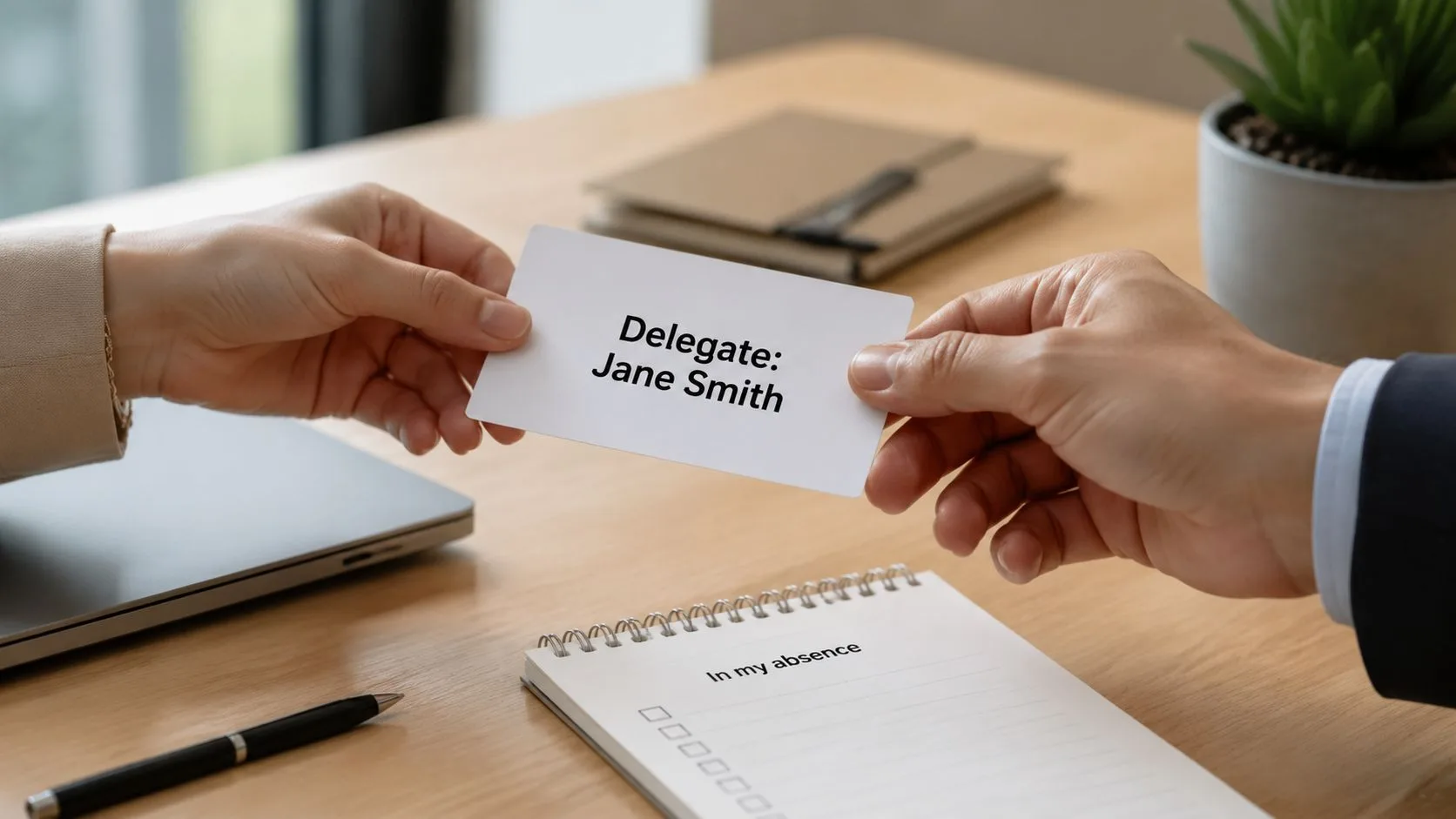
Delegation messages succeed when they reduce uncertainty for both the sender and the colleague taking over. A name alone isn’t enough. State the delegate’s role, the subjects they can handle, and the matters that should wait for your return.
Subject: Out of Office, [TEAM OR FUNCTION] Coverage Through [DATE]
Hello,
Thanks for your message. I’m away from the office through [DATE] and won’t be monitoring email regularly.
During my absence, [DELEGATE NAME], [TITLE], will handle [PROJECT, ACCOUNT, OR REQUEST TYPE]. You can reach them at [EMAIL ADDRESS] or [PHONE NUMBER]. They can assist with [APPROVALS, SCHEDULING, SUPPORT, OR OTHER RESPONSIBILITIES]. For matters outside that scope, please email me and I’ll follow up after I return.
Regards, [YOUR NAME]
This template works for managers, account teams, recruitment groups, and operational functions where work must continue without the usual owner. The delegate should know that their details will appear in the reply, understand the escalation limits, and have access to the documents or systems they need. A handoff conversation is more reliable than forwarding a crowded inbox at the last minute.
Recruitment teams can use this approach to tell candidates exactly who handles interview scheduling or application questions. Account managers can identify a covering colleague for service issues while reserving commercial decisions for their return. Those distinctions prevent the backup person from receiving requests they can’t resolve.
Mail Tracker for Gmail can continue providing engagement visibility for tracked messages, but decide who should interpret those signals. A visible tracking signature on the free plan may be appropriate in some communication contexts, while Premium’s invisible tracker may better fit others. That choice should follow your organization’s privacy policy and the recipient’s expectations, not a desire to conceal tracking.
Use tracking history after the absence to identify conversations that need a personal handoff. Documenting the decision, owner, and next action also makes the return easier. For practical guidance on communication documentation, keep the record accessible to both the original owner and the delegate.
8. Client-Focused Relationship Out-of-Office Message
Clients don’t need exaggerated reassurance. They need continuity, a clear contact for urgent issues, and confidence that their message won’t disappear. A warm client-facing reply can acknowledge the relationship without making an impossible promise about your return.
Subject: Away Until [DATE], Support Available for Urgent Matters
Hello [CLIENT NAME],
Thanks for your message and for your continued partnership on [PROJECT OR ACCOUNT]. I’m away from the office until [DATE] and will have limited access to email during that time.
For immediate assistance with [URGENT ACCOUNT ISSUE], please contact [BACKUP NAME] at [EMAIL ADDRESS] or [PHONE NUMBER]. They can help with [SPECIFIC SUPPORT AREA]. I’ll review your message when I return and follow up on [RETURN DATE OR AFTER RETURN].
Warm regards, [YOUR NAME]
Personalization earns its place when it’s accurate. Referencing a current project or recent conversation makes the message feel connected to the client’s work. Don’t include a project name if the same auto-reply will go to unrelated contacts. In that case, use a general line about supporting the account or team.
Client continuity depends on the backup route. Name someone who understands the account, has permission to discuss it, and can recognize a genuine emergency. Avoid sending every client to one individual if that person lacks capacity or authority. A shared support address may work better for operational issues, while a senior account contact may be appropriate for escalations.
Mail Tracker for Gmail can help customer success managers and consultants prioritize post-absence outreach when they’ve tracked specific client messages. Per-message timestamps and open counts may show which conversations received attention, while daily reports or full tracking history can help organize a high-volume review. These signals shouldn’t determine relationship priority on their own. A client’s deadline, business impact, and previous commitments matter more than an open event.
Your signature should remain consistent with normal client communication. If you’re refining that closing block, review what belongs in an email signature and remove anything that makes the auto-reply feel like a different identity.
Out-of-Office Message Comparison, 8 Examples
| Template | Implementation Complexity 🔄 | Resource Requirements ⚡ | Expected Outcomes ⭐ / 📊 | Ideal Use Cases 💡 | Key Advantages |
|---|---|---|---|---|---|
| Brief Professional Out-of-Office Message | Low 🔄 | Minimal ⚡ | Clear response timing; ⭐⭐ 📊 quick triage | Professionals needing formal, concise notice | Fast to read; preserves professional tone |
| Extended Leave Out-of-Office Message | Medium 🔄🔄 | Moderate–High ⚡⚡⚡ | Protects time off; realistic expectations; ⭐⭐⭐ 📊 backlog risk | Vacations, sabbaticals, multi-week projects | Strong boundary-setting; aids prioritization on return |
| High-Volume Sales Out-of-Office Message | High 🔄🔄🔄 | High ⚡⚡⚡ | Maintains pipeline momentum; prioritizes hot leads; ⭐⭐⭐ 📊 high impact | Sales teams, business development | Helps triage prospects; preserves sales continuity |
| Medical or Personal Leave Out-of-Office Message | Medium 🔄🔄 | Low–Moderate ⚡⚡ | Preserves privacy; respectful unavailability; ⭐⭐ 📊 low proactive engagement | Medical procedures, personal emergencies | Empathetic tone; protects personal details |
| Remote Work / Flexible Schedule Out-of-Office Message | Medium 🔄🔄 | Moderate ⚡⚡ | Clarifies availability across timezones; ⭐⭐ 📊 intermittent responsiveness | Remote workers, flexible schedules | Manages expectation of delayed replies; timezone clarity |
| Conference / Event Attendance Out-of-Office Message | Medium 🔄🔄 | Moderate ⚡⚡ | Positions absence as networking chance; ⭐⭐ 📊 increased post-event follow-ups | Conferences, trade shows, industry events | Encourages meetings; leverages event credibility |
| Team Delegation Out-of-Office Message | High 🔄🔄🔄 | High ⚡⚡⚡ | Ensures continuity; delegated handling; ⭐⭐⭐ 📊 high operational stability | Managers, team-based workflows | Clear point of contact; reduces service gaps |
| Client-Focused Relationship Out-of-Office Message | High 🔄🔄🔄 | Moderate–High ⚡⚡⚡ | Maintains client trust; prioritized follow-up; ⭐⭐⭐ 📊 strong retention effect | Account managers, customer success, consultants | Strengthens relationships; reduces client anxiety |
Make Your Auto-Reply Work Harder
A strong auto-reply is short because it respects the sender’s time, not because it leaves out useful information. Before you activate it, replace every placeholder with exact details and read the message as someone who doesn’t know your schedule, team structure, or internal terminology.
Use this compact customization checklist:
- Replace placeholders: Add the start date, return date, time zone, backup name, email address, and phone number where appropriate.
- State your access accurately: Say whether you’ll have no access, limited access, or defined availability. Don’t claim to be offline if you expect to reply.
- Separate urgent from nonurgent routes: Explain what qualifies for escalation and where the sender should go. A generic “contact me if urgent” line defeats the purpose.
- Name a capable backup: Confirm that the colleague has agreed to help and understands what they can handle.
- Remove unnecessary personal details: A broad reason such as vacation, conference attendance, or personal leave is usually enough.
- Set a realistic return expectation: “I’ll respond after I return” is safer than promising an immediate reply while catching up.
- Match the audience: Clients may need warmer continuity language, while internal colleagues may need a direct operational route.
The practical dos are straightforward. Do use a clear subject line, a readable greeting, exact dates, and a professional sign-off. Do keep the message easy to scan. Do test the alternate contact and make sure the delegate knows what senders will see. Do update or disable the response when your plans change.
The don’ts matter just as much. Don’t share medical details, travel plans, or private information that recipients don’t need. Don’t list a backup who can’t make decisions. Don’t promise that you’ll answer every message immediately after returning. Don’t use humor, slang, or a casual vacation announcement when external contacts may receive the message. Don’t turn tracking into a default for every email, especially where recipient expectations or organizational rules call for restraint.
Out-of-office messages also correct a common urgency problem. Research on email expectations found that recipients often overestimate how quickly senders expect replies to nonurgent work email sent outside standard working hours. Among people who intended to reply, 90% responded within one or two days, while half replied within an hour, and the most common reply time was two minutes, according to research on email response expectations. A clear auto-reply gives both sides permission to treat the message according to its real priority.
Gmail calls its feature Vacation responder. To activate it, open Gmail, select Settings, choose See all settings, and find Vacation responder under General. Turn it on, enter the date range, subject, and message, choose whether replies should be restricted to contacts when that option is available, then save the changes. Google documents these controls in its Gmail Vacation responder instructions. Send yourself a test from another address, confirm the dates and links, and check that the backup details are correct.
Mail Tracker for Gmail belongs in the follow-up workflow, not in the auto-reply itself. Use its read receipts, timestamps, notifications, or reports only when those details will help you prioritize tracked conversations after the absence. If you choose to track, make the decision deliberately and align it with your audience, privacy expectations, and workplace policy.
Mail Tracker for Gmail adds read receipts, open counts, timestamps, and real-time notifications inside Gmail on web and mobile, helping you prioritize tracked follow-ups after an absence. Visit Mail Tracker for Gmail to choose the tracking approach that fits your client, sales, recruiting, or team communication workflow.
Ready to track your emails?
Add Mail Track for Gmail from the Google Workspace Marketplace and know the moment your emails are opened. Free and unlimited.
Add to GmailMore reading
More from Guides

How Accurate Is Email Tracking? What Opens Really Tell You
How accurate is email tracking in Gmail? Learn why opens get overcounted or missed, how to spot false opens, and which signals to trust before you follow up.

Email Tracking Pixel: How It Works, How to Spot One and Where It Falls Short
What is an email tracking pixel, how does it show an open in Gmail, how can you find one, and why Gmail and Apple Mail proxies limit what it can tell you.

7 Example Email Accept Job Offer Templates
Use these 7 example email accept job offer templates for formal, concise, and enthusiastic replies, with subject lines, clauses, and sending tips.